Version 2025.3
Thank you for updating Remote Desktop Manager (RDM) to version 2025.3!
Below, we’ll take a quick look at the most exciting updates. For the full list of changes, check out the release notes.
New features
MCP server integration (experimental)
We’ve introduced an experimental MCP (Model Context Protocol) server in Remote Desktop Manager, enabling interaction with a local RDM instance through any client that supports MCPs (such as Claude, Visual Studio, Visual Studio Code, or MCP Inspector).
The MCP server exposes tools, prompts, and resources that allow structured access to your RDM data sources, vaults, and entries, along with the ability to create a vault structure, modify entries, and create strong or passphrase-based passwords. Even more impressive, RDM supports advanced cases that go beyond standard vault and entry management. For example, you can perform actions on specific types of entries such as RDP, SSH, Hyper-V, and SQL Server. Imagine letting the LLM do the job for you: automatically executing PowerShell commands on your RDP entries using Devolutions Agent seamlessly in the background. Click here to learn more about how to setup MCP server in RDM.
Note: This feature is currently flagged as Experimental and will evolve in future releases.
Azure VMs synchronizer
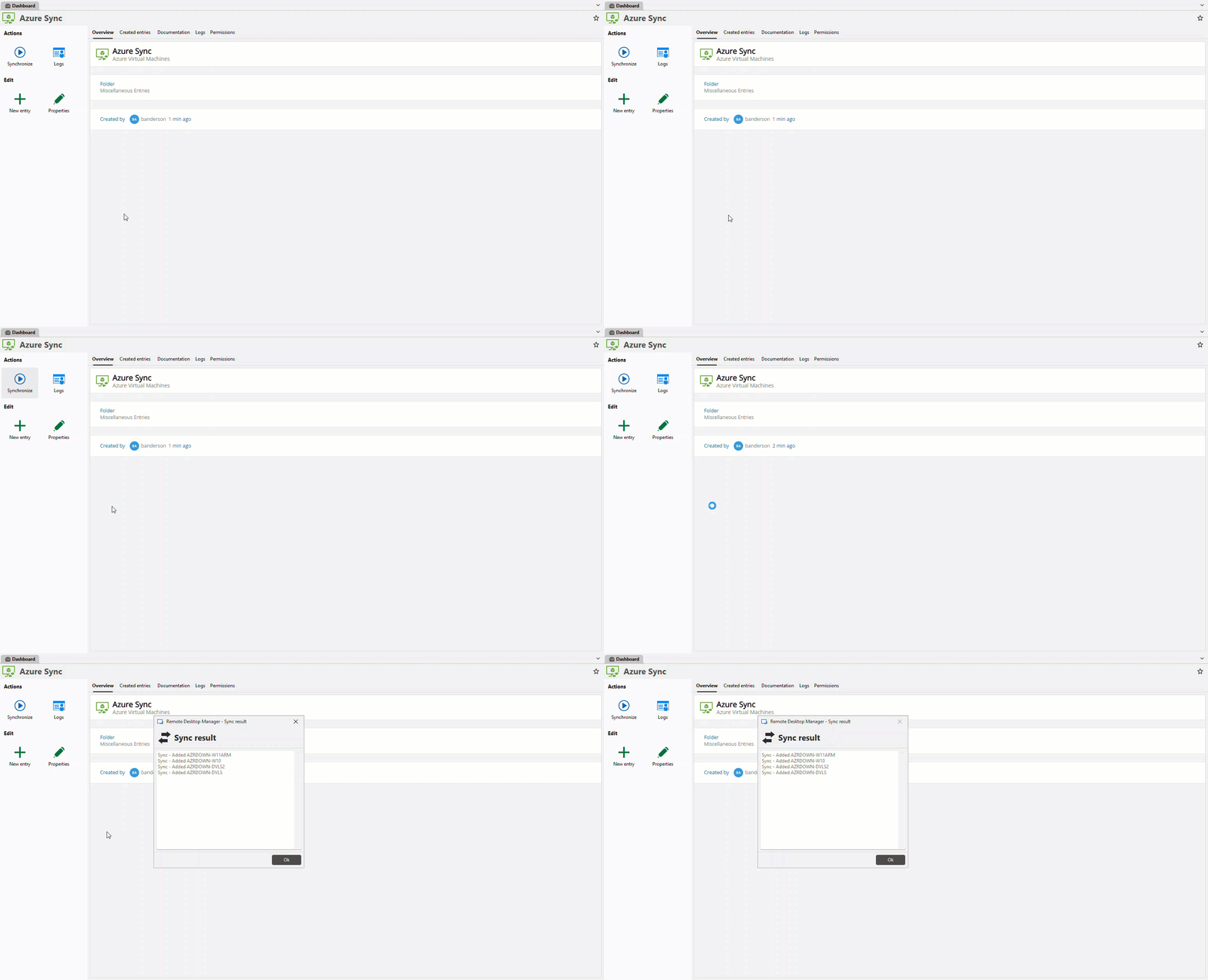
We’ve added a new synchronizer for Azure Virtual Machines, allowing you to connect your Azure subscription or specific resource groups and keep your VMs in sync with RDM. This integration ensures that RDM can serve as the single source of truth for your Azure-managed machines, similar to how our other synchronizers work.
JAMF synchronizer
Making it easier to integrate Mac device management into RDM, we’ve also added a new synchronizer for JAMF. This synchronizer supports both a simplified configuration mode for quick setup and an advanced mode that leverages JAMF’s advanced computer search for greater flexibility. With this addition, administrators can rely on RDM as their single source of truth for their JAMF-managed machines.
NetBox synchronizer
We’ve also added a new synchronizer for NetBox, allowing you to connect directly to your NetBox or NetBox Cloud environment and keep your devices and IP information in sync with RDM.
WinGet dashboard
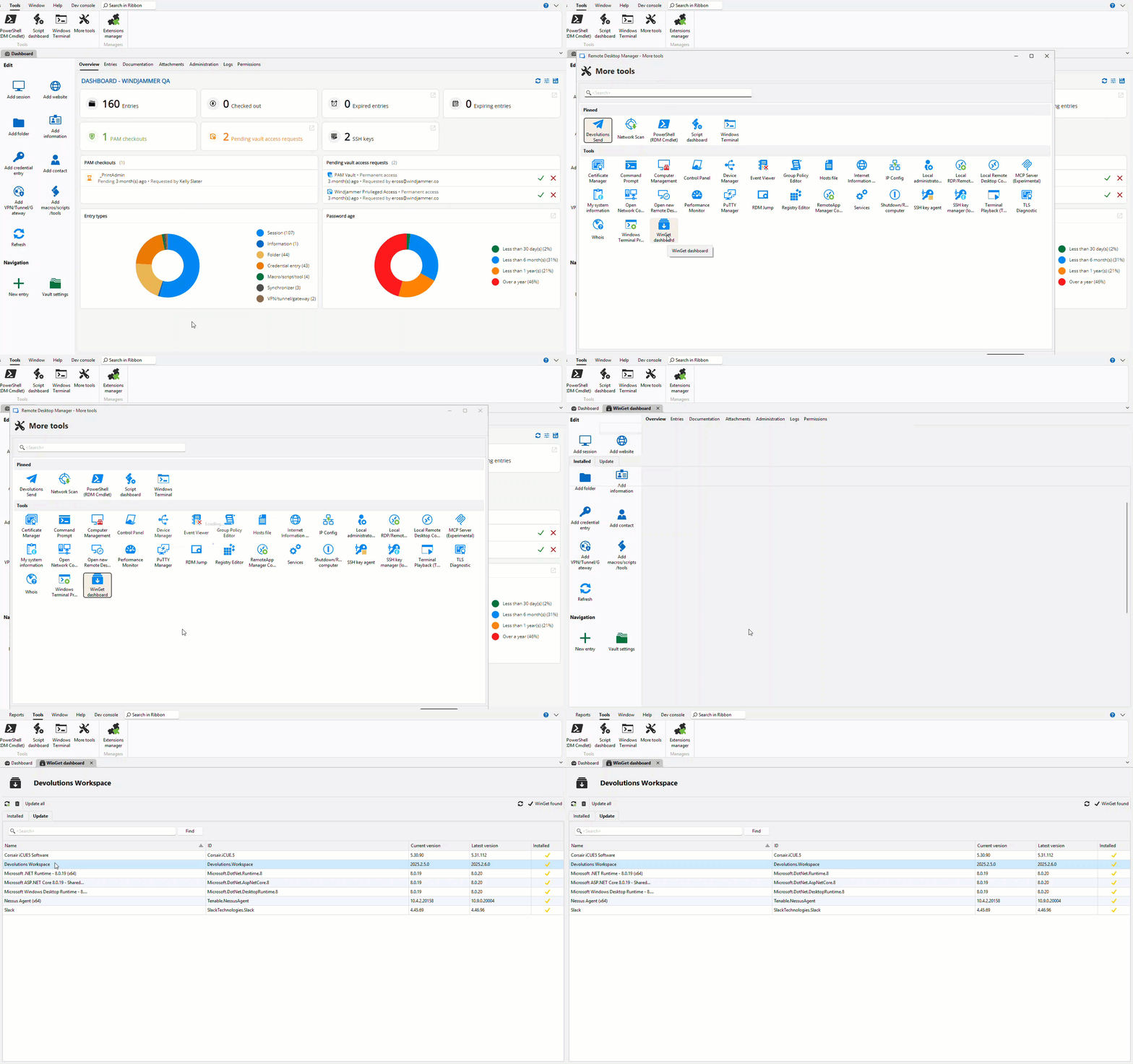
RDM now lets you manage Windows apps with the Windows Package Manager. Find it under: Tools tab > More Tools > WinGet dashboard
Here’s a summary of what you’ll see in the dashboard:
- Update all installed packages in one action
- Install by ID when you already know the package identifier
- Uninstall packages from the same, unified view
Note: RDM relies on your existing winget installation. Therefore, all install/uninstall/update results come directly from winget.
Salesforce Cloud dashboard
For Salesforce users, we’ve added a new Salesforce Cloud dashboard in Remote Desktop Manager, making it easier to interact with your Salesforce cases without leaving RDM. You can connect with your Salesforce account to search and filter cases, view case details, and open cases in the web interface when needed. You can also follow and contribute to case discussion threads directly from the dashboard, streamlining collaboration and case management. Let us know what you’d like to see next!
Improvements
IP address list: More improvements!
We’ve enhanced the IP address list with new options that make managing large sets of addresses easier. When importing, you can now filter by folders or tags, giving you more control over how IP addresses are organized. In addition, a new batch edit capability lets you quickly update common fields — such as subnet address, gateway, or VLAN ID — across multiple entries at once.
Bitwarden SSH key support
RDM now supports fetching and using SSH keys from Bitwarden. A new mode in the Bitwarden integration allows you to switch between managing standard credentials and SSH keys. When in SSH key mode, only SSH key entries are displayed, and you can link them directly to your SSH terminal entries for seamless authentication.
Script dashboard: external GitHub libraries
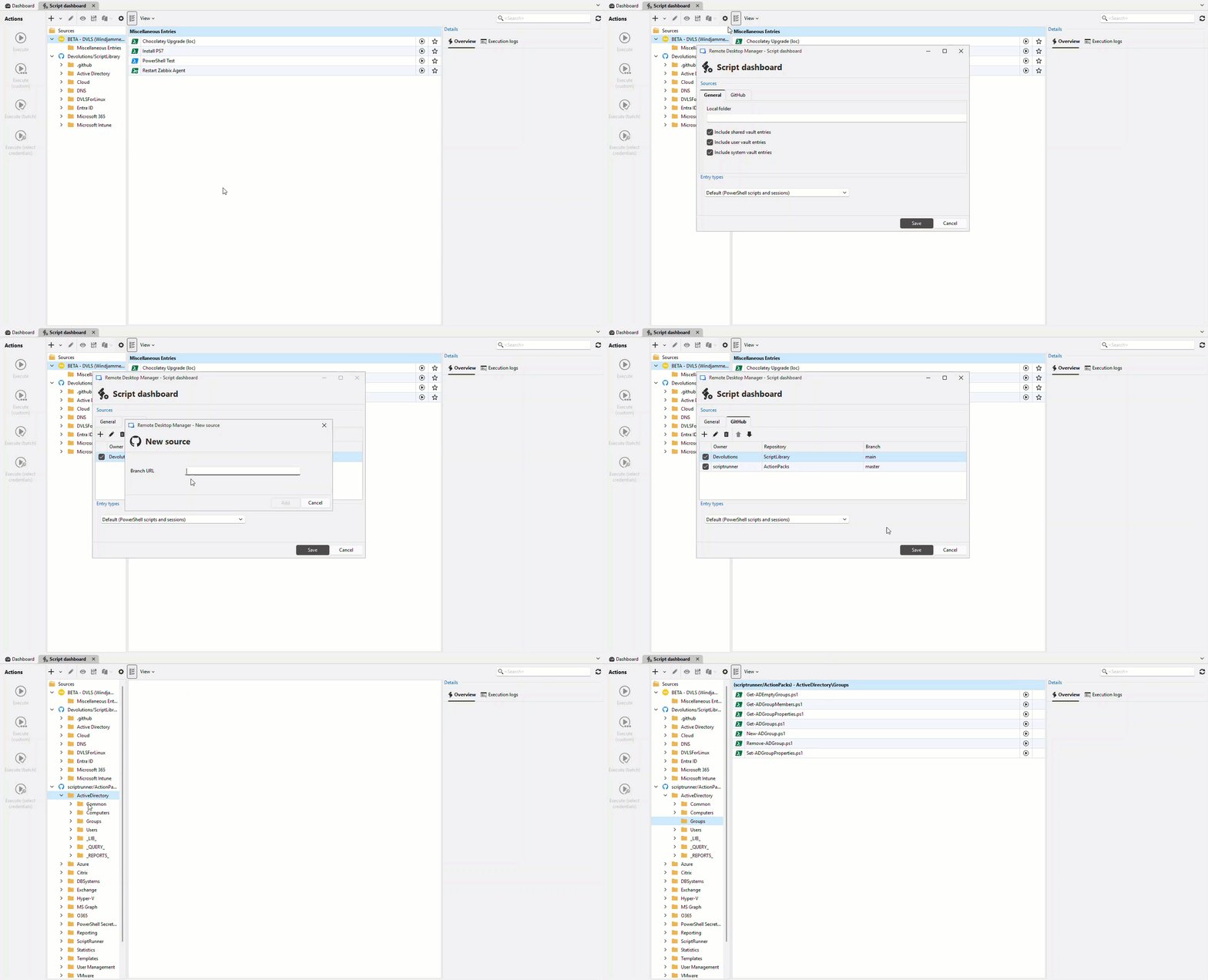
The Script dashboard is now more flexible than ever. In addition to the built-in Devolutions script library, you can now connect external public GitHub repositories and use them as additional script sources.
- Add any public GitHub repository as a library
- Browse, preview, and run scripts directly from those repositories
- Continue to use the Devolutions library alongside your own selections
- Configure repositories in Script dashboard > Settings > GitHub
- Optionally add a personal access token in My account settings > GitHub to increase GitHub’s API limits
Examples of supported repositories:
Favorites: Full entry editing across vaults
Favorites now support full entry editing, giving you access to nearly all the same features available in the regular vault view like editing general settings, tags, description, etc. . This enhancement makes it easier to manage and update entries directly from your favorites list, even when they belong to different vaults.
High-performance RDP recording with Devolutions Gateway
We’ve improved the recording performance for RDP sessions in Windows using MsRdpEx. This approach delivers smooth, scalable recordings without locking the RDM UI, even with many sessions running at once. Unlike the previous method, it supports higher frame rates, preserves native resolution (no forced downscaling), and can handle resolution changes by creating multiple video files as needed.
File explorer revamp using Avalonia: Phase 2
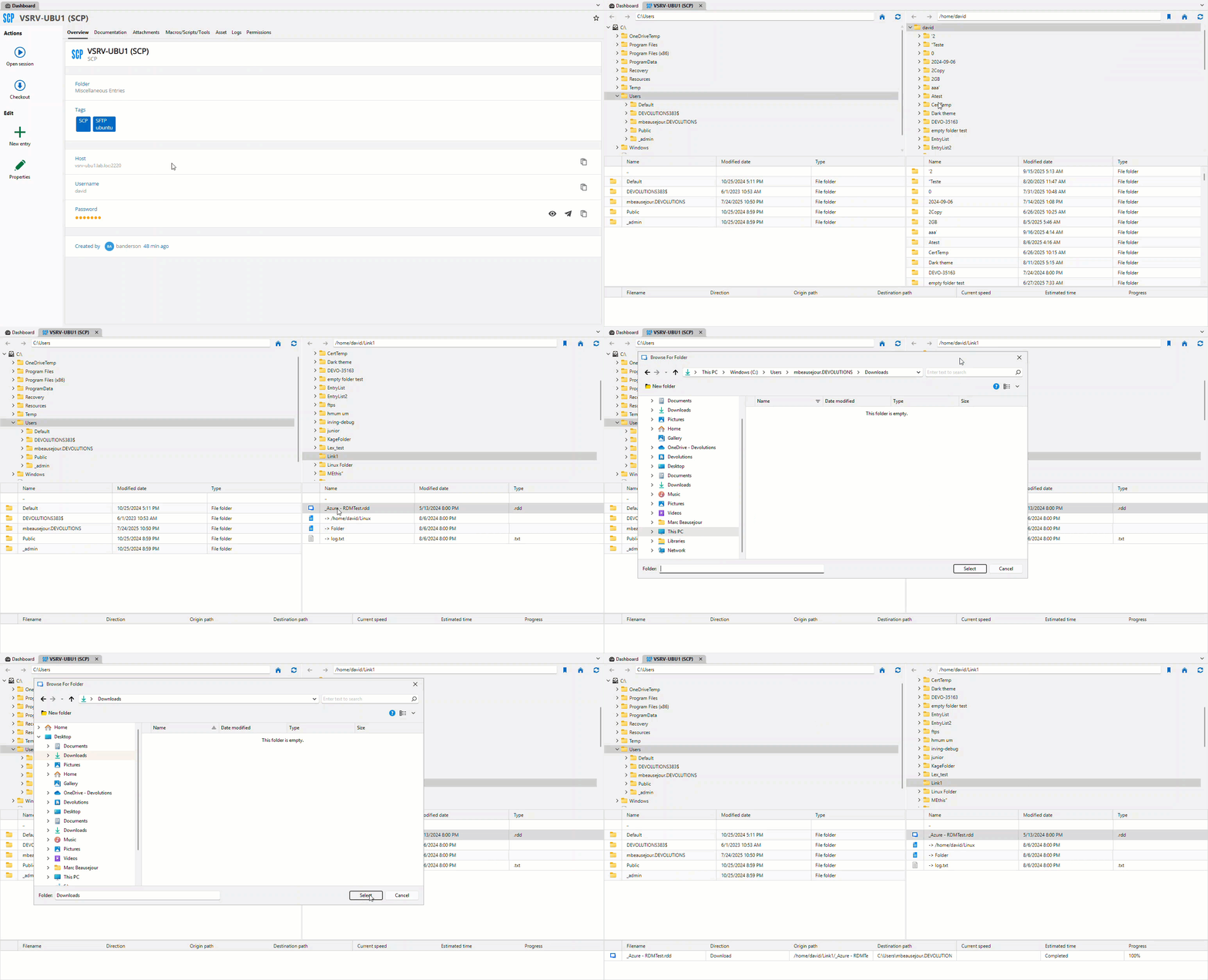
Building on the first phase of the file explorer revamp introduced in 2025.2 with SFTP, we’ve continued the redesign of file explorers in Avalonia. This second phase brings a modernized and more consistent experience to more protocols, including FTP, SCP, WebDAV, SMB, S3, and Azure Blob Storage. The new design improves usability, streamlines performance, and lays the groundwork for cross-platform consistency in future updates.
Password policies (formerly password templates): New password expiration setting
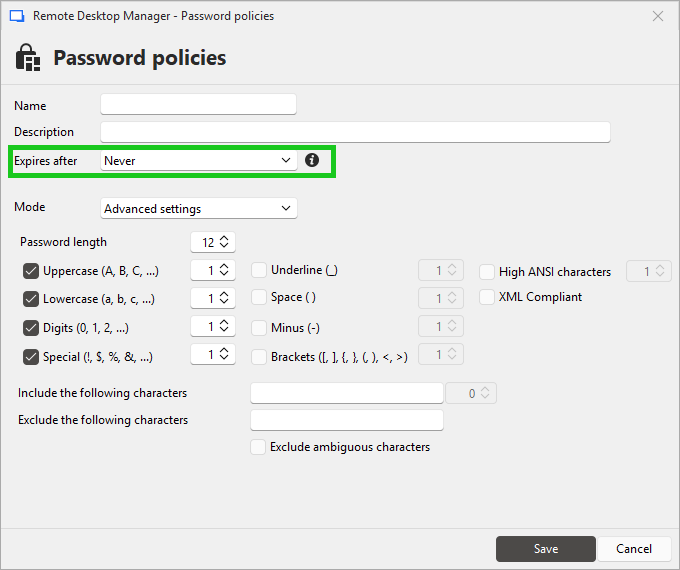
A new setting in password policies makes it possible to define an expiration date for generated passwords. This ensures that entries automatically reflect their expiration timeframe, helping administrators uphold organizational security requirements and simplify password rotation and change management. The newly renamed password policies has moved to the Administration tab.
Default structure for vaults (SQL Server only)
We’ve enhanced vault templates with support for a default structure. When creating a new vault, administrators can now automatically apply a predefined set of folders and entries. This streamlines configuration, reduces manual setup, and is especially valuable for MSPs who often manage multiple vaults with similar structures.
Note: This is currently limited to a SQL Server data source. Support for Devolutions Server and Devolutions Cloud will be added in a future release.
OTP support for Delinea Secret Server credential entries
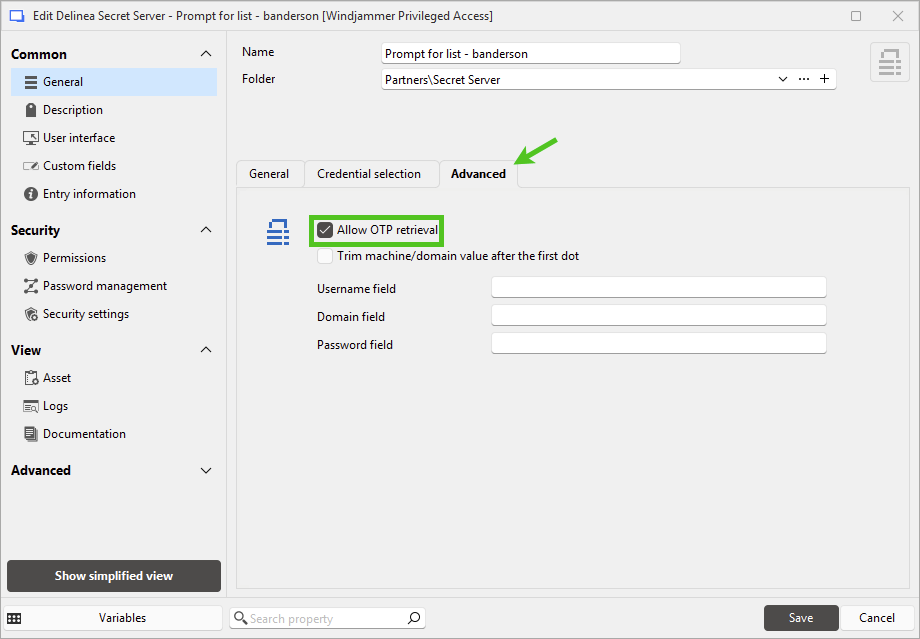
Remote Desktop Manager now supports one-time password (OTP) retrieval for Delinea Secret Server credential entries. This enhancement makes it easier to use Secret Server as a secure source for OTPs in sessions that require them.
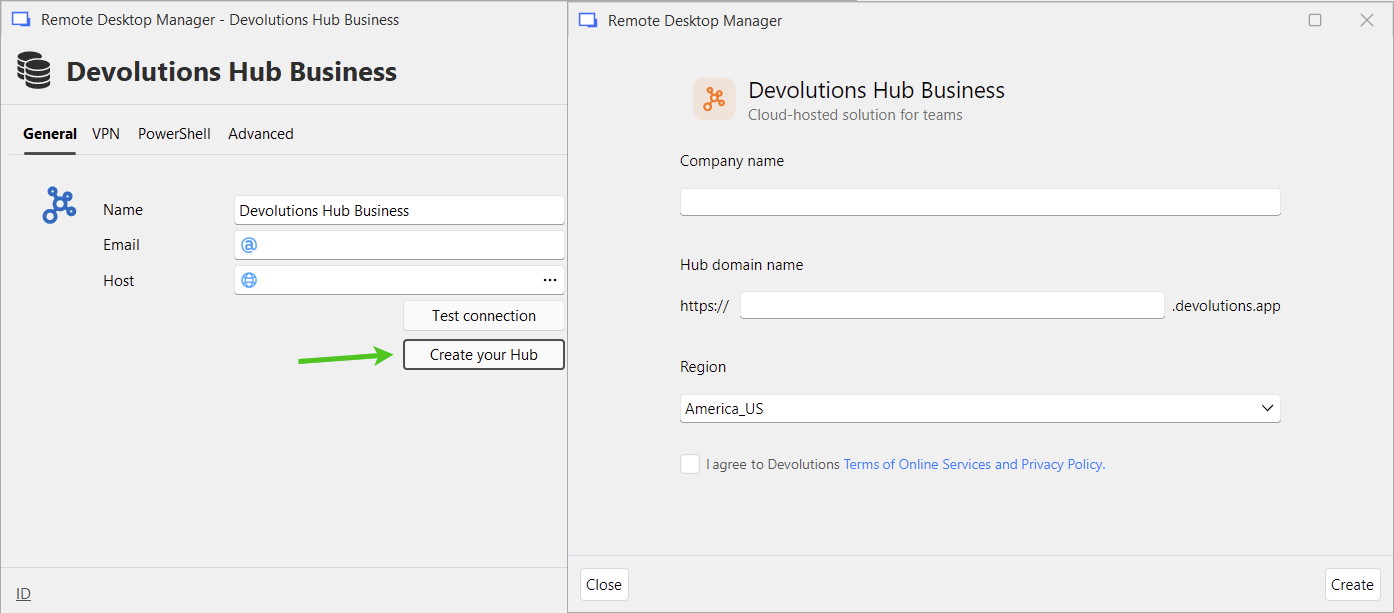
Create a Devolutions Cloud instance directly from RDM
You can now create a Devolutions Cloud instance directly from Remote Desktop Manager during onboarding and when you add one in File → Data Sources. This streamlines the process of setting up the data sources without needing to go through the web interface. RDM handles the full creation flow, including generating and downloading the emergency kit, finalizing the configuration, and connecting you automatically to your new Devolutions Cloud.