What's New in Remote Desktop Manager Mac 2026.1
Thank you for updating Remote Desktop Manager (RDM) to version 2026.1!
Below, we’ll take a quick look at the most exciting updates. For the full list of changes, check out the release notes.
New features
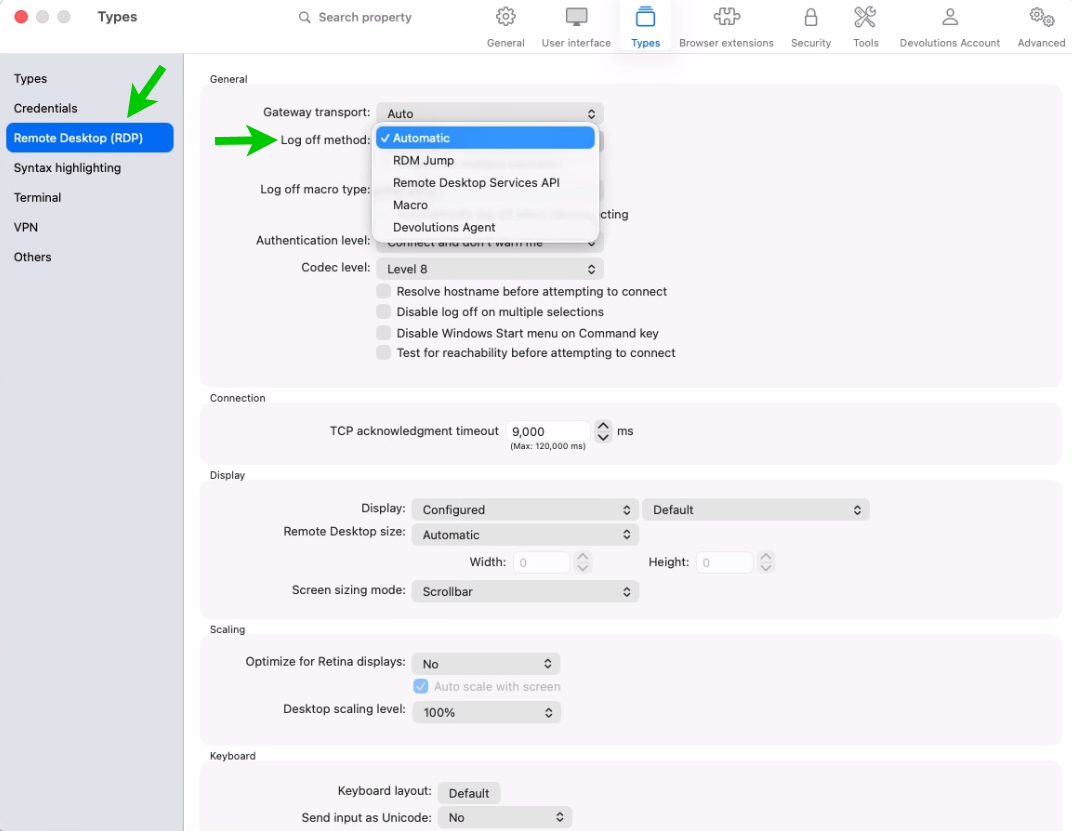
Log off RDP sessions reliably with dedicated logoff
You can now choose the RDP logoff method under File → Settings → Types → RDP or per entry in the entry’s setting, improving compatibility across different Windows and RDS configurations. This helps ensure sessions end cleanly and consistently, reducing orphaned interactive sessions and aligning better with hardened or policy-driven environments.
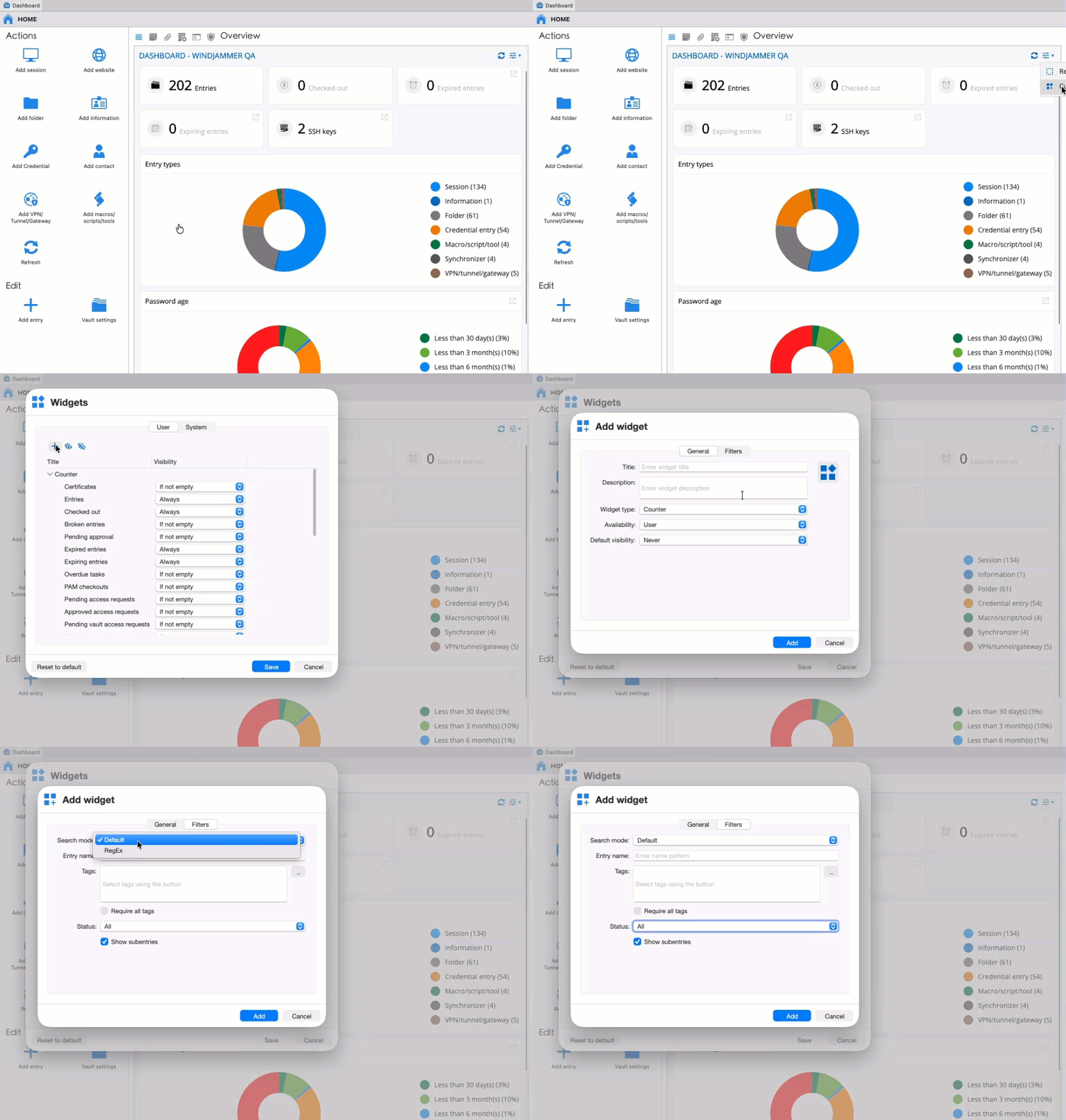
Create custom widgets and dashboards to focus on the information that matters the most
You can now create custom widgets using data relevant to your team’s use cases. At the same time, we’ve added a function to create pre-configured dashboards for users. This will give you a way to present critical information to users so they can act on or be aware of the status of elements like expired/expiring entries & upcoming tasks.
Improvements
Simplify sign-in with SSO for LastPass and 1Password
With 2026.1, we are adding support to use your identity provider (i.e., Entra ID) to log in to LastPass or 1Password, making it easier to use these password managers for retrieving credentials in RDM and using them for authenticating to endpoints.
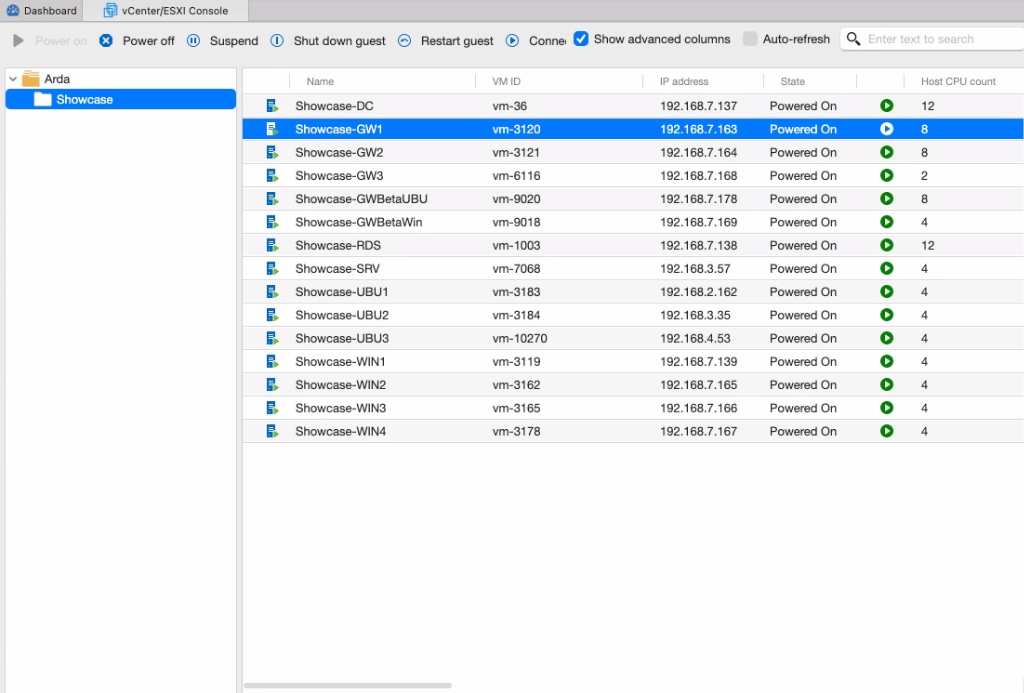
Make VMware monitoring clearer through dashboard enhancements
The dashboard now displays the vSphere folder structure, and you can view additional columns such as DNS hostname, Guest OS, and more for your listed VMs.
Support SSH certificates for stronger key-based authentication
You can now attach SSH certificates to SSH key entries. This was previously only available on SSH session entries, and it simplifies certificate-based setups, including user-specific configurations and “linked (vault)” usage.
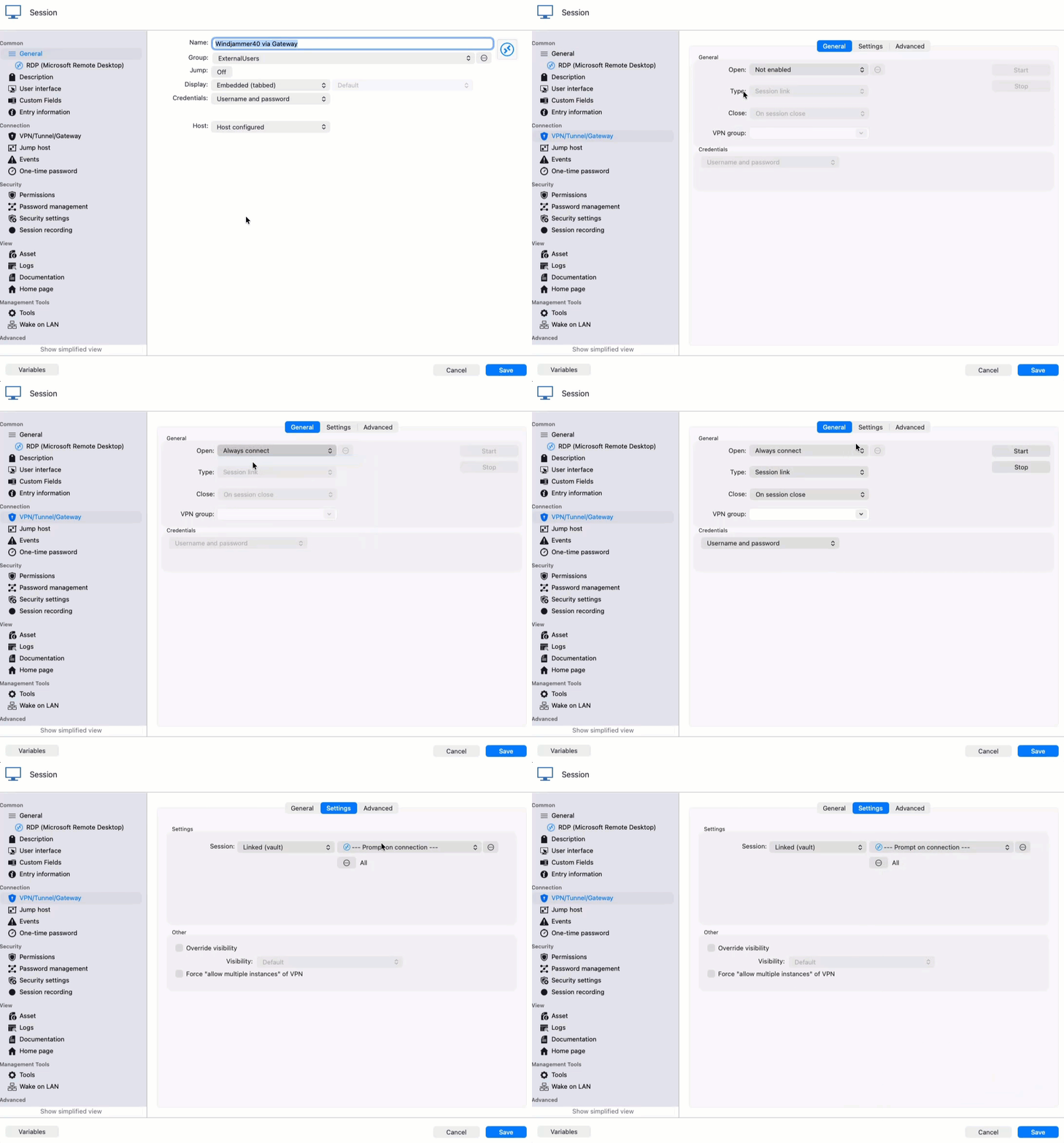
Better connection flows with linked VPNs prompts
We’ve the ability to be prompted to select a VPN when you open a connection that requires it, enabling ad-hoc selection of a VPN, which helps make IT operations easier.
Enable local session recording in the Free edition!
We’re pleased to share that it’s now possible to use RDM’s local session recording mechanism to record sessions with the free edition of RDM, enabling solo users to capture their work for various use cases!