What's New in Devolutions Server 2026.3
Thank you for updating Devolutions Server to version 2026.3!
Here's a quick look at the most exciting updates. For the full list of changes, check out the release notes.
Manage access and permissions with roles
Access and permissions are now managed through a new set of roles. Roles apply to every user at the Devolutions Server workspace, vault, and privileged-provider levels. A user can access a vault only when one of their assigned roles grants them access.
To ensure business continuity after the upgrade, all existing administrators are assigned the Workspace Owner role and retain their current access. When creating a new user, you can now assign the appropriate roles based on the user's required access and permissions. The My Roles view shows which roles a user holds and whether each role was assigned directly or through a group.
Deploy with a PostgreSQL database
Devolutions Server now supports PostgreSQL as an alternative database engine for self-hosted deployments, including Linux and ARM64 hosts.
Create a vault from a template
When you create a vault, you can select a vault template to copy its folders and entries with their nesting. In Devolutions Remote Desktop Manager (RDM), vault templates now extend to Devolutions Server workspaces.
Store PAM credentials in shared vaults
You can now store Devolutions PAM credentials in a regular shared vault, alongside standard entries. A vault must be at the High security level before it can hold PAM accounts. A vault at Standard refuses a PAM entry and asks an administrator to convert the vault first. High-security vaults are not available offline, and a vault that holds PAM accounts cannot return to Standard until you move or delete those accounts. In Devolutions Server, the new PAM account creator role includes the Manually create PAM account permission, and PAM vault management has been merged into Vault management.
Manage PAM provider credentials with self-rotation
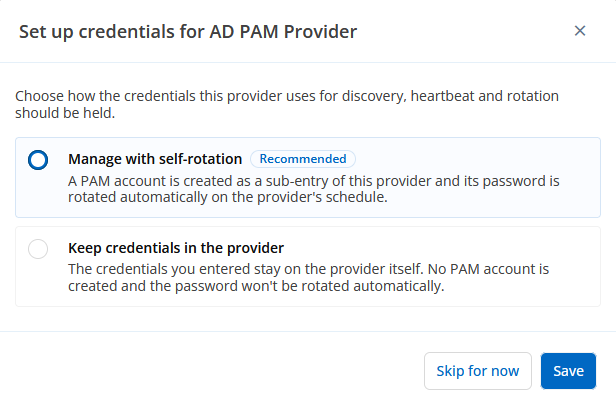
A PAM provider signs in with its own account to run discovery, heartbeat, and password rotation. When you save a provider, you can now choose Manage with self-rotation, Keep credentials in the provider, or Skip for now. You can also convert an existing provider to a Managed PAM account. The managed account appears under the provider and follows the provider's rotation schedule.
Keep existing just-in-time PAM accounts between checkouts
The just-in-time (JIT) account mode now includes Enable account on checkout, alongside None and Create the account on checkout. The new mode allows an existing account to be used at checkout, instead of creating a new one. At check-in, it disables the account again.
In Devolutions Server, this mode applies to existing Active Directory and Microsoft Entra ID accounts. At checkout, the server also applies the account's configured elevation-group membership and removes it at check-in.
Extend active PAM checkouts
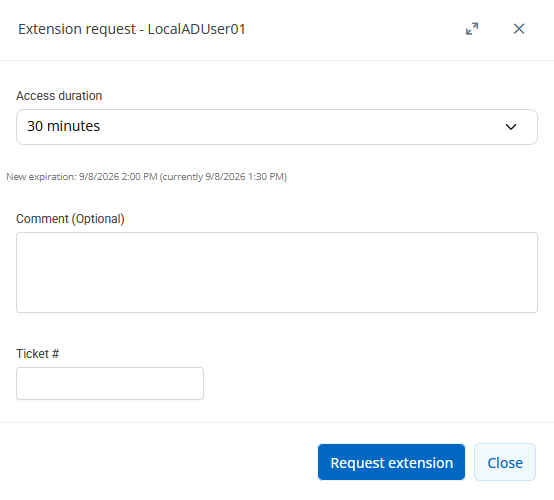
You can now request more time on an active PAM checkout, instead of checking the credential in and starting a new request. Extensions are off by default. The checkout policy controls whether extensions are available, whether approval is required, and the maximum extension duration.
The active checkout shows its remaining time, and the request history records requested and granted durations.
Check out folders and multiple entries
You can now check out a folder or several entries at once. A prompt lets you select which entries to include. The result identifies each entry that could not be checked out, and why.
In Devolutions Server, checkout and check-in follow the same rules for folders and sub-entries. One comment and duration can apply across a multi-selection, and the interface separates checking in your own checkout from Check-in other users.
Create multiple forbidden password lists
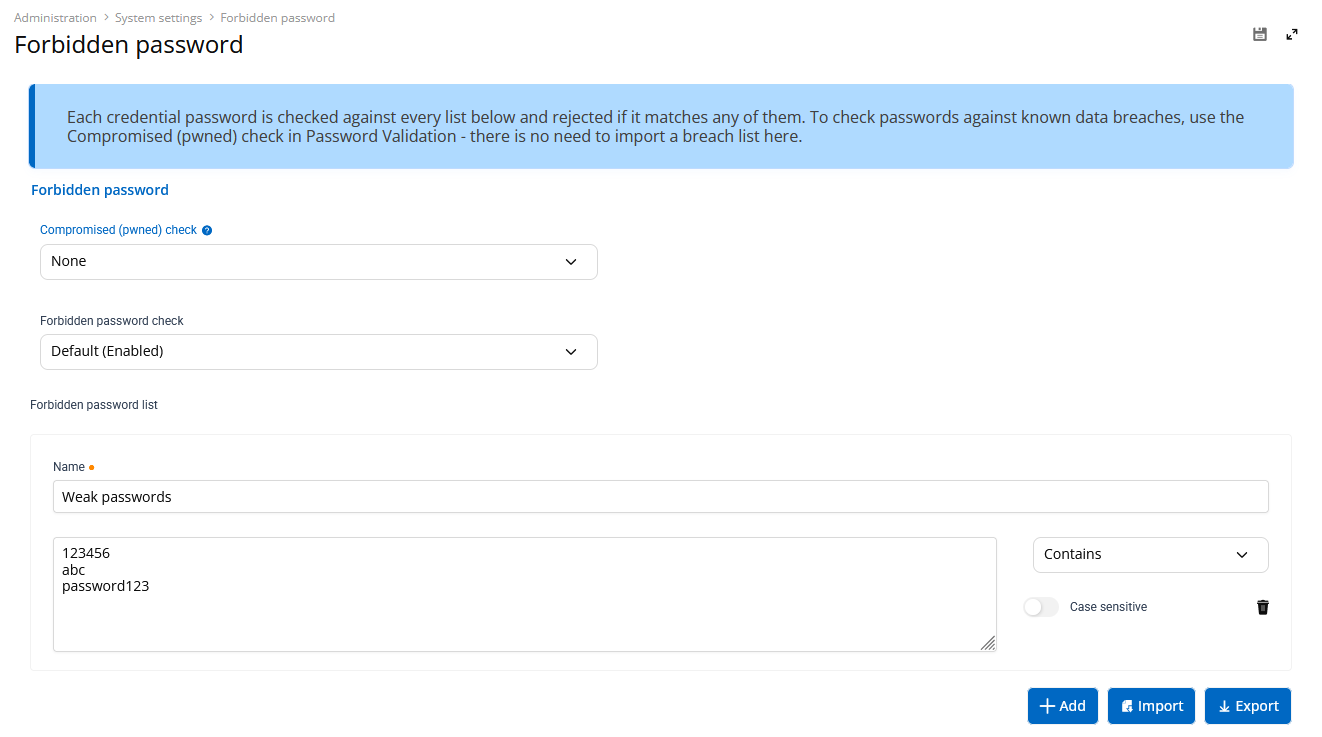
Each list has its own match mode (Exact or Contains) and its own case-sensitivity setting. With the Forbidden password check on, a password that matches any list is refused before you save it. Existing settings are migrated into a list named Default. Entry imports continue, with warnings identifying the affected entries.
Open compact mode for contractors
Compact mode is a simplified view that shows only the sessions you can open on the web through Devolutions Gateway. The sessions appear as tiles, without the tree or the surrounding navigation. Each tile has a permalink, so you can link straight to one session. A button switches back to the Full view, and a user preference opens Devolutions Server in compact mode.