What's New in Devolutions Server 2026.1
Thank you for updating to version 2026.1!
For the full list of changes, check out the release notes.
Here’s a quick look at the most exciting updates:
Enhanced contractor support
Better contractor support is now available. Covering RDP, VNC, SSH, Telnet, PowerShell Remote, ARD, and Host sessions, Devolutions Gateway is required. Create a “Contractor” user type, which uses local login for access, and select specific entries and sessions accessible to these users external to your organization.
Simplify licensing with Free, Trial, and in-app purchase
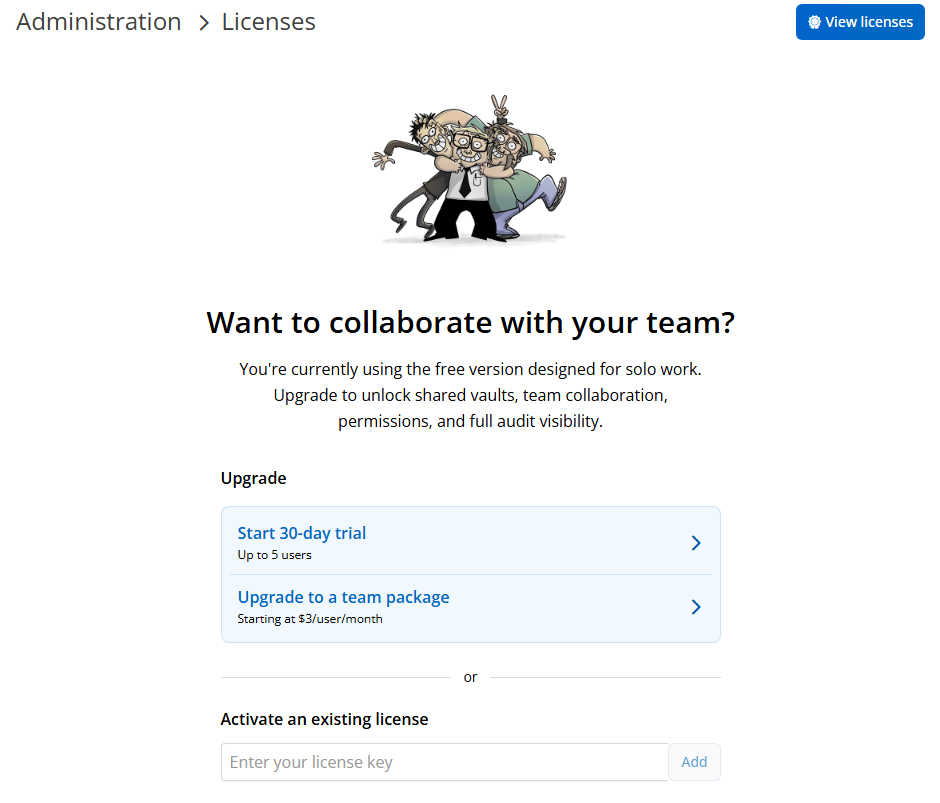
Devolutions Server now supports a free single-user mode designed for evaluating the product with Devolutions Remote Desktop Manager (RDM) and Devolutions Gateway before purchasing. After purchase, the installation can be easily converted to multi-user mode via integration with the store.
Improved session auditing with enhanced recording controls
Session recording can now use a different Devolutions Gateway than the one used for the connection. When recording is set to remote, you can pick a specific recording Gateway from a dropdown. If you choose a different recording Gateway, session termination and token logic will prevent the session from being killed when recordings are routed elsewhere.
Inject credentials securely with RDP proxy-based injection
Devolutions Gateway can now inject RDP credentials from the Gateway rather than sending them to the client, significantly reducing credential exposure in PAM scenarios by keeping secrets closer to the private network.
It also supports RDP reconnections by retaining the password only as long as needed, and is enabled by default for new Gateways (disabled for existing Gateways to avoid upgrade impact), controlled via a ruleset toggle with logs indicating when it’s active.
Scale organization with tag inheritance
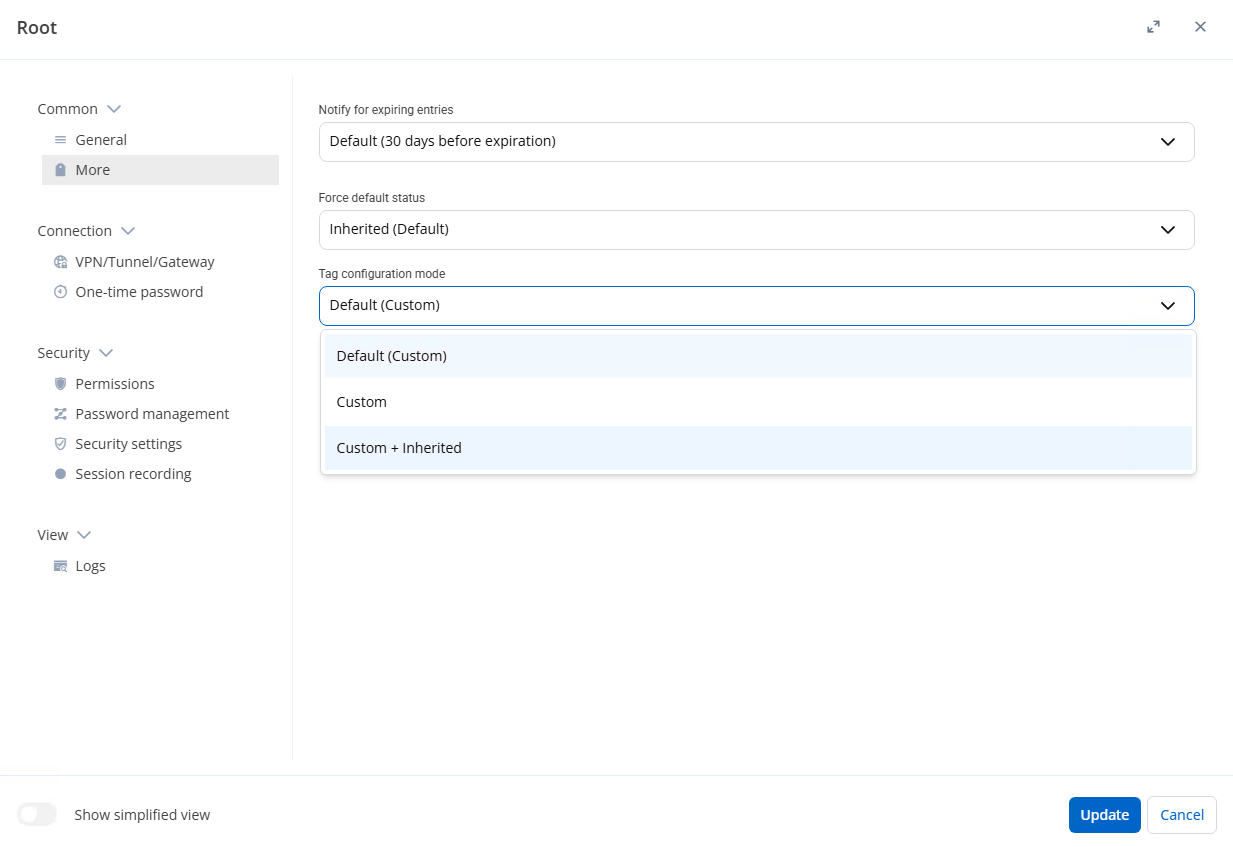
Tag inheritance can now be enabled by setting an inheritance mode in any folder, including the vault's root folder. Once configured, entries will display both assigned and inherited tags, making it easy to validate in the RDM sidebar (or via a tags column) at a glance.
Build better dashboards with customizable widgets
Dashboards will now allow users to create custom counter and list widgets and reorder widgets to match their priorities. Custom widgets can be based on filters like tags and entry status, support logic criteria, and counters are clickable to open the matching results. Widgets can be user-specific or shared at the data source level.
Extend integrations with REST API enhancements
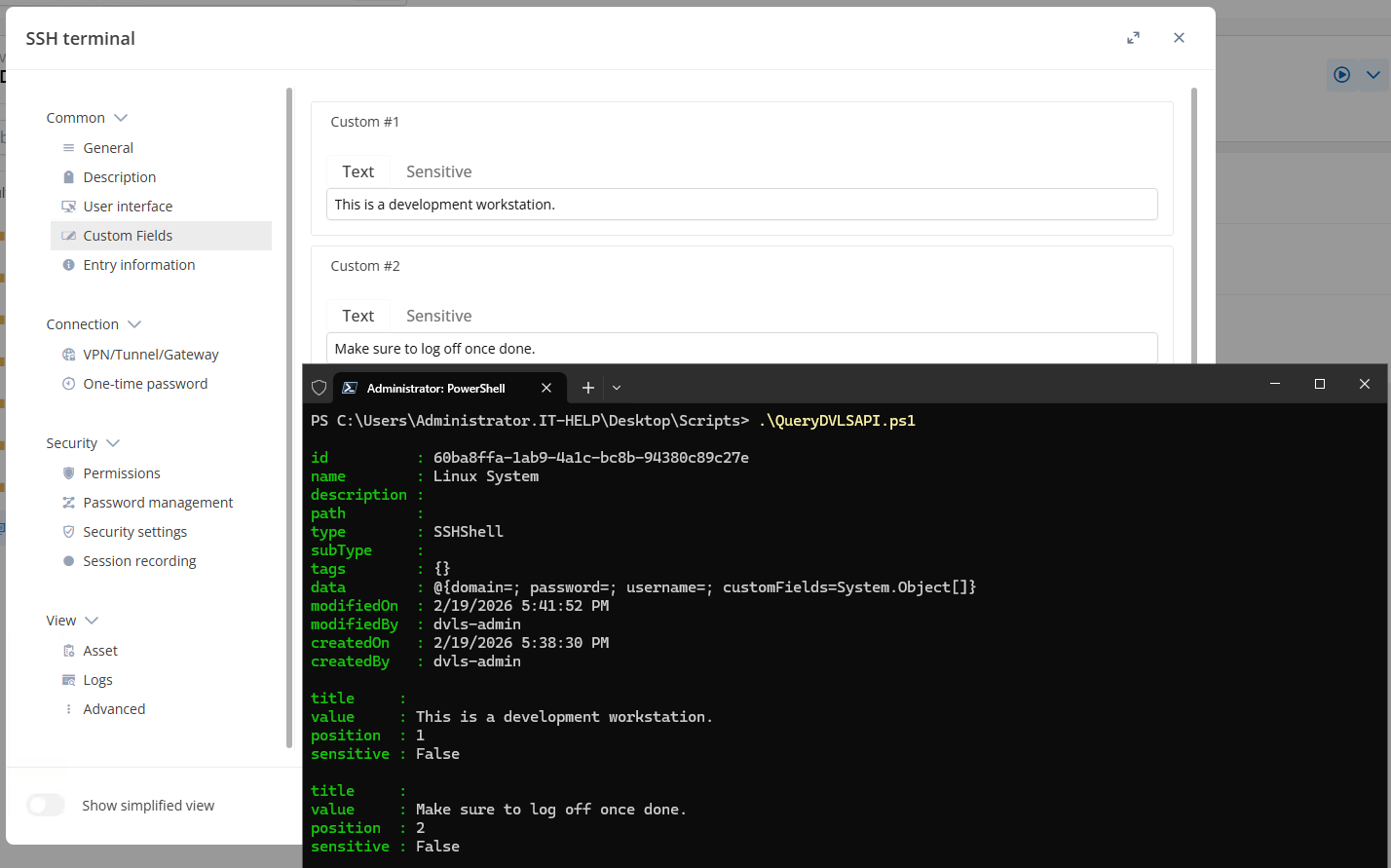
The DVLS API now includes custom fields in the data.customFields array. Each custom field returns its title, value, position, and whether it is sensitive, so clients can read and display custom metadata consistently alongside standard fields.
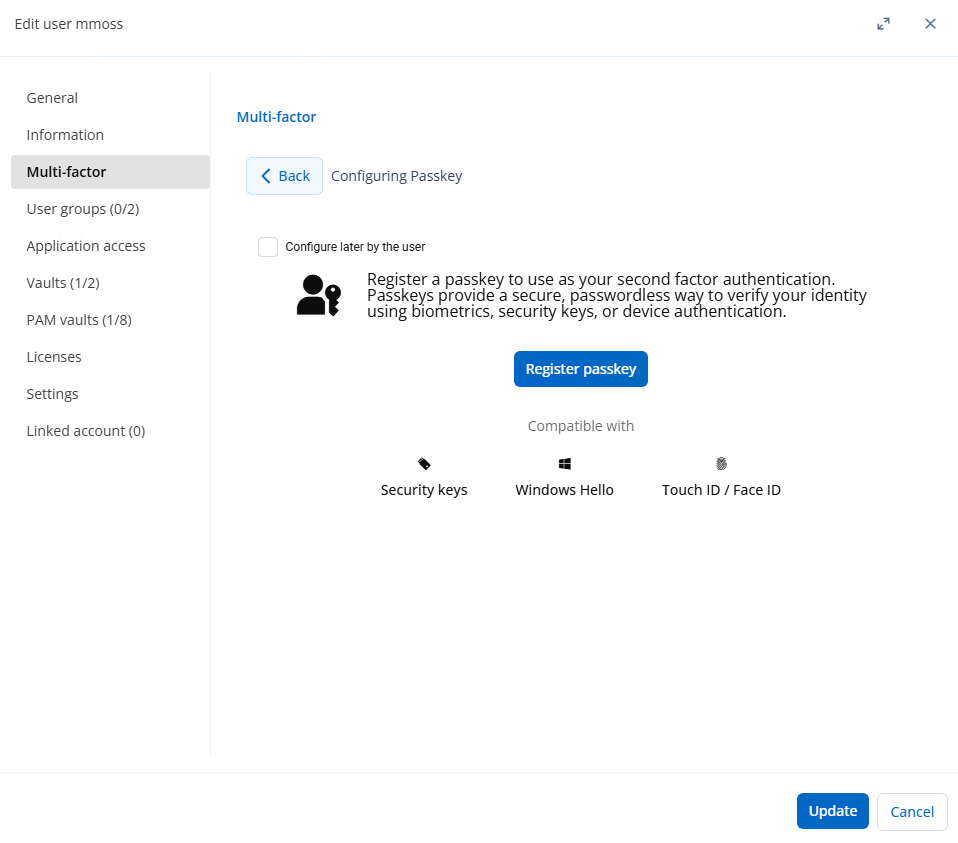
Strengthen authentication with passkeys
DVLS now supports passkeys as a modern multi-factor authentication method, helping reduce reliance on passwords and phishing-prone one-time codes. Administrators can enable passkeys per user under Administrator → Edit User → Multi-factor, allowing users to authenticate with platform or hardware-based passkeys (for example, Windows Hello or a security key), depending on their environment.
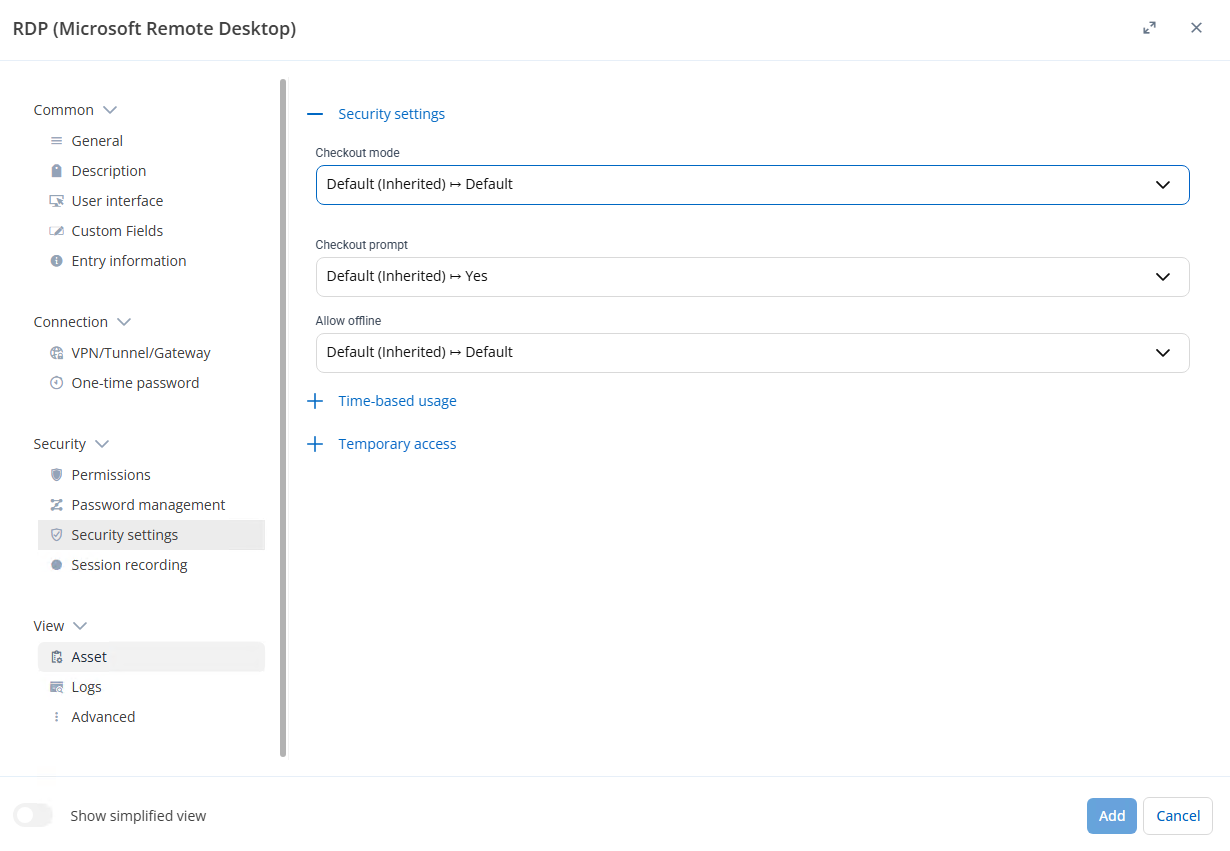
Reduce upgrade risk with “Inherited” security defaults
The security settings section has been refreshed to match the updated settings experience, including the highlighted checkout, offline, and temporary access controls. Because some defaults and inheritance behavior may have changed as part of this update, we recommend reviewing these settings after upgrading to ensure they continue to align with your intended security and access policies.
Fine-tune automation timing with hourly synchronizers
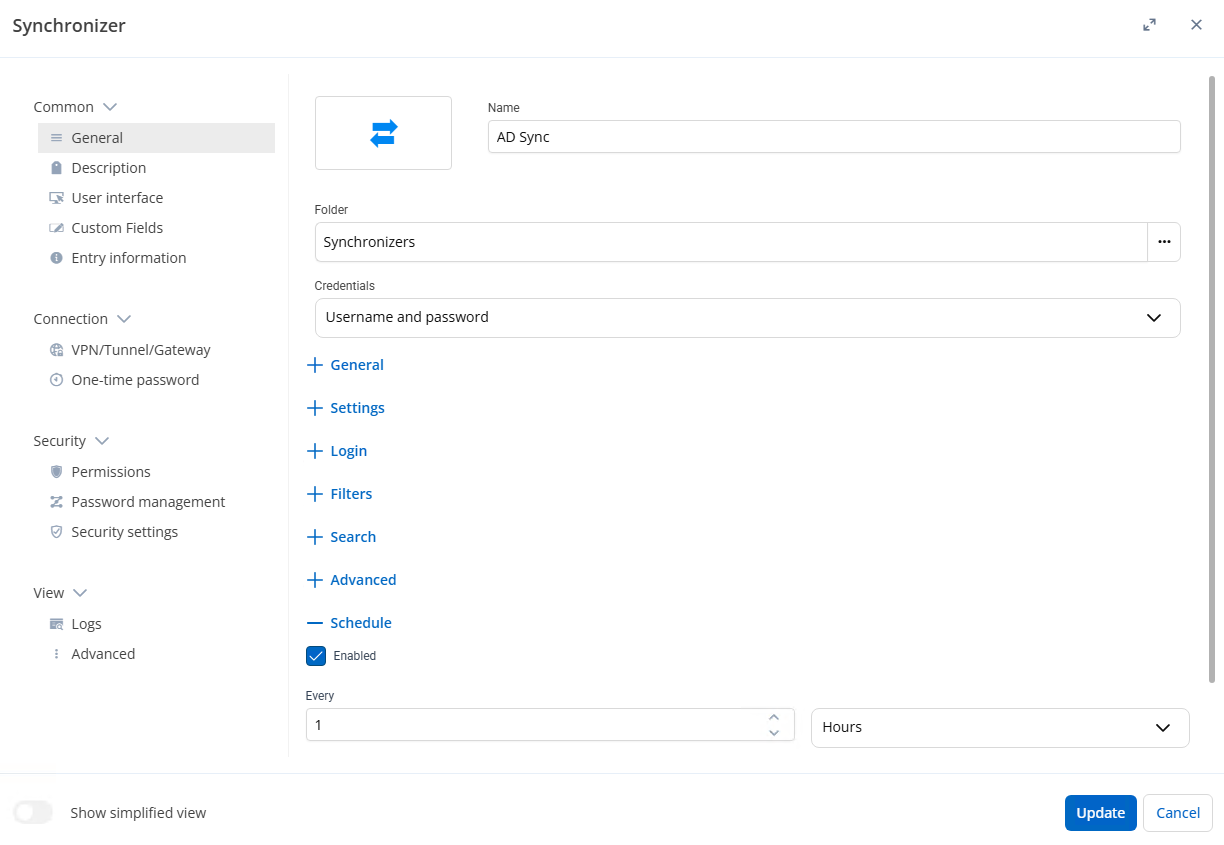
Scheduler-type items can now be configured using an hour-based interval for more flexible timing. In DVLS, you can view a scheduler created in RDM, scroll to the Schedule section, and adjust the sync schedule in hours to better control how often synchronizers run.