What's New in Devolutions Workspace 2026.1
Thank you for updating Workspace to version 2026.1!
For the full list of changes, check out the release notes.
Here’s a quick look at the most exciting updates:
Onboard and install faster with an improved setup experience
Devolutions Workspace onboarding is now clearer with an improved landing page, a smoother installation flow, and a reworked Getting Started wizard. Startup now includes helpful information blocks, data sources reconnect automatically when you open the app, and the UI better handles duplicate data sources.
Standardize enterprise deployments with custom installation settings
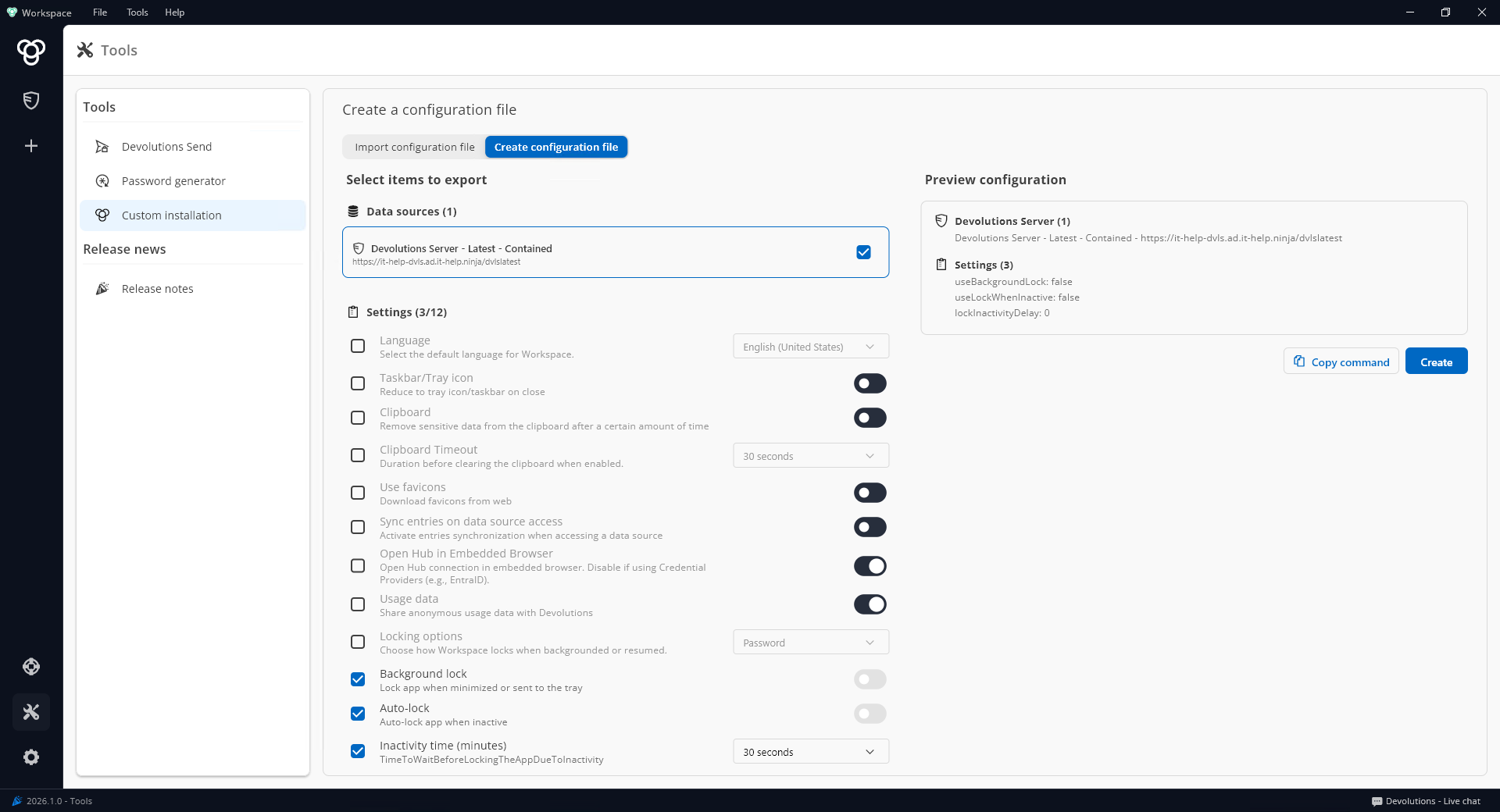
Workspace setup is getting easier for administrators with a new, easy-to-create configuration file deployment option. Predefine key onboarding settings and install Workspace silently via MSI configuration, ideal for software deployment systems.
Enforce stronger password policies
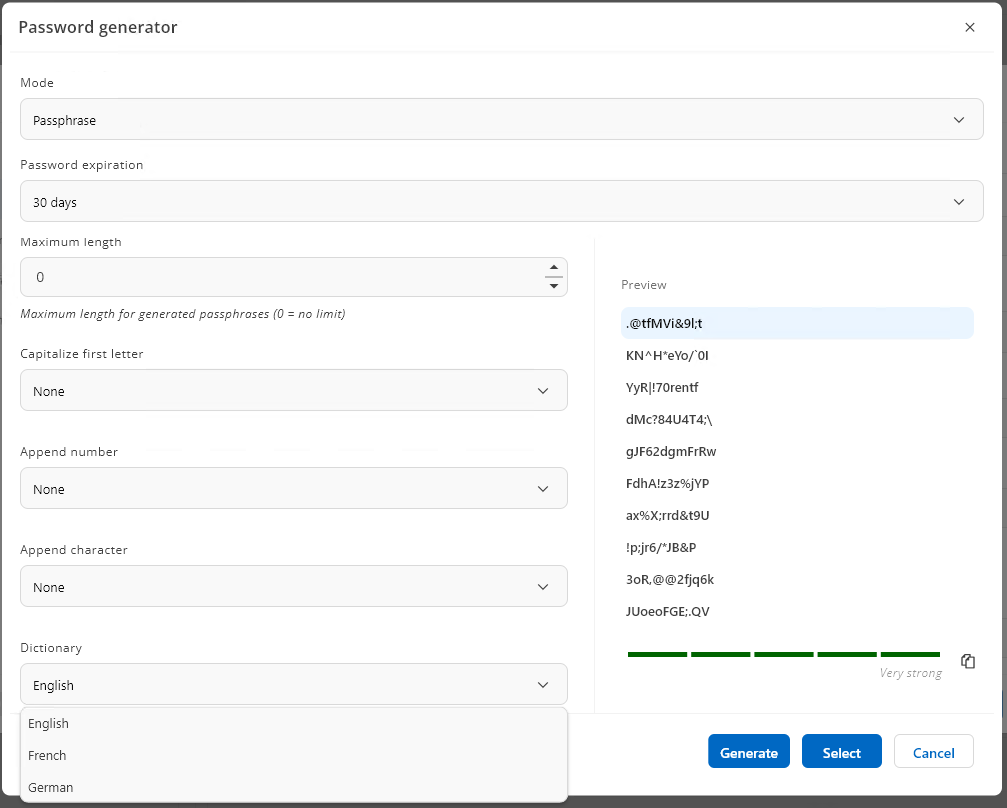
Workspace security options have been expanded to include custom dictionary support for passphrase generation in the cloud-hosted Devolutions Hub Business and self-hosted Devolutions Server (DVLS), selectable from a new dictionary drop-down during passphrase creation. You can also now set and track password expiration directly on entries, with the expiration status reflected in Workspace.
Devolutions Workspace browser extension improvements
Improved multi-factor and one-time password workflows in the browser extension
The browser extension now streamlines one-time password (OTP) setup and autofill by detecting and filling OTP fields without predefined field IDs or names. The browser extension also adds a QR code reader so you can scan and save OTP secrets directly into entries for faster setup.
Enhanced password generation in the browser extension
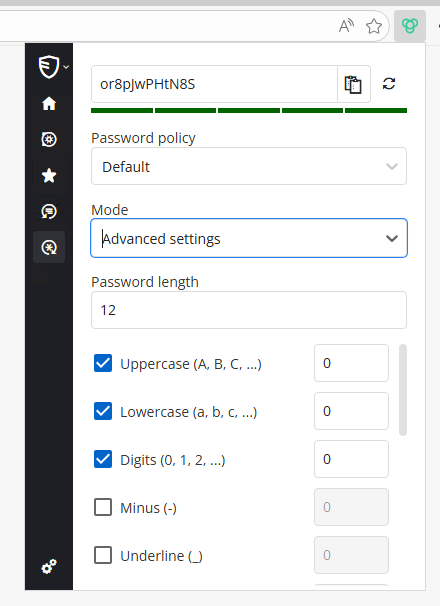
Generate passwords that are fully compatible with Devolutions Remote Desktop Manager (RDM), Devolutions Server, and Devolutions Hub Business password policies and templates, ensuring generated passwords follow the same centralized rules. This makes it easier to create compliant credentials without switching tools or reconfiguring settings.
Create entries faster from the browser extension
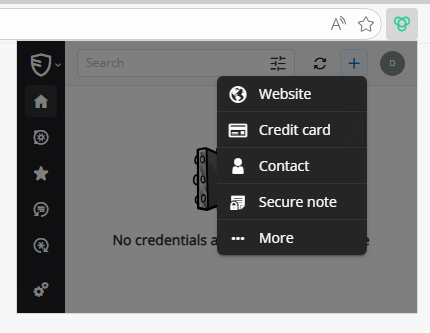
Now you may choose the entry type (Website, Credit Card, Contact, Secure Note, and more) directly from the browser extension pop-up when adding entries. This reduces cleanup later by ensuring new items are created in the right format from the start.