<style> /* Reveal x-cloak content so sidebar branch lists and closed-state chips render — EXCEPT the mobile slide-in backdrop, which would otherwise cover the whole viewport in black/40 with no way to dismiss (the dismiss handler is x-on:click="mobileHeader = false" and can't fire without Alpine). */ [x-cloak]:not([x-show="mobileHeader"]) { display: revert !important; } /* (1) Force every version card OPEN so all release-notes content is visible. Overrides the default `.rn-ver-body { grid-template-rows: 0fr }` from release-notes.css, which is normally lifted to `1fr` via Alpine's `:class="{ 'rn-ver-body--open': open }"`. */ .rn-ver-body { grid-template-rows: 1fr !important; } /* (1b) Strip `hidden="until-found"` from collapsed card bodies. WEB-3164 added that attribute on cards 2..N (the first card omits it, see the `{% unless forloop.first %}` in release-notes-cards.eleventy.liquid) so Chrome/Edge browser find-in-page can reveal text inside collapsed bodies and fire a `beforematch` event Alpine catches to pop the card open. Alpine's `x-effect` directive normally removes the attribute when `open` flips true — but without JS that directive never runs, so cards 2..N stay hidden via either `content-visibility: hidden` (Chrome/Edge/Safari 17+ resolve `hidden="until-found"` to that) or `display: none` (older Safari / unknown browsers treat it as a plain boolean `hidden`). Rule (1) above lifts the SCSS-based grid-rows collapse but does NOT override `[hidden]` — the attribute applies a higher-priority `display: none` / `content- visibility: hidden` that wins over grid-template-rows. This rule covers both browser-engine paths: `display: revert` restores the element's normal display (the `grid` utility on the wrapper), `content-visibility: visible` overrides the modern-browser path. */ .rn-ver-body[hidden] { display: revert !important; content-visibility: visible !important; } /* (2) Hide controls that can't do anything without JS so the UI doesn't lie about being interactive: the expand/collapse chevron, the closed-state category chips (Security 3 / Features 5 / …), the section-level expand-all toggle if reintroduced, and the cursor-pointer hint on the header. */ .rn-ver-chevron, .rn-ver-chips, .rn-toggle-all { display: none !important; } .rn-ver-header { cursor: default !important; } /* (3) Hide status pills (Current / Beta / Extended maintenance) and the matching sidebar dots. Pills are rendered server-side from productInfo.json at build time and are accurate at publish — but a stale cached page in Sparkle could surface them on a version that is no longer "Current" by the time the user opens RDM, so hiding them entirely under no-JS removes the whole class of misleading-stale-pill failure modes. */ .rn-ver-tag-line, .rn-status-pill, .rn-status-dot { display: none !important; } /* (4) Sidebar branch chevrons stay frozen in the "closed" rotation without Alpine to flip them — drop them since the branch lists below are already revealed by the x-cloak rule above. */ .rn-toc-branch-head > span:first-child { display: none !important; } /* (5) Hide mobile-only chrome whose Alpine click handlers can't fire: the top mobile menu-open bar and the sidebar's mobile close bar. Both gate `mobileHeader`, which never toggles without JS. */ .rn-main-header, .rn-sidebar > div:first-child { display: none !important; } </style>

Release notes

Release notes

Version 2025.2

Table of contents

  • New features
    • "Linked (external vault)" mode for selecting credentials (SQL Server only)
    • Azure Proxy pre-authentication support
    • Notifications from Devolutions Server
  • Improvements
    • Pending approval status for entries
    • New permissions for VPN/SSH/Gateway and session recording sections
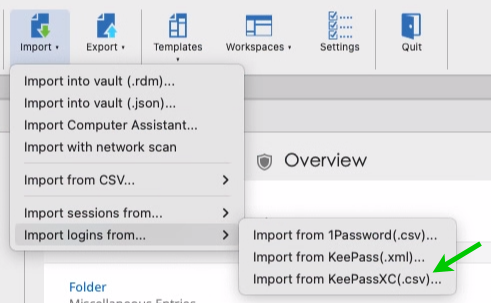
    • Support importing from KeePassXC (CSV, XML)

Thank you for updating Remote Desktop Manager Mac (RDM Mac) to version 2025.2!

For the full list of changes, check out the release notes.

Here’s a quick look at the most exciting updates:

New features

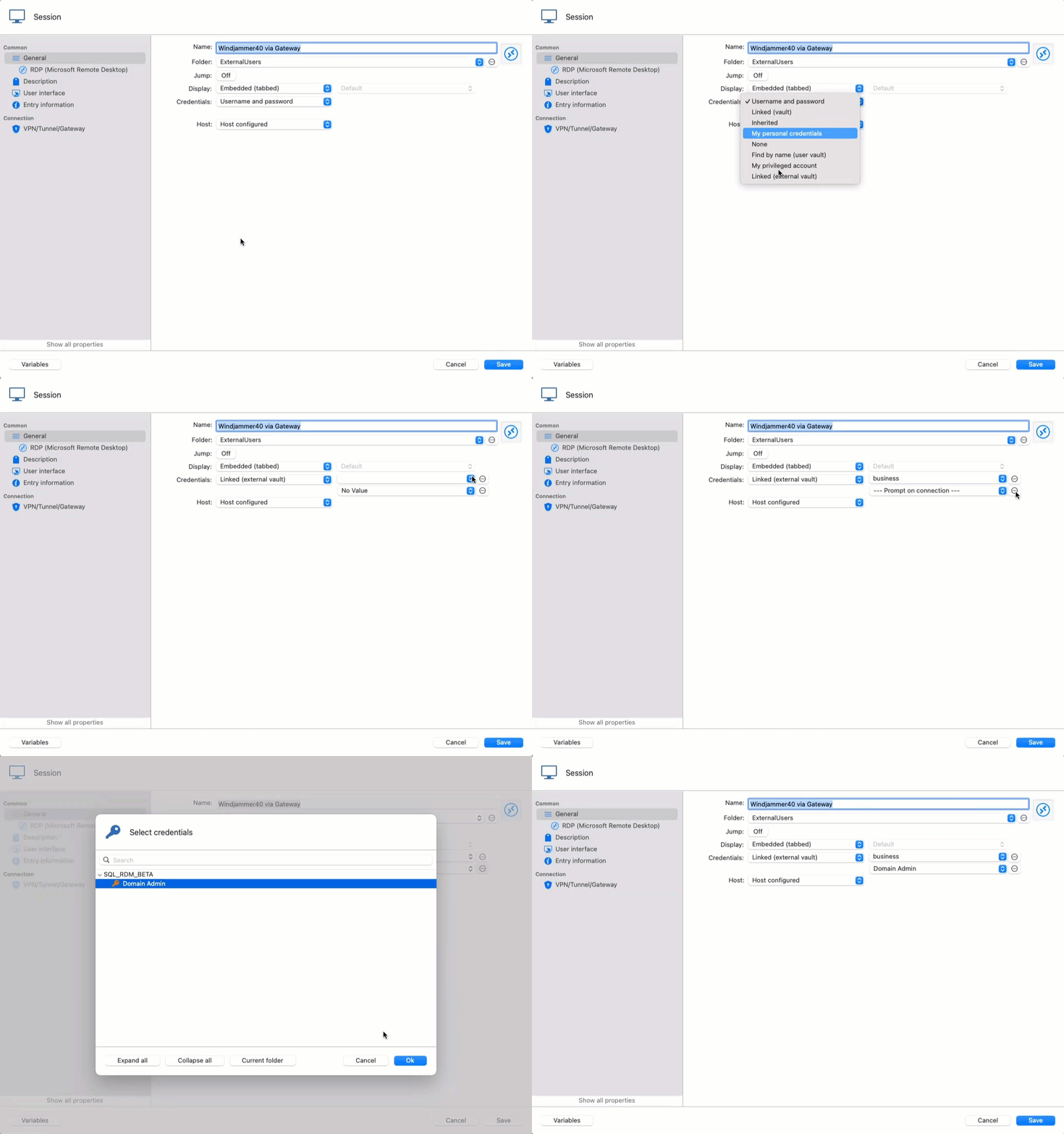
"Linked (external vault)" mode for selecting credentials (SQL Server only)

RDM provides a way to point to credentials in the current shared vault (linked (vault) mode), as well as to search in the user vault (Find by name and linked (user vault) modes).

Starting with 2025.2, you can now point to another shared vault for selecting credentials, enabling a new way to inject credentials against sessions in RDM!

Coming soon in Devolutions Server & Devolutions Cloud data sources.


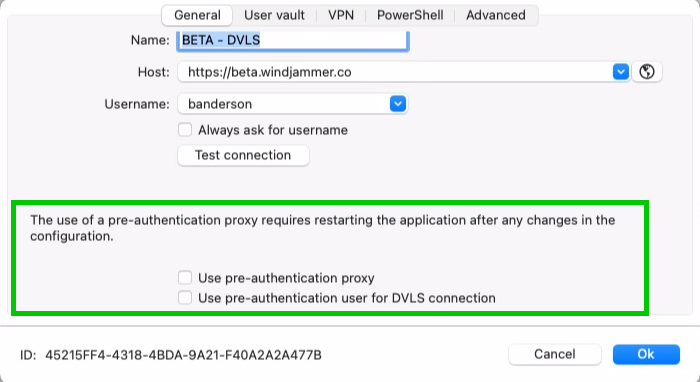
Azure Proxy pre-authentication support


RDM macOS now supports Azure Proxy pre-authentication, improving compatibility with environments that require Microsoft sign-in before accessing Devolutions Server. This update ensures proper handling of authentication redirects and cookie storage, allowing a seamless login flow even when pre-authentication is enforced by the proxy.


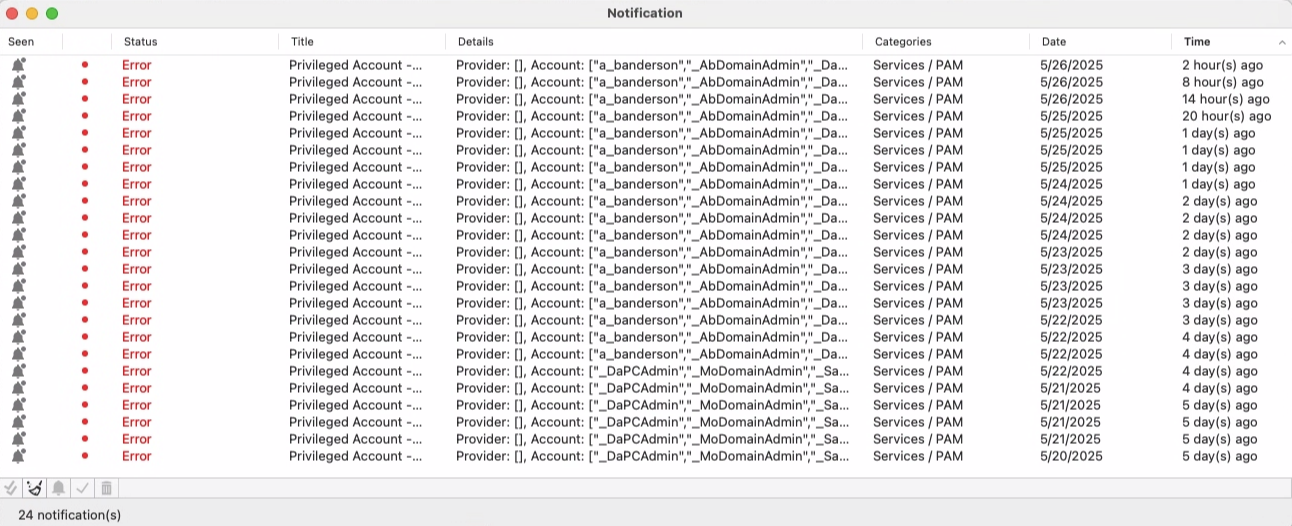
Notifications from Devolutions Server

Stay informed without leaving RDM! Notifications from Devolutions Server are now fully integrated into Remote Desktop Manager. You’ll receive the same updates as seen in the DVLS web interface—directly in RDM. Mark notifications as read or delete them from either interface, and they’ll stay in sync. Plus, with regular background polling, you're always up to date.


Improvements

Pending approval status for entries

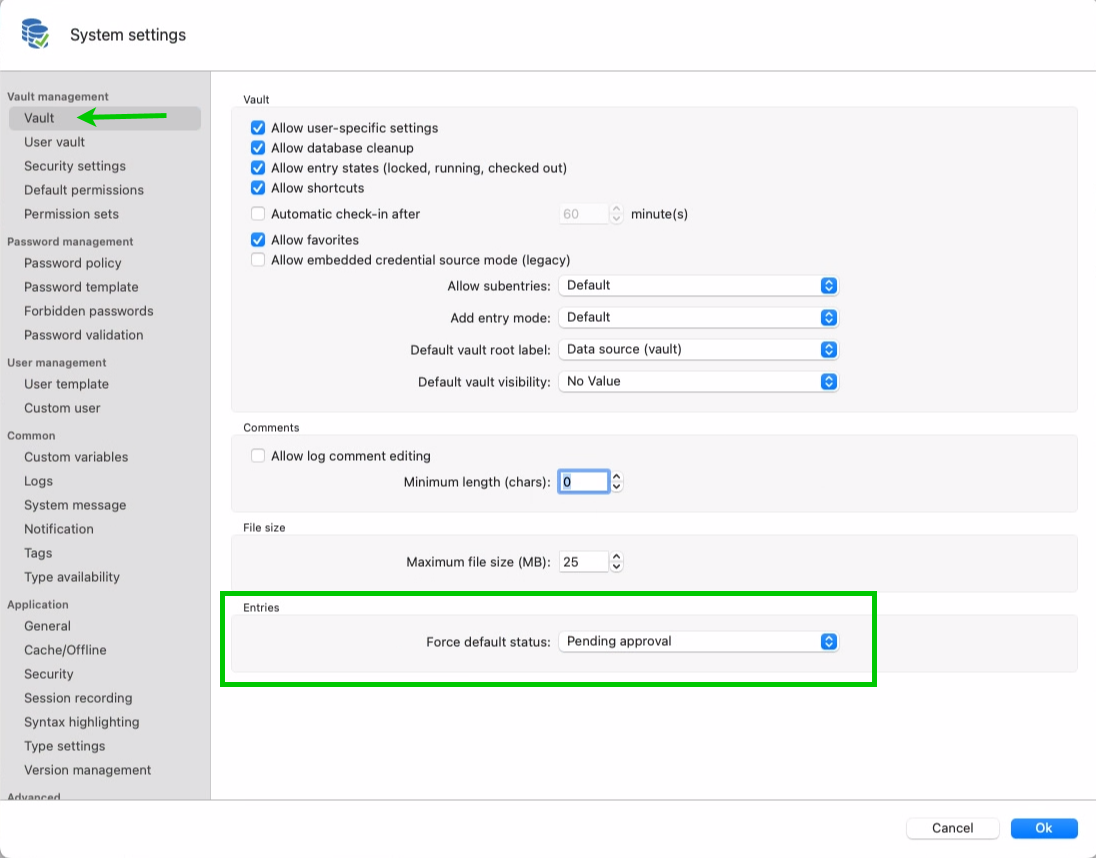
A new "Pending approval" status has been added to entries, giving administrators the ability to review and approve newly created items before they're fully usable. While in this status, only Vault Owners and Administrators can execute the entry. This feature is available for all entry types and can be managed directly from the Description tab in the entry properties window.


New permissions for VPN/SSH/Gateway and session recording sections

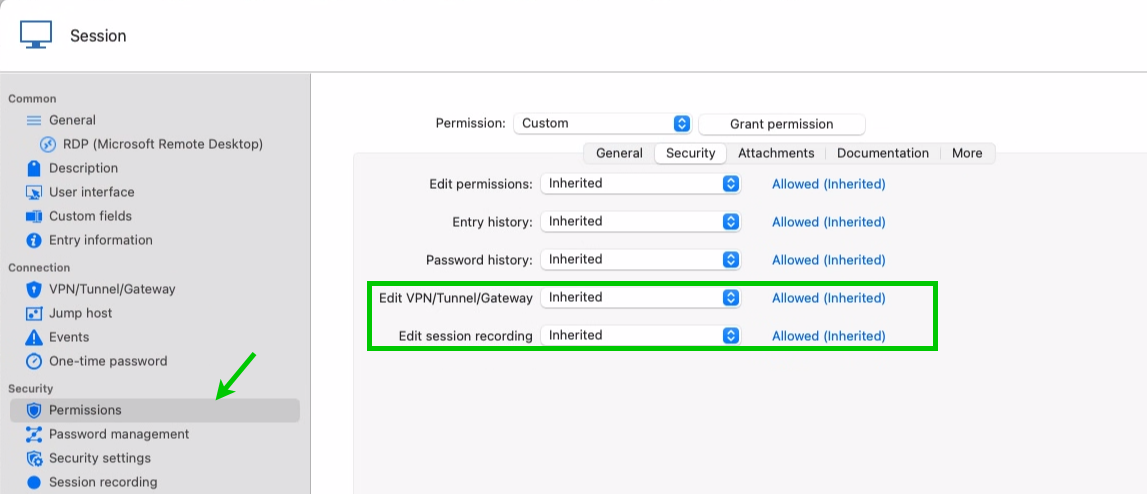
Administrators can now enforce stricter control by assigning specific permissions for editing the VPN/SSH/Gateway and Session Recording sections within entries. This allows users to retain general editing rights (if granted) while preventing changes to critical connection settings.


Support importing from KeePassXC (CSV, XML)

You can now import from KeePassXC into RDM using CSV or XML!