<style> /* comment-ok: load-bearing Sparkle no-JS fallback doc (WEB-3164/WEB-3201). Reveal x-cloak content so sidebar branch lists and closed-state chips render — EXCEPT the mobile slide-in backdrop, which would otherwise cover the whole viewport in black/40 with no way to dismiss (the dismiss handler is x-on:click="mobileHeader = false" and can't fire without Alpine). */ [x-cloak]:not([x-show="mobileHeader"]) { display: revert !important; } /* comment-ok: load-bearing Sparkle no-JS fallback doc (WEB-3164/WEB-3201). (1) Force every version card OPEN so all release-notes content is visible. Overrides the default `.rn-ver-body { grid-template-rows: 0fr }` from release-notes.css, which is normally lifted to `1fr` via Alpine's `:class="{ 'rn-ver-body--open': open }"`. */ .rn-ver-body { grid-template-rows: 1fr !important; } /* comment-ok: load-bearing Sparkle no-JS fallback doc (WEB-3164/WEB-3201). (1b) Strip `hidden="until-found"` from collapsed card bodies. WEB-3164 added that attribute on cards 2..N (the first card omits it; see the first-item check in ReleaseNotesCards.astro) so Chrome/Edge browser find-in-page can reveal text inside collapsed bodies and fire a `beforematch` event Alpine catches to pop the card open. Alpine's `x-effect` directive normally removes the attribute when `open` flips true — but without JS that directive never runs, so cards 2..N stay hidden via either `content-visibility: hidden` (Chrome/Edge/Safari 17+ resolve `hidden="until-found"` to that) or `display: none` (older Safari / unknown browsers treat it as a plain boolean `hidden`). Rule (1) above lifts the SCSS-based grid-rows collapse but does NOT override `[hidden]` — the attribute applies a higher-priority `display: none` / `content- visibility: hidden` that wins over grid-template-rows. This rule covers both browser-engine paths: `display: revert` restores the element's normal display (the `grid` utility on the wrapper), `content-visibility: visible` overrides the modern-browser path. */ .rn-ver-body[hidden] { display: revert !important; content-visibility: visible !important; } /* comment-ok: load-bearing Sparkle no-JS fallback doc (WEB-3164/WEB-3201). (2) Hide controls that can't do anything without JS so the UI doesn't lie about being interactive: the expand/collapse chevron, the closed-state category chips (Security 3 / Features 5 / …), the section-level expand-all toggle if reintroduced, and the cursor-pointer hint on the header. */ .rn-ver-chevron, .rn-ver-chips, .rn-toggle-all { display: none !important; } .rn-ver-header { cursor: default !important; } /* comment-ok: load-bearing Sparkle no-JS fallback doc (WEB-3164/WEB-3201). (3) Hide status pills (Current / Beta / Extended maintenance) and the matching sidebar dots. Pills are rendered server-side from productInfo.json at build time and are accurate at publish — but a stale cached page in Sparkle could surface them on a version that is no longer "Current" by the time the user opens RDM, so hiding them entirely under no-JS removes the whole class of misleading-stale-pill failure modes. */ .rn-ver-tag-line, .rn-status-pill, .rn-status-dot { display: none !important; } /* (4) Sidebar branch chevrons stay frozen in the "closed" rotation without Alpine to flip them — drop them since the branch lists below are already revealed by the x-cloak rule above. */ .rn-toc-branch-head > span:first-child { display: none !important; } /* comment-ok: load-bearing Sparkle no-JS fallback doc (WEB-3164/WEB-3201). (5) Hide mobile-only chrome whose Alpine click handlers can't fire: the top mobile menu-open bar and the sidebar's mobile close bar. Both gate `mobileHeader`, which never toggles without JS. */ .rn-main-header, .rn-sidebar > div:first-child { display: none !important; } </style>

Release notes

Release notes

Devolutions Send: share a password from a European region, still free

Marc Beausejour·September 10, 2026

Table of contents

Devolutions Send is a free way to share a password, a note, or a small file without putting the secret itself in chat or email. Type your message (or attach a file), and everything is encrypted client-side. Devolutions hosts the ciphertext and cannot read your secret.

Anyone can send a secret. A Devolutions account is optional; it only increases the file size limit.

Usage File attachment limit
No account (guest) 1 MB
Devolutions account 30 MB
Authenticated Send in Devolutions Server or Devolutions Cloud 30 MB

It is free, and you do not need Remote Desktop Manager to use the standalone website.

What’s new: Send now has two public regions

If you prefer your encrypted link to use the European server, choose the standalone European hostname:

When using Devolutions Send within a Devolutions product, you do not need to remember which hostname to open. You can set the default region in the product.

  • In Devolutions Cloud, the option is in System Settings.
  • In Devolutions Server, the option is in System Settings.
  • In Remote Desktop Manager, a local workspace sets the region in Tools settings. Cloud and Server workspaces inherit their respective region settings.

What Devolutions Send already gives you

Here is what every Send link already includes, whether you use it in a browser or an app, regardless of the region.

Client-side encryption. The payload is encrypted in the browser (or in the app) before it leaves your device. Devolutions hosts the ciphertext; we cannot read the secret.

A link instead of the secret. You share https://send.devolutions.com/… or https://send.devolutions.eu/…, not the password itself. The sensitive information stays behind the link.

Controls on every link:

  • Passphrase: an extra secret the recipient must know to open the link. Optional if the recipient has a Devolutions account.
  • Link duration: from as little as one hour to as long as one week on the standalone site.
  • View limit: unlimited views, a single view, or a specific number of views.
  • Allow recipient to delete message: the recipient can destroy the link before it expires.
  • Send read receipt (in-app): an email when the link is opened.

Attach files, not just text. Attach a configuration file, a certificate, or a screenshot. The standalone service allows attachments of up to 1 MB for guests. A signed-in Devolutions account, or an authenticated session in Devolutions Server or Devolutions Cloud, increases the limit to 30 MB.
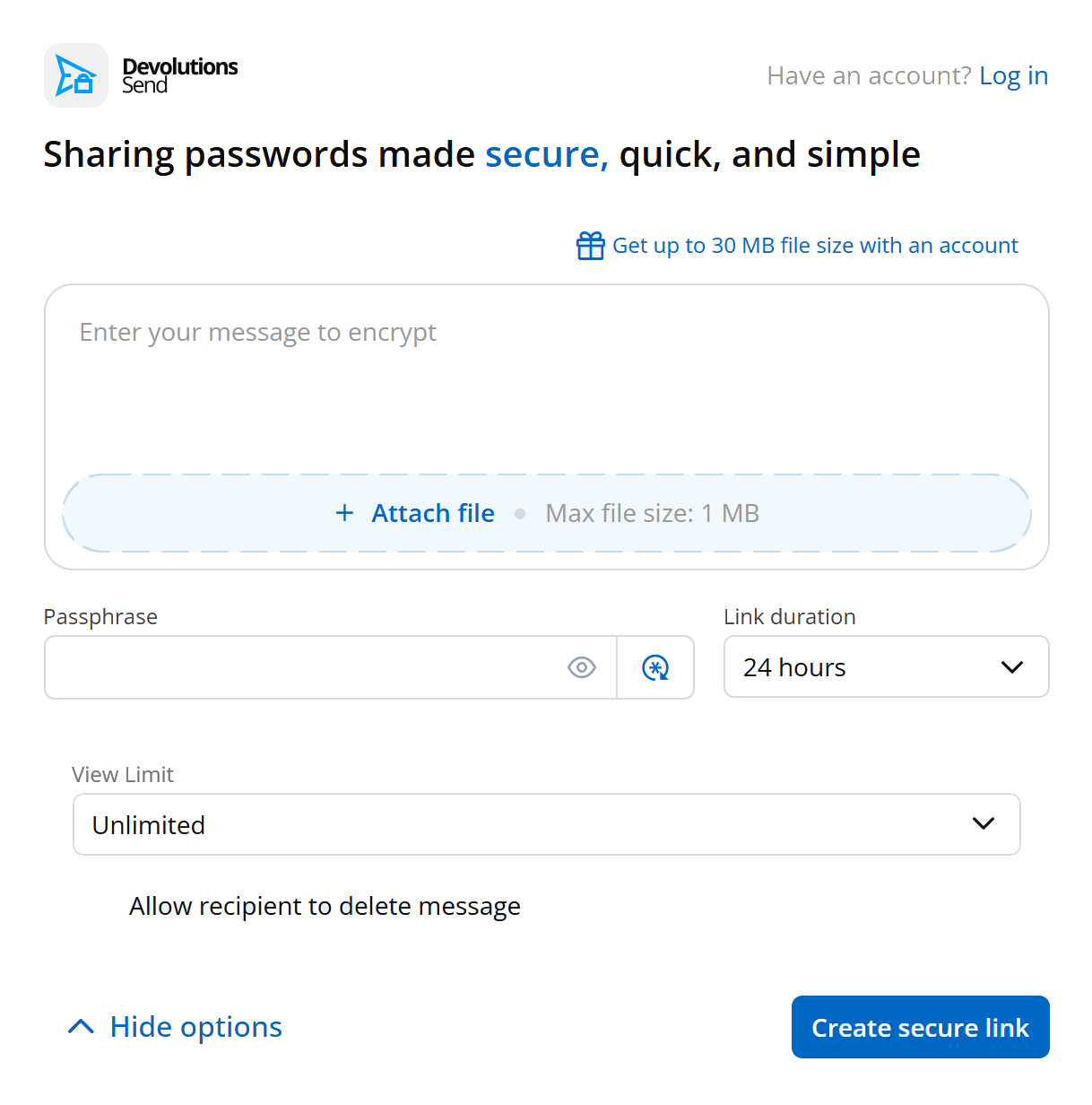
Devolutions Send form with passphrase, 24-hour duration, view limit, and recipient delete options.

Where it shows up

In addition to the standalone websites, Devolutions Send is available within Devolutions products and tools:

  • Remote Desktop Manager: from an entry, select the Send icon beside the password. From the Tools menu, Devolutions Send provides the same experience as the standalone service.
  • Devolutions Password Manager: select the Send icon beside an entry password in Devolutions Cloud or Devolutions Server. You can also open the same standalone Devolutions Send interface from the Tools menu.
  • Devolutions Server and Devolutions Cloud: select the Send icon beside the password. Depending on the available options, you can send the secret by email to an internal or external recipient, or create a shareable link.
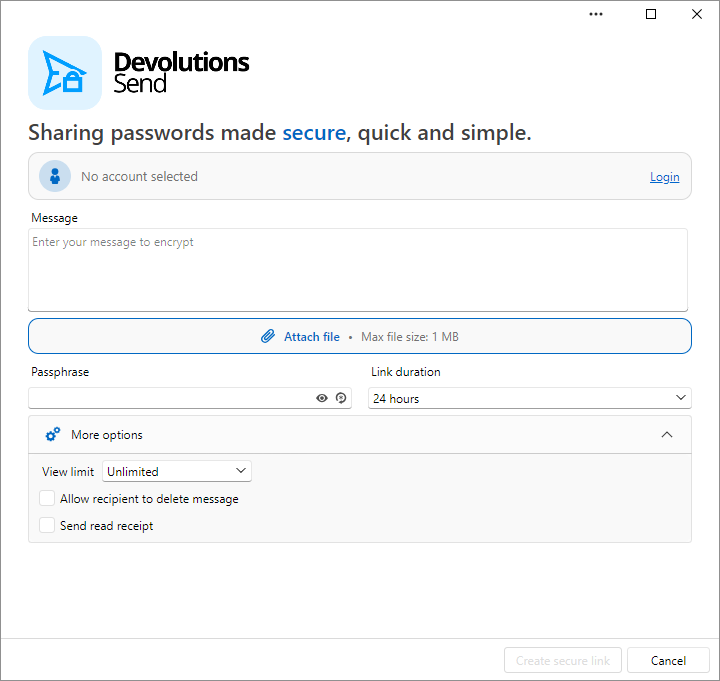
Remote Desktop Manager Devolutions Send window with attach file, passphrase, and more options expanded.

A SQL workspace in Remote Desktop Manager can still create a shareable link. Sending an in-app message by email requires a Devolutions Server or Devolutions Cloud workspace.

Try it now

The next time someone asks for a password in Slack, skip the paste. Open send.devolutions.com or send.devolutions.eu, create a link, and share that instead.

When using a Devolutions app, look for the Send icon beside the password field.

Resources

Have you tried the Europe region yet? Tell us in the comments.