


AI stays outside of the vault
Ask an agent to open a connection. Credentials stay in the vault and are injected for the session, so the agent never sees them and you never export them to another tool.
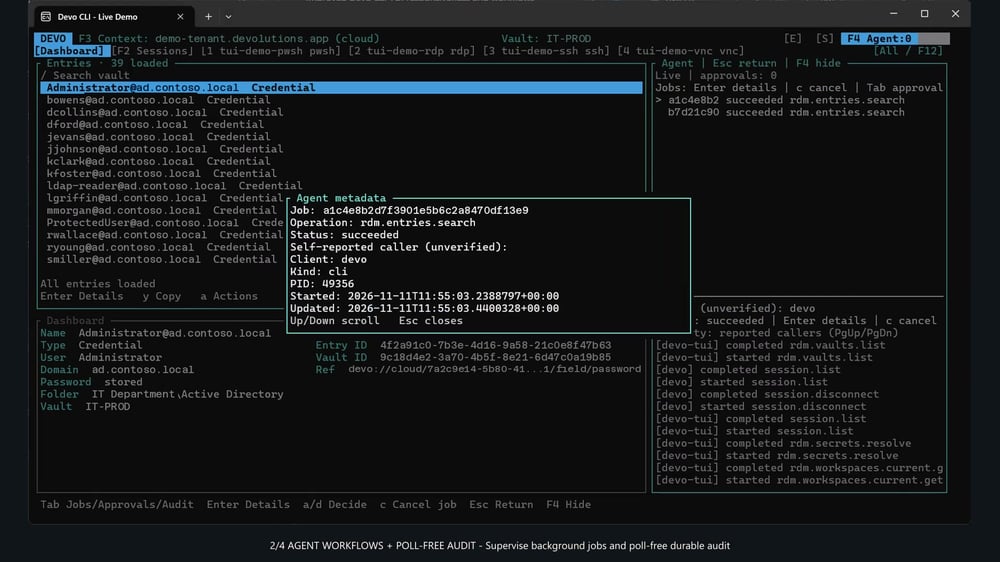
The agentic connection manager: you ask, your agent connects.
With Devolutions CLI, the agent does not need the credentials. They are injected automatically. The agent asks to open a connection, and it happens on its own. The agent never sees the credentials and never exports them to another tool. Devolutions CLI is the only tool needed.
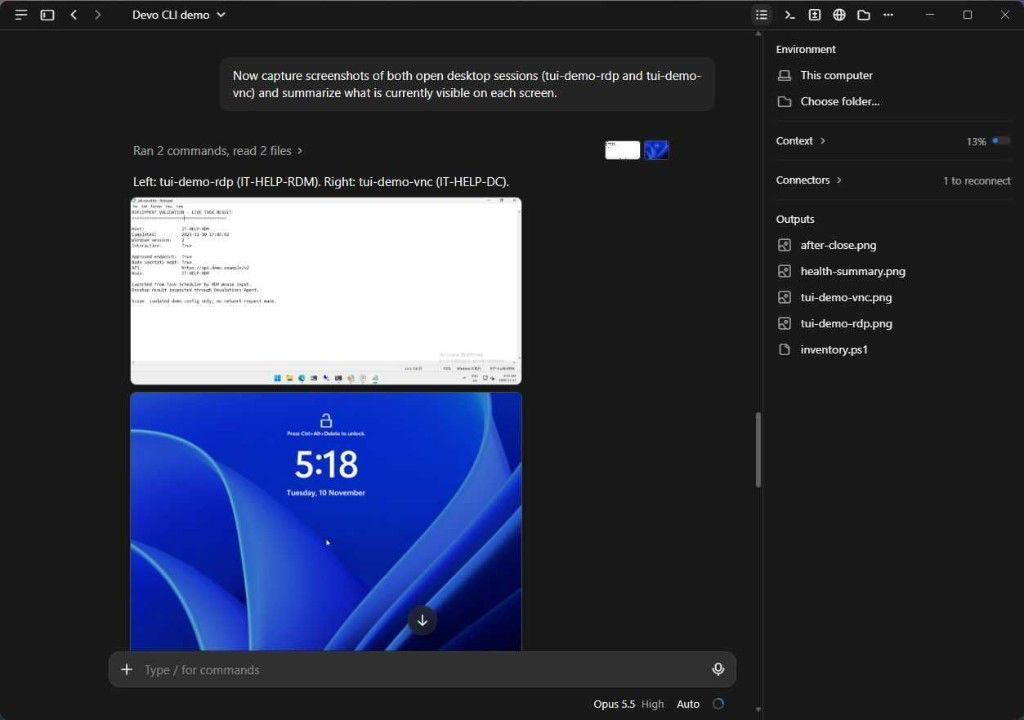
The agent captures screenshots of the open RDP session and the open VNC session.
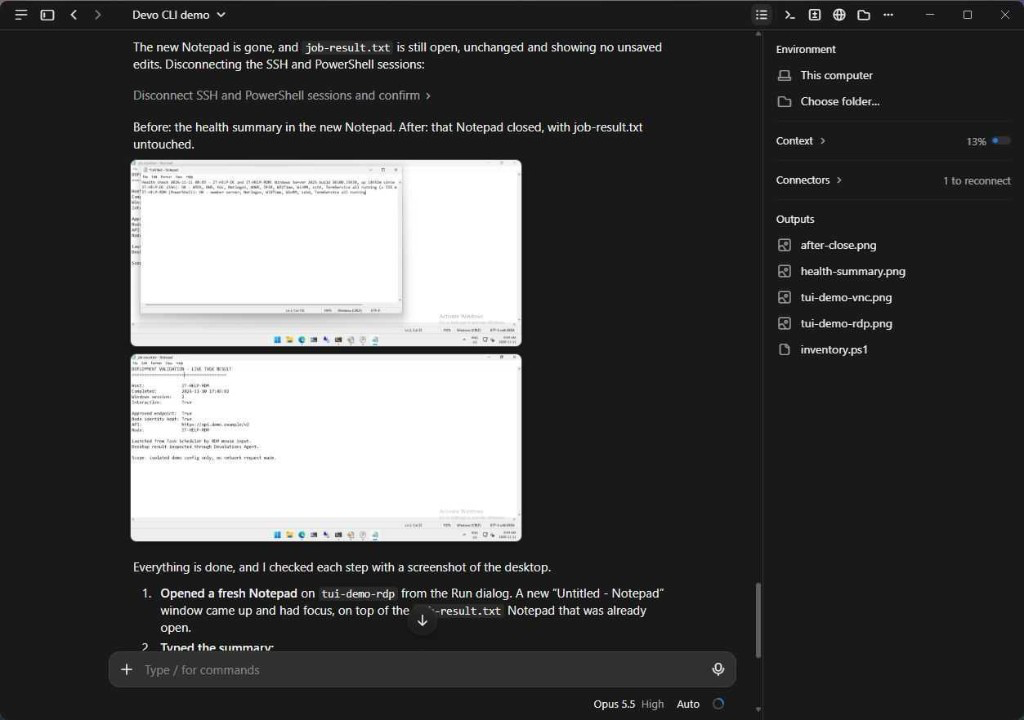
Before, the health summary is in Notepad. After, that Notepad is closed and the other file is untouched.
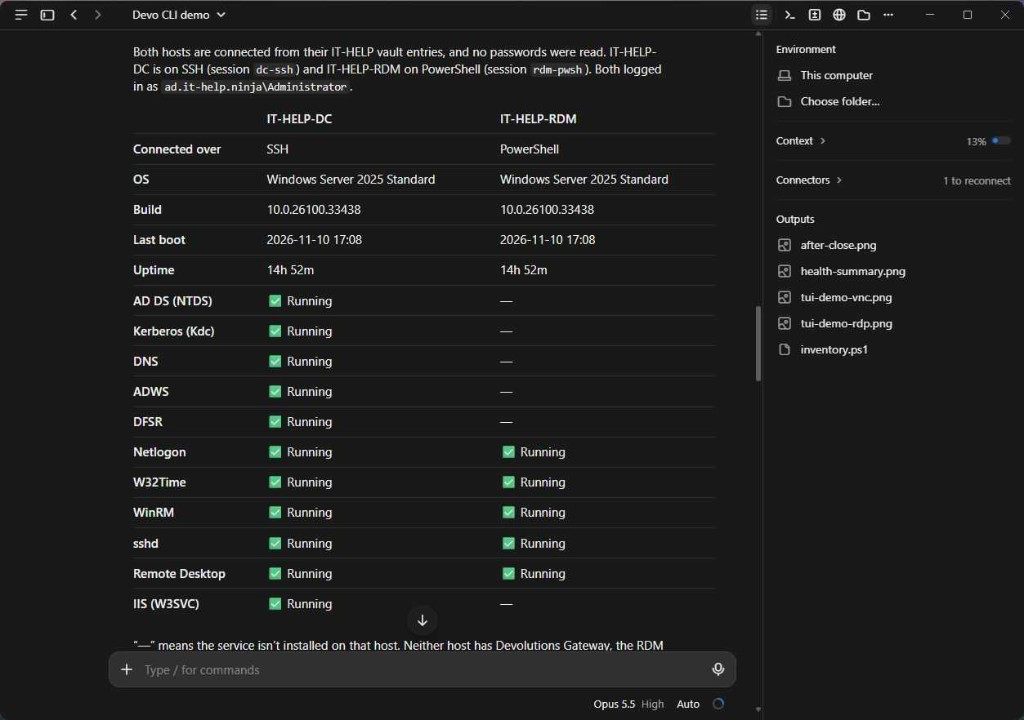
The agent compares two servers it reached over SSH and PowerShell, without reading any passwords.
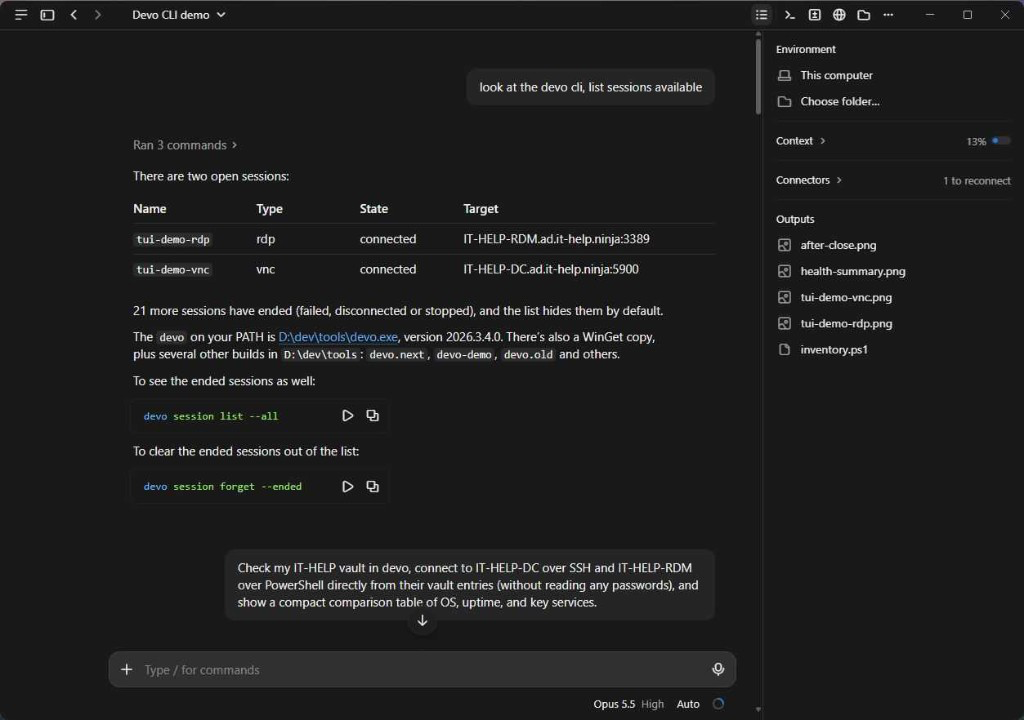
The agent lists the connected Devolutions CLI sessions.
Watch the demos
Devolutions ecosystem
Multi-server fleet compliance
Wireshark TLS packet audit
Gateway outage recovery
Across the platform
What is available now
Shipped assistants, plus Devolutions CLI, the agentic connection manager.
Ask in plain language. The vault still opens the session.
The assistant in Remote Desktop Manager can run commands on RDP, SSH, and Devolutions Agent sessions through the MCP server. The credential stays in the vault, and the agent does not receive it. See Remote Desktop Manager.
Assistant in the app
Proofread, translate, summarize, and draft PowerShell from an entry or the chat window. Choose OpenAI, Azure OpenAI, Gemini, Claude, Mistral, DeepSeek, or a local Ollama model.
MCP server
An assistant can find the right entry and act on the session, while the credential stays in the vault and the work is recorded.
ServiceNow
On a ServiceNow ticket, Remote Desktop Manager can recommend the session to open, then log the work when the session ends. The credential stays in the vault.
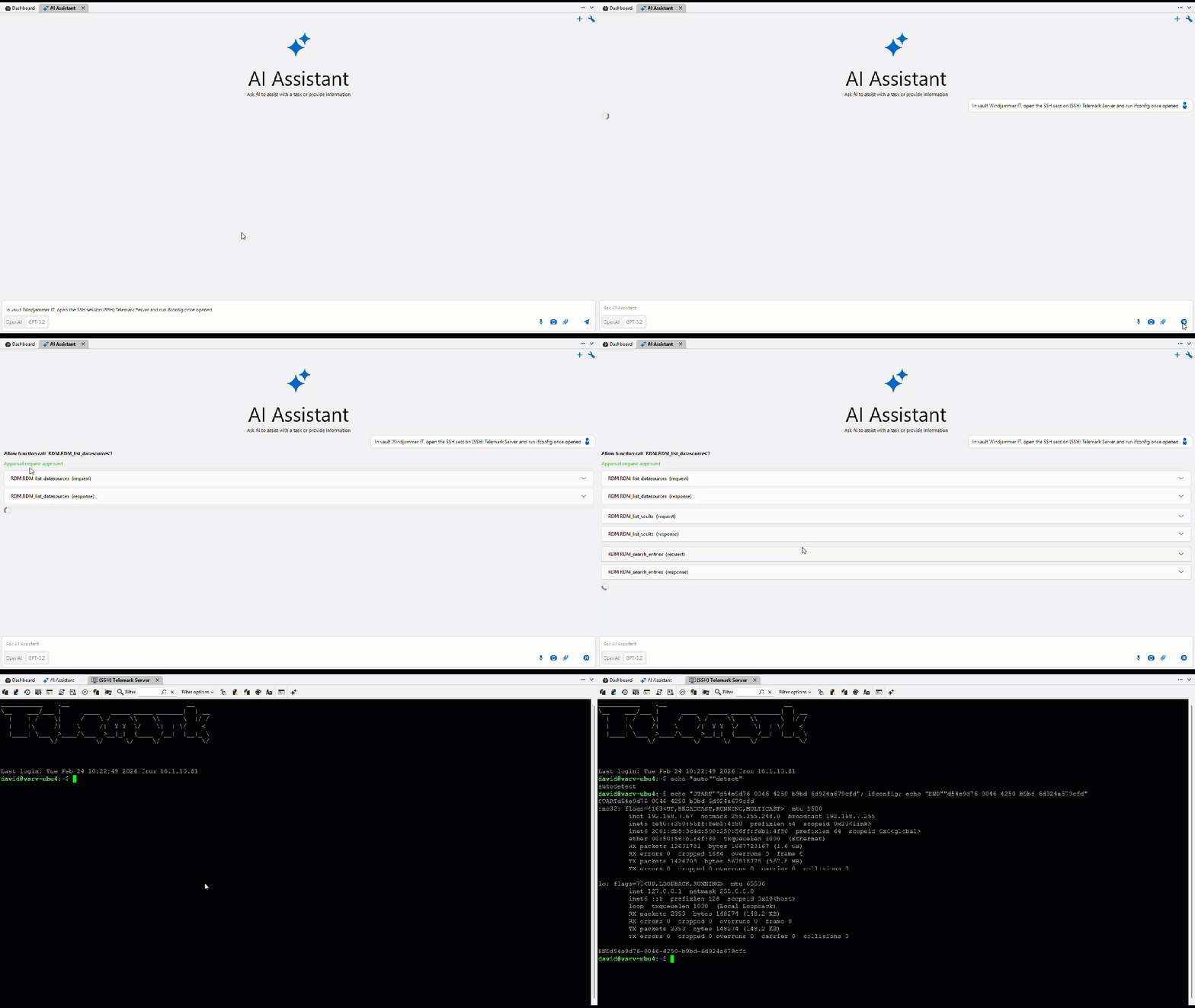
Your AI never sees your credentials
Ask your agent to connect to a machine you’ve configured a connection entry for. Devolutions CLI handles everything under the hood, seamlessly injecting the credentials without ever exposing them to the agent. With built-in support for RDP, VNC, SSH, PowerShell, and more, there’s no need to juggle separate tools for each connection type.
Never seen.
Credentials are injected seamlessly. Your agent never needs to see them.
Just ask.
Your agent connects using the connection entries you’ve configured.
One tool.
Built-in protocol support brings your connections together in Devolutions CLI.
An assistant in the Server web interface
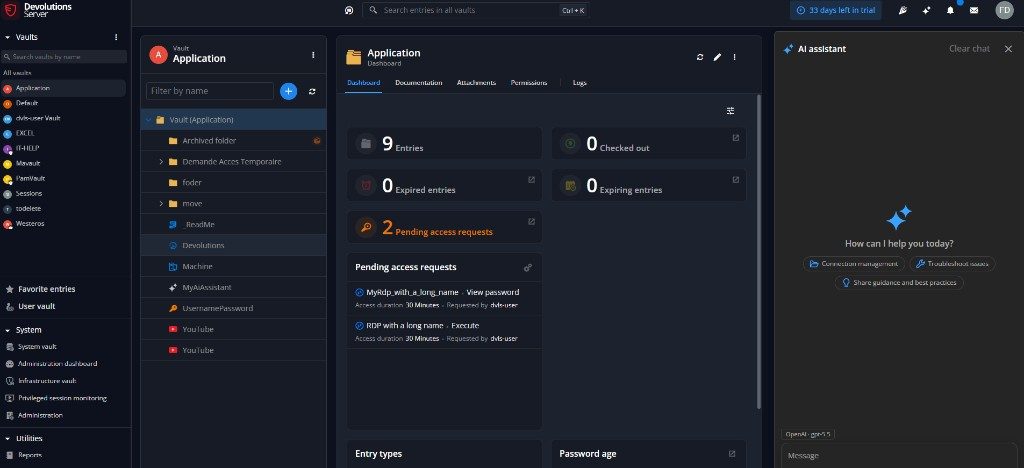
Devolutions Server includes a built-in AI assistant as a side panel in the web interface. It offers help with connection management, troubleshooting issues, and sharing guidance and best practices. The assistant entry type remains available in the vault.
Side panel
Open the assistant beside the vault dashboard in the Devolutions Server web interface.
Day-to-day help
Ask about connection management, troubleshooting, and practices worth sharing with the team.
Assistant entries
The assistant entry type stays in the vault when you want a prompt you can open again.
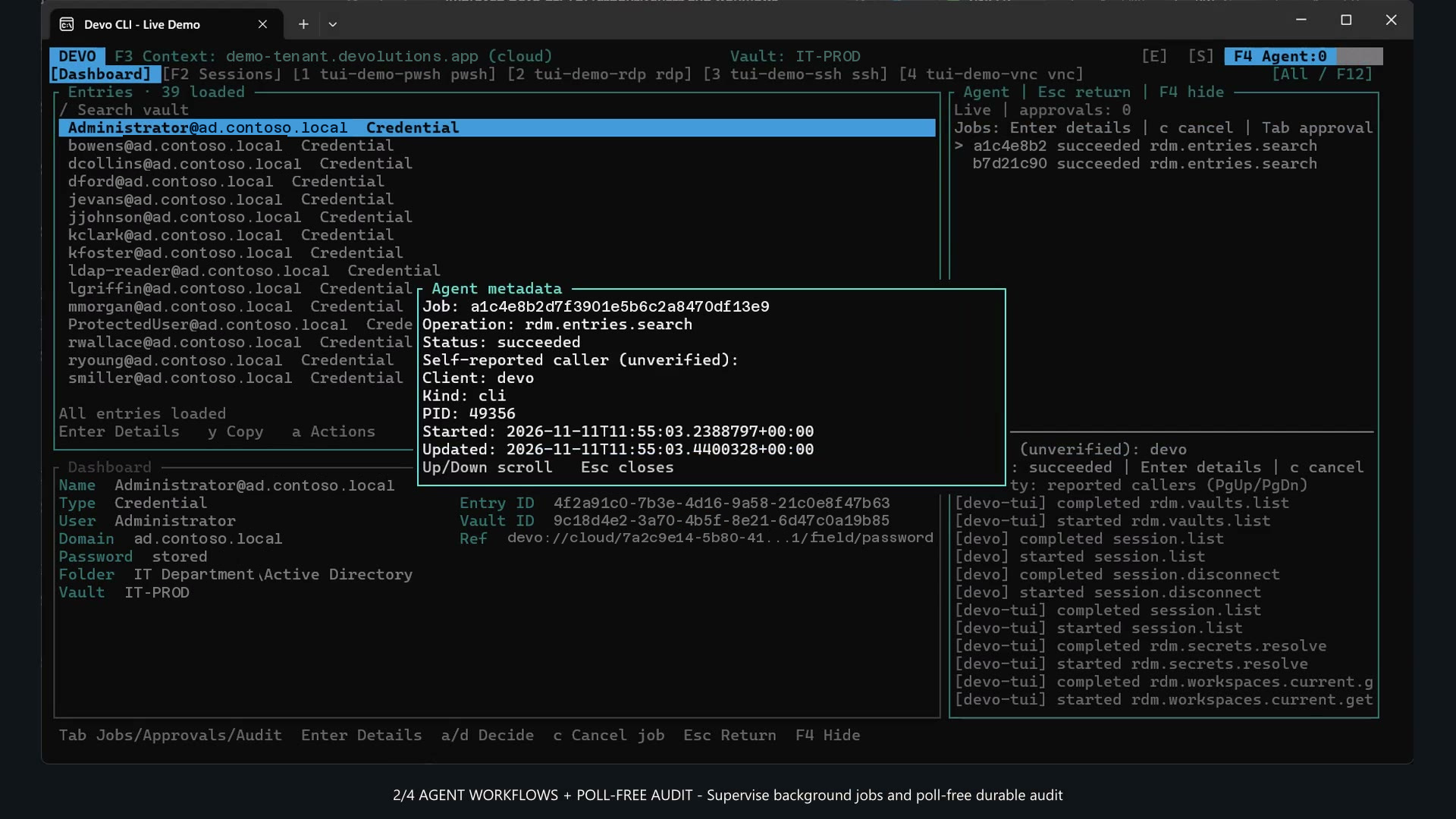
A secret the agent never receives
When a command needs a secret, it is injected at the start. The agent does not see the value, and you do not export it to another tool.
Run a tool, hide the secret
The command gets the secret it needs. That value never shows up in the terminal or the agent's notes.
No raw secrets
Let an assistant look things up. Raw secret values stay unavailable, and nothing is exported to another tool.
Cloud, Server, or a local profile
The agent uses the sign-in you already have, on Cloud, Server, or a local profile.
Agents on the automation platform
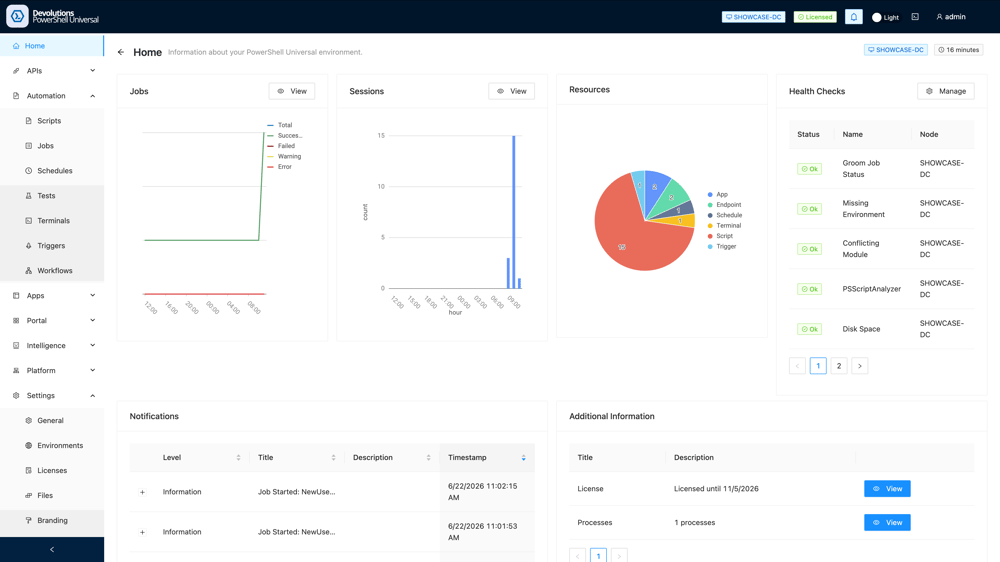
AI-assisted PowerShell Universal is on the automation platform. Agents work with the scripts and tools the team already runs, inside the existing portal.
Scripts, with a model beside them
Write scripts faster and break fewer automations, in the portal the team already uses.
Agents that call your tools
Let a model use the tools you already run, without adding another console.
Questions about AI in Devolutions
Does the model see the password?
No. The agent never sees the password. Devolutions CLI injects credentials when a connection opens, and Remote Desktop Manager brokers the session through the vault. Credentials are not exported to another tool.
Which products include AI today?
Remote Desktop Manager has the assistant and the MCP server. Devolutions Server includes a built-in AI assistant in the web interface. Devolutions CLI is the agentic connection manager: the agent opens a connection without seeing credentials, and it is the only tool those sessions need. PowerShell Universal connects a model to the scripts and tools the team already runs, inside the existing portal.
Can we use a local model?
Yes. The Remote Desktop Manager assistant supports Ollama and other providers you host, alongside OpenAI, Azure OpenAI, Gemini, Claude, Mistral, and DeepSeek.
How is Devolutions CLI different from Remote Desktop Manager?
Remote Desktop Manager is the desktop app your team already uses. Devolutions CLI is the agentic connection manager on the same workspaces: Devolutions Cloud, Devolutions Server, or a local profile. The agent asks to open a connection. Credentials are injected automatically, so the agent never sees them and nothing is exported to another tool.
AI in practice
Recent posts on using AI for IT operations and secure remote access.
Related blog articles
All articles
A clearer, more controlled AI assistant in RDM 2026.3
Remote Desktop Manager 2026.3 adds clearer AI approvals, detachable chats, proxy support, and ticketing actions.
Adam ListekOctober 2026
RDM 2026.2 brings practical AI automation to daily IT operations
One request can run across Windows and Linux sessions, with the work documented and each action kept behind an approval.
Adam ListekJune 2026

Devolutions at PSConf EU 2026: Unveiling AI in PowerShell Universal in Wiesbaden
A first look at AI in PowerShell Universal, shown with live demos at PSConf EU 2026.
Steven LafortuneMay 2026