
 Max Trottier
Hello All,
It is now possible to add a Macro/Script/Tool entry type as a sub connection to a existing session. Sub connections are used to share properties between groups of sessions.
The Macro/Script/Tool entry types in Remote Desktop Manager are used to retrieve information or to perform actions using tools like PowerShell, PSExec, or even keyboard macros.
You could already create an entry of that type, but running it against a host required firstly selecting the session for the host in the navigation tree, and secondly clicking on the Macro/Script/Tool entry that appeared in the dashboard.
Now, when you have a Macro/Script/Tool that you do use against a host frequently, you can create that Macro/Script/Tool entry as a sub connection of the session that refers to the host. Running that tool will require a single action in your navigation tree view! An improvement requested by the community.
To add a Macro/Script/Tool to an entry as a sub connection, you just need to right-click on the entry and select Add –>** Add Macro/Script/Tool** and select New Sub Connection.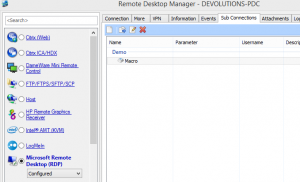 Here you go, a community driven improvement that may streamline a process that you go through frequently. Keep the requests coming! The Devolutions Team

 Steven Lafortune
 Coralie Lemasson