
 Jean-François Dagenais
Hello everyone,

Many of you have discovered our Macros/Scripts/Tools and are probably writing scripts once and reusing them against multiple hosts when usingRemote Desktop Manager.
By default, the credentials used by a tool are the ones from the running Windows session. It may very well be that those credentials do not grant you privileges to run your tool. If you do assign credentials to a session, there’s an excellent chance that those credentials are the ones you must use.
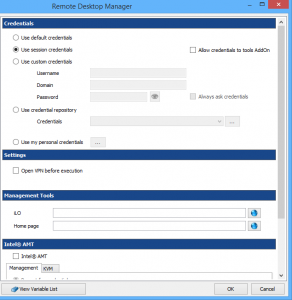
You can specify the usage of the session credentials for a session in Tools –> Credentials –> Use session credentials. If you must use specific credentials, you have access to the credential repository as well. This can be useful when you are using tools such as:
- Hyper-V
- Event Viewer
- Computer Management
- Windows Services
If this is often your situation, we also recommend you to change the default settings of the entry type as described in http://help.remotedesktopmanager.com/file_template_defaultsettings.htm. With this modification, all of your new sessions will use the specified credentials when a tool is launched!

 Steven Lafortune
 Coralie Lemasson