











 Derick St-Hilaire
Good news! After many requests from our valued community (that would be YOU), we are pleased to announce that custom shortcuts are now available in Remote Desktop Manager for Mac.
You already know that custom shortcuts are ridiculously easy to use. Well, creating them in RDM for Mac is also ridiculously easy. Here’s what to do:
Step 1: Launch RDM for Mac.
Step 2: Open the User Interface menu (from the top ribbon).
Step 3: Open the Shortcuts sub-menu (from the left ribbon).
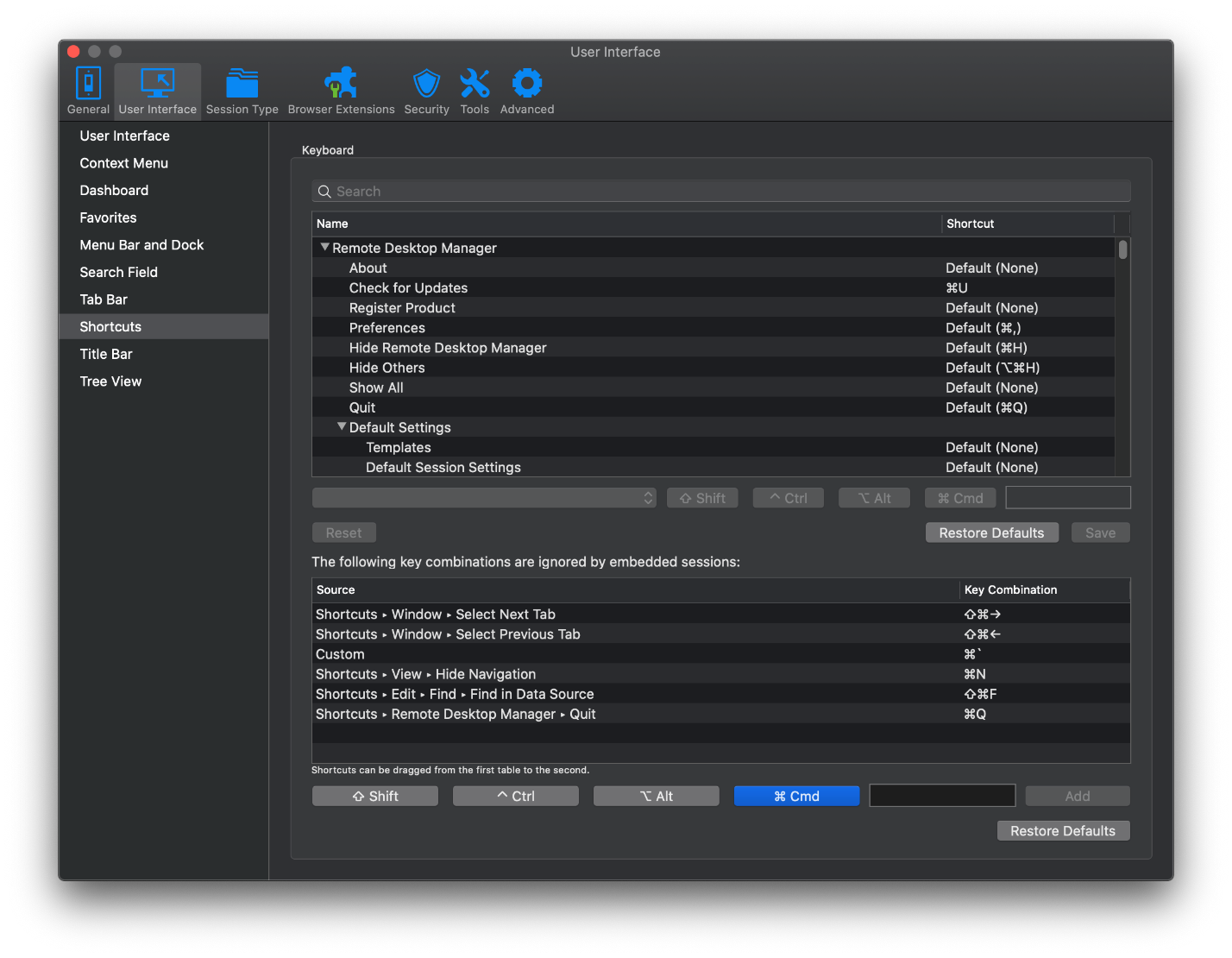
The table at the top lets you define shortcut key combinations for any items on the RDM menu bar. The table at the bottom lets you define shortcut key combinations that will be ignored during remote sessions (RDP, ARD and VNC). This ensures that local shortcuts take precedence over remote session shortcuts.
Default Shortcuts
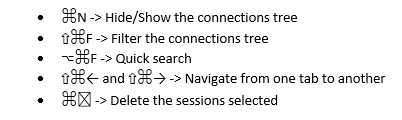
As mentioned, you can create shortcuts for any items on the RDM menu bar. The following shortcuts are created by default (of course, you can change/remove/add shortcuts as you wish):
Tell Us What You Think
We hope you find this feature convenient, and that it helps you save time. Every second counts, right? Please let us know what you think by commenting below. We’re always listening to you!