











Devolutions Password Manager + Password Management
Utiliser Devolutions Password Manager pour remplir automatiquement les identifiants d'un site Web.
Gagnez du temps lorsque vous accédez aux sites Web protégés par mot de passe, tout en améliorant les bonnes pratiques de sécurité et de contrôle de votre entreprise.
À qui s'adresse ce cas d'utilisation?
Ce cas d'utilisation s'adresse aux organisations dont les utilisateurs accèdent à divers sites Web protégés par mot de passe et qui souhaitent remplir automatiquement les identifiants à l'aide d'une extension de navigateur sécurisée et facile à utiliser.
Le problème
Des recherches ont révélé que l'utilisateur final moyen doit saisir manuellement ou copier-coller les identifiants de 154 sites Web par mois. C'est fastidieux et chronophage, et cela peut entraîner des erreurs humaines. Cela favorise également une mauvaise hygiène des mots de passe, car certains utilisateurs peuvent choisir des identifiants faibles et réutilisés pour plusieurs sites Web.
La solution
Devolutions Password Manager est un module d'extension de navigateur gratuit, sécurisé, simple à utiliser et facile à installer, qui s'utilise conjointement avec Remote Desktop Manager, Devolutions Server et Devolutions Cloud.
Devolutions Password Manager permet aux utilisateurs de se connecter automatiquement à un nombre illimité de sites Web, sans avoir à mémoriser ou à chercher des mots de passe. Parallèlement, les administrateurs système conservent un contrôle total sur la gestion de mots de passe, et ce, sans nuire à la productivité des utilisateurs. Devolutions Password Manager est disponible pour Firefox, Chrome, Opera et Edge.
Comment ça fonctionne
Quatre étapes simples suffisent pour installer et configurer Devolutions Password Manager :
- Installer le module d'extension depuis la page Devolutions Password Manager.
- Sélectionner le ou les produits qui seront jumelés avec Devolutions Password Manager. Ensuite, cliquer sur Enregistrer.
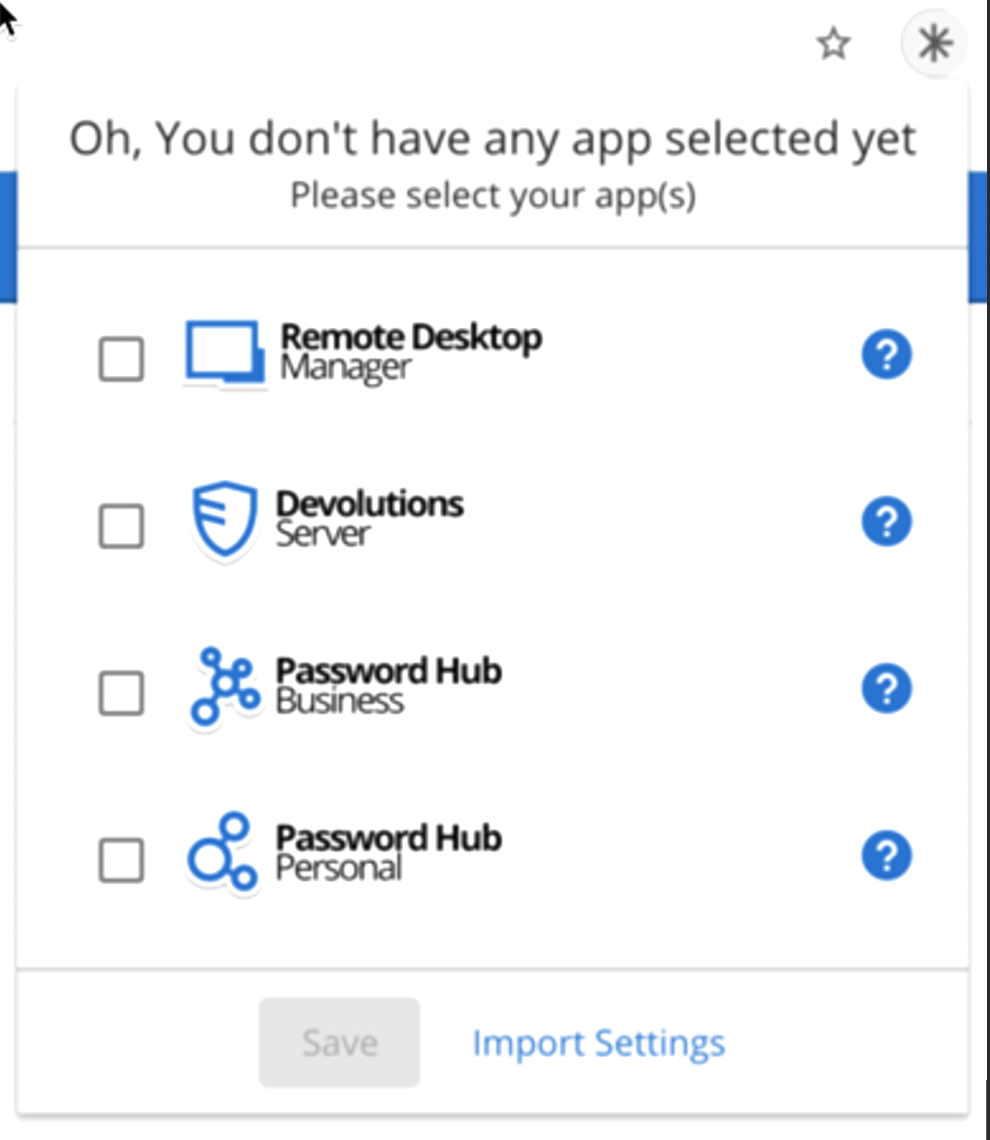
jumelage - Ouvrir un site Web à l'aide de Remote Desktop Manager, Devolutions Server ou Devolutions Cloud. Ou, si vous le souhaitez, saisir manuellement l'adresse du site Web dans votre navigateur.
- Devolutions Password Manager proposera d'injecter les identifiants. Vous pouvez également activer le remplissage automatique, qui injectera automatiquement les identifiants chaque fois qu'un site Web protégé par mot de passe est consulté (à condition qu'un nom d'utilisateur/mot de passe correspondant existe dans le coffre).
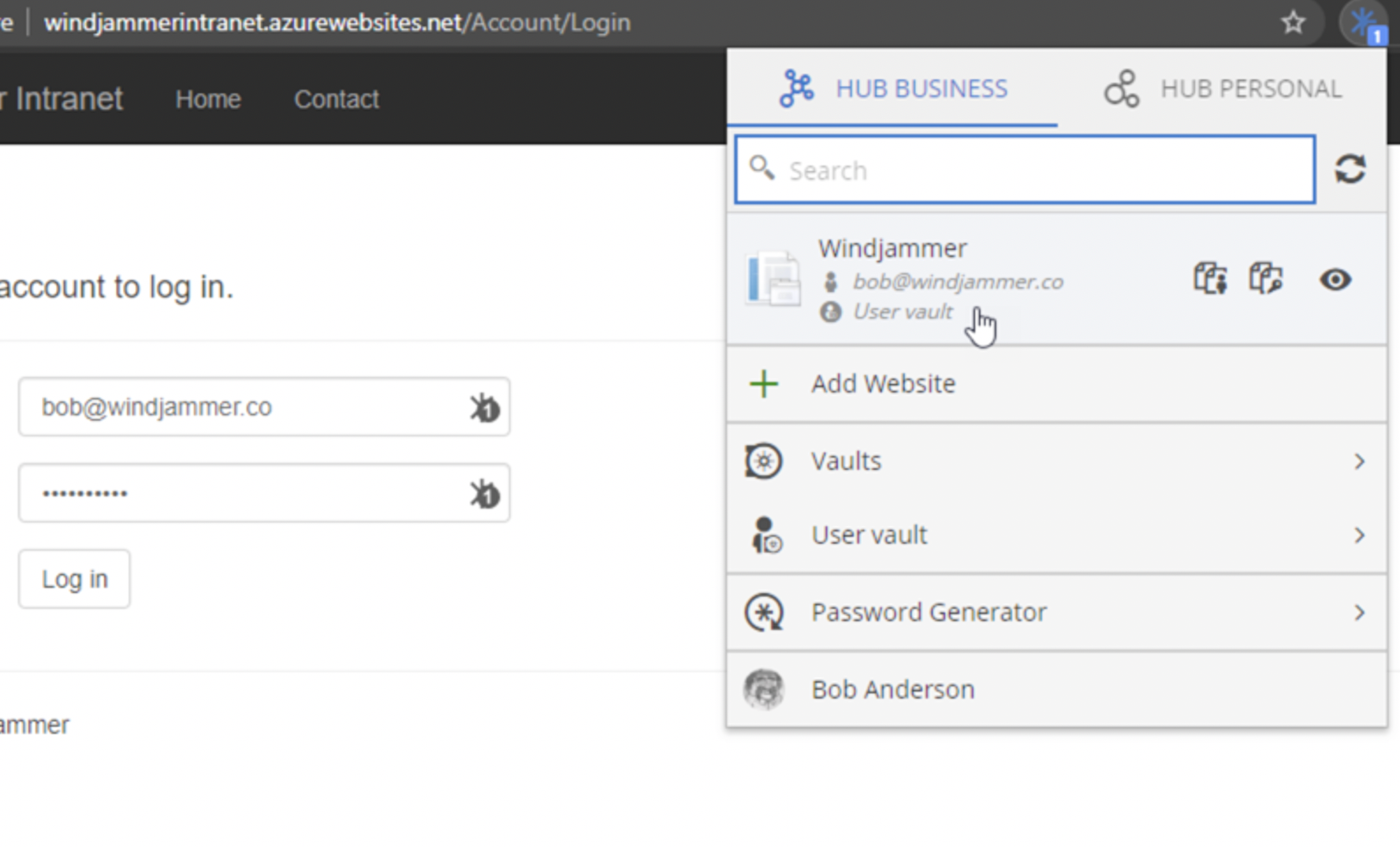
connexion 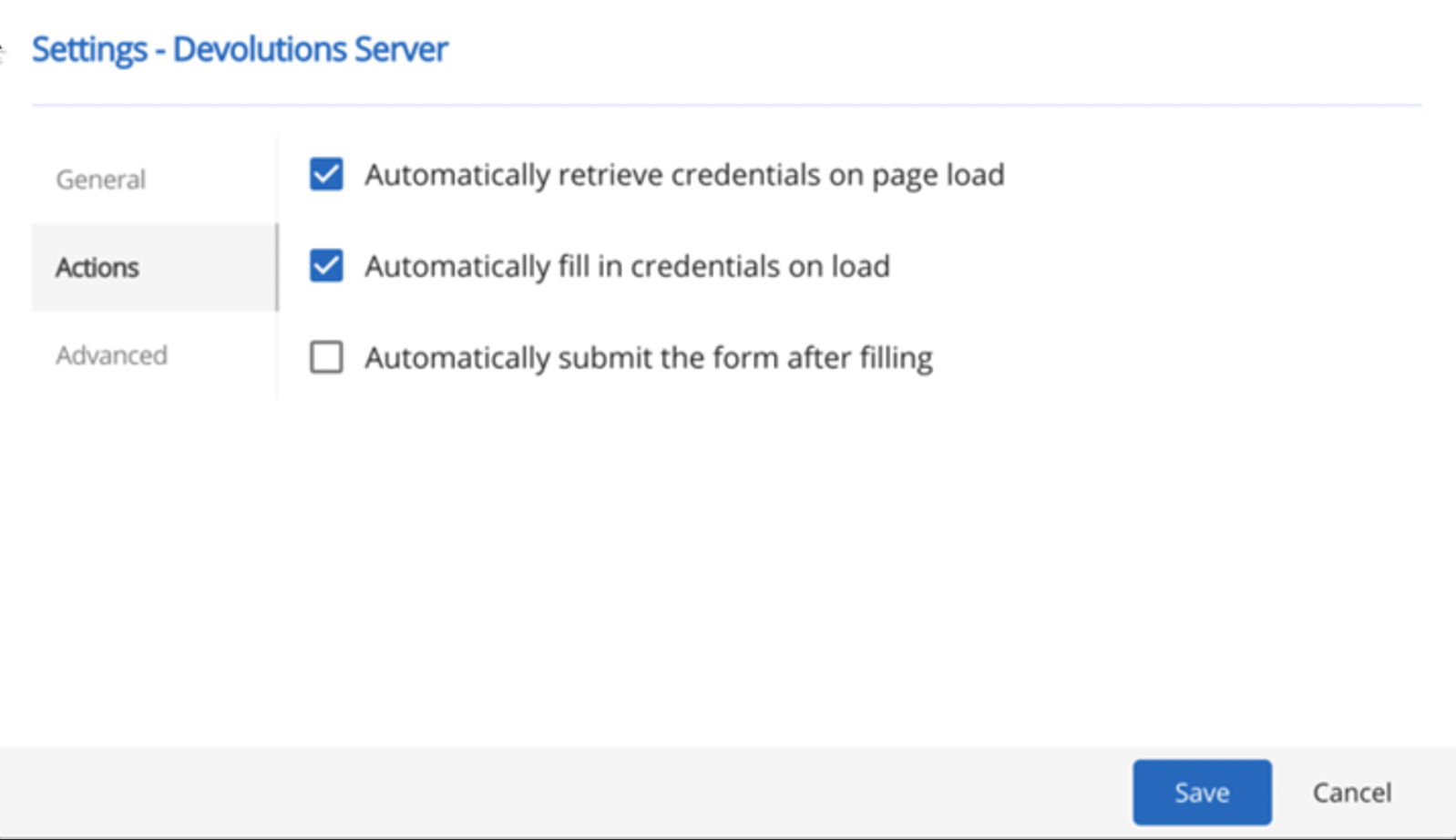
paramètres
Résumé des avantages
- Améliorer l'efficacité : Permettre aux utilisateurs de gagner du temps et de réduire les efforts lors de l'accès aux sites Web protégés par mot de passe.
- Éliminer les erreurs : Éliminer la possibilité d'erreurs humaines lors de la saisie manuelle des identifiants.
- Renforcer la sécurité : Améliorer l'hygiène de sécurité grâce à un générateur de mots de passe intégré qui crée des mots de passe forts et uniques.
- Améliorer l'administration : Permettre aux utilisateurs d'enregistrer les identifiants directement dans les coffres (partagés ou personnels).
- Renforcer le contrôle : Offrir aux administrateurs système un contrôle total sur la gestion de mots de passe, sans nuire à la productivité ni à l'expérience des utilisateurs.
Découvrez les solutions qui s’intègrent parfaitement avec Devolutions Password Manager :

Dans le monde de la technologie, la valeur d'un cas d'utilisation est directement liée à la valeur qu'en retire l'utilisateur. C'est pourquoi, chez Devolutions, nous faisons tout en notre pouvoir pour vous aider à faire le bon choix avec des exemples de cas d'utilisation faciles à comprendre pour vous et votre équipe, afin de favoriser un environnement productif idéal.En savoir plus sur les cas d'utilisation