












 Jenny Knafo
As you’ve hopefully experienced, the Offline Mode is great when you’re working off-site, or when you don’t have an internet connection (the horror!).
But there’s one aspect of working offline that isn’t so great — when there’s one entry that shouldn’t be allowed to be modified in offline mode because doing so would make things confusing and chaotic for colleagues working in the office. In the past, to prevent this from happening you had to take the entire database offline. Well, not anymore my friends, not anymore!
That’s because our brilliant team has added a new feature in RDM 13 that lets you exclude a specific entry from Offline Mode. Here’s how to use it:
- Open the Properties of the entry that you want to exclude from Offline Mode.
- Click on the Security side menu, and scan over to the new Allow offline
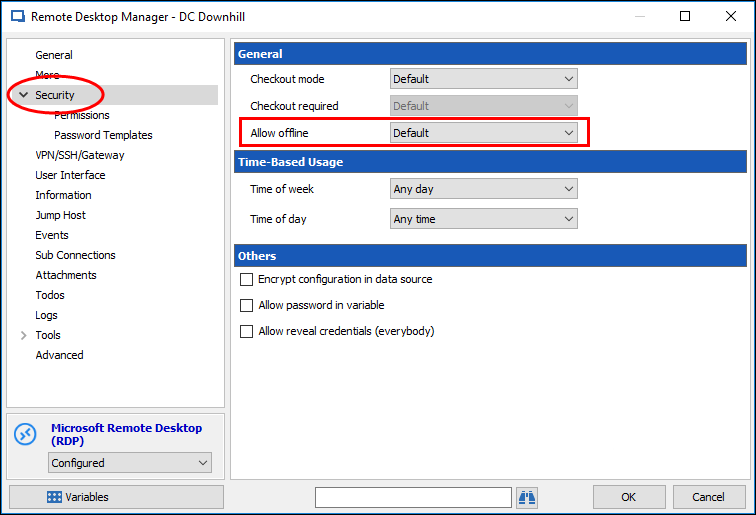
Now, you have 3 options in the Allow offline drop-down menu:
- Default: This is the value found in the Offline Mode of your Data Source Settings.
- True: Your entry will be available in Offline Mode.
- False: Your entry will not be available in Offline Mode.
Simply make your choice and that’s all there is to it! Granular control at your fingertips. We hope this feature makes your life easier.
As always, please let us know your thoughts by using the comment feature of the blog. You can also visit our forum to get help and submit feature requests.