

Overview
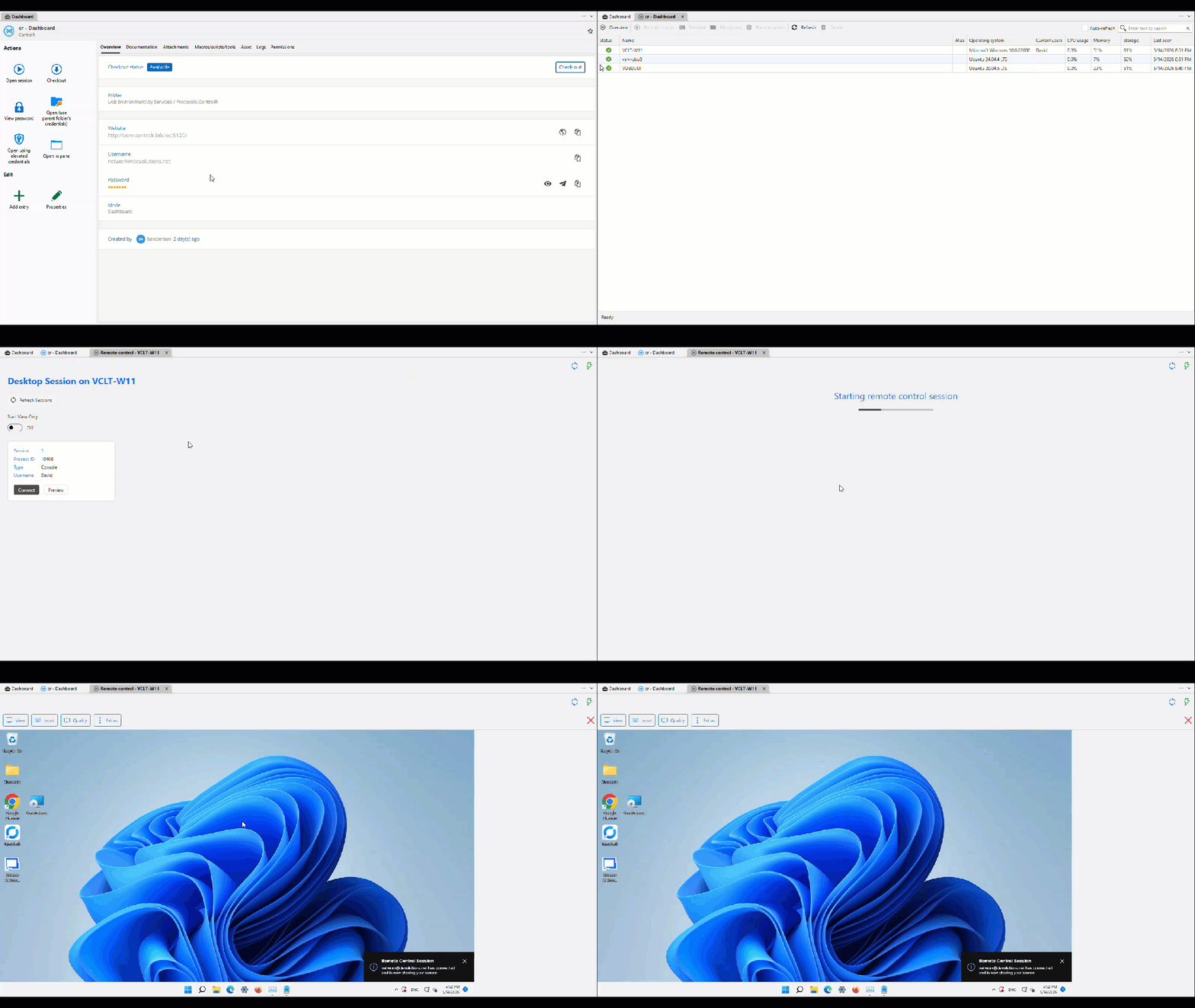
Launch self-hosted ControlR remote control sessions from Remote Desktop Manager with an embedded viewer, agent dashboard, and native Terminal and File System views.
Packages
Boost productivity, decrease costs, and increase security with a centralized platform where you can manage a wide range of remote connections and tools.
Improve your security strategy without reducing productivity by using a password management solution.
Diminish the risk of insider threats and cyberattacks while providing audit and compliance requirements for your team.
Establish a secure entry point for internal or external segmented networks that require authorized just-in-time (JIT) access.
 IT automation with PowerShell Universal
Streamline routine IT tasks and boost productivity with integrated scripting, orchestration, and reporting.

The whole power of Devolutions half price for teams of 5

Quick overview

Your trusted partner in security and compliance.

Unified solutions: seamless integrations with Devolutions
The best remote connection manager in the industry
All-in-one application to securely access, manage, and use your credentials.

Discover, install, and update all your Windows packages
Automate remote management with dashboards and APIs
Secure, rotate, and audit every privileged account across your infrastructure
 Academy
Your FREE go-to hub for mastering Devolutions' suite of products and services.
 Forum
Forum
The Devolutions Forum is the place to go to connect with your peers and the Devolutions team.
 Documentation
Get answers to product specifications, settings and more on our documentation.
 Blog
Blog
Stay up to date with our weekly articles on our blog, the toolbox for your IT success.
Launch self-hosted ControlR remote control sessions from Remote Desktop Manager with an embedded viewer, agent dashboard, and native Terminal and File System views.

Start remote control sessions directly inside RDM with the embedded ControlRViewer—no external viewer required—so interactive support stays in one place.

Browse connected agents from a dedicated ControlR dashboard entry and launch sessions without leaving Remote Desktop Manager.

Access native Terminal and File System views during ControlR sessions to troubleshoot and manage remote devices without switching tools.

ControlR is MIT-licensed and fully self-hosted, with agents for Windows, macOS, and Linux—built for MSPs and IT teams that need remote access without vendor lock-in.