











 Laurence Cadieux
We are happy to announce that right on target per David’s Devolutions 2022 Roadmap, Devolutions Cloud 2022.2 is now available. Here are the very complicated and detailed steps for downloading and installing the newest version: do nothing (or if you wish, lean your chair back, put your legs up, and THEN do nothing).
Devolutions Cloud is a cloud-based solution, which means that it updates automatically with the latest improvements and fixes. Ah, if only everything in the IT world was this efficient and easy.
About Devolutions Cloud
If you are unfamiliar with this solution, then Devolutions Cloud is our secure and (as mentioned above) cloud-based password manager for teams. It empowers organizations to easily and securely vault and manage business-user passwords — along with other sensitive information like building alarm codes, software license keys, corporate credit card numbers, etc. — through a user-friendly web interface that can be quickly, easily and securely accessed via any browser. Simply put, Devolutions Cloud is the perfect balance of security and usability. **Besides being a Password manager, Devolutions Cloud is also our cloud data source in Remote Desktop Manager. Create your Devolutions Cloud.
What’s New & Improved
Devolutions Cloud 2022.2 has many new and improved features. In fact, since the 2022.1 version, there are already more than 110 enhancements and fixes (and more are continuously being added). The full release notes are available here. Below, we look at some of the biggest improvements.
NEW User Interface
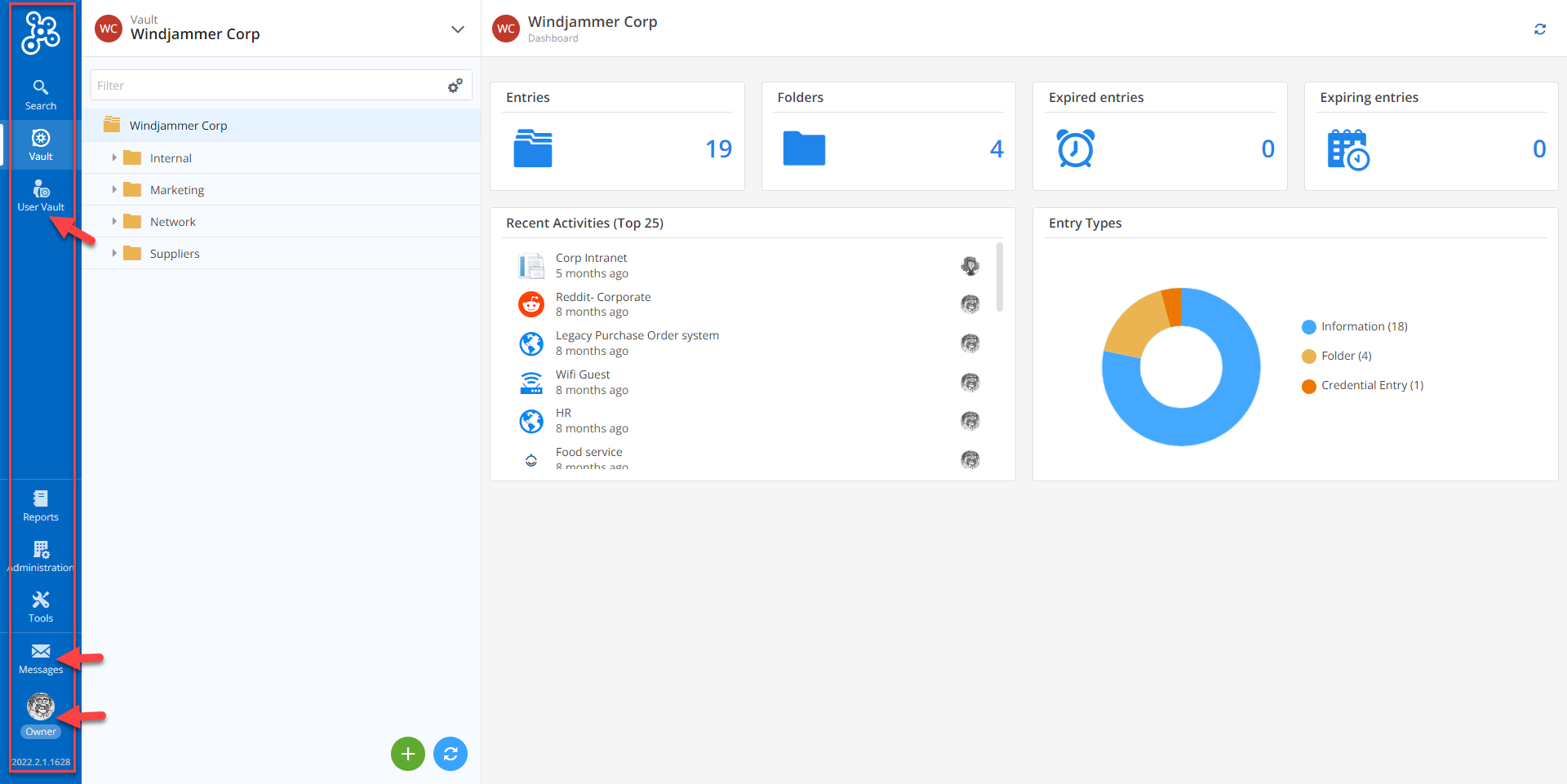
We have re-imagined the Devolutions Cloud UI to increase clarity, reduce clutter, and make the overall experience easier and more intuitive. The blue menu bar that was previously at the top of the web interface is now on the left side. And the profile that was in the top right corner is now in the bottom left corner (with the messages). Plus, the vault selector now only contains shared vaults. We removed the user vault, because it is already in the side bar.
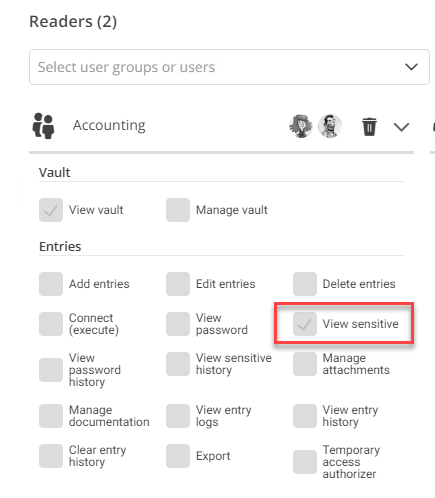
NEW Permission: View Sensitive Information
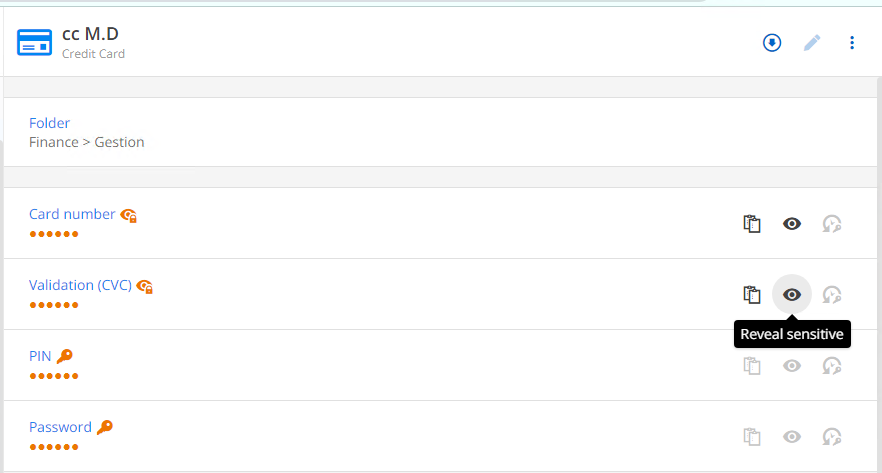
Previously, Administrators could block users from viewing passwords. However, users could still see sensitive information such as credit card numbers, bank account details, secure notes, etc. In v2022.2, we have added a new permission setting that gives Administrators the option to block this sensitive information as well. This can be applied to all users, groups of users, or a specific user.
NEW Observer Role
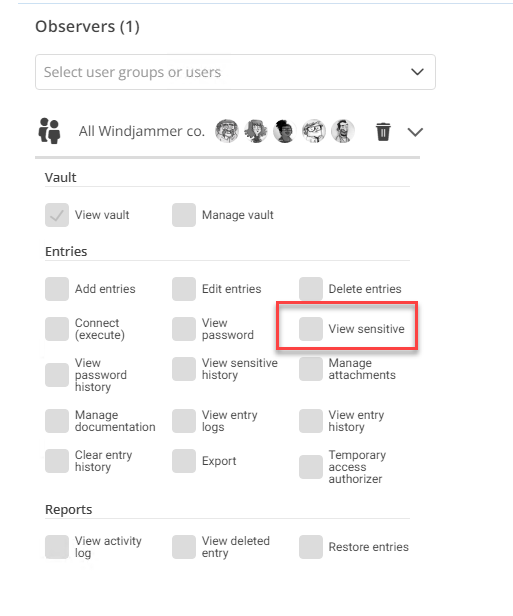
Devolutions Cloud has predefined roles for users, which makes things simpler and faster for Administrators. Previously, the role with the least authorization was “Reader”, which gave users permission to view sensitive information. In version 2022.2, we have introduced the “Observer” role. Users with this permission level will not be able to see sensitive information.
We recommend that Administrators audit the access requirement of all “Reader” users in their organization, and per the Principle of Least Privilege, downgrade their role to “Observer” as necessary.
NEW Temporary Access
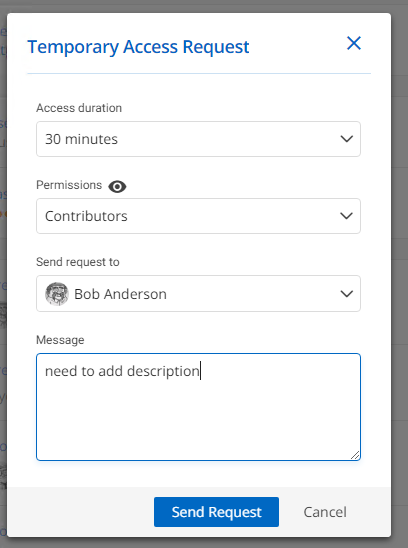
The new Temporary Access feature enables users to request elevated privileges, so that during a specific period of time they can carry out a task that is not typically part of their regular scope of work (e.g., open a session). The request is received by a designated approver, who grants or denies it accordingly.
And there is more good news!
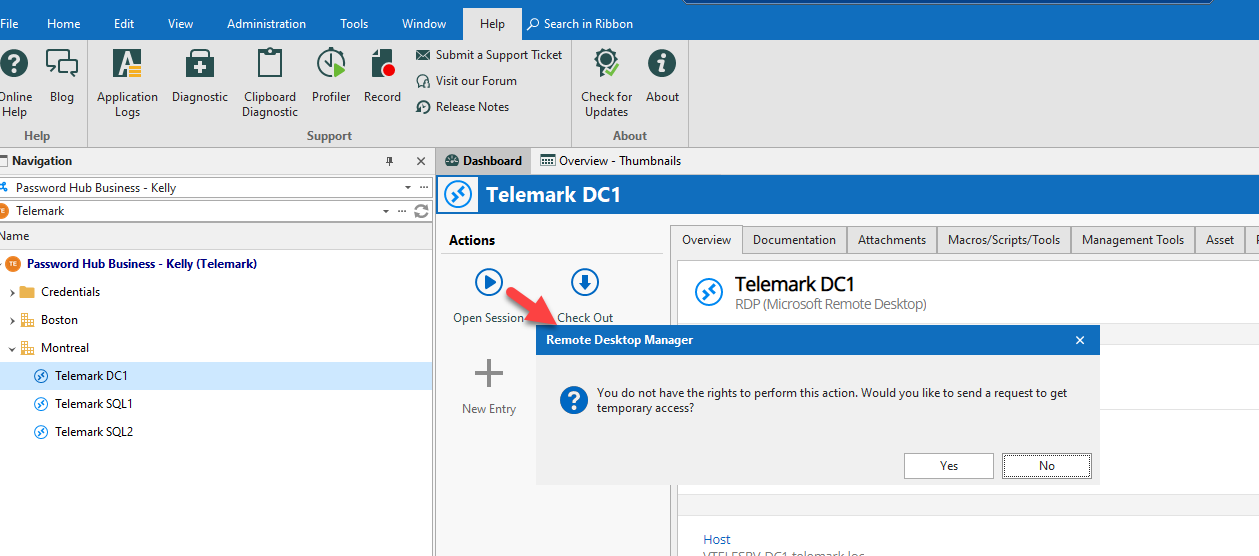
Temporary Access in Remote Desktop Manager 2022.2 with Devolutions Cloud (as a data source) is now supported! Since it was introduced in RDM a while ago, our team needed to do some magic to make it happen in Devolutions Cloud. Here is how it works:
-
A user requests access for a specific period of time to open a session in RDM. The user can choose the approver who will receive their request, and can add a message if desired.
-
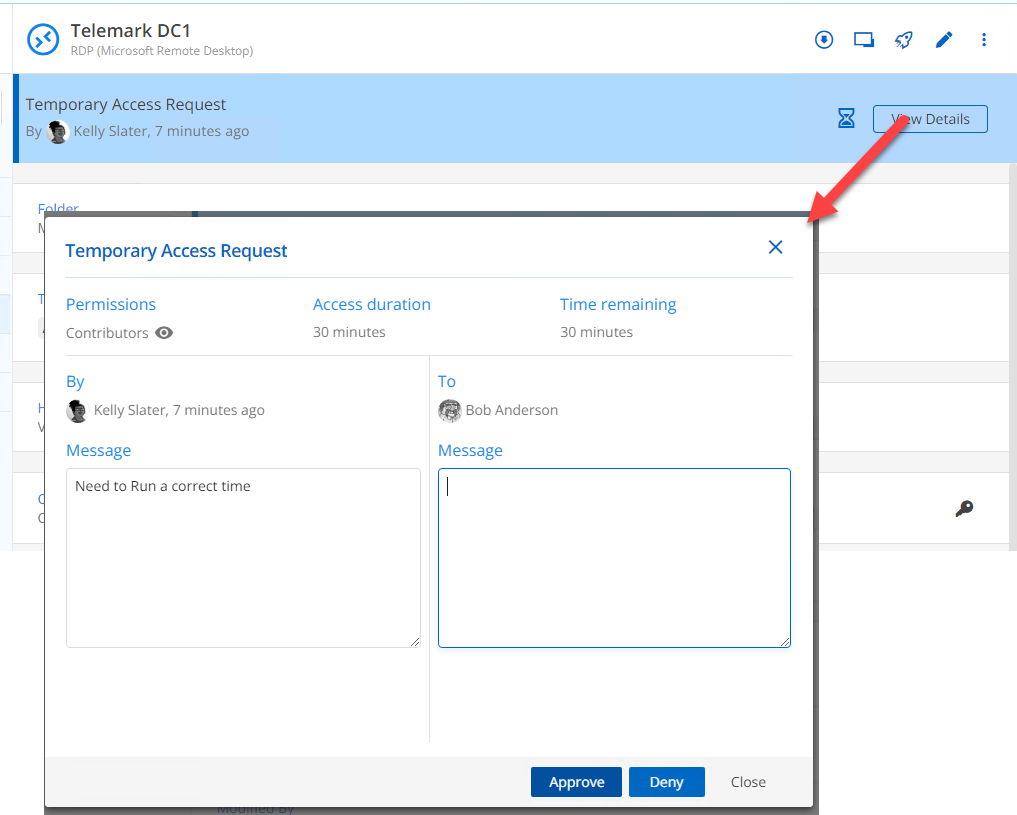
The designated approver receives an email with the request. This email includes a link to the entry that the user wants to access. This link brings the approver to the web interface, on the exact entry the user wants to have access to, where he can see all of the details, and grant or deny the request accordingly.
-
The user receives an email informing them if their request has been approved.
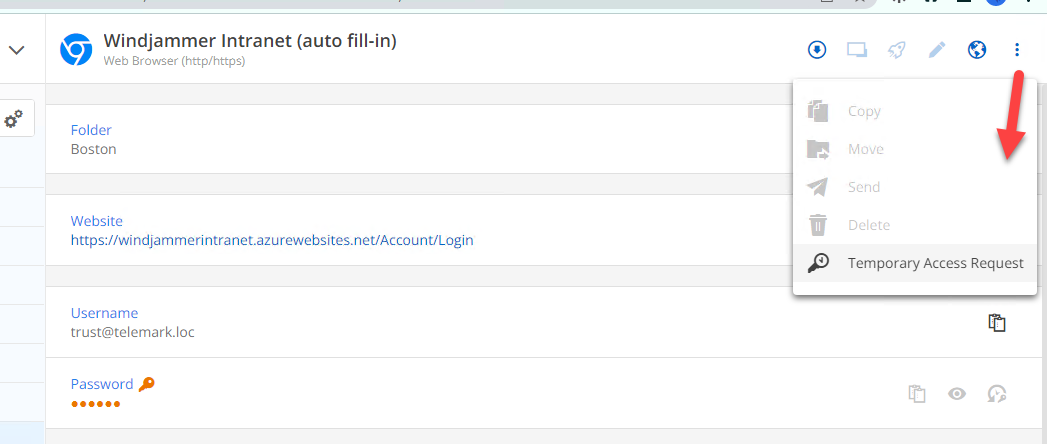
And guess what? There’s STILL more to the story! Our Development Team went even further, and users can also request Temporary Access through the web interface of Devolutions Cloud, for permissions they usually do not have access to. The request workflow is exactly the same as above.
Before moving on, here are a couple of notes and reminders about Temporary Access:
- All administrators can approve or deny temporary access request. Vault managers can also grant access to the vault they manage.
- Currently, Devolutions Password Manager does not support the Temporary Access feature. However, our Development Team is working on this! Devolutions Password Manager continues to support new/previous permission settings.
View Secure Messages in Remote Desktop Manager
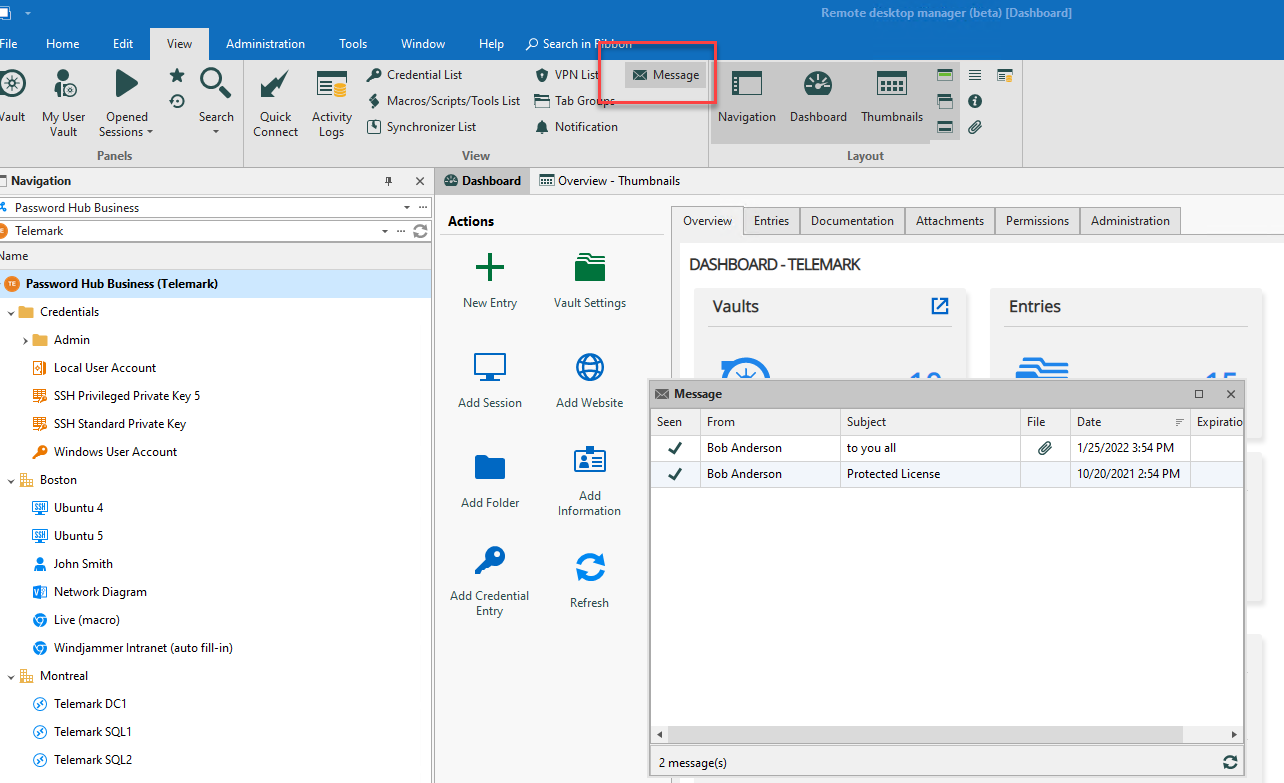
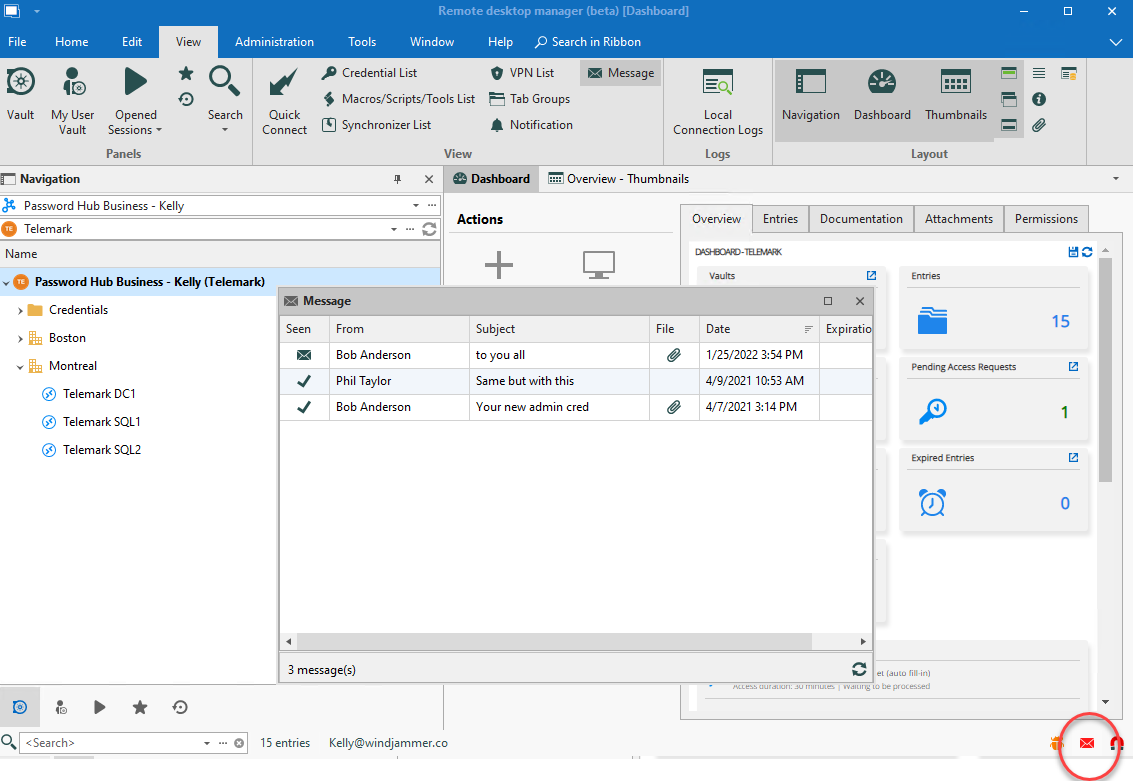
When you use Remote Desktop Manager 2022.2 and Devolutions Cloud together (Devolutions Cloud as a data source in RDM) you can view secure message directly in RDM, without having to go to the web interface, they’re directly in RDM. Note: You can only view the messages for now. We’re working right now to develop the features so you can be able to do more. Stay tuned!
Additional New Features
Here are some more new features that are designed to make the Devolutions Cloud experience better and more productive:
- You can now have access directly to the release notes in Tools.
- New folder information is now available on the entry dashboard.
- We added an expiration date for secure messages (this is already available in Devolutions Server).
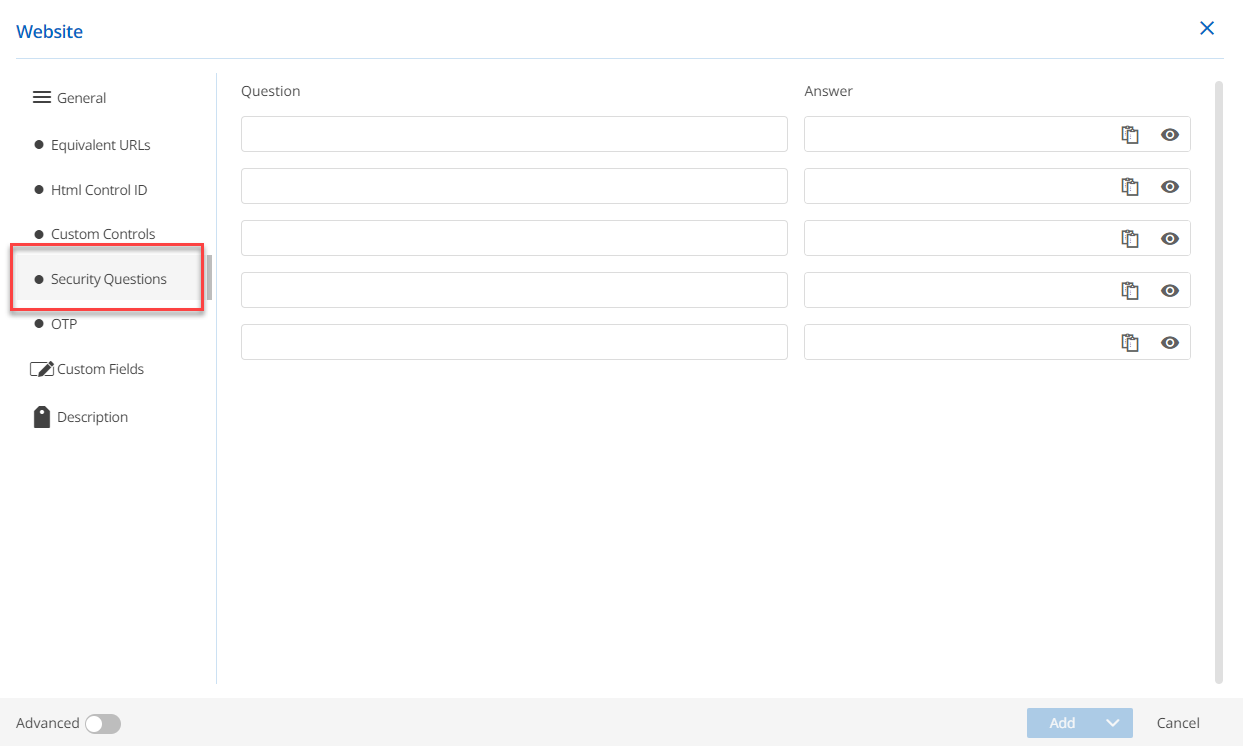
- Administrators can create security questions directly on a website entry in Devolutions Cloud.
Send Us Your Feedback
As mentioned earlier, many of the new and improved features in Devolutions Cloud 2022.2 are the result of feedback from our global community of IT pros. Please continue telling us what you think, and what you need. We are always listening to you, and rely on your advice to make Devolutions Cloud even better.