











 Steven Lafortune
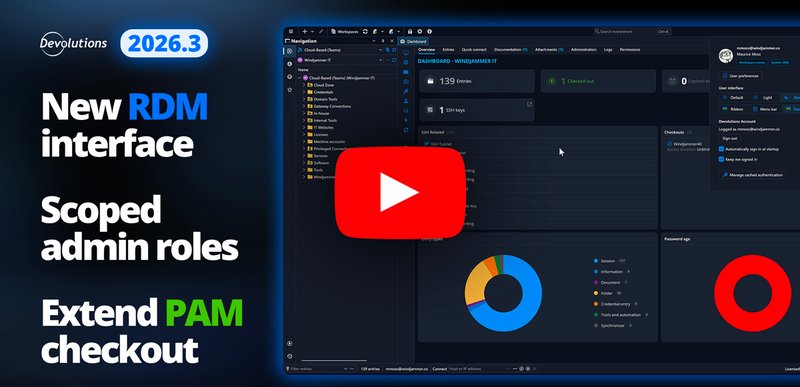
We’ve just released 2026.3 across the Devolutions platform. If you’ve already upgraded, or you’re planning to soon, this video is for you. The release is about fewer distractions and fewer handoffs between tools, so you can get to the work without the product getting in the way.
Our Product Marketing Advisor, Yann Lemasson, walks you through the highlights in the video below, and we’ve broken down a few of the key changes beneath it.
Watch What’s new in 2026.3 on YouTube, or play it here:
Devolutions Password Manager
A cleaner look, same workflows
Devolutions Password Manager now has a workspace selector at the top left, so you can switch between Cloud and Server and reach tools and settings without hunting. Application and workspace options live in one settings modal, which makes it easier to set things up the way you actually work.
Remote Desktop Manager
Find your tools faster
Remote Desktop Manager also got a visual update with the Avalonia conversion. A fresh install shows the updated toolbar instead of the classic ribbon: more screen real estate, less clutter, and quicker access to the tools and administration options you use every day. If you still prefer the ribbon, the profile menu in the top right lets you switch between ribbon, menu bar, and toolbar. Shared and user vaults also moved to a more intentional spot on the left. And when a session is open, a right-click on that tab now groups the actions by category so you can get to what you need faster.
Administer Cloud without leaving RDM
If you manage Devolutions Cloud, adding users, editing licenses, and handling user groups used to mean a trip to the web interface. You can now do that from Administration > Users inside Remote Desktop Manager, with the same kind of options you already know from the browser.
Devolutions Server
Give administrators only the access they need
Role assignments in Devolutions Server are expanded, so you can put someone in a scoped role instead of handing them the whole workspace. Existing full administrators keep what they have as Workspace Owner: all DVLS settings, vaults, and PAM. A PAM Administrator, by contrast, can manage PAM settings without getting vault access. You can assign those roles to a group or to an individual when you onboard people.
Hand a contractor one screen, not the whole tree
Earlier this year, Cloud got compact mode for contractors. Server has it now. A contractor reaches sessions through Devolutions Gateway as tiles or a direct link, including a session that uses a linked privileged account. The checkout can go through approval in Password Manager on your phone, the session is recorded and logged, and the privileged password rotates afterward. They can switch back to the regular interface if they want it.
Privileged access management
Extend an active checkout
When a privileged job runs long, you no longer have to check the account back in and start over. Hit extend, pick a duration, and keep working. Depending on checkout policy, the extra time can be auto-approved, or an admin can adjust the request, add a note, and approve it.
Managed PAM provider accounts
The credential that authenticates an Active Directory PAM provider used to sit there as a static username and password from setup. You can now hand it to Devolutions PAM and manage it like any other privileged account: link it with Manage PAM account, reset it, and set a rotation schedule so discovery and rotation keep running without anyone needing that password.
PAM accounts in shared vaults
Privileged accounts can now live in a shared vault alongside the session that uses them. The caveat is the vault must be set to high security level first, which turns offline mode off. After that, PAM accounts no longer have to stay in a single vault.
PowerShell Universal and UniGetUI
If your team already automates everyday work in PowerShell, PowerShell Universal is worth a look: a web console to store and run scripts, schedule jobs, build APIs, and turn PowerShell into web apps other people can use without opening a console. Yann points to the Overview video he recorded earlier this year if you want the full product intro.
UniGetUI is the 100% free Devolutions app that puts WinGet, Chocolatey, Scoop, and more in one window, so you can find, install, and update Windows software without bouncing between CLIs. While you’re downloading Remote Desktop Manager and upgrading Password Manager, grab it too.
For the written tour and upgrade notes, read What’s new in the Devolutions platform 2026.3. Cloud is already on 2026.3. Download the latest release, and if you self-host Devolutions Server, update it alongside RDM so you don’t run into version mismatches.
Share your feedback
The 2026.3 releases were shaped by the ideas, suggestions, and real-world insight provided by our global user community. Your feedback helps us continue improving our solutions in ways that are practical, relevant, and meaningful for the professionals who rely on them every day.
Please keep sharing your opinions and advice. Leave a comment below, start a conversation on the Devolutions Forum, or reach out to our team directly.