











 Adam Listek
Remote connection management has always been a bit of a juggling act for system administrators, and mRemoteNG and Devolutions Remote Desktop Manager (RDM) are two tools designed to tame it. Both let you organize RDP, SSH, and VNC connections from a single interface, but they were built for very different kinds of teams.
mRemoteNG has a long lineage. The original mRemote appeared in 2007 and was actively developed until 2009, after which it stalled; in 2010, it was forked into the open-source mRemoteNG (“next generation”), and the original mRemote was eventually discontinued in 2012. Devolutions Remote Desktop Manager, meanwhile, has been developed and enhanced continuously since 2006 and has grown into a feature-rich connection, credential, and IT-operations workspace.
We first put these two head-to-head in our 2023 showdown. A lot has changed since then, so let’s compare them the same way, feature area by feature area, with everything refreshed for 2026.
Protocol and tool support: well beyond RDP
mRemoteNG is geared toward the most common connection types. It supports several protocols (including RDP, SSH, VNC, Telnet, web, and others) and can also launch external tools. That covers a lot of everyday work, but the list is comparatively narrow and tied to Windows.
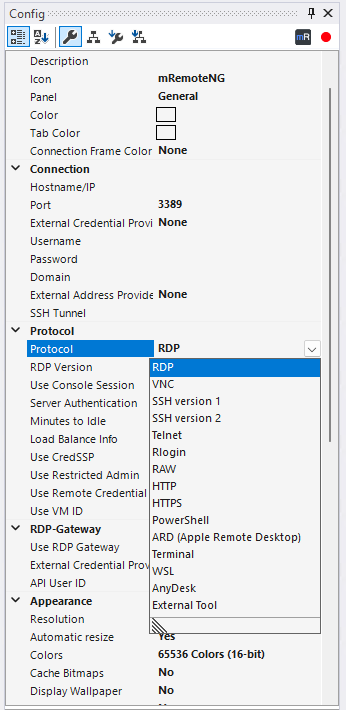
Protocol list in mRemoteNG
Remote Desktop Manager takes a wider approach. It is compatible with more than 200 relevant tools and technologies, including RDP, SSH, VNC, Telnet, Citrix, VMware, VPN, web, cloud consoles, and file transfer. The goal is to keep your entire mixed environment in a single catalog rather than juggling a different tool for each protocol. Feature depth can vary by protocol and by operating system, so it is always worth testing your specific stack.
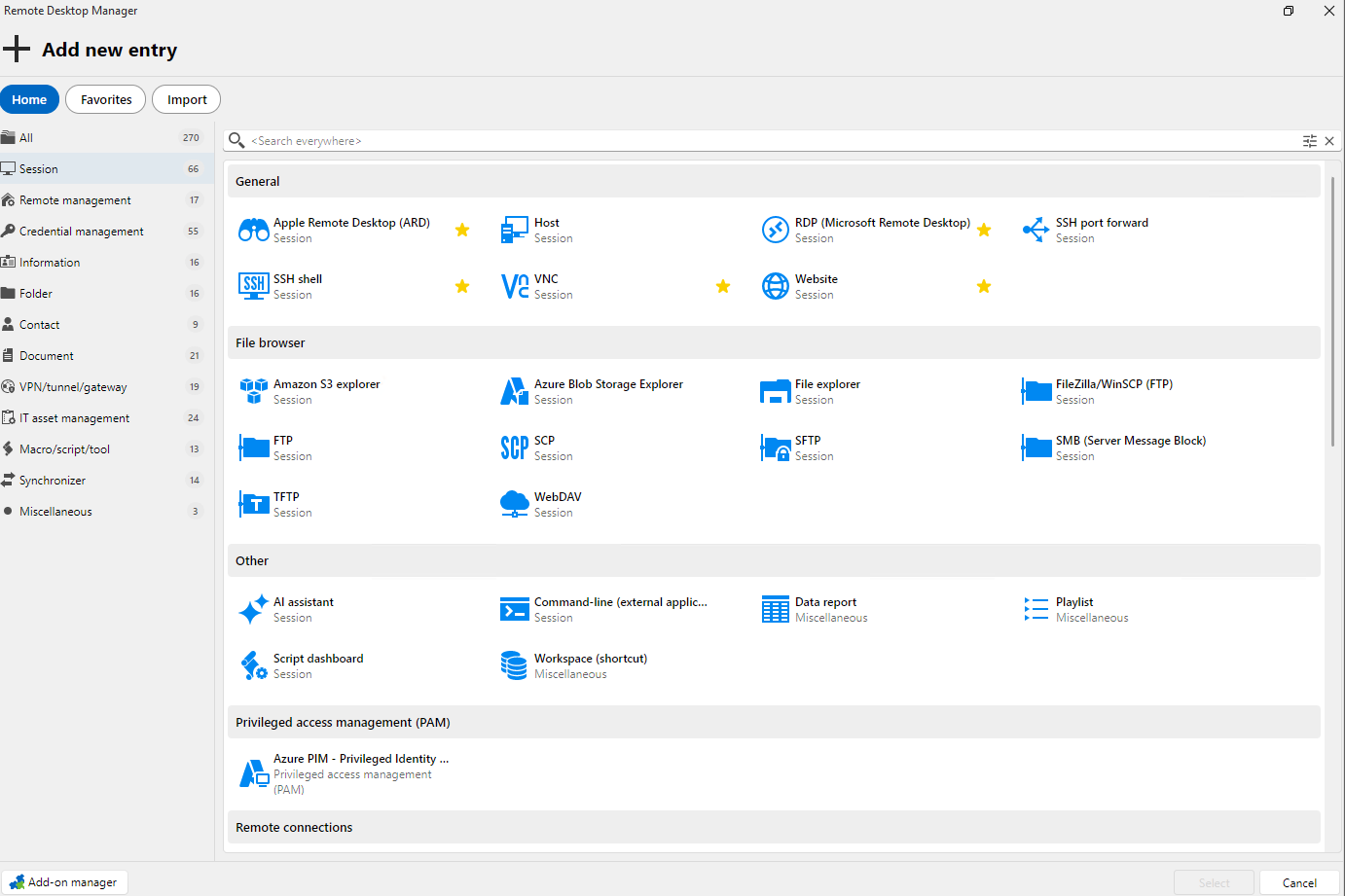
Add new entry session types in Remote Desktop Manager
Organizing your connections
mRemoteNG keeps organization simple: a connection tree with folders, inheritance, and default properties (set a value once and let it flow down), quick connect, and import/export. For a modest inventory of connections, that is fast and easy to live with.
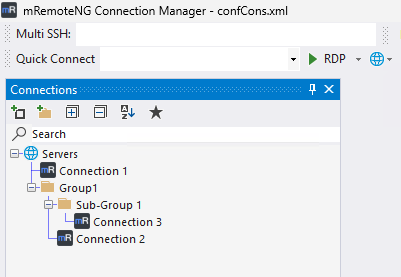
Connections tree in mRemoteNG
Remote Desktop Manager goes further because it is designed for environments that continue to grow. You get hierarchical vaults and folders, templates, inheritance, tags, dynamic variables, synchronizers, quick connect, dashboards, and multiple data sources. That structure earns its keep as metadata, templates, and team requirements pile up. The result is a connection catalog you can navigate at scale, not a flat list that gets unwieldy.
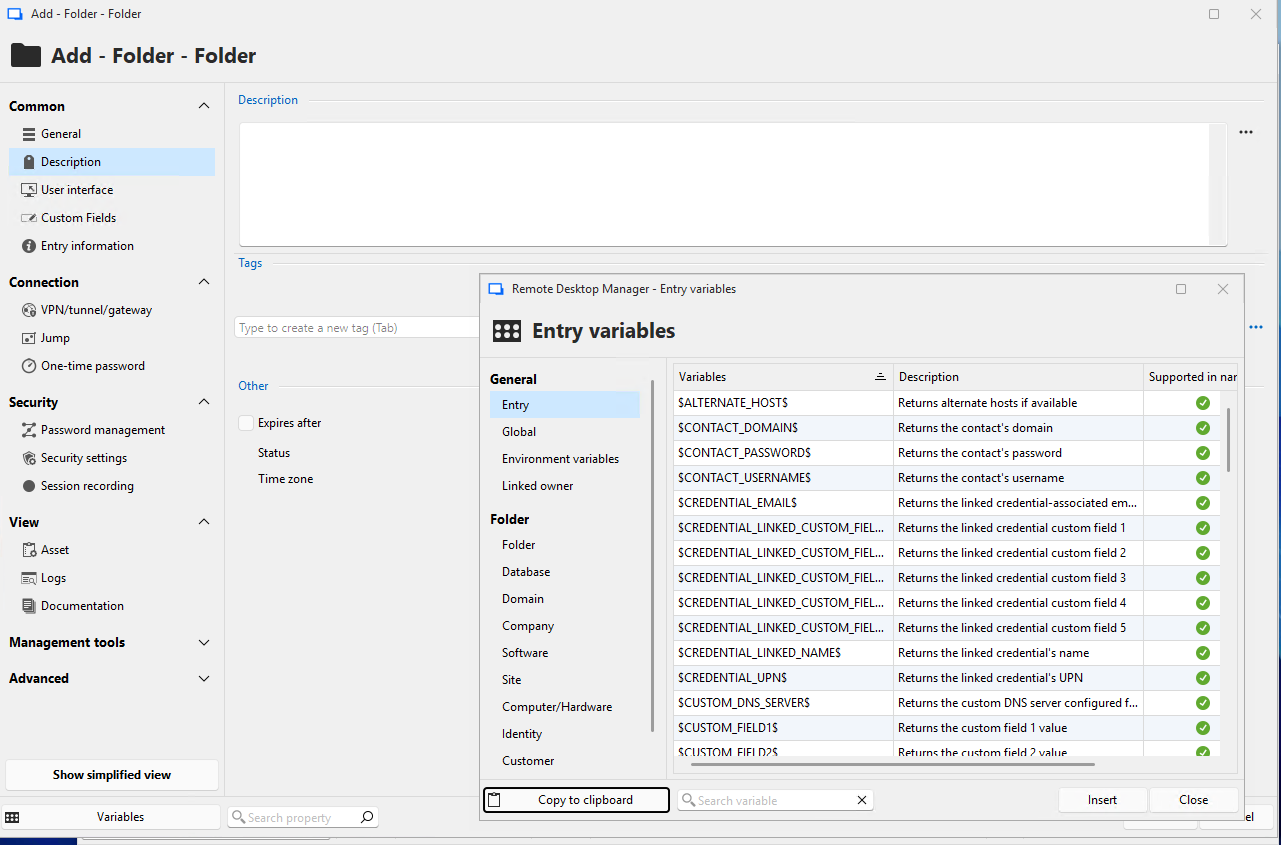
Entry variables in Remote Desktop Manager
Automation and repeatable workflows
If you administer more than a few machines, doing the same things by hand gets old fast. mRemoteNG offers some practical shortcuts here: external tools, limited command-line switches, connection imports, and a port scan, though its automation is not built around centralized policy.
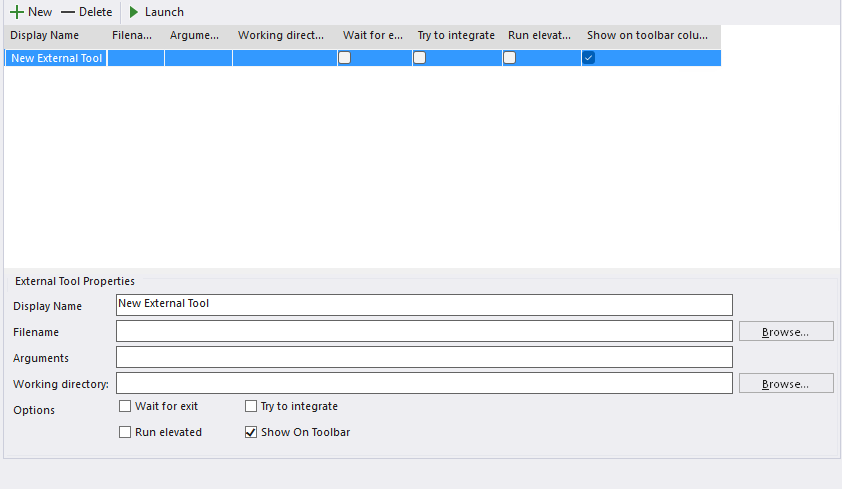
External Tools in mRemoteNG
Remote Desktop Manager is built for repeatable administrator work. It ships a PowerShell module and supports scripts in several languages (PowerShell, AutoHotKey, AutoIt, and VBScript, among others), as well as typing macros, pre- and post-connection events, templates, synchronizers, and bulk operations. In practice, that means you can standardize how connections are created and maintained, rather than repeating the same steps over and over.
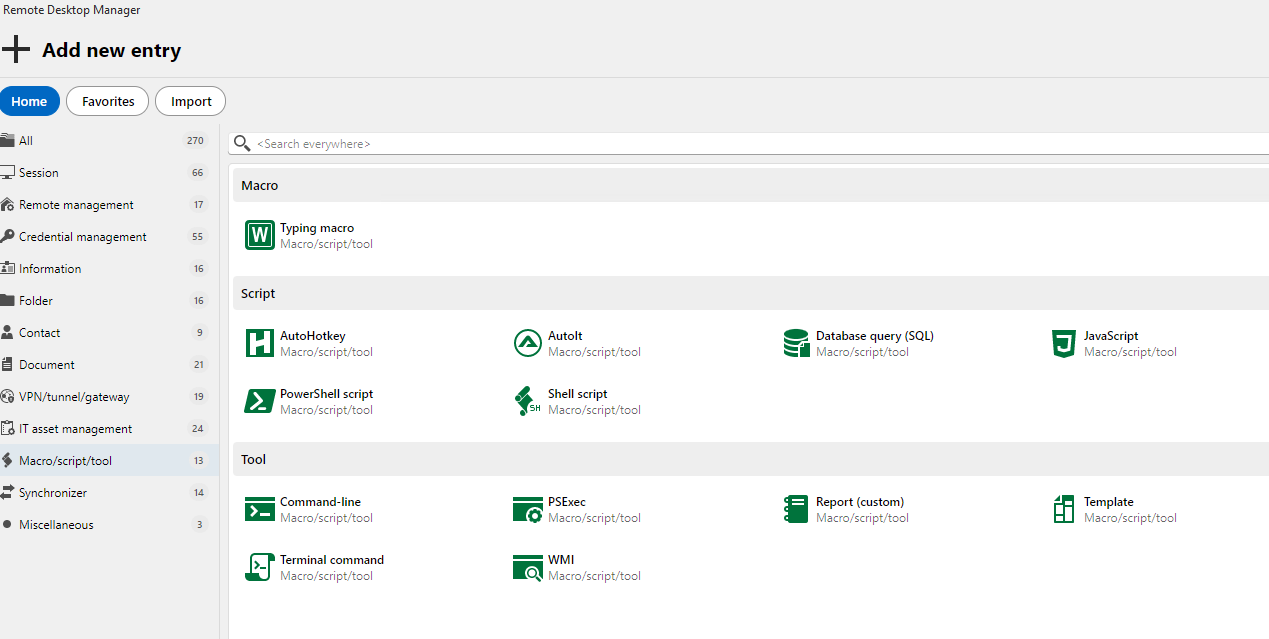
Macro, script, and tool options in Remote Desktop Manager
Credential security: where your secrets live
This is one of the clearest dividing lines between the two tools, and it comes down to a simple question: where do your credentials actually live?
In mRemoteNG, credentials are stored in the connection data. There is also a documented vault connector that currently targets an on-premises Delinea Secret Server, 1Password, Clickstudios Passwordstate, HashiCorp Vault, or the open-source fork OpenBao for RDP and SSH connections, which is a valuable capability to be aware of.
Remote Desktop Manager treats credentials as protected, first-class objects. Secrets live in private and shared vaults and are injected into sessions so that launching a session does not expose credentials on the user’s machine. And if you already run a password manager or PAM vault (HashiCorp Vault or Delinea Secret Server, for example), RDM can integrate with it rather than forcing you to migrate everything into a new system first. For teams that need to protect and share credentials without handing passwords around, that combination of vault choice and session injection is a real step up from storing secrets inside connection files.
Team sharing, governance, and audit
A tool that is fine for one administrator is not automatically fine for a team, and this is where the gap widens.
mRemoteNG supports a SQL-backed shared configuration, so several people can work from the same connection set. What the reviewed sources do not establish is enterprise-grade governance around it: no centralized role-based access control (RBAC), audit trails, or single sign-on (SSO).
Remote Desktop Manager’s team story runs through Devolutions Cloud or Devolutions Server, which adds shared vaults, granular RBAC, SSO, multi-factor authentication (MFA), and audit trails, with either cloud or self-hosted administration. On top of that, RDM’s activity logs capture CRUD operations, password views, and credential use, connection starts and stops, the machine and user, comments, and ticket numbers (duration and active time are recorded for embedded-mode sessions). Where Devolutions Gateway is configured, sessions can also be recorded. That “who did what, when, and to which system” trail is exactly what matters once compliance enters the picture, and it is an area where mRemoteNG has no comparable capability.
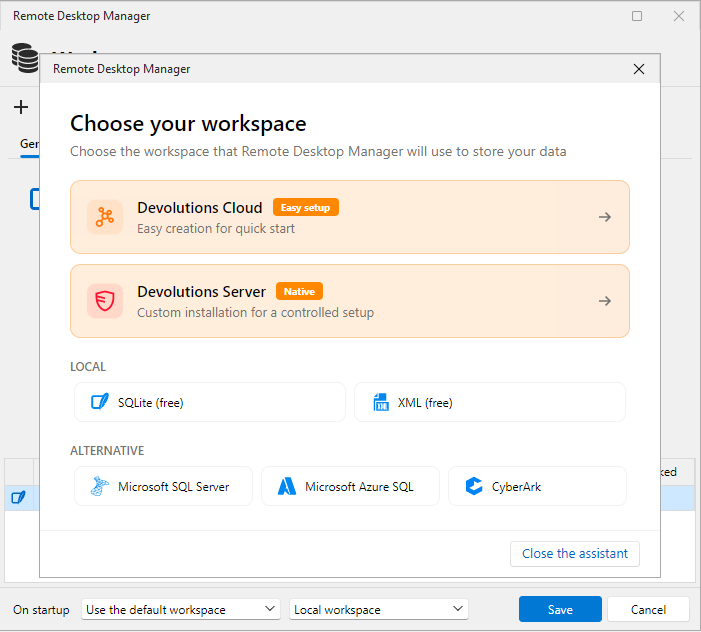
Choose your workspace in Remote Desktop Manager
Secure access without a VPN
Getting administrators connected to remote networks safely is its own challenge, and the two tools approach it very differently.
mRemoteNG supports protocol-specific gateways and tunnels, such as RD Gateway for RDP and SSH tunneling. Those work, but there is no centralized governance layer evident around them.
Remote Desktop Manager pairs with Devolutions Gateway, which provides a centralized, policy-controlled entry point for RDP, SSH, and web access, with just-in-time (JIT) access, session recording, and proxy-based credential injection, all without a traditional VPN. For teams that want brokered, auditable access rather than a patchwork of tunnels, that is a meaningful difference.
Working from anywhere: cross-platform and offline
Being able to work from a range of operating systems becomes important the moment your devices and your team are spread out. mRemoteNG, however, runs only on Windows. If everyone on your team is on Windows, that is not a limitation. If they are not, it is a hard stop.
With Remote Desktop Manager, you can handle an IT emergency from anywhere, thanks to native desktop clients for Windows, macOS, and Linux, plus mobile apps for iOS and Android (feature depth may vary by platform). Both tools also work offline to a degree: mRemoteNG’s local configuration is available offline while shared SQL configuration needs connectivity, and RDM offers a local mode with an encrypted offline cache whose read/write behavior varies by data source.
Two free options: mRemoteNG vs. Remote Desktop Manager Free
Cost is often the deciding factor, and both tools offer a free option, so the real question is what each free version actually gives you.
mRemoteNG is free and open source in its entirety: there is no paid tier, no license to buy, and the full tool is available at no cost. The trade-offs we have already covered are: it is Windows-only, credentials are stored in the connection data, and there is no centralized governance or audit.
There is also Devolutions Remote Desktop Manager Free (RDM Free), aimed at solo professionals. It is more than a stripped-down demo: it runs natively on Windows, macOS, and Linux, supports a broad range of protocols (RDP, SSH, VNC, ARD, PowerShell, and more), includes a centralized credential workspace with one-action injection, and has macros and automation built in. You pick a free workspace, Devolutions Cloud or Devolutions Server, the first time you open it. And when you are ready to work as a team, you upgrade in-app to invite teammates, share vaults, set roles, and add session recording, without switching tools.
In short, if you want something free, mRemoteNG wins for being fully open source, while RDM Free offers a single-user, cross-platform tool with a real credential vault and a built-in path to team features. You can start with RDM Free and grab the installer from the download center.
Conclusion: mRemoteNG vs. Devolutions Remote Desktop Manager
mRemoteNG remains a solid, free, open-source, lightweight connection manager. It works well for an individual or a small Windows-only team that values simplicity and zero cost, and does not need centralized credentials, cross-platform clients, or an audit trail. It is an honest, capable choice with no commercial commitment.
Remote Desktop Manager is a stronger fit when a connection list is no longer enough: when connections, credentials, secure access, cross-platform reach, automation, and accountability all have to be managed together, and when you want room to grow into governed team operations without switching tools. On licensing, the two sit at opposite ends: mRemoteNG is free and open source, while RDM offers RDM Free for individual users and a Team edition whose single license covers all platforms (the remote desktop management and IT operations package is publicly listed at $30 USD per named user per month, billed annually, as of July 2026; check the pricing page for current details).
| Feature | mRemoteNG | Devolutions Remote Desktop Manager |
|---|---|---|
| Remote Desktop Protocol (RDP) | Yes | Yes |
| SSH, VNC, Telnet, and web | Yes | Yes |
| Broad tool and technology coverage (200+) | No | Yes |
| Folder / connection-tree organization | Yes | Yes |
| Templates, tags, and dashboards | Limited | Yes |
| Automation (PowerShell, scripts, macros) | Limited | Yes |
| Shared vaults with credential injection | No | Yes |
| Role-based access control (RBAC) | No | Yes |
| Audit logs and session recording | No | Yes (recording via Devolutions Gateway) |
| Centralized secure gateway (VPN-less access) | Partial (RD Gateway, SSH tunneling) | Yes (Devolutions Gateway) |
| Native cross-platform clients (macOS, Linux, mobile) | No | Yes |
| Free version available | Yes (fully open source) | Yes (RDM Free for individuals) |
If you have outgrown a simple connection list and are starting to feel the limits around credentials, sharing, secure access, or audit, it is worth trying Remote Desktop Manager for yourself.