


 Steven Lafortune
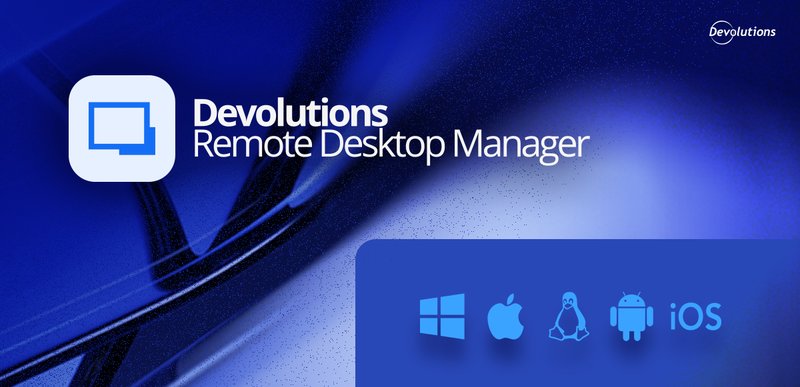
Your work rarely stays on one device. You might manage servers from a Windows workstation at the office, check a connection from a Mac at home, and answer an urgent request from your phone. Devolutions Remote Desktop Manager (RDM) can follow you there: it is available on Windows, macOS, Linux, iOS, and Android.
RDM centralizes your remote connections, credentials, and secure access in one application. Here is how to get it on each platform, what each download includes, and a few things to know before you install.
RDM at a glance, platform by platform
| Platform | Where to get it | Formats and notes |
|---|---|---|
| Windows | Download Center or Microsoft Store | Installers (.exe, .msi) and .7z archives, for x64 and arm64 |
| macOS | Download Center | Universal .dmg file |
| Linux | Download Center, or package repositories (Cloudsmith, AUR, Flatpak) | .deb, .rpm, and .tar.xz packages, for x64 and arm64 |
| iOS | App Store | Mobile app, with an optional master password, Touch ID, or Face ID |
| Android | Google Play | Mobile app, with an optional master password |
Windows
On Windows, you can choose between installers (.exe and .msi) and compressed .7z archives, for both x64 and arm64 devices. RDM is also available from the Microsoft Store. If you want to run RDM from a USB key or keep several independent copies, the documentation describes a portable deployment.
macOS
On a Mac, RDM comes as a universal .dmg file from the Download Center. Before you install, check the system requirements: the documentation currently lists macOS Sequoia (version 15) as the minimum.
Linux
Linux users can download .deb, .rpm, or .tar.xz packages, for x64 and arm64. If you prefer to install and update through a package manager, Devolutions also offers RDM through Cloudsmith repositories for Debian and Red Hat based distributions, through the AUR for Arch based distributions, and as a Flatpak package for most other distributions. The Linux installation guide walks through each method.
iOS and Android
The mobile apps are available on the App Store and Google Play. When you first launch the app, you can protect it with a master password. On iOS, you can also use Touch ID or Face ID.
Managing a fleet of devices? You can export a managed app configuration file from a configured iOS or Android device, then push it to other devices with a mobile device management (MDM) tool such as Workspace One.
Same editions, same license, on every platform
RDM is offered in two editions, regardless of the operating system:
- Free, for individual users who do not need to share remote connections and privileged passwords with others. It is free, including for commercial use.
- Team, for MSPs, IT professionals, and helpdesk technicians who share remote connections and privileged passwords with their team.
A Team license grants the right to use Remote Desktop Manager on all available platforms, so one license covers every device type where RDM runs. Want to try it with your team first? A 14-day team trial is available. You can compare the editions in the documentation.
Connect your workspace on any device
Every version of RDM lets you add workspaces, on desktop and on mobile. When you are ready to collaborate, you keep the same app and the same data: you connect RDM to a shared vault hosted in Devolutions Cloud or Devolutions Server. On Windows, macOS, Linux, and Android, the documentation notes that you do not need to add a license in RDM when you use one of these workspaces, because the license serial is retrieved directly from the workspace.
Good to know: features can vary by platform
RDM is available on all five platforms, but not every feature or setting works the same way everywhere. For example, the AI assistant improvements in RDM 2026.3 apply to RDM for Windows. Before you roll RDM out on a new platform, check the RDM documentation for the details that matter to your setup.
Get RDM for your platform
Whichever device you work on today, there is a version of RDM for it. Visit the Download Center to get RDM for Windows, macOS, or Linux, and to find the links to the mobile apps. Start with RDM Free for yourself, or try the Team edition with your colleagues.
Have questions or ideas? Join the conversation on the Devolutions Forum.