











 France Lymburner
In preparation for our upcoming 2024.3 release, this mid-release update introduces several features that are now available for you to use. Enjoy these enhancements as you await our next major update scheduled for mid-September.
About Devolutions Cloud
Devolutions Cloud is a secure, cloud-based password manager designed for IT teams and business users in small to medium-sized businesses (SMBs). Doubling as a cloud-based advanced data source for Remote Desktop Manager, this robust solution enables organizations to securely store and manage all their sensitive data — from passwords to building alarm codes — and consolidate remote connections, machine details, credentials, and more into a single, seamless experience.
Accessible via any browser through an intuitive web interface, as well as through the Devolutions Password Manager desktop app, mobile app, and browser extension, Cloud ensures ease of use without compromising on security.
Ready to give it a test drive? Create your Devolutions Cloud.
Configure “Allow send messages” in system settings
BUSINESS
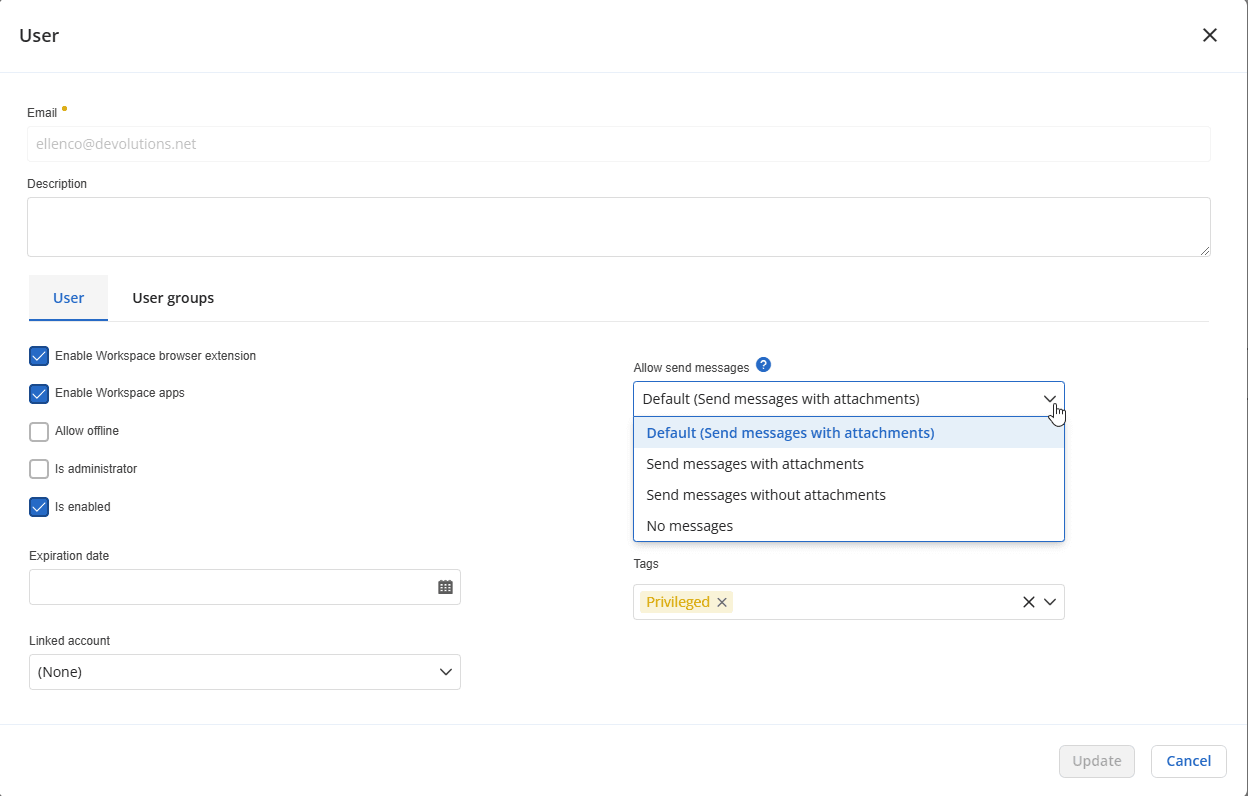
Previously, the ability to allow users to send messages with entries, without entries, or to send no messages at all was configurable only on a per-user basis. This setting is now part of the system settings. The system default is set at Send messages with attachments for all new users, and can be changed.
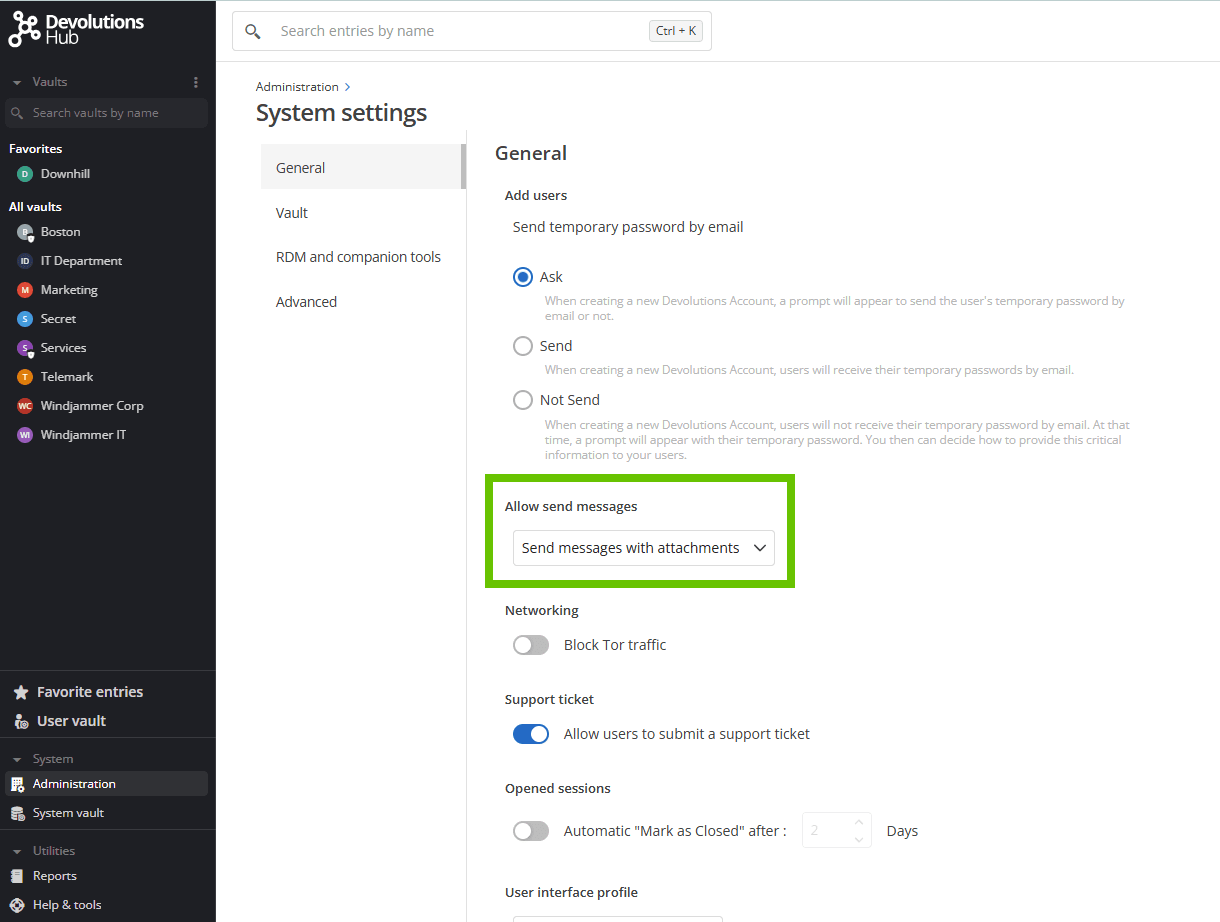
It’s still possible to assign different settings to individual users.
Send high priority messages
BUSINESS
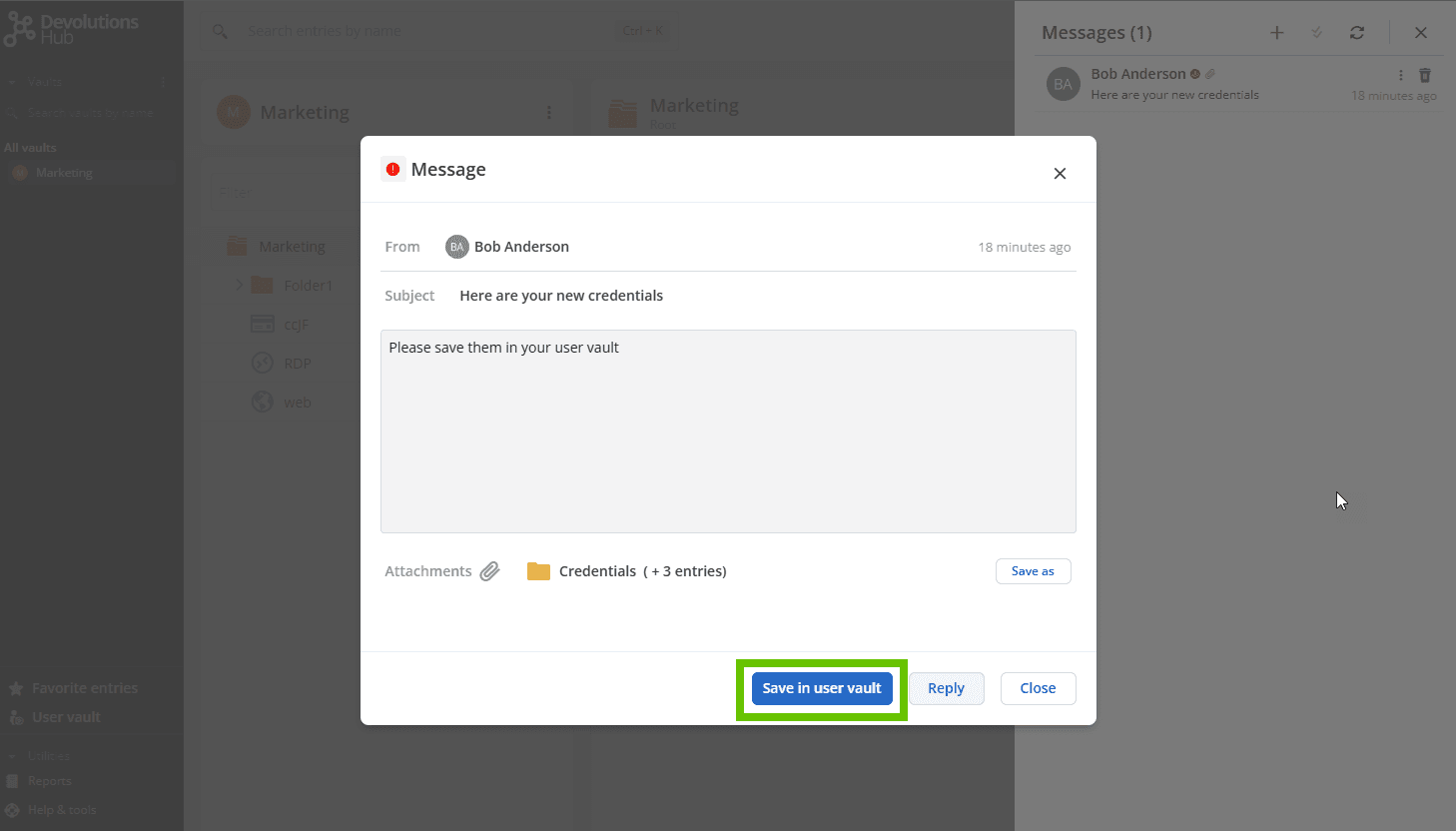
Sending in-app messages to other Cloud users has been a key feature for many different use cases since the beginning of Devolutions Cloud. As Cloud has evolved, so have its messaging capabilities. You can now flag messages as high priority, ensuring they receive immediate attention. High-priority messages will open directly in the web interface when the recipient accesses Cloud. To flag a message as high priority, simply check the High priority checkbox before sending the message. This new flag is also applicable to sending a copy of a folder or entry, which is a similar process to sending a message.
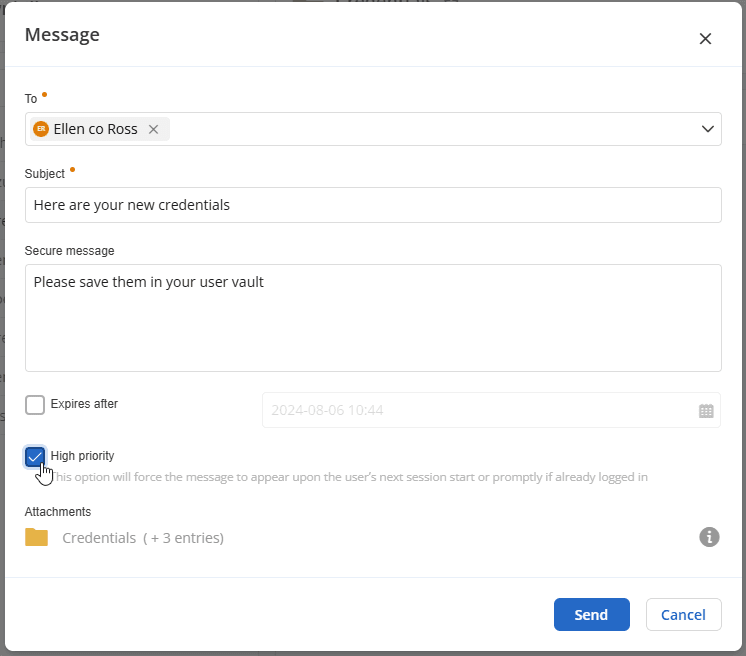
This feature is particularly useful for scenarios like onboarding new users, ensuring they quickly receive the accounts and credentials they need to start working. High priority messages will be visible as soon as users sign into their Cloud. Further facilitating the onboarding process, a designated button, Save in user vault, allows users to take action effortlessly.
Support RDM variables in fields
BUSINESS PERSONAL
This next feature was requested by our power users on the Devolutions Forum. When you ask, we listen!
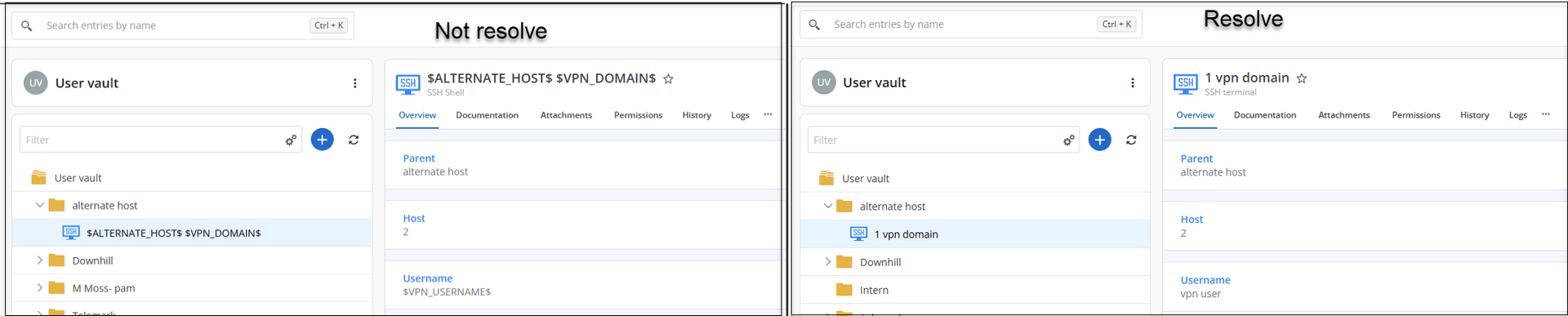
Our Remote Desktop Manager (RDM) users often work with variables, which are useful for storing input, manipulating data, and maintaining state. Now, when accessing Devolutions Cloud in the web interface, those variables are now resolved.
Change entry icon color
BUSINESS PERSONAL
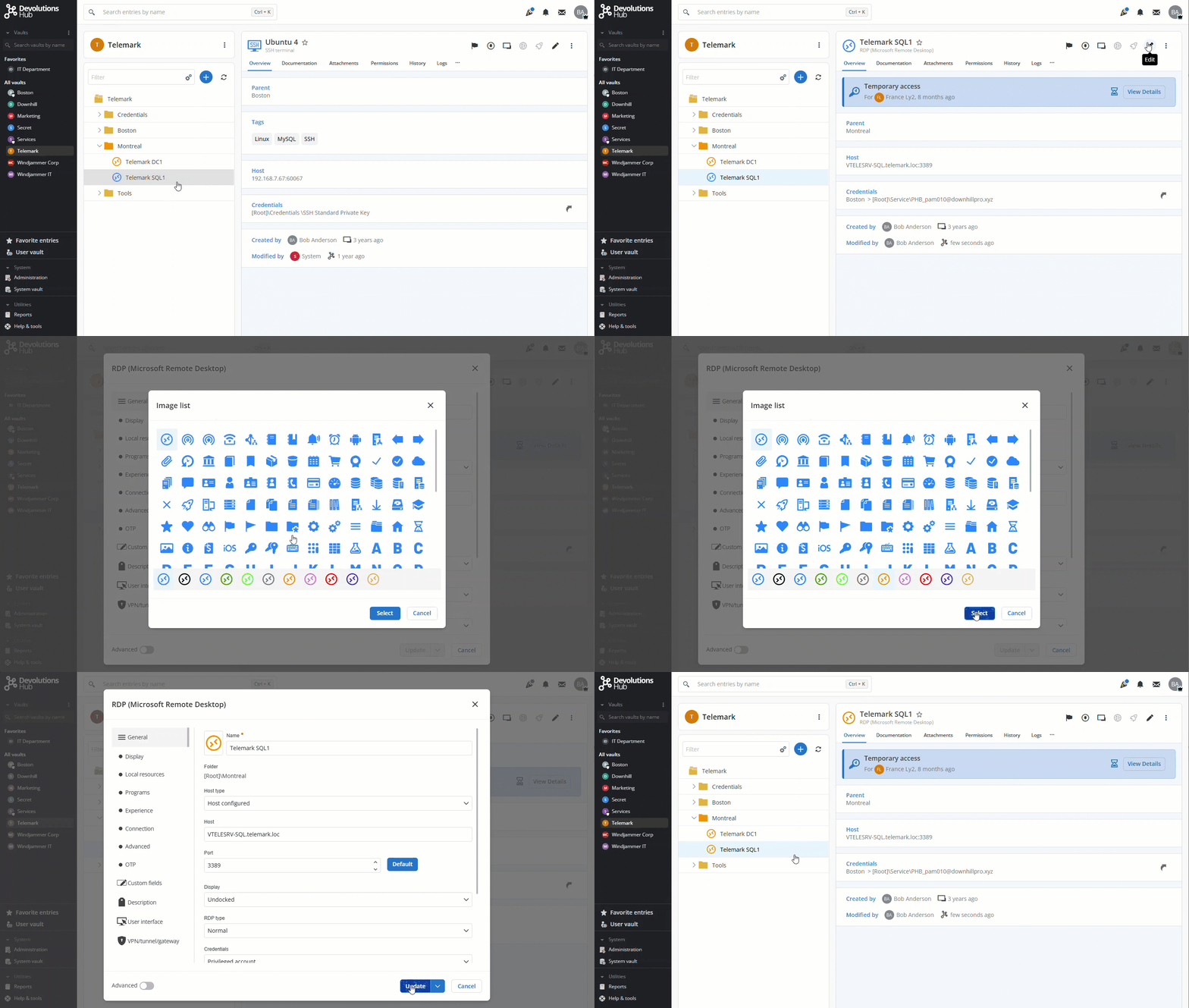
Many of our RDM users have also told us that they like to organize their lists of sessions and other entry types by color. Previously, these colors were not reflected in Cloud’s web interface. We are pleased to announce that icon colors are now supported! All Cloud users can now customize entries their way with icon colors.
Tell us what you think
We hope that you enjoy these mid-release enhancements, which are now available in Devolutions Cloud. Tell us what you think by commenting below. We are always listening to you!
And as mentioned earlier, Devolutions Cloud version 2024.3 is on the way! Stay tuned for the official announcement.