











 Adam Listek
This 2025.1 major release brings you a range of new updates, including further entry data support, initial PAM vault access, and a reintroduced Safari browser extension!
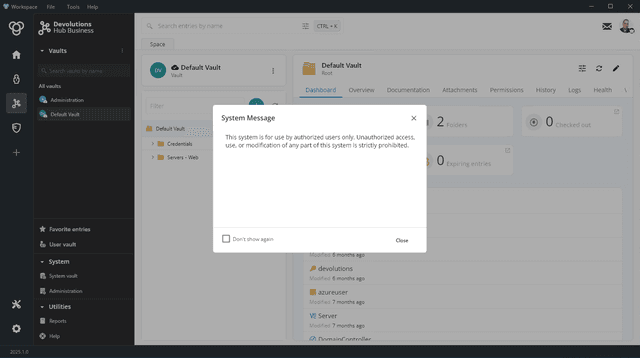
System message support for Devolutions Password Manager Devolutions Cloud users
As in Devolutions Server (DVLS), Workspace Devolutions Cloud, users will receive messages sent to all users directly in the application!
Support for adding and removing attachments directly in Workspace
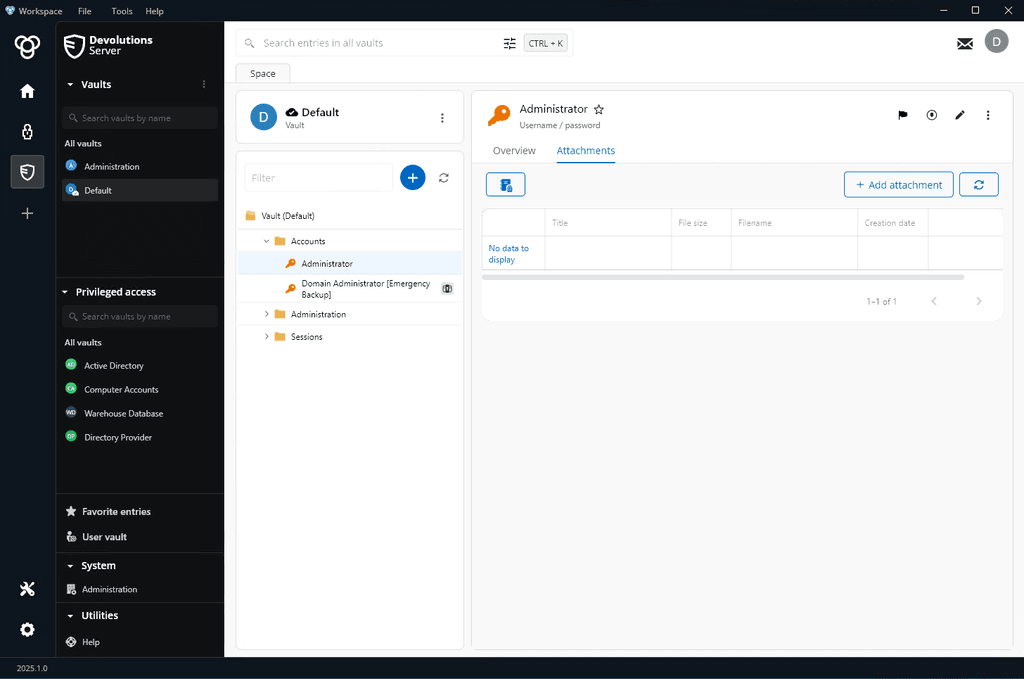
Entry attachments can now be added and removed from within Workspace instead of requiring a DVLS or Cloud web-based interface or Remote Desktop Manager (RDM).
Entry autotype support
Workspace can automatically “type” text from entries into websites to help you quickly fill out forms and sign in to applications.
Accessing PAM vaults in Workspace
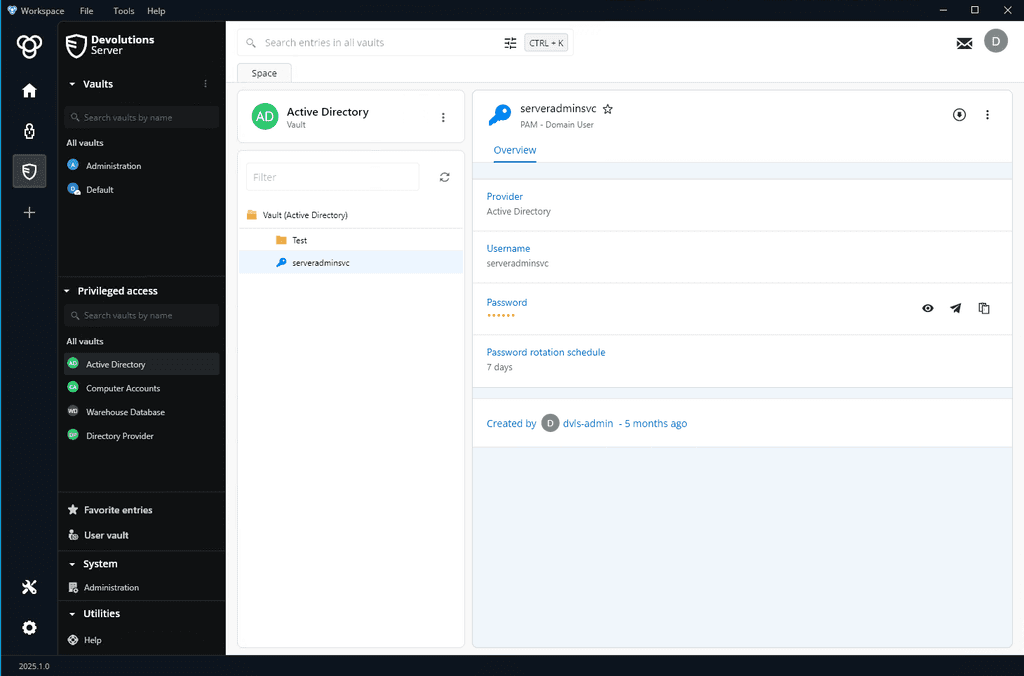
Marking the beginnings of Privileged Account Management (PAM) vault support, Workspace helps you access and view your PAM accounts in PAM vaults. This is just the start; new functionality is coming in future releases!
Automatic refresh of browser extensions as data sources update
When entries change, Devolutions Password Manager browser extensions automatically refresh themselves from connected data sources. Instead of manually forcing a refresh, always work with the latest information!
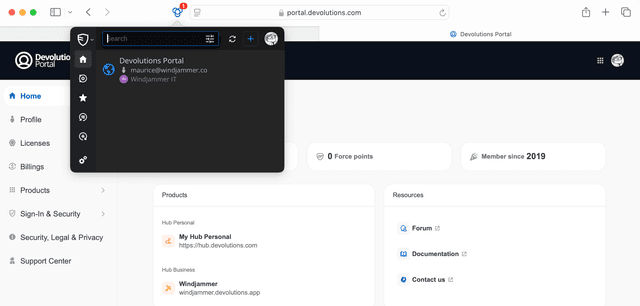
Reintroduction of the Safari Devolutions Password Manager extension
We fully support the new Apple Safari browser extension standard with our rewritten and updated Safari browser extension! To install it, Apple requires you to installing the Devolutions Password Manager application, which automatically installs the Safari browser extension. Once installed, navigate to Safari Settings > Extensions, and select the checkbox to enable the extension.
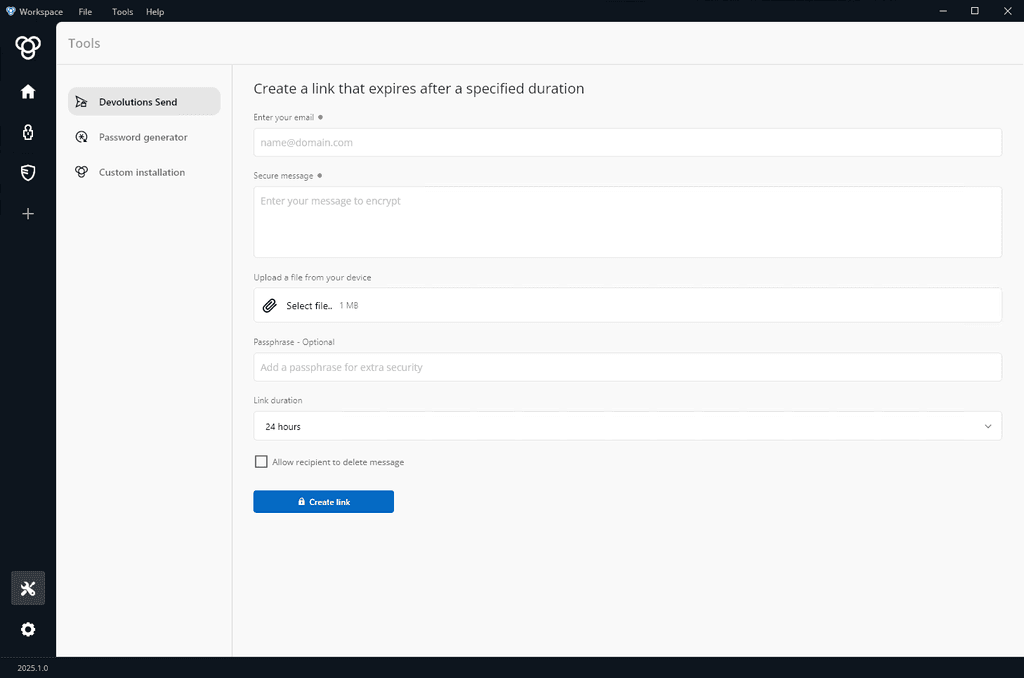
Built-in Devolutions Send support
Introduced last year, Devolutions Send lets you share secrets quickly and securely! To make this process even faster, Devolutions Send is now built into Workspace. Find Devolutions Send in the Tools section in Workspace.
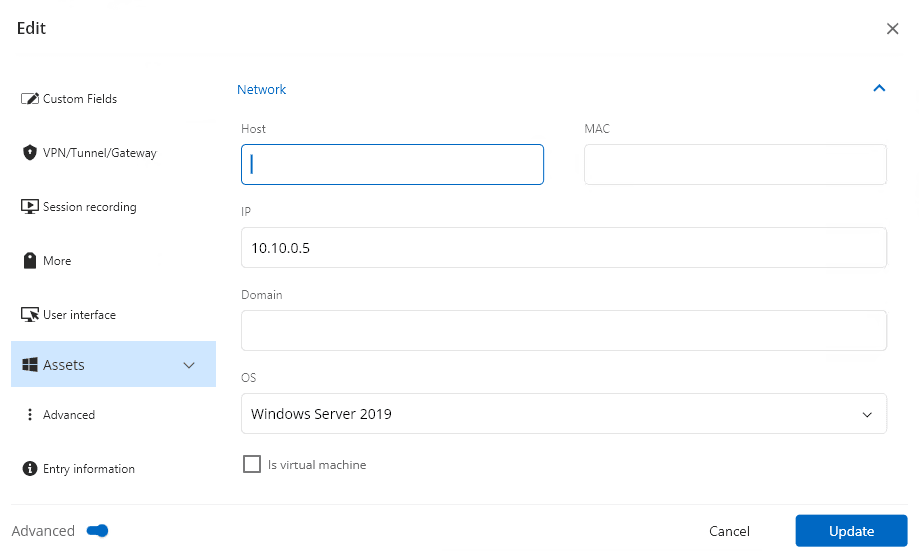
Viewing and updating IT asset fields
When working with supported entries that include IT asset fields, Workspace will display that data to ensure you are working on the right device! Update entries as needed to make sure you are always working with the correct information.
Pre-configuration of a DVLS data source on Workspace deployment
Configure a Devolutions Server data source in advance with pre-deployment options. Pass the DVLS_SERVER_URL MSI property to pre-configure a DVLS URL for use with Workspace and quickly onboard new users.
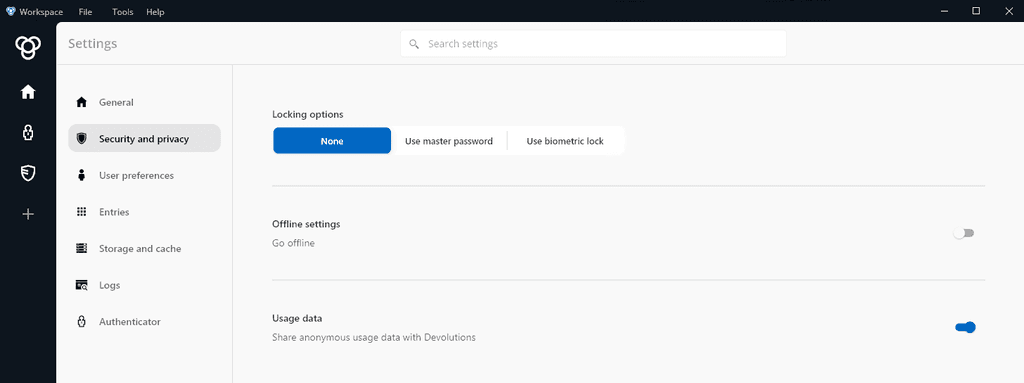
Configuration of auto-lock settings for biometrics
Configure Workspace to auto-lock and quickly resume work with biometric unlocking on supported devices!
We’d love to hear from you!
After exploring the new features of Devolutions Password Manager 2025.1, share your thoughts, suggestions, and experiences in the Workspace Forum or in the comments section below. Your feedback is crucial in shaping the future of our products!
Our journey to enhance Devolutions Password Manager is ongoing, and we’re thrilled to have you with us at every stage. Keep an eye out for more updates!
About Devolutions Password Manager
Over the years, Devolutions Password Manager has evolved from a companion tool into a comprehensive access and management solution beloved by users worldwide (including our CEO, a Remote Desktop Manager superfan). Available on desktop (Windows and Mac), mobile (iOS and Android), and as a browser extension, Workspace brings together your Devolutions Cloud and Devolutions Server data under one roof, and includes Devolutions Authenticator, our two-step verification tool for securing your accounts.