












 Laurence Cadieux
In his Devolutions 2022 Roadmap, David briefly highlighted an exciting new solution that we introduced this year: Devolutions Password Manager. This is generating plenty of buzz and interest, so let’s take a closer look.
What Is Devolutions Password Manager?
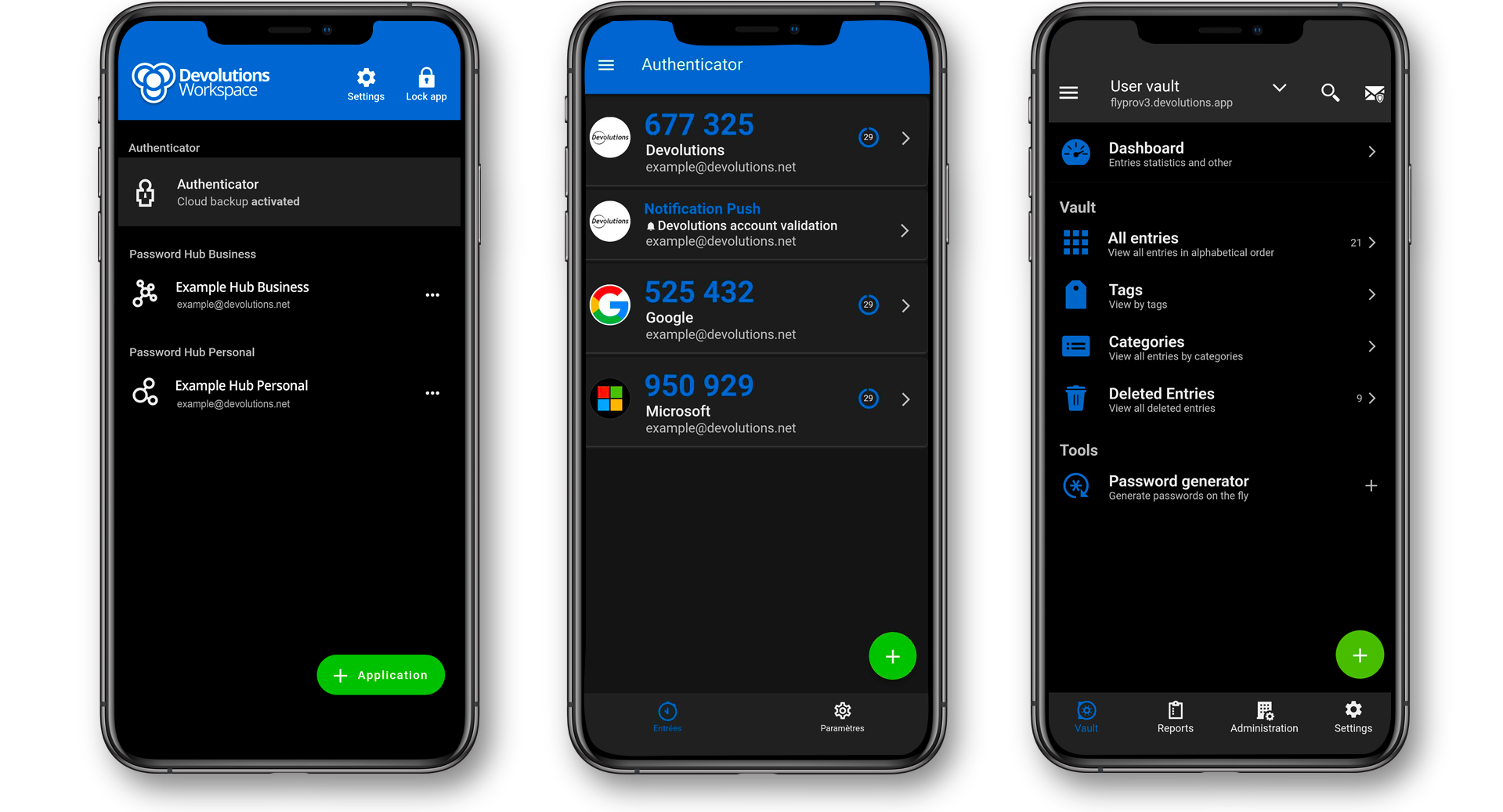
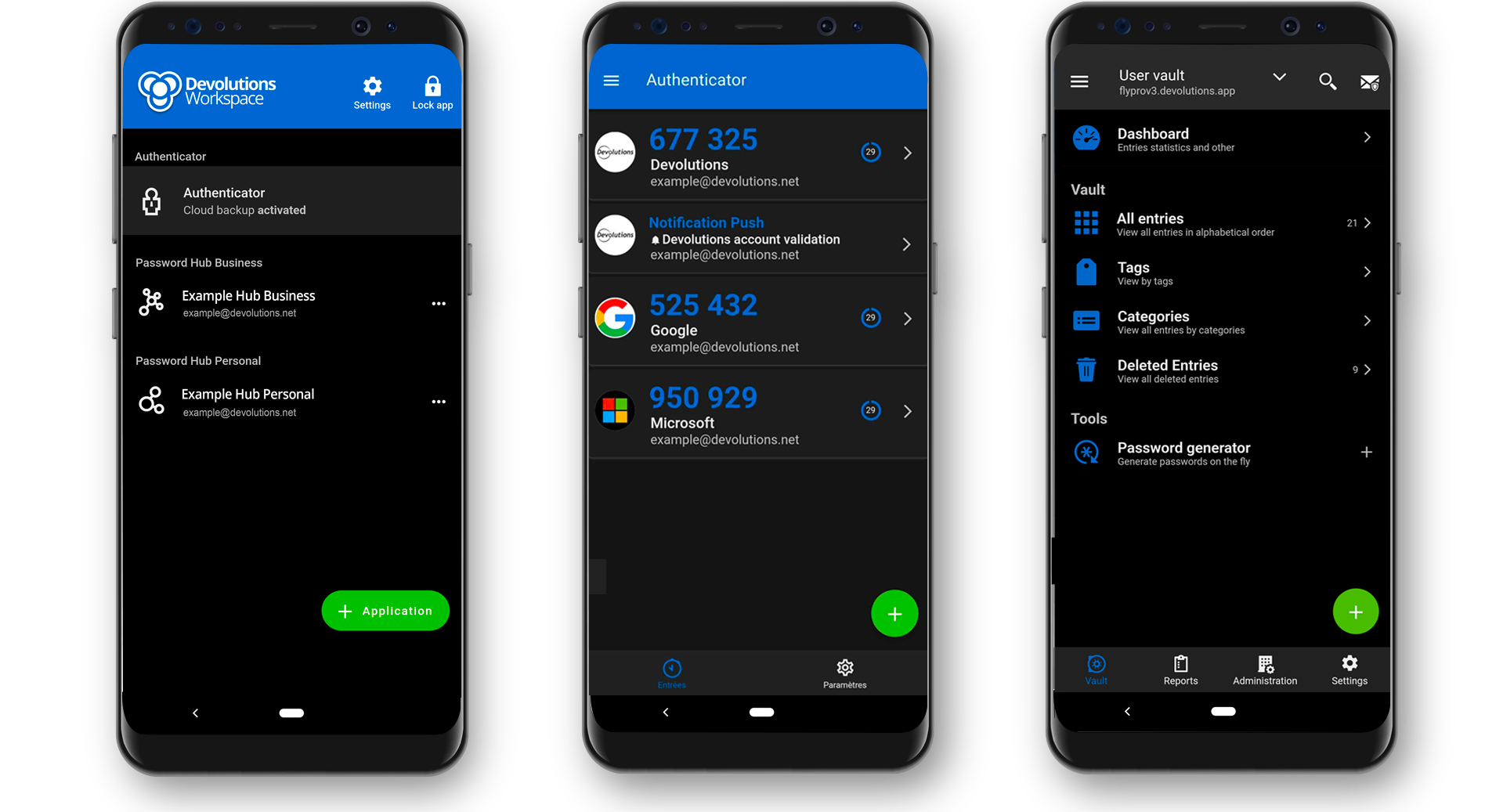
Devolutions Password Manager brings all of our mobile apps together into a single, centralized, cloud-based location. This makes mobile app access and management simpler and more efficient (similar to Office 365 and Google Workspace). Devolutions Password Manager is available for iOS and Android. Desktop apps for Windows and Mac will be released soon.
Let’s take a look at the Devolutions Password Manager iOS interface:
And let’s take a look at the Devolutions Password Manager Android interface:
What You’ll Find in Devolutions Password Manager
Currently, there are three products in Devolutions Password Manager:
- Devolutions Authenticator
- Devolutions Cloud
Please note: Devolutions Password Manager will replace the mobile apps for Devolutions Cloud. Users will still be able to access them, but ongoing updates will only be applied to Devolutions Password Manager.
Updates to Devolutions Password Manager 2022.1
We just finished saying that Devolutions Password Manager is a new solution, and yet this section will look at updates. How does that make sense? Well, here is the answer: At Devolutions, we are committed (OK – obsessed) with continuous improvement. And based on our internal evaluation, along with feedback from beta testers, we have already identified and made some key improvements to Devolutions Password Manager, including:
- A re-designed interface that is more intuitive.
- It’s now easier to sync entries with the cloud sync backup option.
- For enhanced security, we have added a biometric check on push notifications.
- We have added OTP support in autofill for Android users.
- We have implemented several fixes for Devolutions Authenticator & Devolutions Cloud.
What’s Next
The above-noted improvements are just the beginning! Here is what the Devolutions Password Manager team is working on for the next update:
- Adding desktop apps for Windows & macOS.
- Adding support for Devolutions Server secure messages, checkouts, and other administration function.
- Adding an autofill dashboard for users to easily manage autofill entries (for example, improving security by preventing vault entries from being included in the autofill).
Tell Us What You Think
Please share your experience with Devolutions Password Manager. Tell us what you like, what you don’t, and what you’d like us to add, remove, change, or fix. Devolutions Password Manager is for YOU, and built to make your work easier, more efficient, and more secure. We also hope that it makes your job a bit more fun as well. Hey, it’s tough being an IT pro these days (just ask the Sysadminotaur gang). You should be allowed to enjoy yourself a little, too!