











 Steven Lafortune
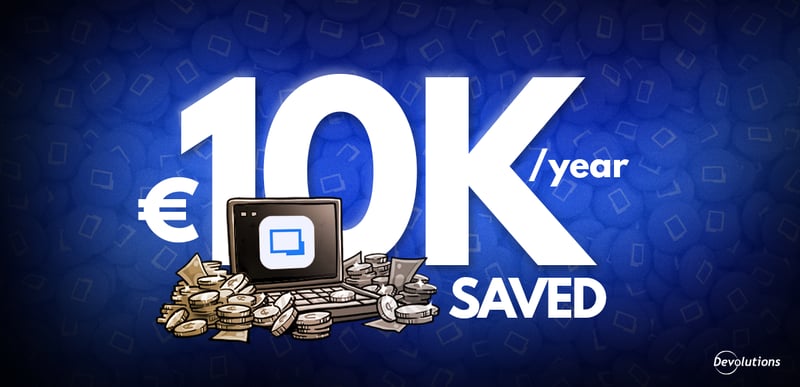
For years, IT freelancer Christian Brandt ran a ticking clock operation — five clients, four devices, and a setup held together by manual exports, SSH keys that never made it to the right device, and a dedicated VM whose only job was running one VPN connection. It cost him five hours a week and roughly €10,000 a year. The fix came from a Reddit comment. This is what happened next.
Christian Brandt is the kind of IT professional who is never really off the clock. Based in Bavaria, Germany, he runs two companies — Texyte Solutions GmbH, which he owns outright, and ALLINSIGHT IT-Services GmbH, a co-owned venture — while managing infrastructure for five external clients. His stack spans Azure, AWS, Kubernetes clusters, build agents, and a web of remote servers scattered across customers and operating systems.
For over a decade, he kept all of it running with a setup that worked — barely, and at significant cost. It took a throwaway comment on Reddit to show him just how much it was costing him.
The hidden cost of managing SSH connections manually across four devices
Ask any IT freelancer what the unglamorous part of the job looks like, and you will hear a version of Christian Brandt’s story.
He worked across four devices: a laptop in the living room for when he wanted to stay close to his family, a desktop in his home office, a second desktop in his main office, and his Android phone. Every new client connection, every rotated credential, every SSH key had to be set up manually — on each machine, every time. His tool of choice was PuTTY for SSH connections, with settings exported as Windows registry files and copied between devices by hand.
“When I have a new connection, new credentials added, or a new SSH key, I have to manage and set it up every time again. With each laptop or other device, I have to do it multiple times,” he explains.
The cracks showed up at the worst moments. On one occasion, he sat down at a workstation only to find that an SSH key hadn’t been synced to that device. On another, he realized his PuTTY configuration was months out of date. And then there was the 2FA problem — one that anyone who has ever left their phone at home will recognize immediately.
“Sometimes I just forgot my phone at home or in the car. I couldn’t log in to any website that uses two-factor. There was no easy way,” he admits. No workaround. No backup path. Just a hard stop, in the middle of a client workday.
Then there was the machine that did nothing. One VM in Brandt’s infrastructure had a single purpose: running an OpenVPN connection. Nothing else. Just sitting there, consuming power and maintenance attention, because no better architecture had presented itself. “The previous setup was unproductive and uncoordinated, and the workload increased exponentially with the number of customers and systems.”
He estimates all of this overhead consumed at a couple hours every week — not billable, not productive, just friction. For years, he had accepted it as the cost of doing business. He was wrong.
How Remote Desktop Manager replaced PuTTY, KeePass, and a dedicated VPN server
The discovery was almost accidental. Brandt was reading a discussion thread on Reddit when someone mentioned Remote Desktop Manager in passing: “Why not use RDM? It’s completely free,” the comment said.
He was not ready to commit. “I’m very careful when checking out new software and companies I don’t know yet,” he notes. He went to the Devolutions website, looked around, and found something that put him at ease: a site that felt, as he puts it, “quite nerdy.” The kind of product that is clearly built by people who live in the same world he does.
“I’m very happy that I found Devolutions. I was searching for a synchronized solution for accessing and managing my remote connections — and I found even more possibilities than I was looking for.”
— Christian Brandt
Wondering what RDM Free can actually do for an IT professional managing complex environments solo? This article breaks down why it has become the go-to tool for IT pros.
He downloaded Devolutions Remote Desktop Manager and started small: SSH and RDP connections, pulled into one place. The basics were up and running within a week. Then he connected Devolutions Cloud for cloud synchronization, and the shift became real — every device reflected the same state, the same connections, the same credentials, without a single registry export.
The vault grew organically from there. Over the following months, Brandt migrated his KeePass database into RDM, a process that took up to two months to complete fully, given the volume of entries accumulated across years of client work. Last year, he purchased the Devolutions Starter Pack, which allowed him to split his clients into separate, isolated vaults: a structural improvement that brought long-overdue order to an infrastructure that had previously existed as one undifferentiated pile of connections and credentials.
If you are managing credentials across multiple clients and considering moving away from KeePass, this deep dive walks through exactly how the integration and migration work inside RDM.
The turning point came when he configured Devolutions Gateway — and shut down the dedicated OpenVPN server for good.
A machine that had existed solely to run one process, gone — replaced by a lightweight secure access layer working in concert with RDM and Devolutions Cloud. When Brandt is connected to a client’s VPN and needs to hop onto one of his own servers simultaneously, he no longer needs a second VPN tunnel. Gateway handles it.
“When you have nothing before, it’s just great.”
For IT consultants managing multiple client environments, this spotlight on Devolutions Gateway explains how it works as a modern, lightweight alternative to traditional VPNs — and how to manage it centrally across all your instances.
Five hours a week, €10,000 a year — and 2FA solved on every device
The numbers Brandt puts forward are not theoretical. They come from lived experience on both sides of the change.
“Devolutions saves me hours over hours every week — time I can now spend on checking out new operating systems, new frameworks, or just taking care of the family.”
— Christian Brandt
His conservative estimate: five hours per week recovered. Across billable time, unbilled overhead, and the compounding drag of managing a growing client list with a fragmented, manual toolset, that translates to roughly €10,000 a year — savings that benefit both his companies and his clients.
But the transformation is not only about desk hours. His Android phone — once essentially useless for anything beyond checking notifications — is now a genuine part of his daily infrastructure workflow.
“I use my Android smartphone to quickly check whether a system or newly deployed software is running without starting my notebook, to restart a Docker container without interrupting my free time too much, or to do a basic investigation of a system incident from the couch,” he recalls.
On a Sunday evening, if a deployed service needs a health check, Brandt picks up his phone, handles it, and sets it back down. No laptop, no VPN ceremony. The problem that once stranded him at a workstation without his phone has also disappeared. His authenticator codes are now synchronized through the Devolutions Password Manager app — accessible from any device, at any time.
“Now I just use the browser extension to give me the two-factor code. Seriously, I think it couldn’t be better,” he affirms.
What comes next: Privileged Access Management for time-limited developer access
Brandt’s Starter Pack gives him access to the full Devolutions ecosystem, and he already knows where he is going next: Privileged Access Management. The use case is precise. Developers at ALLINSIGHT IT-Services sometimes need temporary access to isolated hosting and database infrastructure for debugging. Today, that access is managed manually. What Brandt wants is a system that grants it on a just-in-time basis — scoped, time-limited, and automatically revoked when the task is done.
“Privileged Access Management — that’s the big thing. That’s mostly the last journey I have to take with the Devolutions Starter Pack.”
In the meantime, he has already started bringing others along. He recommends RDM regularly to developer, DevOps, and sysadmin colleagues — and when he does, the pitch is always the same: sit down in front of my setup, see what synced connections and synchronized 2FA actually feel like, and then try to go back.
“I told my system administrator: if you’re looking for a really cool tool to manage your connections and sync it with your home PC, use RDM. It’s free — and you have the possibility to use Devolutions Cloud for free as well. It’s awesome.”
— Christian Brandt
Nobody ever wants to go back.
“Just the thought of it is frustrating. I don’t have to think about that anymore.”
Christian Brandt is an IT freelancer based in Bavaria, Germany. He is the sole owner of Texyte Solutions GmbH and co-owner of ALLINSIGHT IT-Services GmbH, specializing in Microsoft technologies, cloud infrastructure, and software development.