











 Adam Listek
The latest Devolutions 2026.2 release focuses on reducing the small but constant friction points that slow down IT operations every day: repeated approvals, disconnected workflows, scattered credentials, limited offline access, and context switching between products.
This release introduces improvements across the Devolutions platform designed to help teams move faster while maintaining control, visibility, and security.
Here’s what’s new across our four solution packages.
Workforce password management
Password management should help teams move faster, not create another system to maintain.
In 2026.2, Devolutions Password Manager (formerly known as Devolutions Workspace) and Devolutions Cloud (formerly known as Devolutions Hub) continue evolving into more connected and flexible workspaces for managing credentials, access, and collaboration.
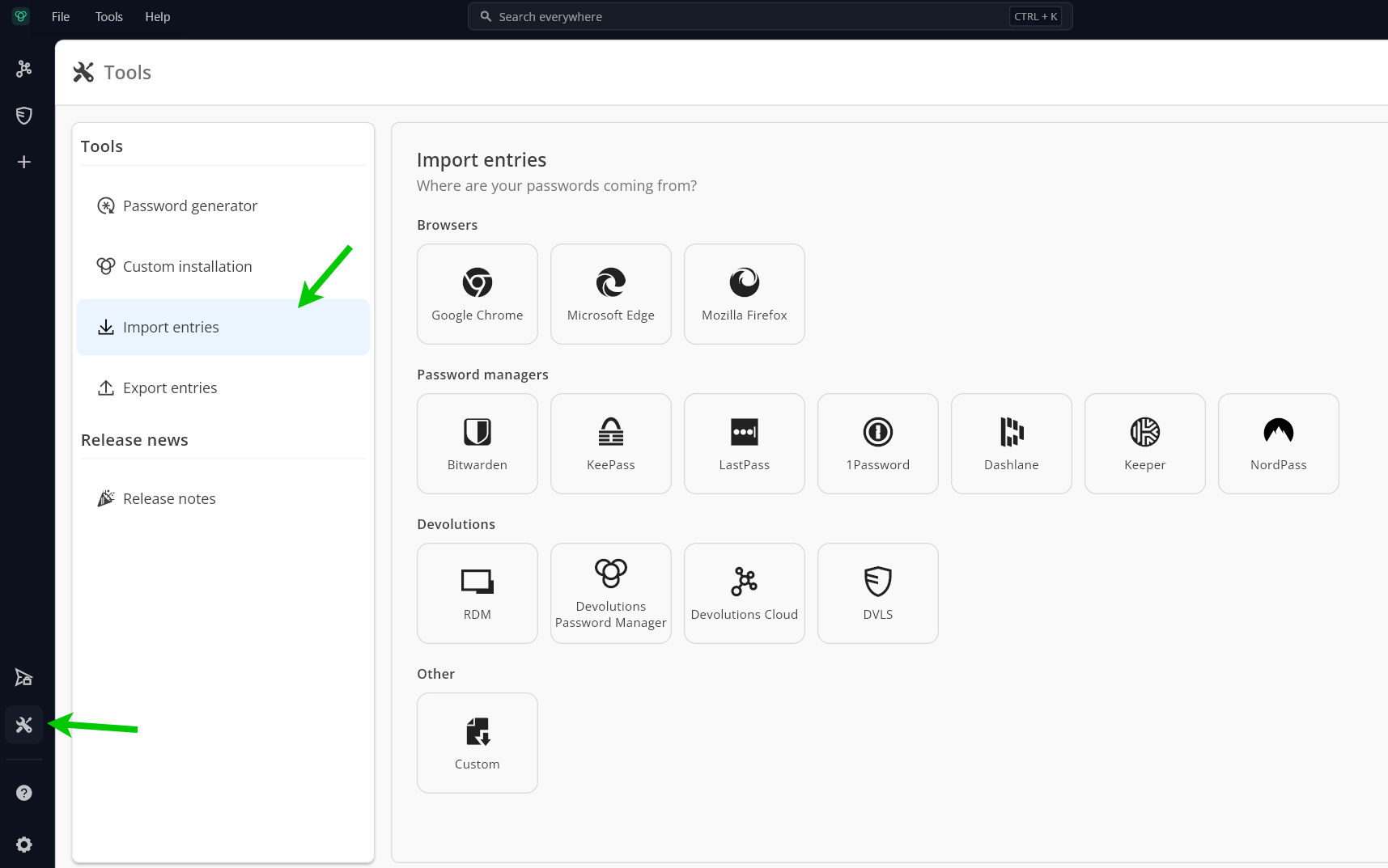
Effortless migration from popular password managers
Migrating away from an old password manager is often painful. Teams end up rebuilding folders manually, fixing import issues, or cleaning up inconsistent data structures.
The new built-in import and export capabilities simplify migration from widely used password managers, including KeePass, Bitwarden, LastPass, 1Password, Keeper, and now RoboForm.
Instead of rebuilding everything from scratch, teams can move directly into Devolutions Password Manager with less disruption and faster onboarding.
Find credentials instantly with global search
As vaults grow, navigation becomes the bottleneck.
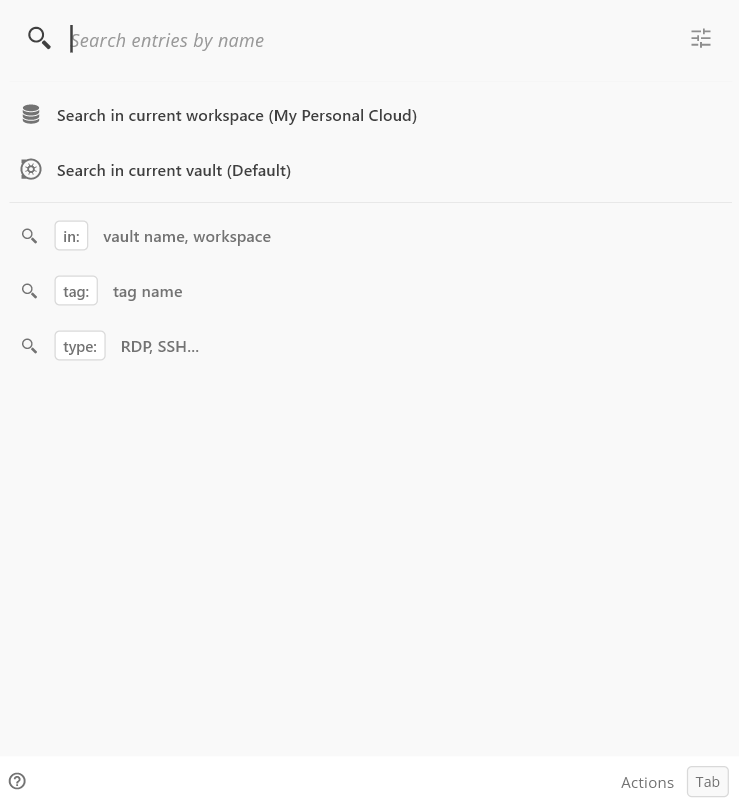
The new global search experience allows users to search across vaults, workspaces, entry types, tags, and credentials from a single location. Results appear immediately as you type, reducing the time spent hunting for entries buried deep in folder structures.
For IT teams managing hundreds—or thousands—of credentials, this becomes a major day-to-day productivity gain.
Separate credentials from OTP secrets
Many organizations want tighter separation between credentials and MFA secrets for policy, ownership, or compliance reasons.
With 2026.2, OTP secrets can now live in separate vaults from the credentials they protect. This gives teams more flexibility in how they structure access while maintaining a smoother authentication experience for end users.
Social logins become first-class citizens
Modern users increasingly authenticate with providers such as Microsoft, Google, Apple, GitHub, Slack, or Discord.
Instead of forcing users to manually map those accounts to traditional username/password fields, Devolutions now understands and manages social login workflows directly within website entries.
Less confusion. Fewer duplicate entries. A more natural login experience.
Devolutions Hub becomes Devolutions Cloud
This release also marks an important evolution in the platform.
Devolutions Hub has officially become Devolutions Cloud, bringing personal and business functionality together into a unified experience.
Users now gain:
- Personal workspaces automatically attached to their accounts
- Expanded collaboration features
- Local backups for additional resilience
- Improved offline read/write capabilities through RDM
The goal is simple: make secure access management feel seamless, whether users work individually or as part of a larger IT team.
Remote access management
Remote access workflows often break down because of fragmented tools, disconnected approvals, or credentials trapped in separate systems.
This release focuses on making remote access more secure while removing unnecessary interruptions from the process.
Shared resources no longer become operational bottlenecks
Many IT teams manage shared infrastructure, pooled devices, service accounts, or environments where one-at-a-time checkout policies create unnecessary delays.
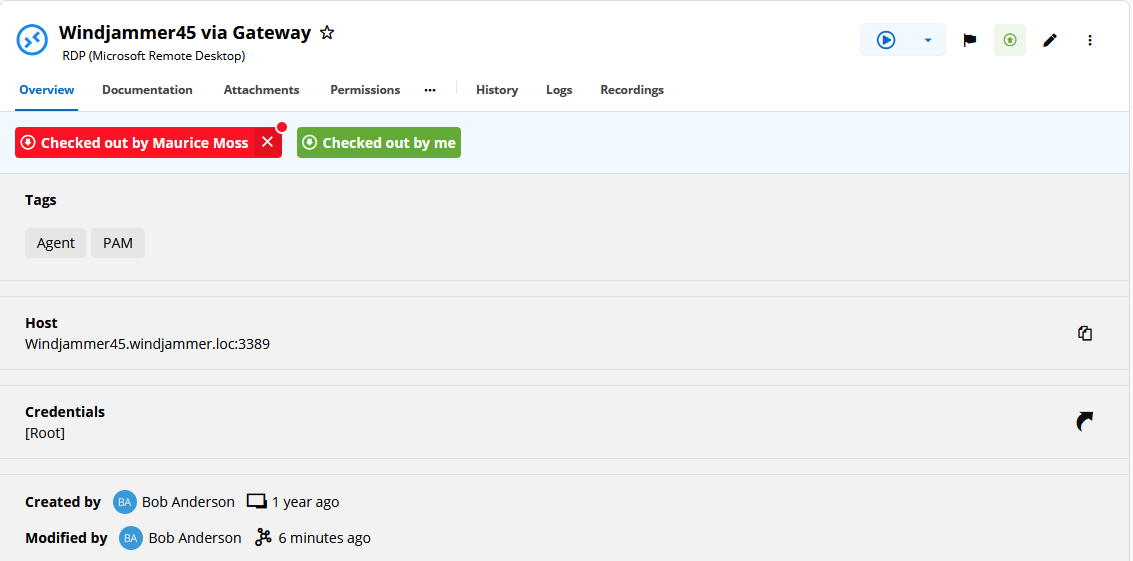
2026.2 introduces multi-user checkouts on shared entries, allowing administrators to define how many simultaneous users can access a shared resource safely.
The result:
- Less waiting
- Fewer operational slowdowns
- Better support for modern collaborative IT workflows
Linked external vaults now work in more places
Credential duplication remains one of the biggest hidden operational risks in IT environments.
This release expands support for linked external vault credentials across more workflows and platforms, including SSH Gateway entries on mobile and broader workflow support on macOS and Linux.
Visit our download center to get the latest version and explore the new workflows, security improvements, and productivity enhancements across the platform.
Remote Desktop Management & IT Operations
IT teams constantly lose time switching between consoles, reconnecting sessions, or managing administration from disconnected interfaces.
This release aims to centralize more daily work directly inside Remote Desktop Manager.
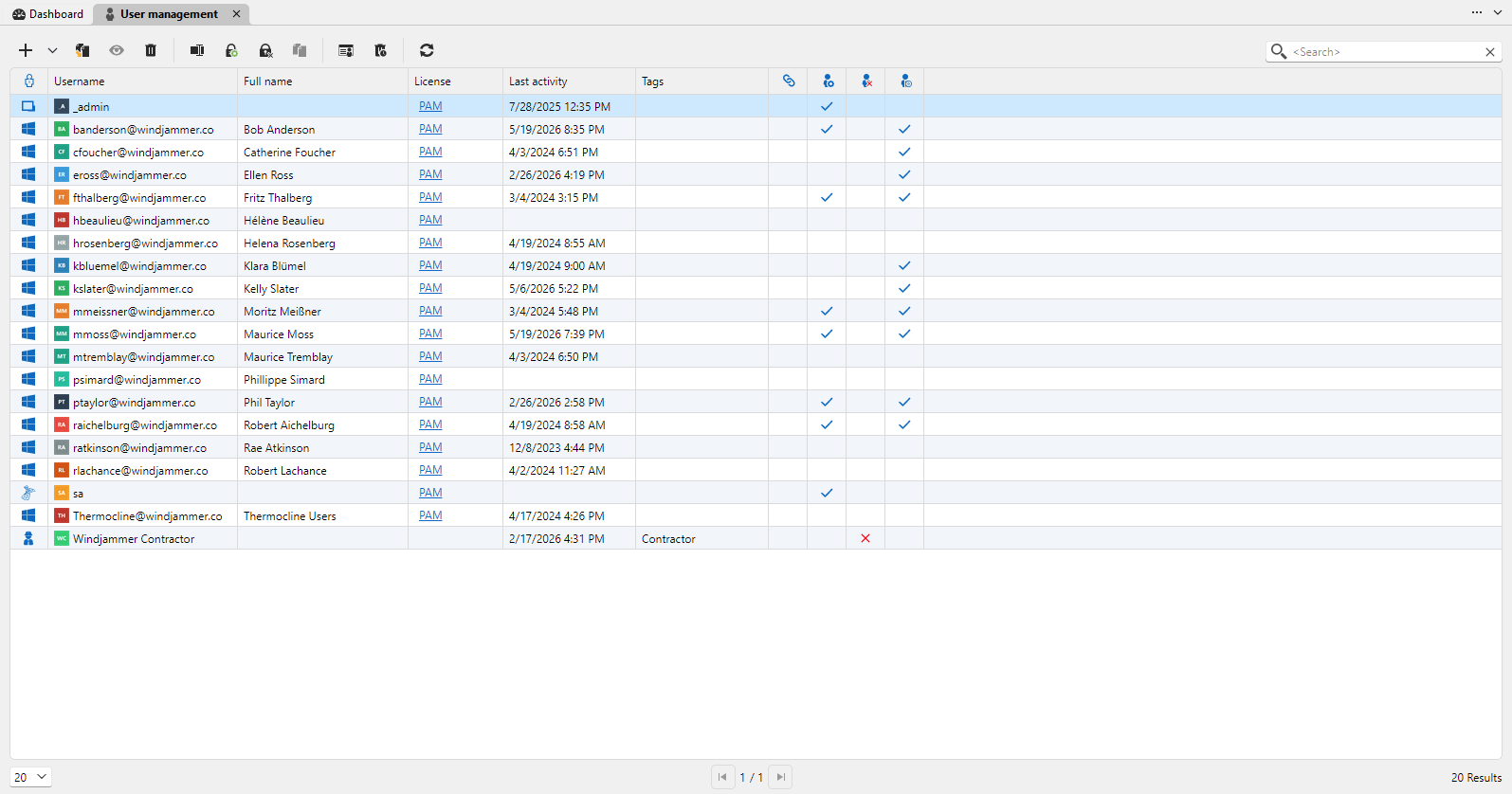
Administer Devolutions Server directly from RDM
Managing users, groups, permissions, and licenses no longer requires jumping back and forth between interfaces.
Administrative actions for Devolutions Server can now be performed directly inside Remote Desktop Manager through embedded administration tabs.
For administrators, this means:
- Fewer context switches
- Faster administrative workflows
- A more centralized operations experience
Full offline read and write support for Devolutions Cloud
Connectivity issues shouldn’t stop productivity.
Users can now continue working with Devolutions Cloud even while disconnected, including full read and write capabilities directly from RDM.
Changes synchronize automatically once connectivity returns, making offline work far more practical for traveling admins, field technicians, or unstable network environments.
Batch editing and workflow improvements reduce repetitive work
Linux and mobile users also gain several workflow optimizations, including:
- Batch editing for RDP entries
- Faster parameter management
- Simplified PAM elevation selection
- Better mobile checkout experiences
Small improvements individually, but significant time savings over hundreds of operational actions.
Platform & automation
The Devolutions platform also helps IT teams automate repetitive work, adopt new technologies safely, and manage increasingly diverse environments from a unified ecosystem. Here are the updates in this release that reflect that vision.
AI assistance arrives in Devolutions Server
Users can now use an AI entry directly in the DVLS web interface and interact with a preferred AI model, reducing context switching and improving productivity without sending users to disconnected tools.
PowerShell Universal 2026.2: AI Automation in Your Environment
Teams want to adopt AI-assisted operations without giving up the governance and control of production demands. This release brings AI automation directly into your existing PowerShell environment, with the safeguards enterprises expect.
Run AI agents and expose scripts as MCP tools
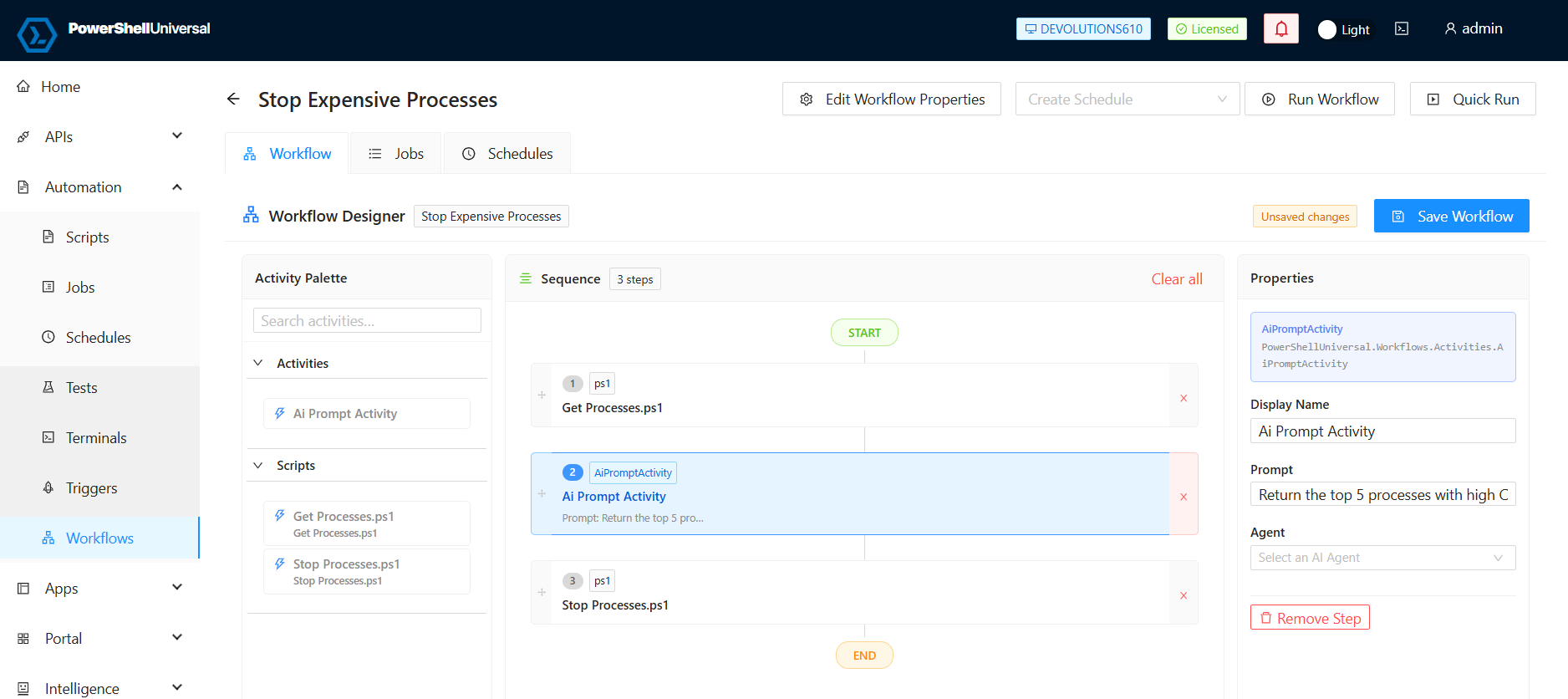
Run AI agent jobs using OpenAI, Anthropic, or local LLM models, and expose your PowerShell scripts as MCP tools for local and remote agent consumption. Role-based access controls and full job history enable teams to adopt AI-assisted operations safely while maintaining governance and auditing.
Chain scripts and prompts into pipelines
A new workflow engine connects PowerShell scripts and AI prompts into repeatable automation pipelines. This turns one-off scripts into intelligent, reusable workflows.
A redesigned VS Code experience
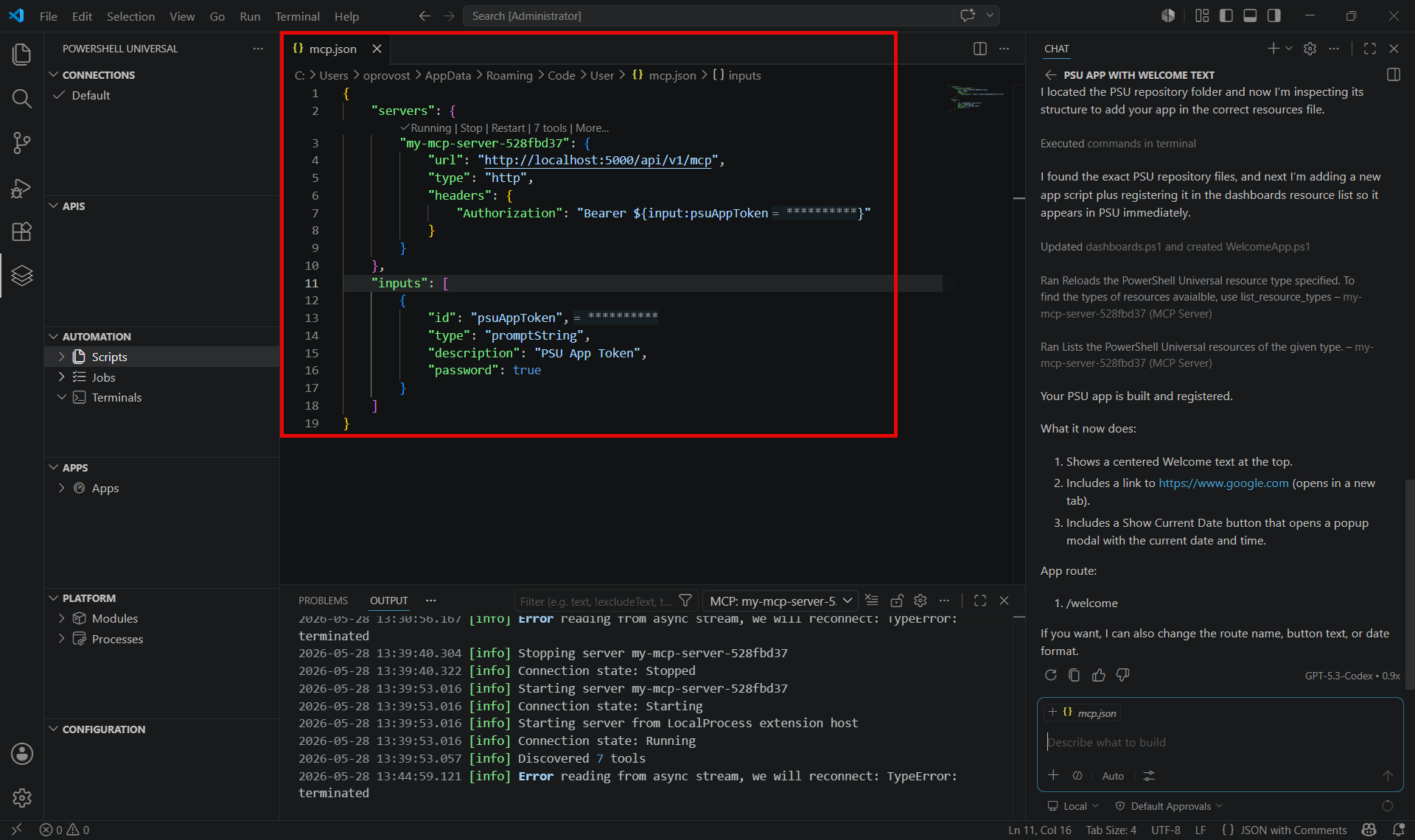
The updated extension makes managing PowerShell Universal resources easier with a virtual file system and direct integration with PSU’s built-in MCP tools. It also streamlines access to your configured resources, all from within VS Code.
UniGetUI 2026.2: Cross-platform package management
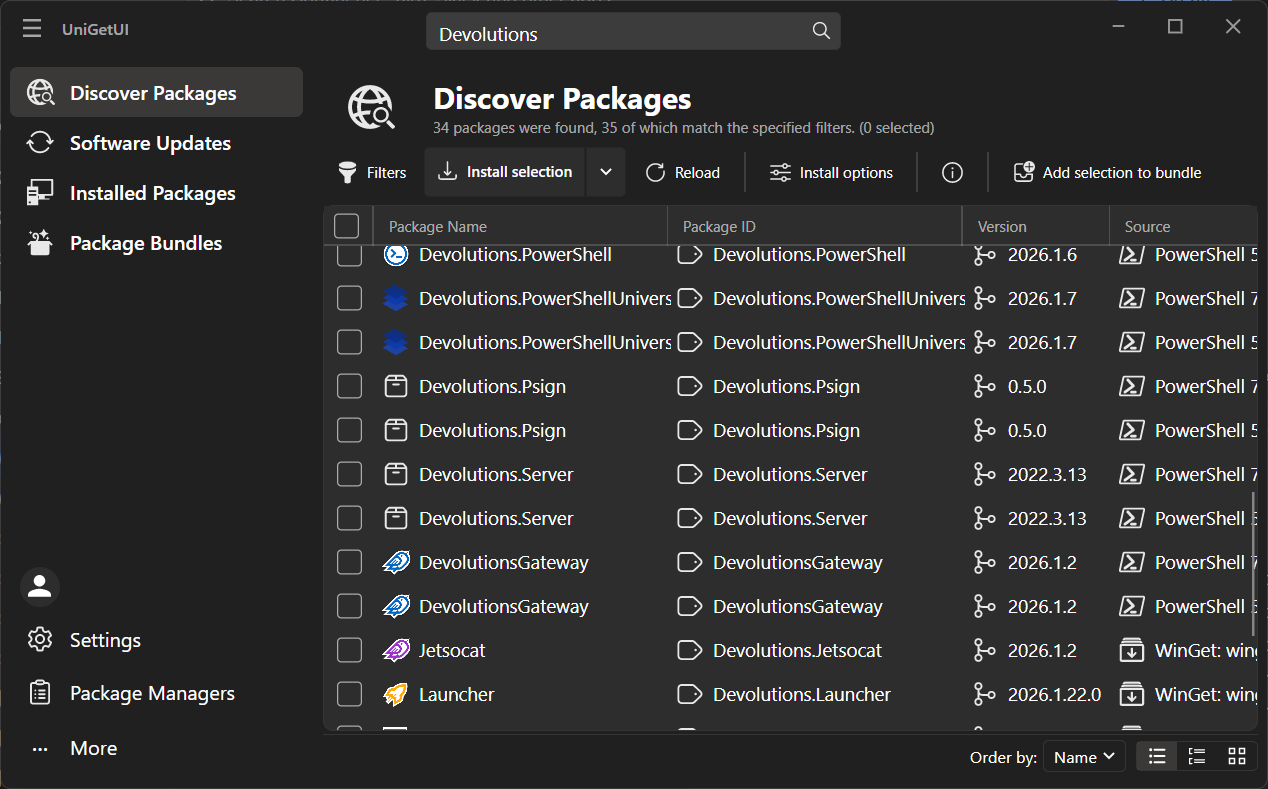
UniGetUI started as a Windows-only tool for discovering, installing, and updating packages. This release cycle transforms it into a true cross-platform application backed by Devolutions infrastructure.
A new cross-platform UI with Avalonia
UniGetUI introduced an Avalonia-based port that runs on platforms beyond Windows, with a modern UI that you can toggle between the classic WinUI version. The two interfaces are reaching feature parity, and system tray support now works on non-Windows machines as well.
Native Linux and macOS package manager support
UniGetUI now supports APT, DNF, Pacman, Snap, and Flatpak for compatible Linux distributions. On macOS, the app ships as a properly code-signed .app bundle with a styled DMG, resolving trust prompts on recent versions.
More reliable WinGet integration
UniGetUI now integrates Pinget (portable WinGet) as a fallback when the official WinGet is missing or unavailable, ensuring package operations continue to work even on incomplete setups. WinGet COM exceptions are handled with an automatic fallback to the CLI, and bundled CLIs have been replaced with architecture-aware detection of system versions.
Privileged access management
PAM only works when security controls are strong and operationally usable.
This release continues to improve the balance between governance and efficiency.
MFA verification directly during PAM checkouts
Privileged access should be secure—but it should also feel controlled and intentional.
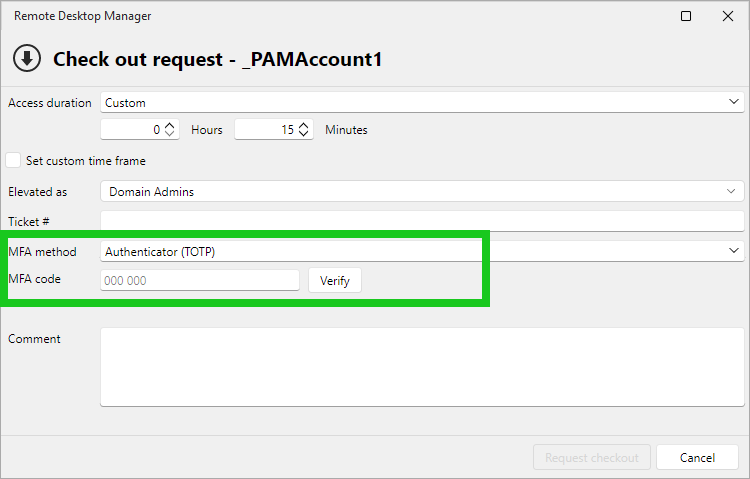
Teams can now enforce multi-factor authentication directly during PAM checkout requests. Before accessing a privileged session, users must verify their identity using methods such as email or TOTP.
This creates an additional security checkpoint precisely where it matters most: before access to sensitive systems is granted.
Instead of relying solely on perimeter authentication, verification now follows the access request itself.
Smarter Just-in-Time elevation workflows
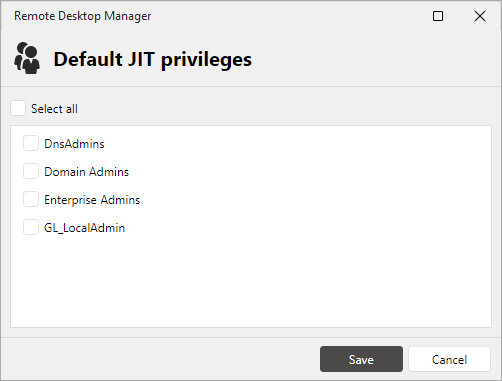
Just-in-Time elevation becomes more streamlined with new default elevation group capabilities.
Instead of manually selecting elevation groups at every checkout, administrators can now predefine defaults or have policies automatically inherited.
This reduces repetitive selections while lowering the risk of selecting the wrong privilege levels.
Password rotation scheduling becomes easier to manage
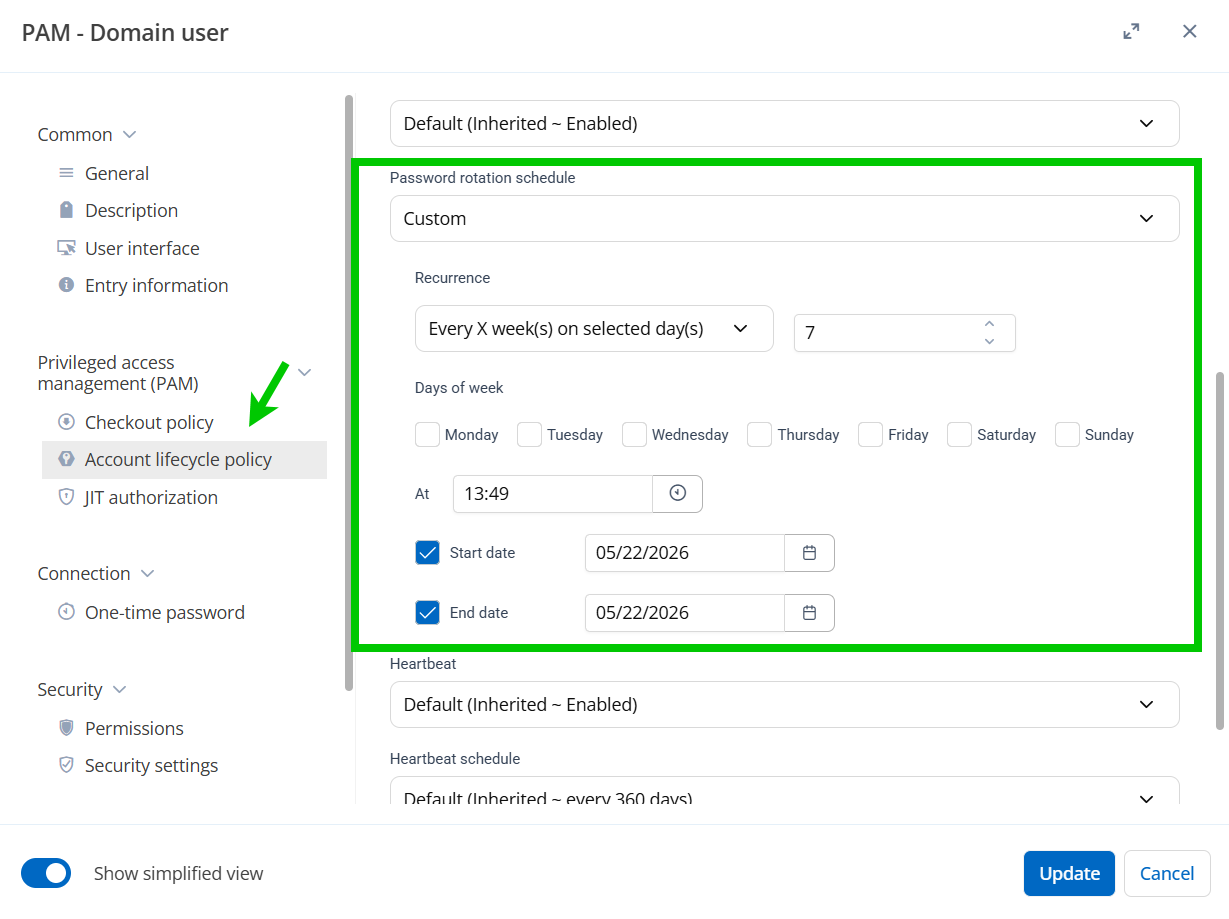
Password rotation policies now support improved scheduling controls directly within PAM workflows.
Organizations can align rotation behavior more precisely with operational requirements without relying on workarounds or overly rigid schedules.
Built for real IT workflows
The biggest improvements in 2026.2 aren’t individual features.
They’re the result of making the entire platform feel more connected:
- Credentials flow more naturally between systems
- Remote access involves fewer interruptions
- Administration becomes more centralized
- Offline work becomes practical
- Security happens closer to the action itself
The goal is to help IT teams spend less time managing tooling friction and more time actually getting work done.
Download Devolutions 2026.2
The latest version of the Devolutions platform is now available.
Go to our download center to try it out or to get up to date, and explore the new workflows, security improvements, and productivity enhancements across the platform.