











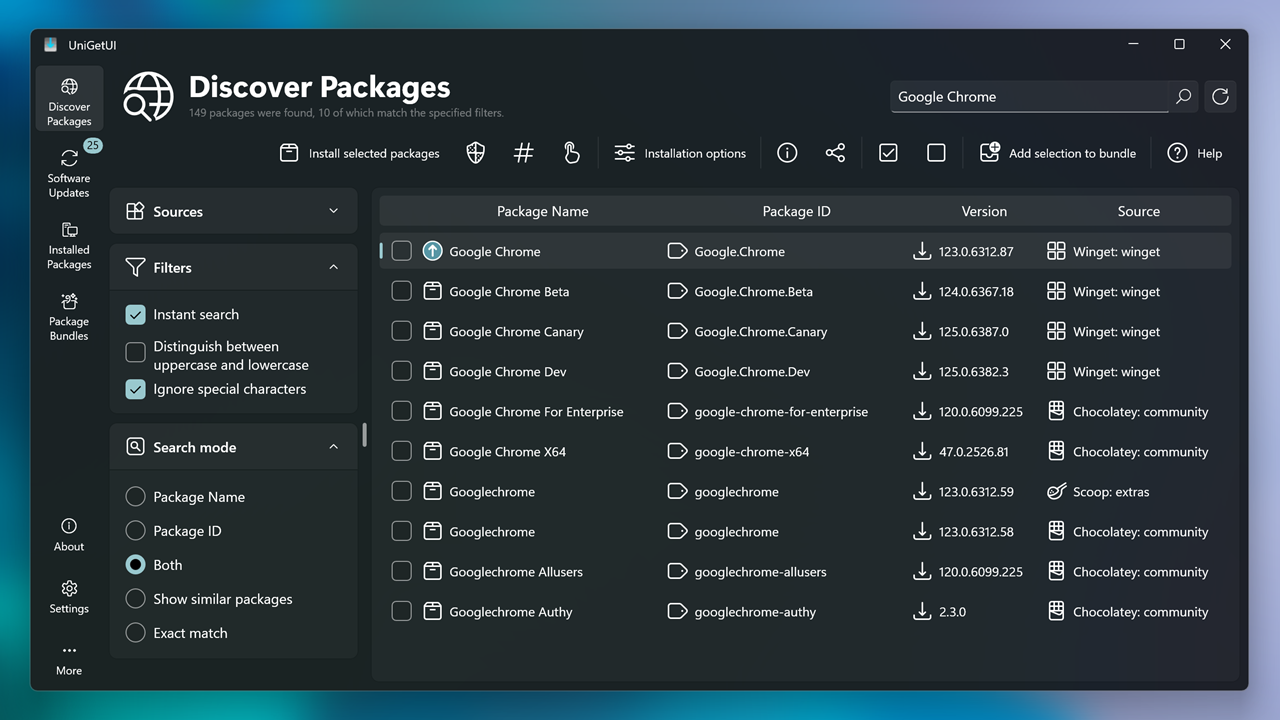
One GUI for WinGet, Scoop, Chocolatey, Pip, Npm, and more
UniGetUI combines packages from the most used Windows package managers into one intuitive interface. Install, update, and uninstall software from Winget, Chocolatey, Scoop, Pip, Npm, .NET Tool, and PowerShell Gallery — no CLI required.

Install, update & remove
One-click install, update, and uninstall. UniGetUI combines packages from Winget, Chocolatey, Scoop, Pip, Npm, and .NET Tool.
- Single interface for multiple package managers
- View metadata before installing
- Custom installation options per package
- System tray updates notification

Discover & filter packages
Search and filter packages across all supported managers. Find the software you want quickly with detailed metadata.
- Browse by package manager
- Publisher and size info
- Direct download URL

Bulk operations
Bulk-install, update, or uninstall multiple packages at once. Select several packages and perform operations in a single batch.
- Select multiple packages
- Auto-update or notifications
- Skip or ignore updates per package

Export & backup
Export package lists to import on another machine. Backup your setup to recover in seconds when migrating.
- Export custom lists with parameters
- Import on new machines
- Share packages with friends
Why thousands love UniGetUI
Monthly active users
GitHub stars
Contributors
Languages
Free. Open source. MIT licensed.
UniGetUI (formerly WingetUI)
UniGetUI is the intuitive GUI for the most common CLI package managers on Windows 10 and 11: WinGet, Scoop, Chocolatey, Pip, Npm, .NET Tool, PowerShell Gallery, and more. Install via Microsoft Store, winget, scoop, or Chocolatey.
What's included
Winget, Scoop, Chocolatey, Pip, Npm, .NET Tool
PowerShell Gallery support
21,000+ GitHub stars. Unofficial, not affiliated with package managers.
What it's for
Managing software without the command line
Discovering packages across all managers
Migrating setups between machines
Frequently Asked Questions
How do I install UniGetUI?
You can install UniGetUI via the Microsoft Store, winget (winget install UniGetUI.UniGetUI), scoop, or Chocolatey. Visit the GitHub releases page for the latest version.
How do I update UniGetUI?
UniGetUI can auto-update or notify you when updates are available. You can also update manually through your installation method (winget, scoop, Chocolatey, or Microsoft Store).
Can I use UniGetUI in production?
UniGetUI is designed for individual and organizational use. It is free, open source, and MIT licensed. Check the project documentation for specific use cases.
Why are Winget packages not installing?
Ensure Windows Package Manager (winget) is installed and up to date. Some packages may require administrator privileges or have additional dependencies. Check the UniGetUI documentation for troubleshooting.
How do I see a package's full name/ID?
In UniGetUI, you can view package details including the full name and ID by clicking on a package. The ID format varies by manager (e.g., winget uses Package.Publisher format).
My antivirus says UniGetUI is a virus!
UniGetUI is open source and safe. Some antivirus software may flag installers that bundle multiple package managers. You can verify the source on GitHub and check the project's security documentation.
Are Winget and Scoop packages safe?
UniGetUI displays packages from official package manager repositories. Security depends on each package and its publisher. Always review package details and source before installing.
What package managers are supported?
UniGetUI supports Winget, Scoop, Chocolatey, Pip, Npm, .NET Tool, and PowerShell Gallery. Support may vary by Windows version. Check the official documentation for the latest list.