








 Adam Listek
It’s 2 a.m., and your helpdesk lights up: no one can sign in because your identity provider (IdP) is experiencing an outage. Maybe it’s an Entra ID outage. Perhaps the domain controllers are down due to a recent patch. Either way, your operations team still needs access to resolve the incident. This is precisely why emergency login code authentication exists in Devolutions Server (DVLS): a secure and auditable method for designated administrators to gain access even when identity providers are unavailable.
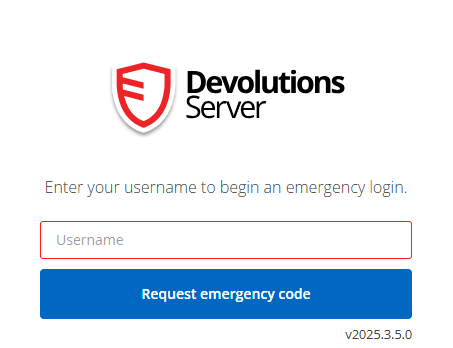
When enabled globally and for designated users, the emergency login code option adds a controlled “break-glass” path right on the DVLS sign-in page. Administrators with authorized access can request a one-time code, receive it by email, and use it to authenticate without relying on your IdP during the outage window. The event is recorded in DVLS audit logs and triggers an administrative notification, ensuring governance is preserved while the service is restored.
A working SMTP email server is mandatory to request and receive emergency codes. Verify under DVLS Administration → Server settings → Email before you need it.
Break-glass access that still plays by the rules
The rollout process is straightforward and aligns with least-privilege practices. Best practices recommend keeping the list of users small and ensuring reliable email delivery.
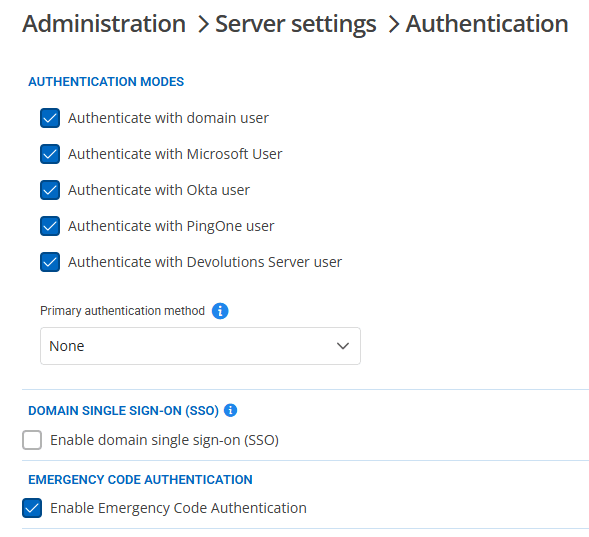
- Globally enable the feature in
DVLS Administration → Server settings → Authenticationand checkEnable Emergency Code Authentication. - Scope it to people by granting “Enable Emergency Login” to selected administrators or allowing it for all administrators. Ensure each permitted user has a valid email for code delivery.
- Verify and practice using the Emergency login link on the DVLS authentication page. Within logging, verify that the codes have been used.
Each user must also have this enabled. Edit the user and, in the
Generalsection, checkEnable emergency login.
Prep on a calm day; thank yourself on a chaotic one
Emergency login code authentication gives you a provider-independent safety net. Whether you authenticate daily with Entra ID, Active Directory, Okta, or PingOne, your team retains a governed path into DVLS when the upstream identity providers falter.
Learn more about the tools available in Devolutions Server, or start a trial to discover how Devolutions Server acts as a powerful data source for Remote Desktop Manager.

 Coralie Lemasson