











 Adam Listek
Version 2026.1 delivers practical enhancements to our remote connection & IT management package by:
- expanding session coverage and integrations with more entry types and tighter connections,
- speeding up day-to-day operations and visibility through dashboards & widgets,
- and enhancing remote work with improved authentication options and session resilience.
New features
Expand automation with new MCP server AI integrations
As part of our ongoing efforts to expand MCP server capabilities in RDM, you can now use the built-in AI assistant chat window to interact with MCP and perform various tasks using natural language, including running commands directly in RDP, via the Devolutions Agent, or via SSH sessions!
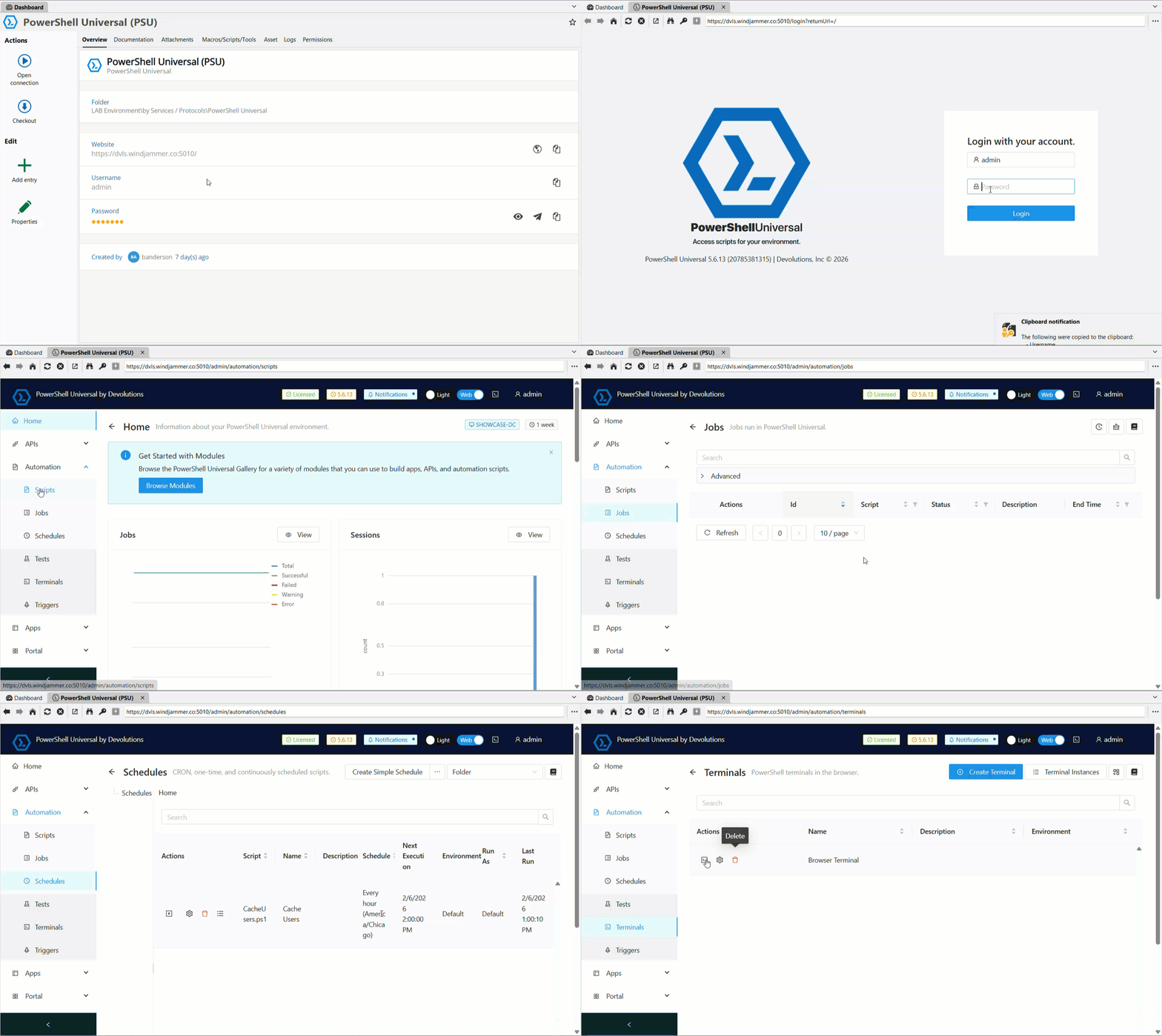
Access PowerShell Universal (PSU) directly from RDM with new entry type
Following the announcement that PowerShell Universal is now part of Devolutions, we’ve added a dedicated entry for users to start building with PowerShell Universal (PSU) directly inside RDM. This is an initial integration. More exciting functions will be added in future releases. Stay tuned!
Additional remote support entry options with the GetScreen session entry
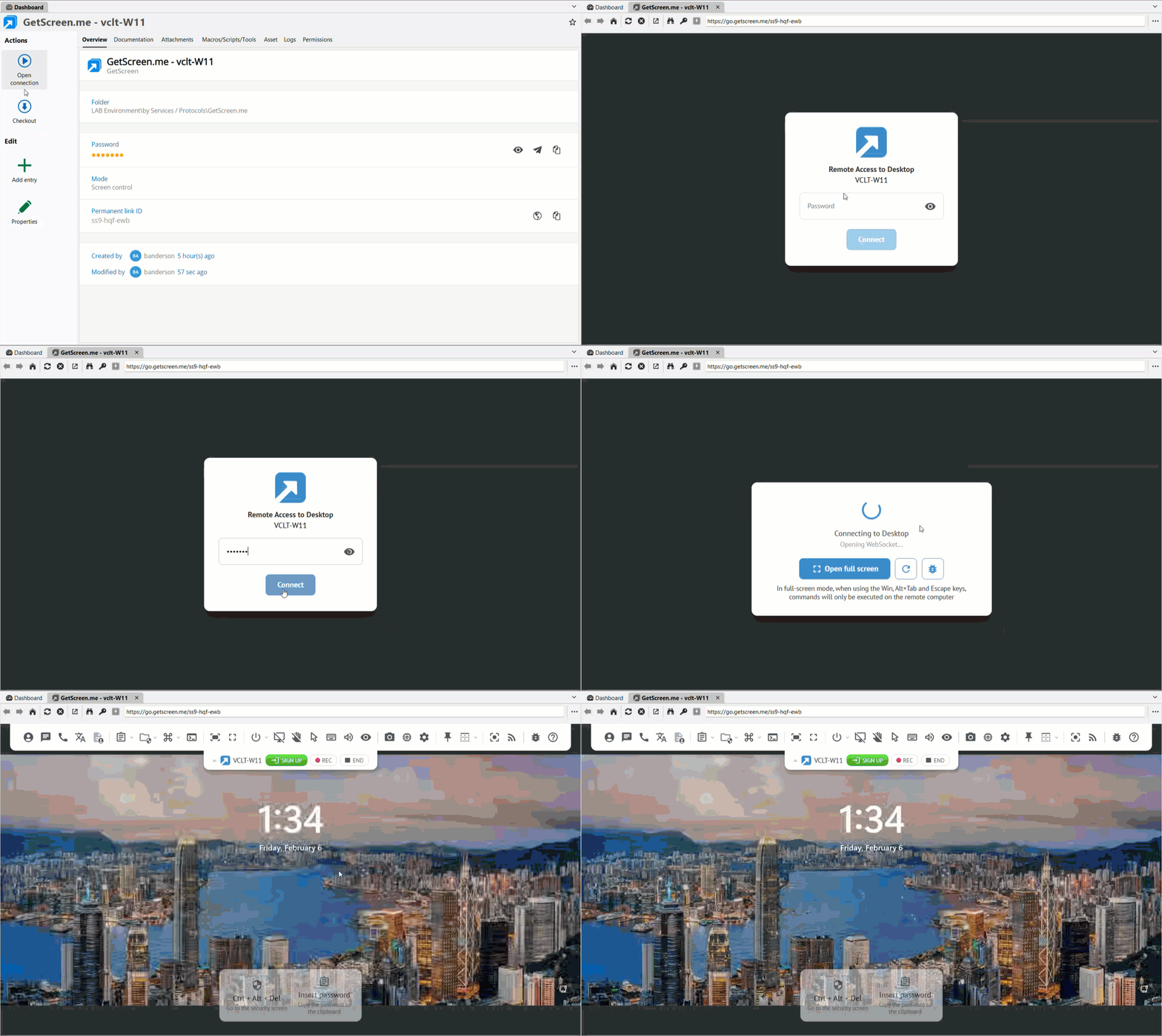
GetScreen is a popular tool for remote desktop & support sessions that is now integrated into RDM, expanding our ever-growing list of remote desktop solutions within the platform and giving our users more flexibility to choose a solution that best fits their needs.
Reach Devolutions Support faster with an in-app live chat button
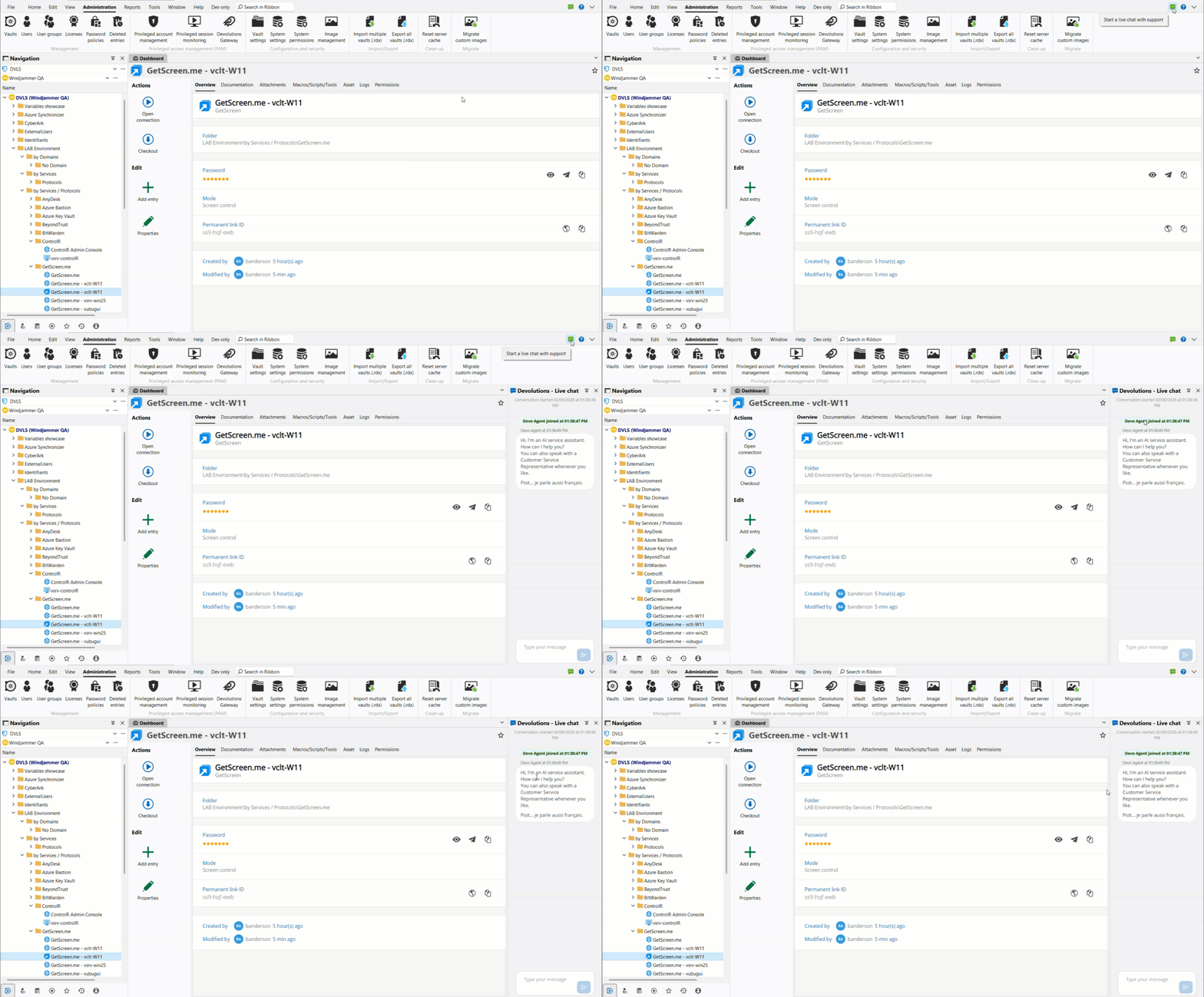
In an effort to expand the ways users can easily communicate with our support team, we’ve added a dedicated button to initiate a live chat, providing a faster way to reach out and get help with our solutions!
Improvements
Simplify sign-in with SSO with LastPass and 1Password
With 2026.1, we are adding support for using your identity provider (e.g., Entra ID) to log in to LastPass or 1Password, making it easier to use these password managers to retrieve credentials in RDM and authenticate to endpoints.
Make VMware monitoring clearer with dashboard refinements
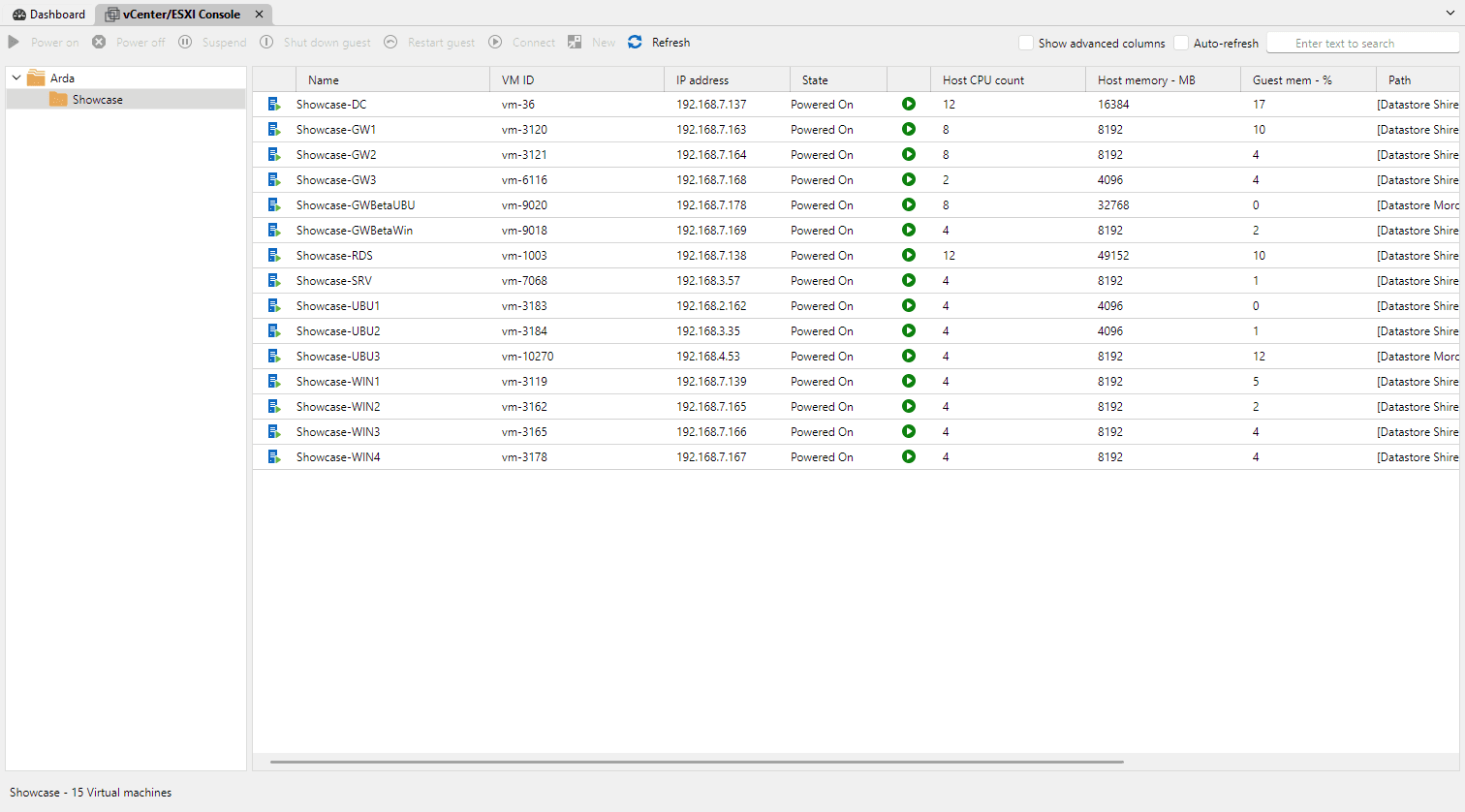
The dashboard now displays the vSphere folder structure, and you can view additional columns such as DNS hostname, Guest OS, and more for your listed VMs.
Strengthen asset sync workflows with expanded NetBox sync
The NetBox synchronizer now supports creating sessions based on the session type value configured in NetBox during import, providing a quicker way to access these endpoints once created in RDM using the best remote protocol.
Support SSH certificates for expanded automation and session management
You can now attach SSH certificates to SSH key entries. This was previously only available on SSH session entries, and it simplifies certificate-based setups, including user-specific configurations and “linked (vault)” usage.
Add time zone context directly for sessions
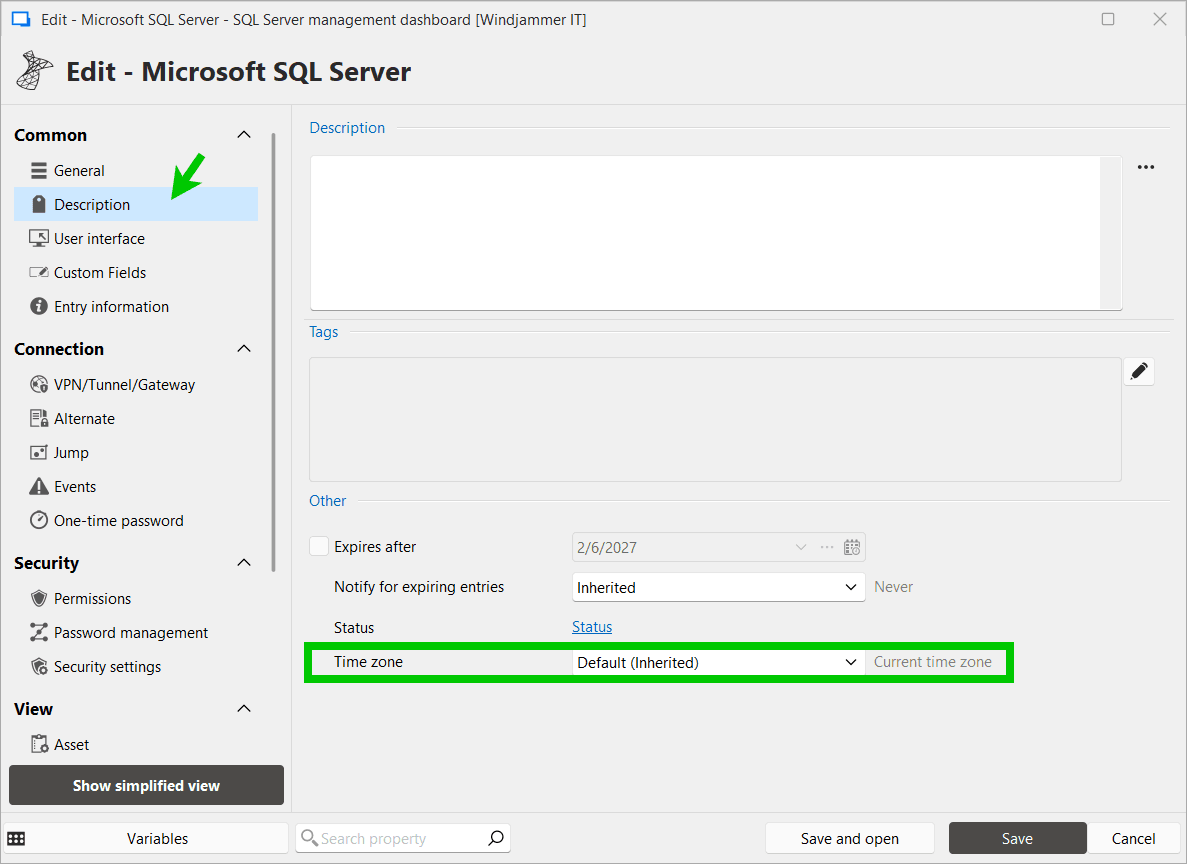
A new timezone setting has been added to the Description tab in connection properties. Users can select from three time display modes. This will allow users to see the current time in the target system’s timezone directly in the Overview panel.
Note: When set to “Current time zone”, no clock row is displayed in the Overview panel.
Reduce connection friction with prompts for linked VPNs
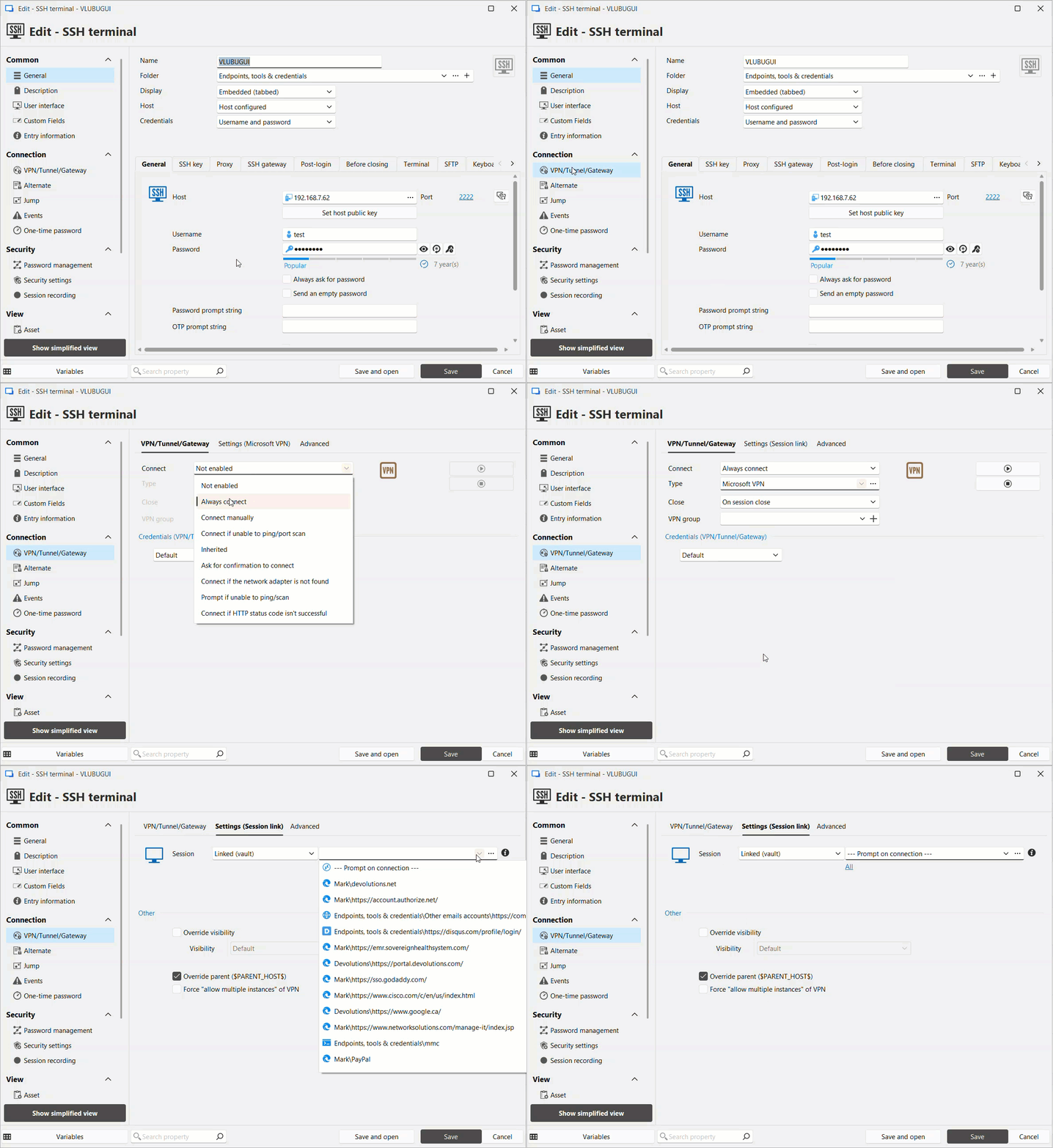
We can prompt you to select a VPN when you open a connection that requires it, enabling ad hoc selection of a VPN and making IT operations easier.
Enable local session recording in the Free edition!
We’re pleased to share that it’s now possible to use RDM’s local session recording mechanism to record sessions with the free edition of RDM, enabling solo users to capture their work for various use cases!
Tell us what you think
The 2026.1 release brings enhancements across all our solution packages. To explore the updates included in other packages, check out the other what’s new here:
We also invite you to visit our forum to share your feedback, ask questions, and discuss the changes with our team and the community.
As always, thank you for your continued support!
About remote desktop management & IT operations
Built for IT professionals, system administrators, and helpdesk technicians, remote desktop management centralizes all remote connections into a single platform. It enhances IT operational efficiency while securing access to infrastructure across diverse environments.
Ready to get started? Buy the remote connection management & IT operations package here.