











 Laurence Cadieux
At Devolutions, we are always improving and innovating. Sometimes, this means retiring an outdated solution to make way for something better. In this spirit, we are officially announcing the end-of-life for Devolutions Online Database (DODB). It will be permanently shut down in September 2022.
About DODB
DODB was a cloud-hosted vault that allowed users to store and share remote connections, credentials, and sensitive information. Used in combination with Remote Desktop Manager, it extended the client capabilities to create an enterprise-wide high-end data store.
Switching to Devolutions Password Hub
We encourage all affected users to switch from DODB to Devolutions Password Hub, which is our secure cloud-based password management solution for teams. Devolutions Password Hub integrates seamlessly with Remote Desktop Manager and enables users to access all the tools and settings they need to launch remote sessions directly from within Remote Desktop Manager.
Devolutions Password Hub provides all the functionality of DODB, and offers some significant advantages including:
- Security: Devolutions Password Hub is a highly secure cloud environment that meets SOC 2 Type-II compliance.
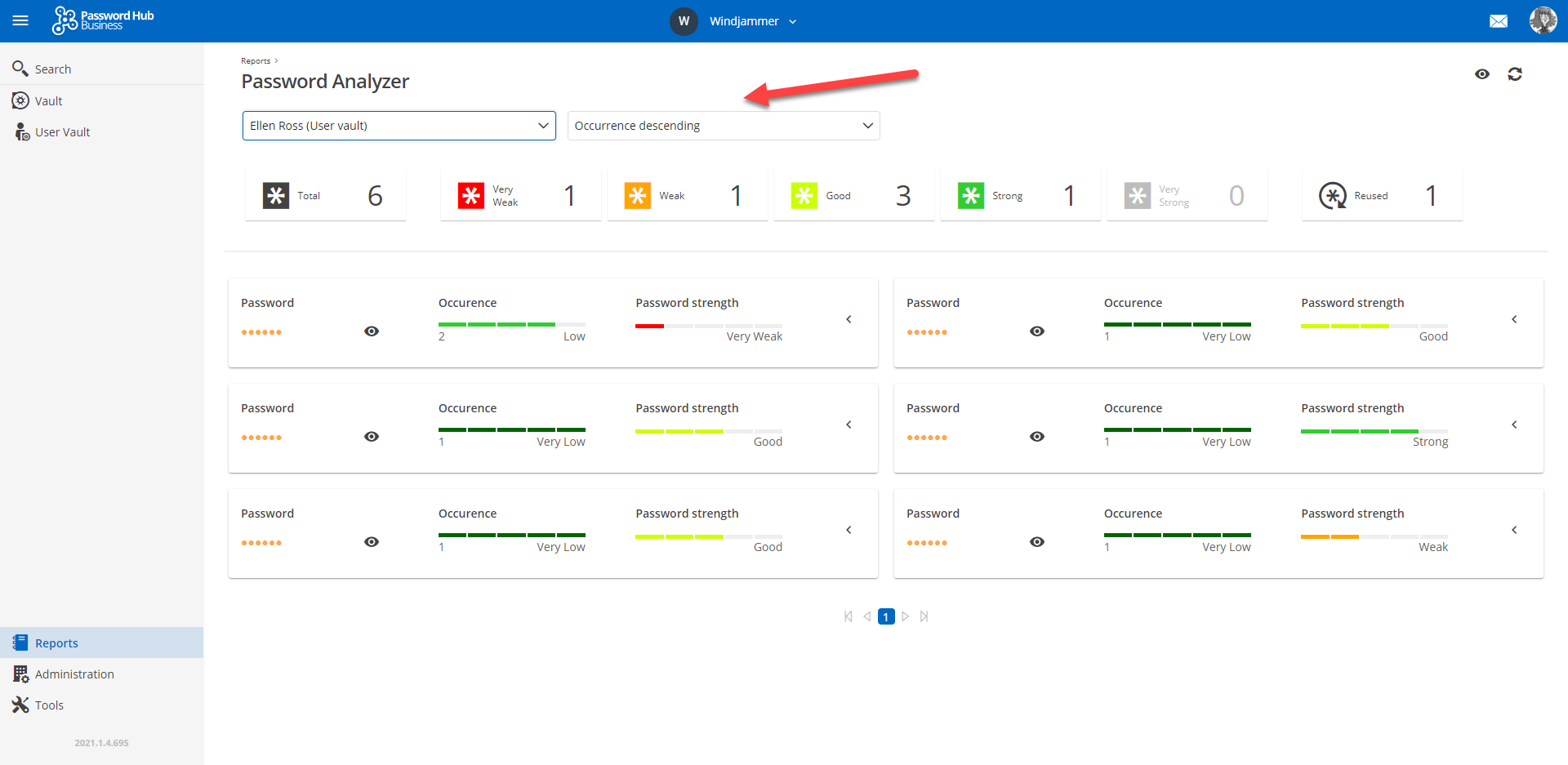 Password Analyzer Report
- Data Storage: Devolutions Password Hub gives users the option to choose a cloud data location at creation (US, Canada, Europe, or Australia), which can help with performance.
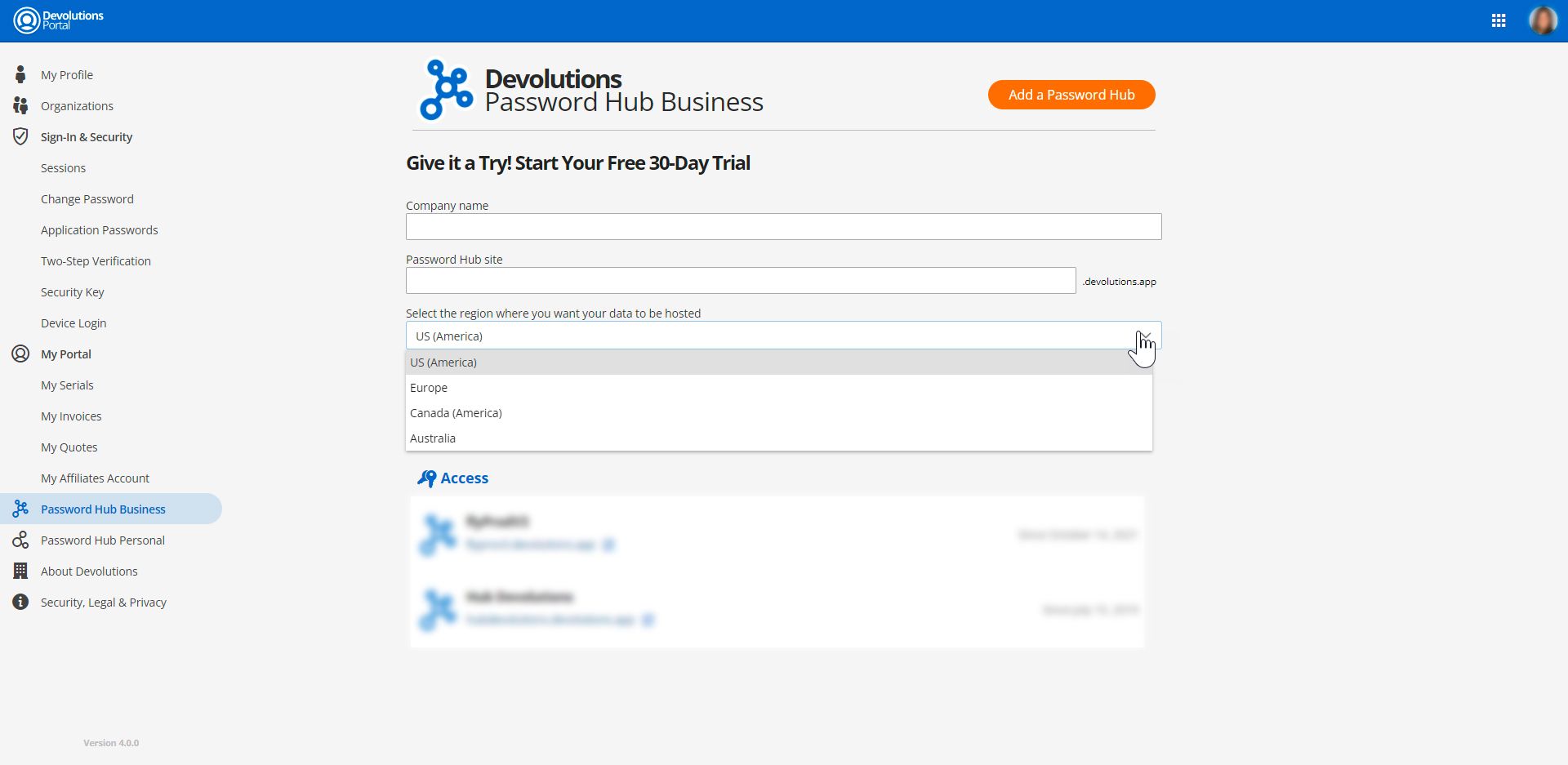 Choose your region at creation
- Versatility: There is no limit to size with Devolutions Password Hub, and the license is based on the number of users.
- Authentication: Users that switch to Devolutions Password Hub can still sign in with their Devolutions Account.
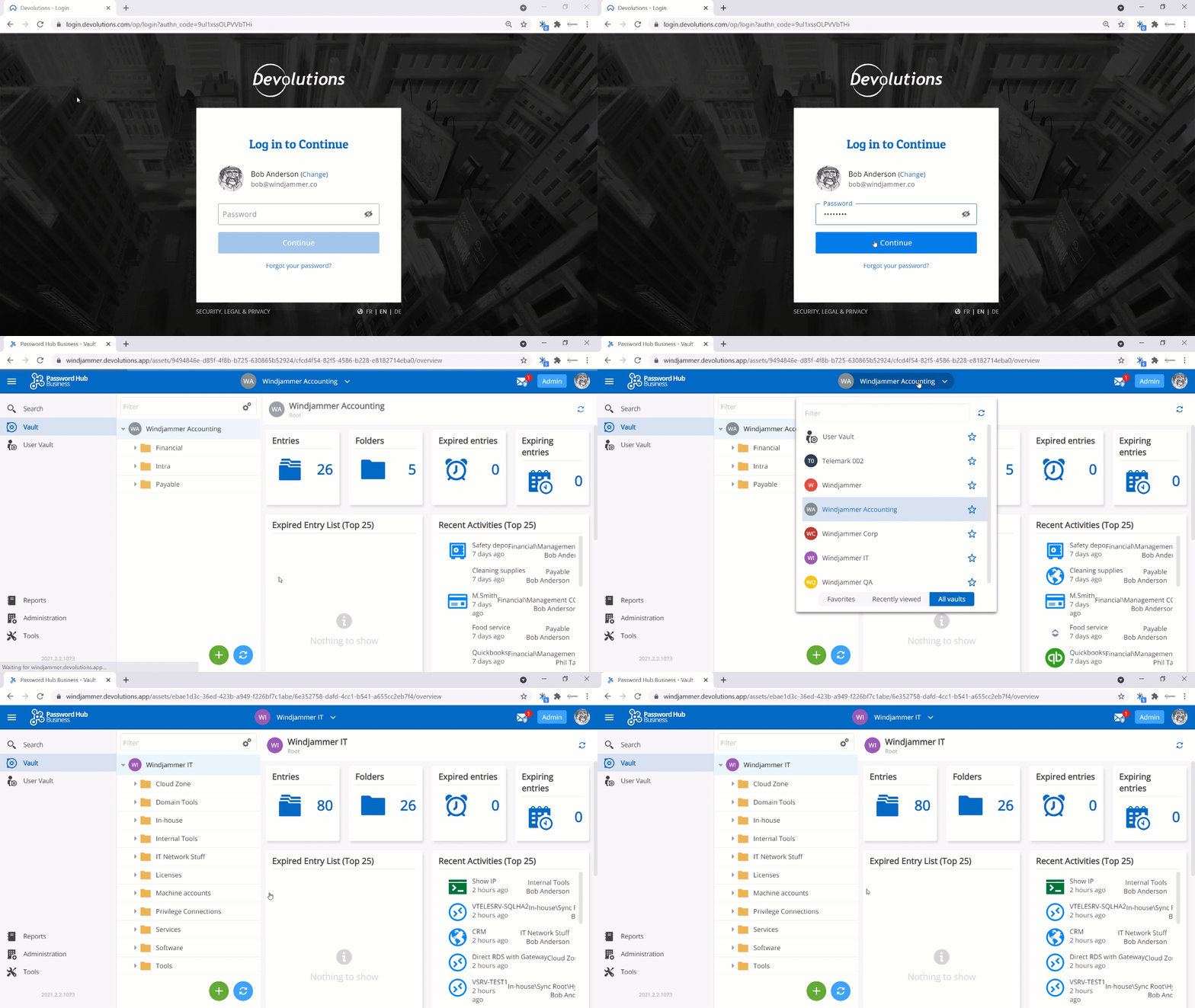
- User experience: Devolutions Password Hub’s web interface is intuitive and easy-to-use, which makes it ideal for non-technical business users.
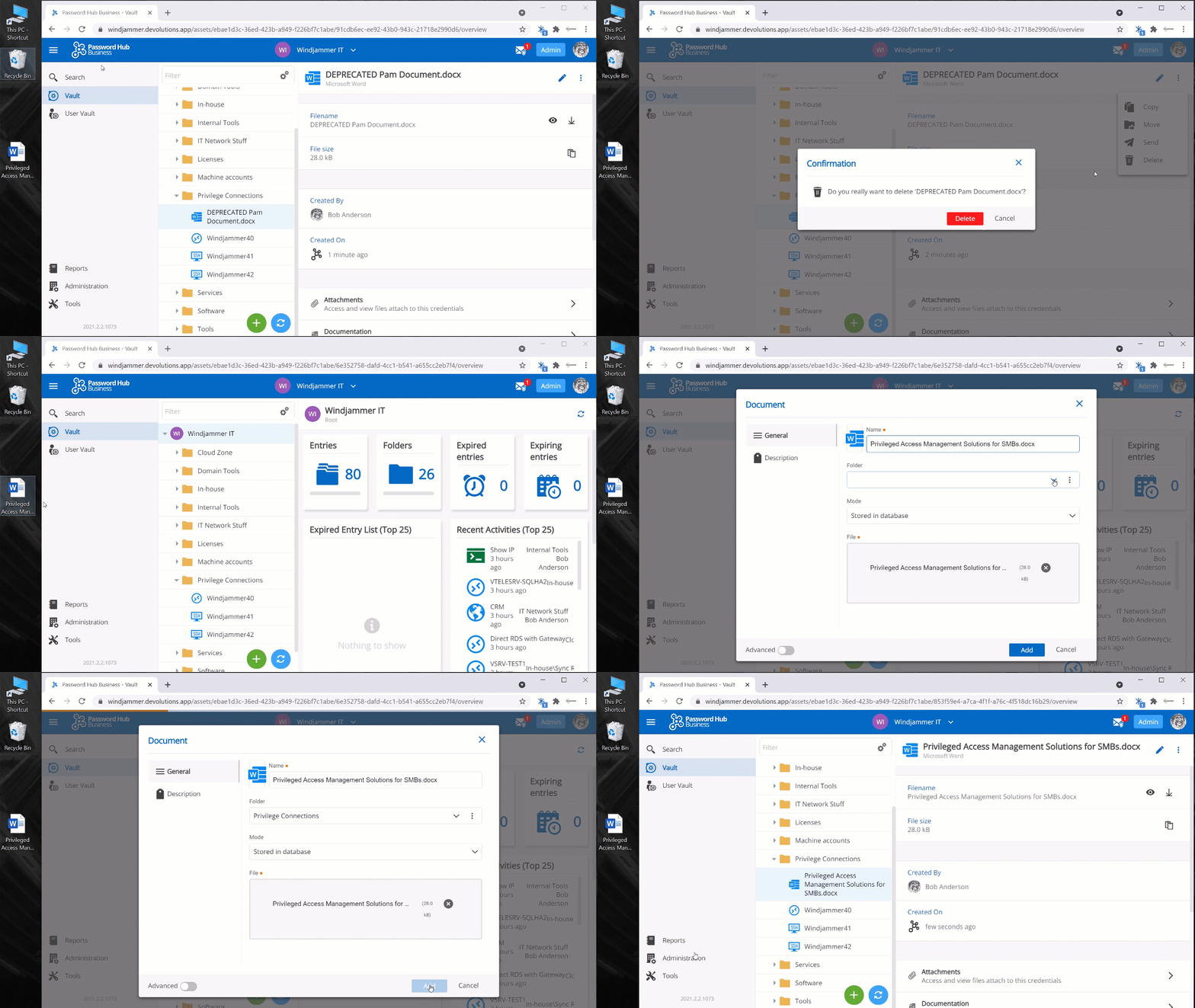
- Accessibility: Users can access Devolutions Password Hub through the desktop app (Windows, Mac, Linux) and the mobile app (IOS and Android). Users can also install the Devolutions Web Login browser extension to log directly into Devolutions Password Hub and view all types of entries.
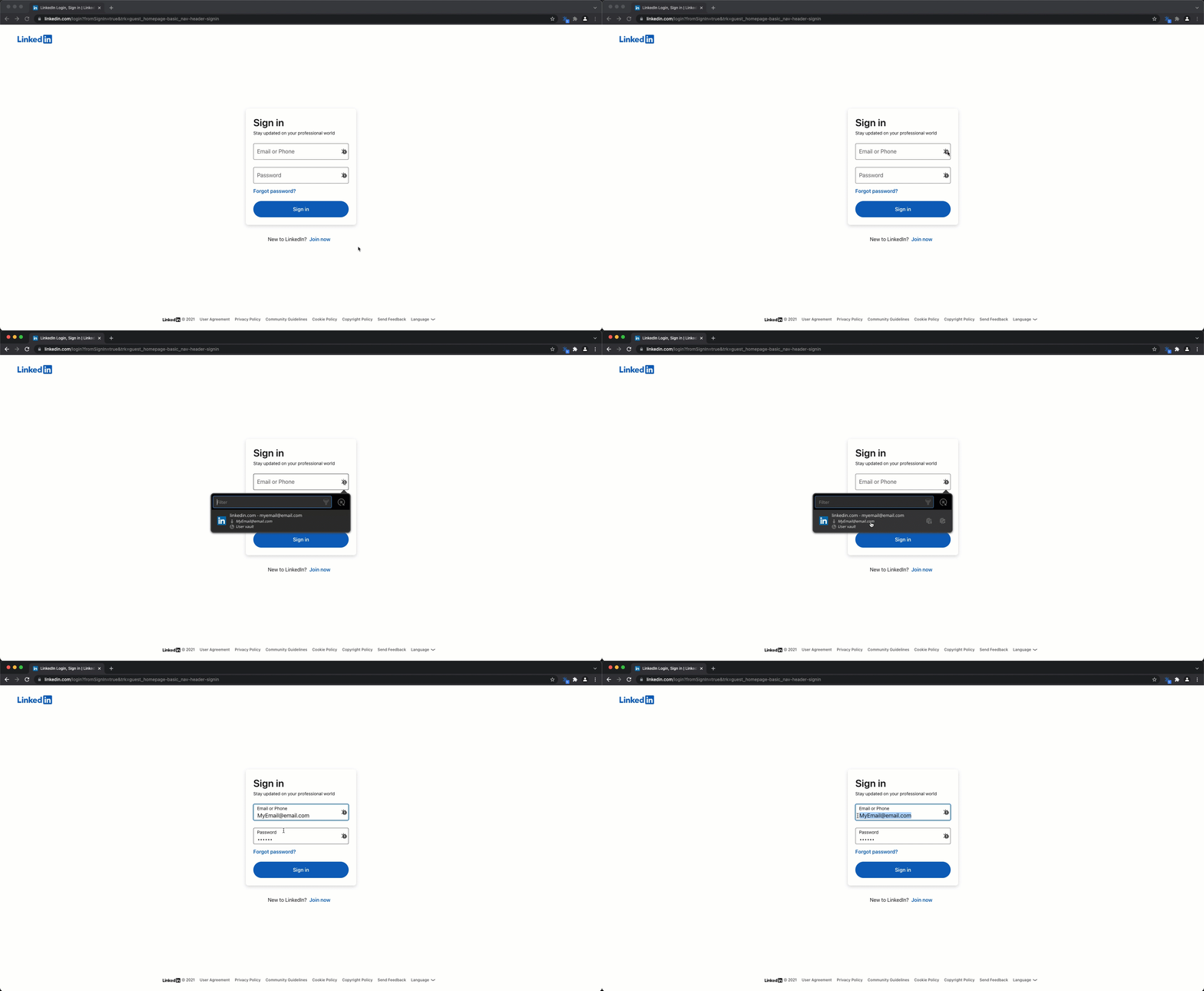
- Functionality: Devolutions Password Hub offers additional functions that are not available in DODB, such as the ability to:
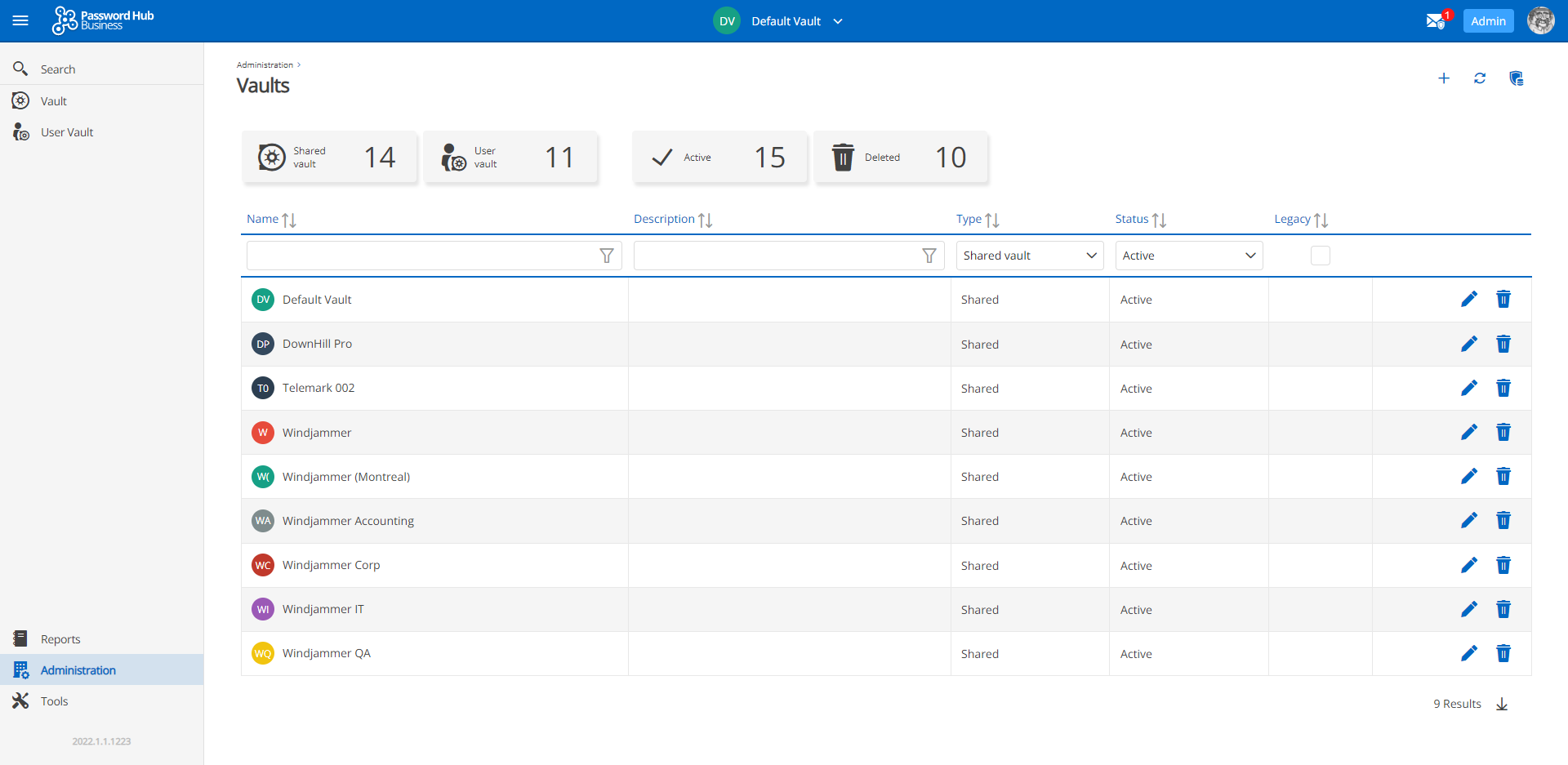
1. Easily manage several vaults.
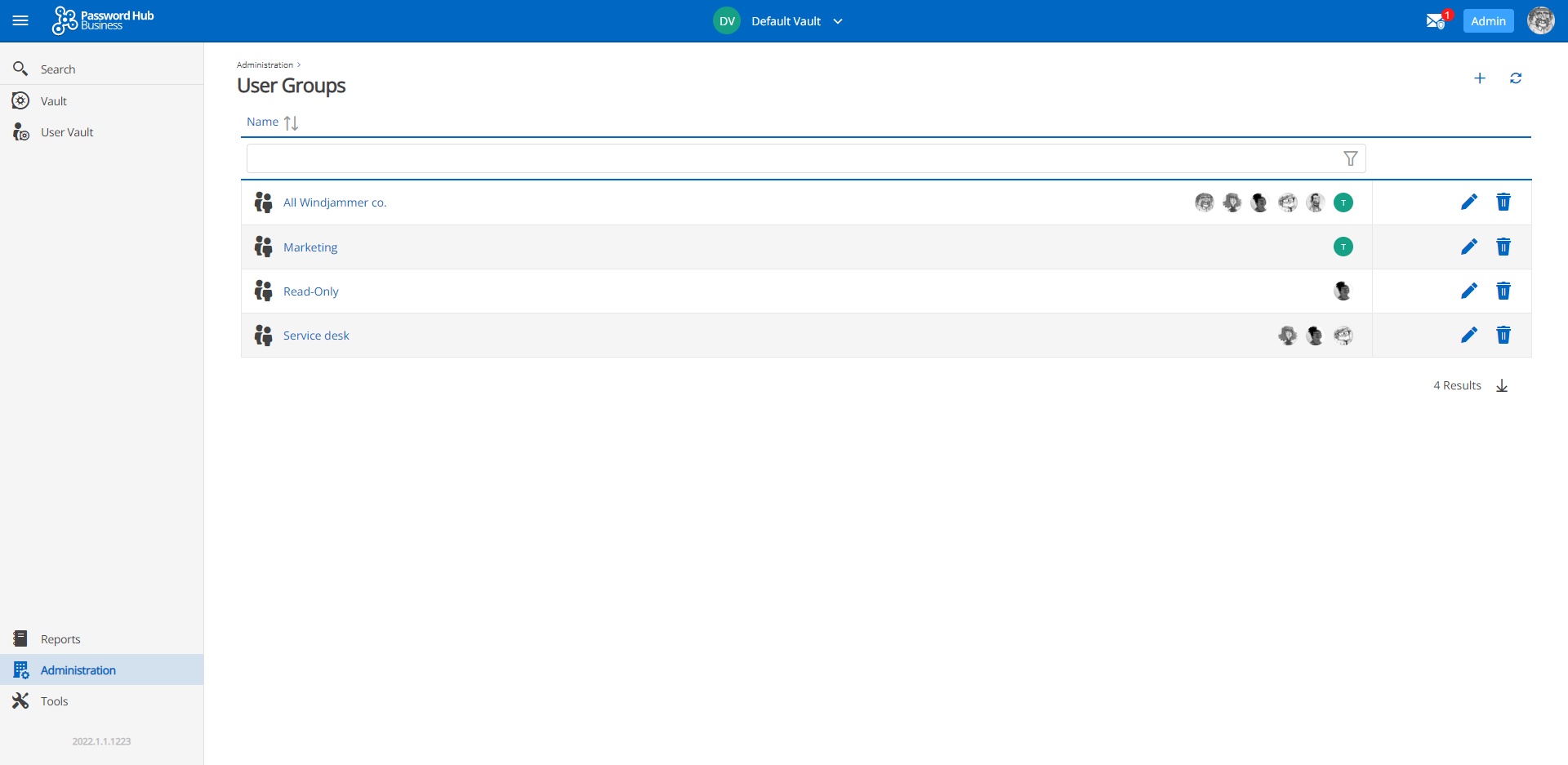
2. Create user groups.
3. Grant permissions to a user or a user group to predefine roles.
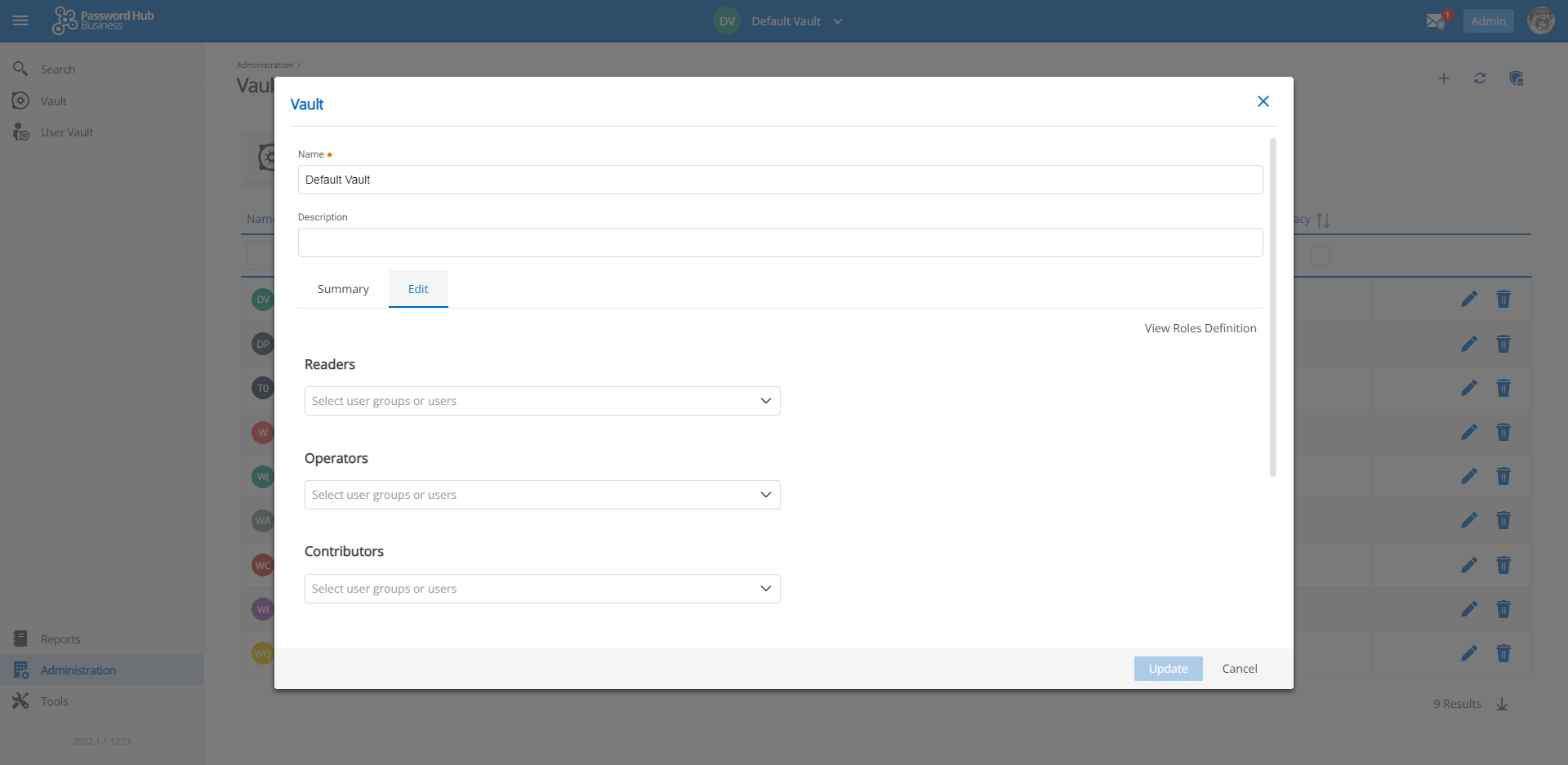
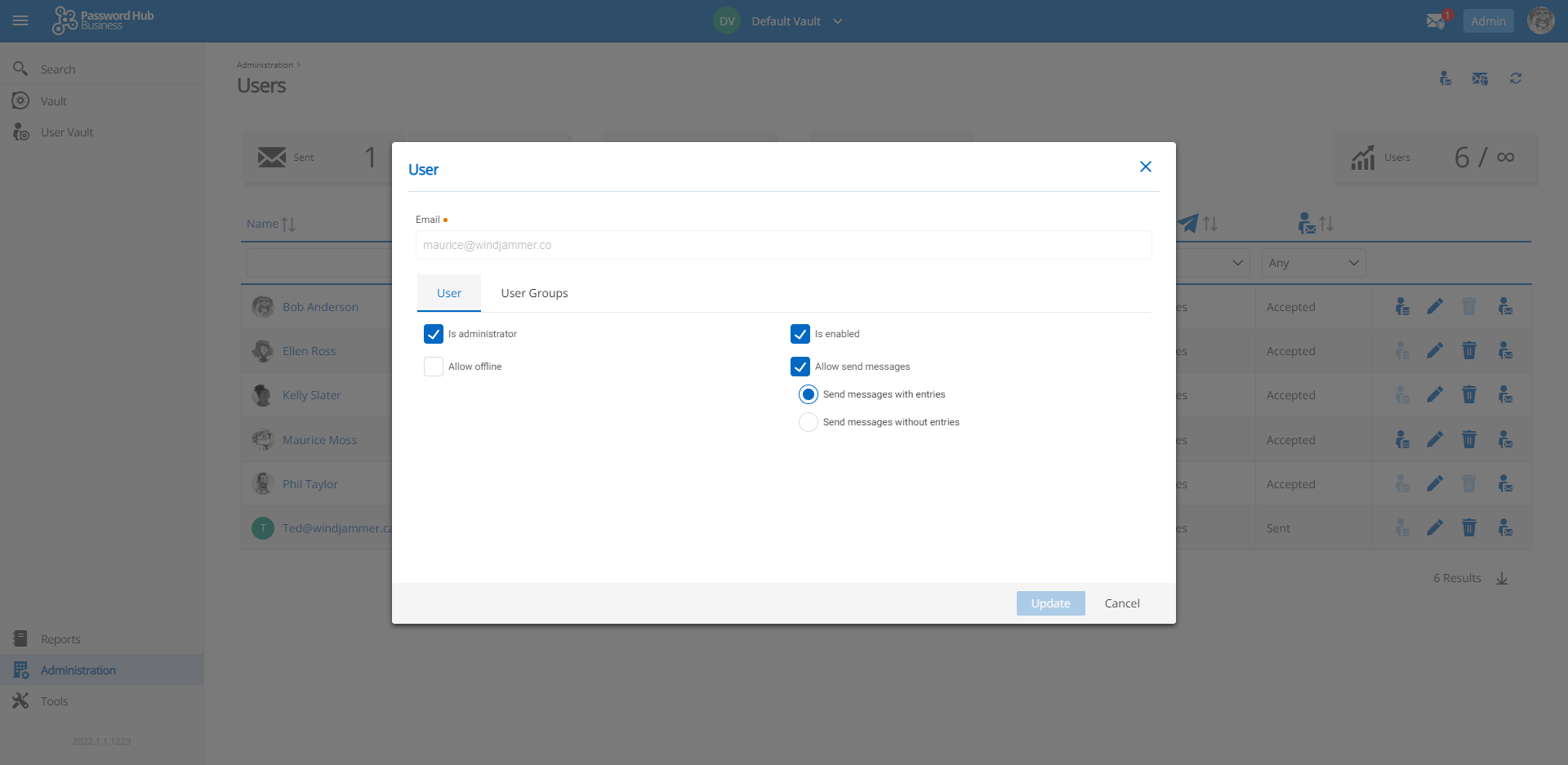
4. Grant administration rights to a specific user in a user group.
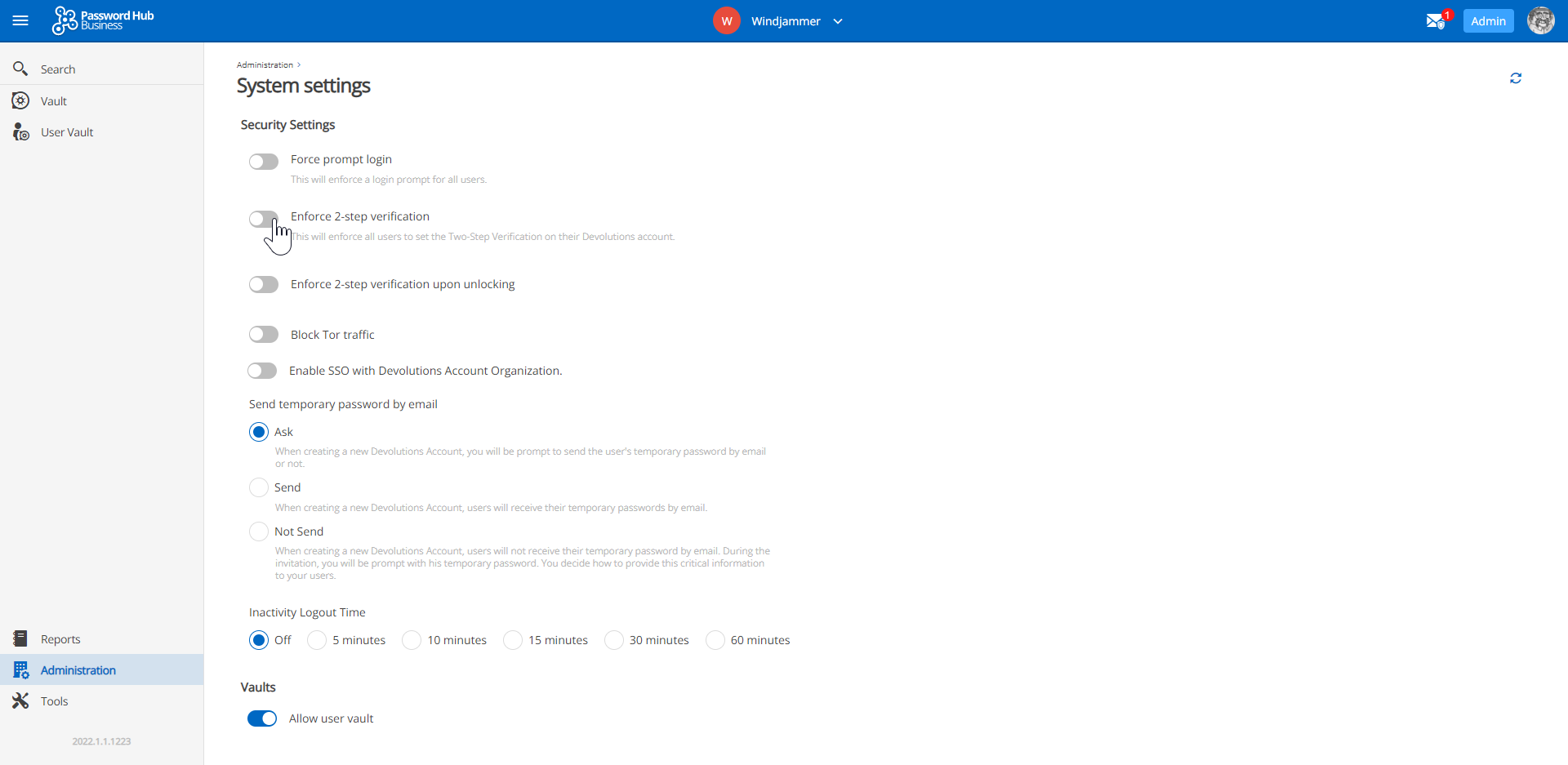
5. Configure multiple usage and access settings: block Tor traffic, set logout time, force 2FA on unlocking, and add IP allow list.
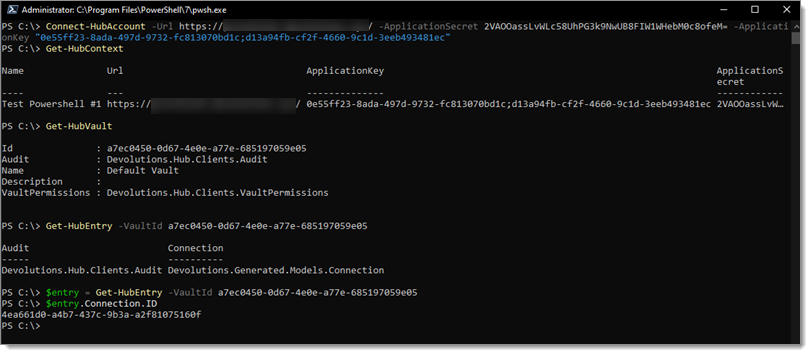
6. Utilize Password Hub PowerShell Module tool.
Next Steps
We invite affected users to:
- Try Devolutions Password Hub in their environment. A free 30-day trial is available — please click here (note that a free Devolutions Account is required).
- Book a complimentary consultation with a Devolutions Product Specialist — please click here.
- Watch the video below for more information on Password Hub Business.

 Steven Lafortune
 Marc-Andre Moreau