












 Adam Driscoll
PowerShell Universal allows users to create APIs using PowerShell. These APIs can be used to create webhooks, integrate with other systems, or provide a REST API for your PowerShell scripts. In this post, we’ll look at some changes you can make to improve API endpoint performance.
In this post, we’ve used West Wind WebSurge to test API performance. This tool allows you to send a number of requests to a URL and measure the performance of the requests. We are running a 60 second test with 10 threads.
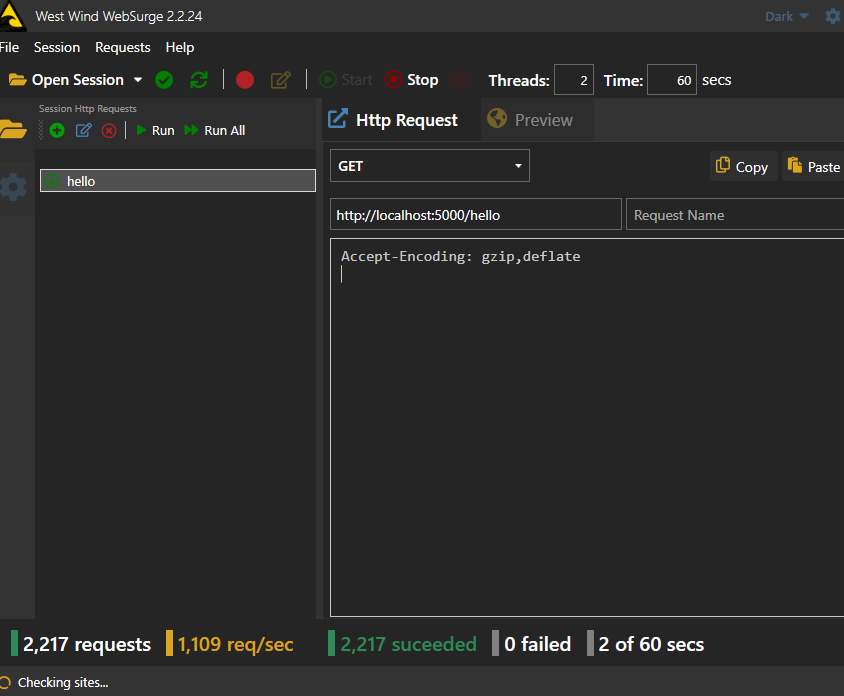
For this test, we are running an unlicensed version of PowerShell Universal with a single API endpoint. The API endpoint is a simple script that returns a string.
New-PSUEndpoint -Url "/hello" -Method @('GET') -Endpoint {
    "hello"
}
We are using LiteDB for persistence.
Update to 4.1.5 or later
The first thing you can do is update to PowerShell Universal 4.1.5 or later. This version includes a number of performance improvements to the API system. We see about a 300% improvement in API performance with this release with default settings.
Results:
- 4.1.4 with default settings: 150 requests per second
- 4.1.5 with default settings: 470 requests per second
Adjust logging targets and system log settings
By default, PowerShell Universal has verbose logs configured. We will make the following changes to the logging configuration.
Disable verbose system logs
In appsettings.json, set SystemLogLevel to Error rather than Verbose.
{
    "SystemLogPath": "%ProgramData%\\PowerShellUniversal\\systemLog.txt",
    "SystemLogLevel": "Error"
}
Disable user-scope logging for APIs
Rather than sending log messages to the database and file system, we will disable user-scope logging for APIs. You can send log messages for specific features, such as Apps.
New-PSULoggingTarget -Type "Database" -Properties @{
} -Feature "App"

New-PSULoggingTarget -Type "File" -Properties @{
    path = "C:\ProgramData\PowerShellUniversal\log.txt"
} -Feature "App"
It’s also possible to reduce the log level for targets rather than disable them completely.
New-PSULoggingTarget -Type "Database" -Properties @{
} -Level "Error"

New-PSULoggingTarget -Type "File" -Properties @{
    path = "C:\ProgramData\PowerShellUniversal\log.txt"
} -Level "Error"
Results:
- 4.1.4: 980 requests per second
- 4.1.5: 1,200 requests per second
Environment settings
Certain features of PowerShell Universal environments can impact performance. We will make the following changes to the environment settings.
Persistent runspaces
Resetting the runspace state takes time, so avoiding this can improve performance. Note that persistent runspaces keep the value of variables, functions, and aliases defined within the execution of the endpoint. Depending on the implementation of your endpoint, this may not be desirable.
Increase max runspaces
By default, PowerShell Universal will create 25 runspaces per environment. We will increase this to 100. This will increase memory usage but will slightly improve performance.
New-PSUEnvironment -Name "Integrated" -Version "7.3.6" -Path "Universal.Server" -Variables @('*') -PersistentRunspace -MaxRunspaces 100 -Description "An environment for running scripts directly in the PowerShell Universal server."Results:
- 4.1.4: 1,025 requests per second
- 4.1.5: 1,300 requests per second
A note on external environments
Above, you may notice that we are using the Integrated environment. This is an environment that is built into PowerShell Universal. It is a PowerShell environment that runs directly in the PowerShell Universal process. Even if we were to adjust the endpoints to use an external environment, the results are similar. This is running within a PowerShell 7.3.7 environment.
- 4.1.4: 1,015 requests per second
- 4.1.5: 1,250 requests per second
Use SQL persistence
SQL persistence can greatly improve API throughput. This test was performed against a local SQL database with all the above settings configured and only run on version 4.1.5.
Results:
- 4.1.5: 2,900 requests per second
Conclusion
With these changes, we’ve improved the performance of our API by about 1,900%. We’ve gone from 150 requests per second to about 2,900 requests per second. Using SQL persistence had the greatest increase in performance. Particularly combined with changes to the logging system, you can achieve a significant increase in performance.
Please reach out with feedback or questions on the forums.
Ready to build? Download PowerShell Universal.