












 Adam Driscoll
The PowerShell Universal Gallery provides a Discord trigger module to send messages when certain events occur within PowerShell Universal. This post walks through setting up those triggers.
Install the Discord trigger module
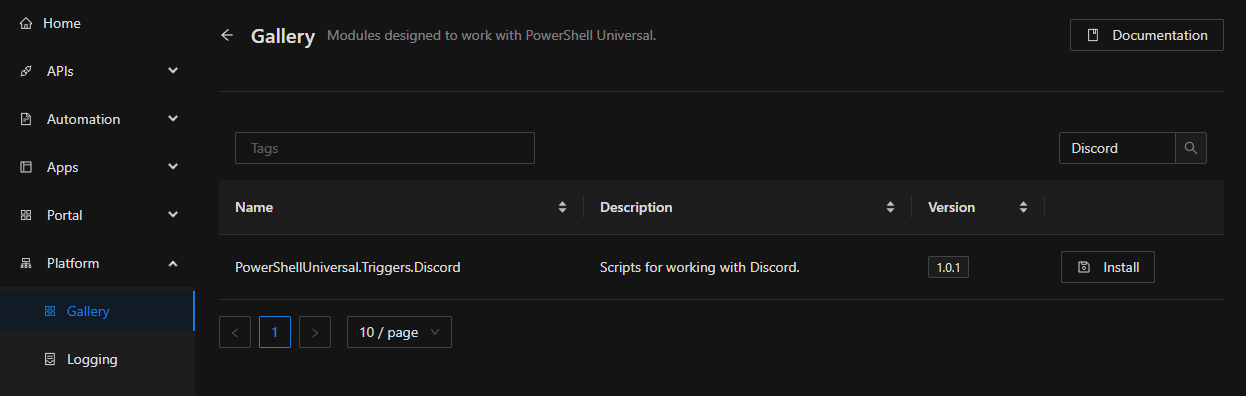
First, install the PowerShellUniversal.Triggers.Discord module in PowerShell Universal. Click Platform > Gallery and search for Discord. Click Install on the module.
Create a Discord webhook
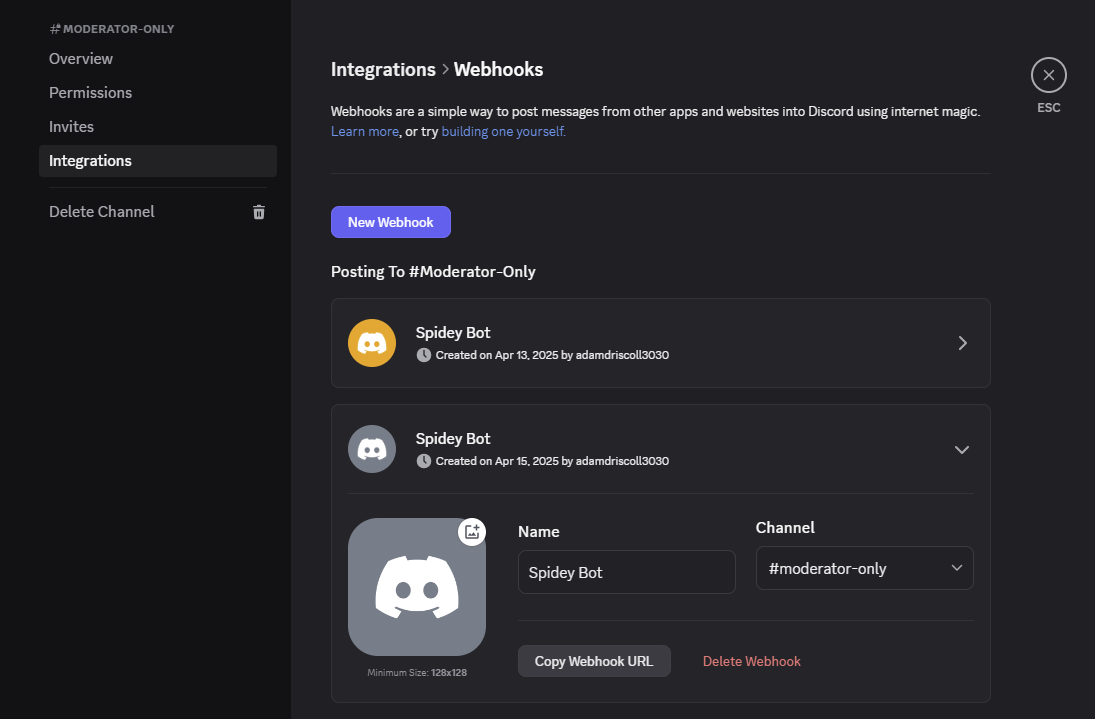
In Discord, you will need to generate a webhook URL to provide to PowerShell Universal. Copy the webhook URL.
Store the webhook as a variable
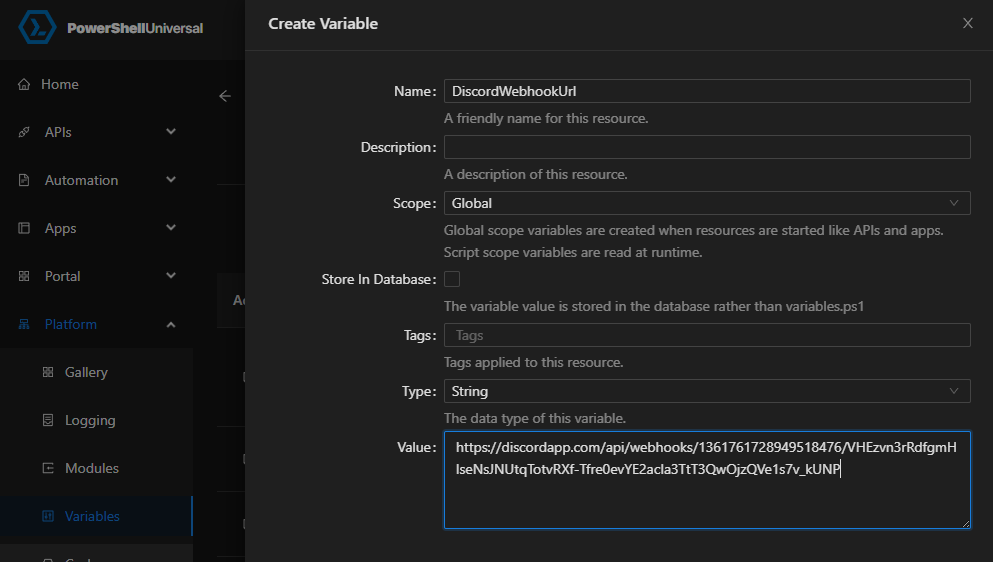
Back in PowerShell Universal, navigate to Platform > Variables and create a new variable named DiscordWebhookUrl.
Create the trigger
Finally, click Automation > Triggers and create a new trigger. Select the trigger event type and the Send-PSUDiscordNotification function as the trigger script.
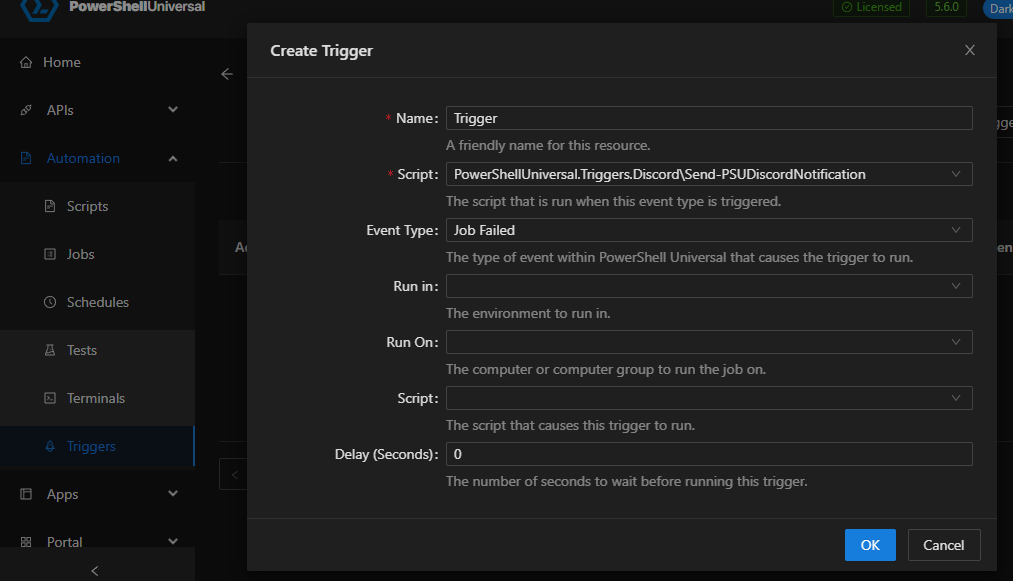
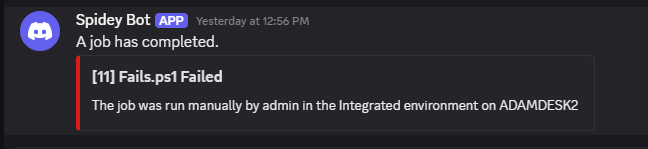
When jobs fail, they will now send a message to your configured webhook channel in your Discord server.
You can find more information about the Discord trigger module on the PowerShell Gallery.
Ready to build? Download PowerShell Universal.