











 Adam Bertram
Have you ever felt like you’re playing a never-ending “Where’s Waldo?” game with your privileged accounts? You’re not alone. Keeping track of every privileged account is often like trying to herd cats—frustrating and seemingly impossible. But what if there was a way to automate this process and bring all those elusive accounts out of hiding?
Enter the custom PAM provider Account discovery feature. This action within a custom PAM provider allows you to shine a searchlight on your identity providers, illuminating every nook and cranny where privileged accounts might be lurking.
Want to try it out? Request a trial of Devolutions PAM here!
The custom PAM provider workflow
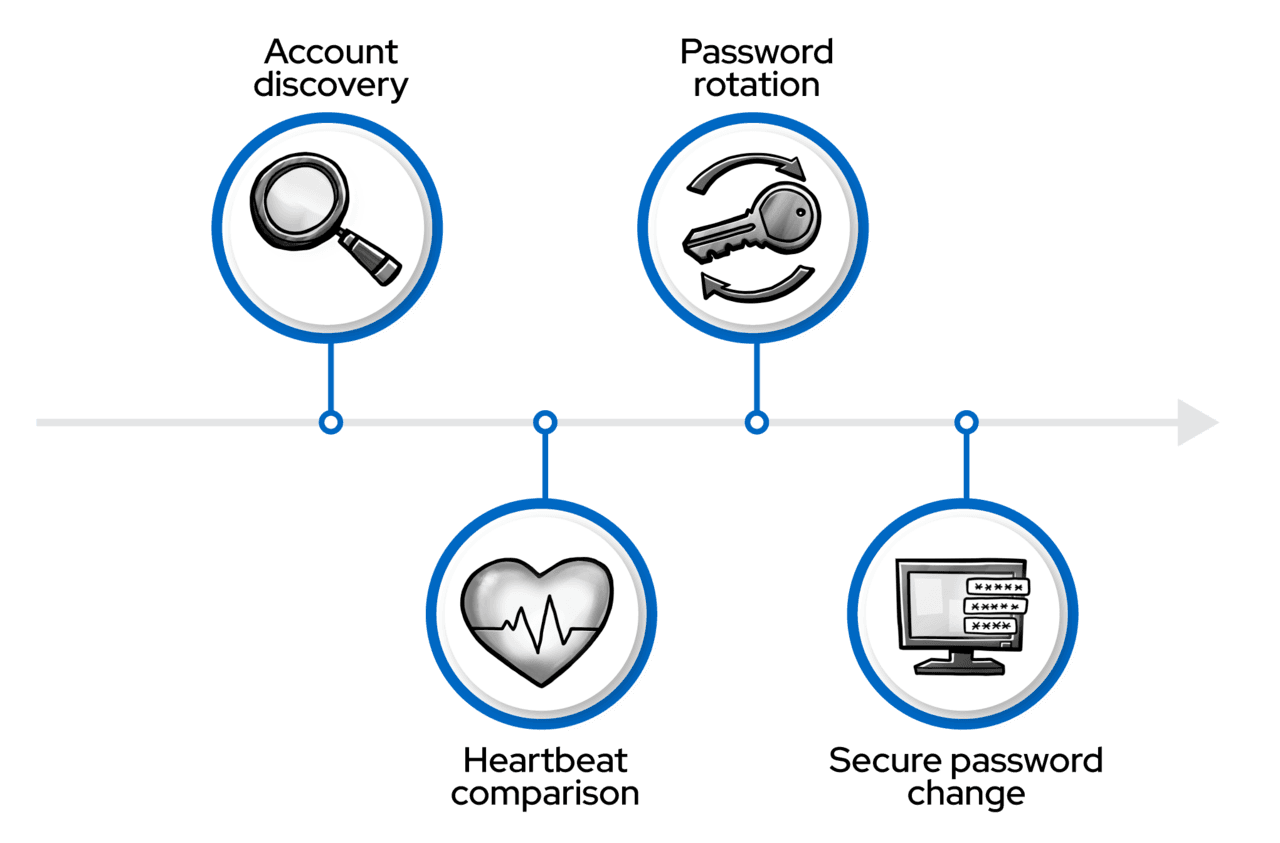
A custom PAM provider allows for four actions that form a comprehensive password management workflow:
- Account discovery: Identifies and catalogs privileged accounts.
- Heartbeat: Verifies if stored passwords match current ones.
- Password rotation: Updates passwords when necessary.
- Propagation: Updates external services and hosts’ stored credentials.
Account discovery is the crucial first step that lays the foundation for effective privileged access management.
The hidden dangers of unknown accounts
Imagine an old administrator account, created years ago for a one-time task, sitting forgotten in a dusty corner of your network. It’s a ticking time bomb of potential security breaches. Manually tracking down these accounts is not just time-consuming; it’s often unfeasible. That’s where a custom PAM provider account discovery steps in to save the day—and potentially your organization’s security posture.
An X-ray vision for your network
A custom PAM provider Account discovery feature doesn’t just find accounts; it collects them into the Devolutions PAM infrastructure to help you inspect and manage privileged accounts. Let’s dive into the technical aspects of how this works.
Discovery in action
Imagine running a targeted scan and, within minutes, having an inventory of privileged accounts: no more guesswork, no more manual audits. See it in action in the GIF further down.
At the heart of the account discovery process is a PowerShell action script that connects to your identity provider and lists all accounts found at a specified location. The action script’s job is to gather a complete inventory of every privileged account on your identity provider.
Here’s a simplified example of what this script might look like for an SQL Server provider:
$connectionString = “Server=$Server\\$Instance,$Port;Database=master;”
if ($ProviderSqlLoginUserName) {
    $connectionString += “User Id=$ProviderSqlLoginUserName;Password=$(ConvertFrom-SecureString $ProviderSqlLoginPassword -AsPlainText);”
} else {
    $connectionString += "Integrated Security=True;"
}

$connection = New-Object System.Data.SqlClient.SqlConnection($connectionString)
$connection.Open()

$command = $connection.CreateCommand()
$command.CommandText = "SELECT name, password_hash FROM sys.sql_logins;"

$reader = $command.ExecuteReader()
$logins = @()
while ($reader.Read()) {
    $logins += [PSCustomObject]@{
        id = $reader['name']
        username = $reader['name']
        secret = $reader['password_hash']—join ''
    }
}

$connection.Close()
$logins
This script connects to an SQL Server instance and retrieves all SQL logins along with their password hashes. The output is structured as a custom PAM provider expects, with id, username, and secret properties for each account.
Configuring the discovery action
In the custom PAM provider template, you define the parameters that the discovery script needs.
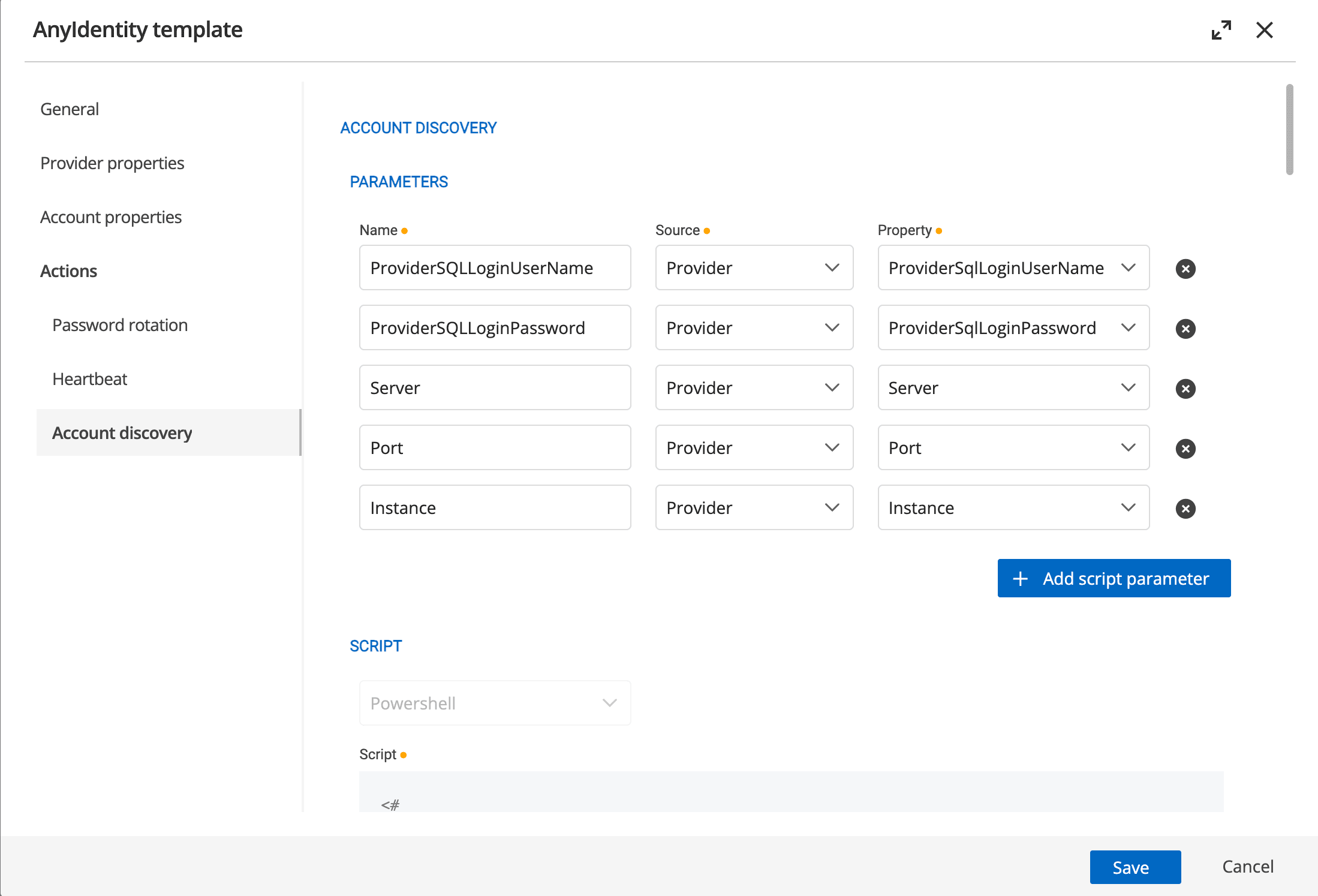
These parameters are mapped to the PowerShell action script’s parameters, allowing for flexible configuration of the discovery process.
Discovery in action
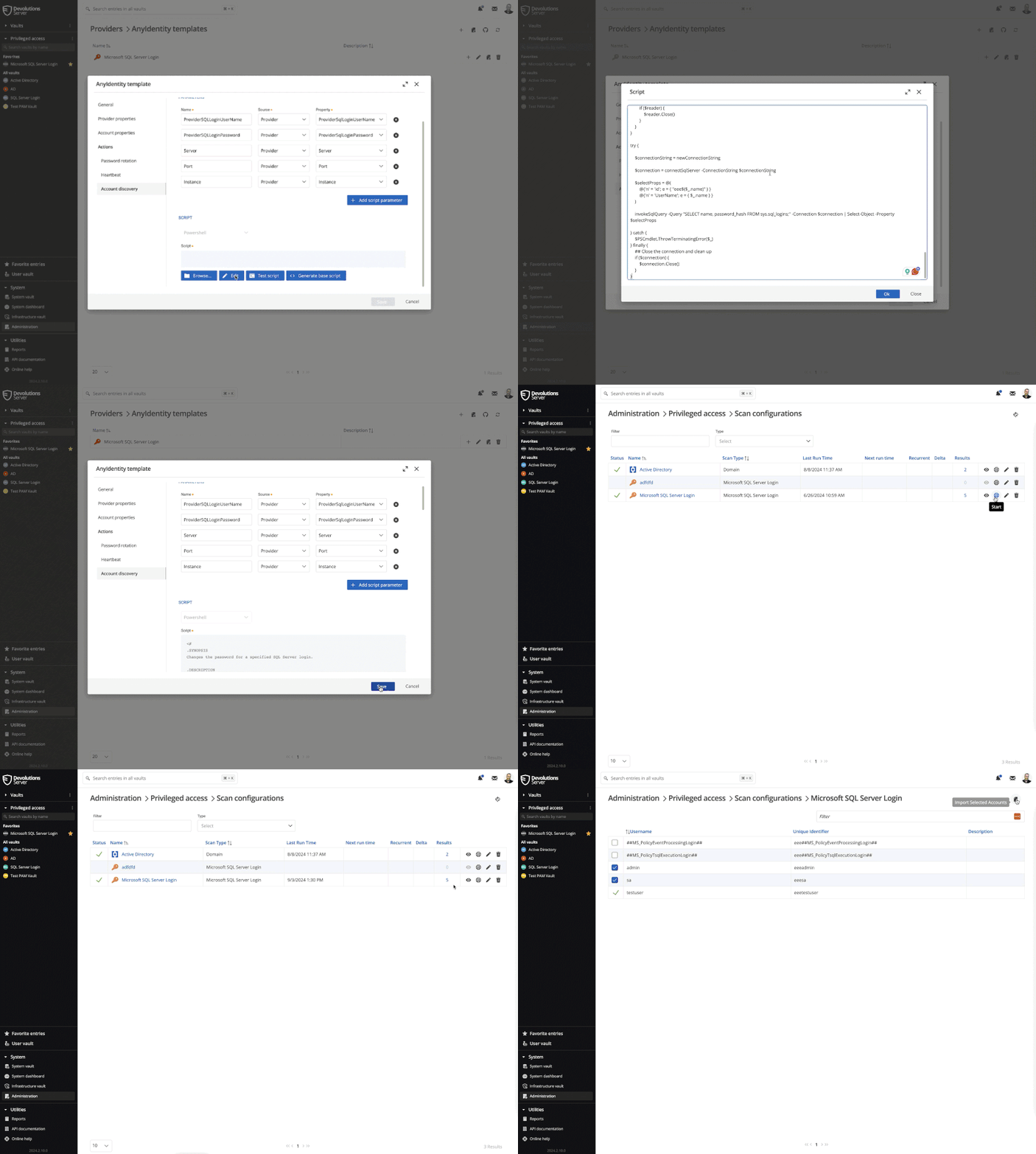
When you create a custom PAM provider from a template, the next step is to create a scan configuration.
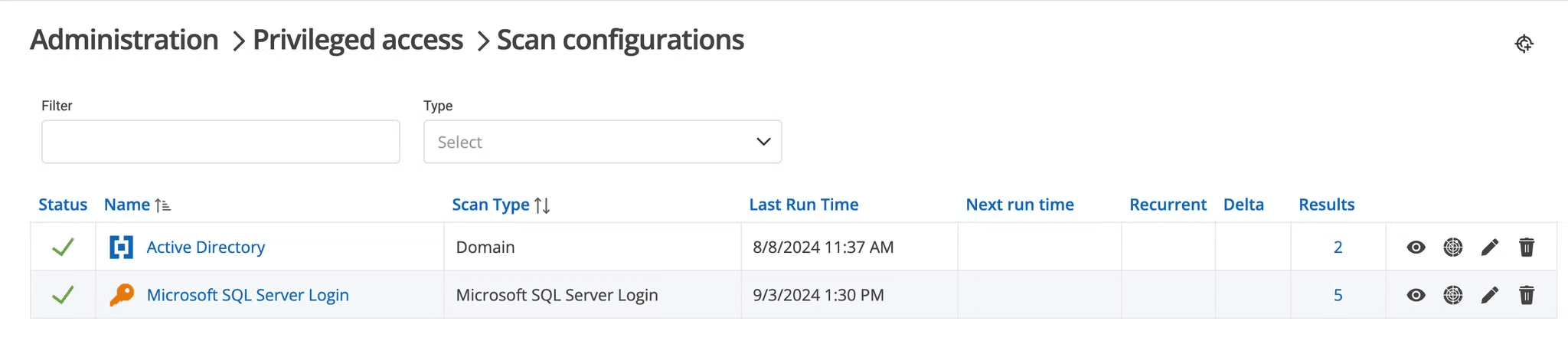
When a scan configuration runs, it will invoke the account discovery action script with the provided parameters:
- Connects to the identity provider (SQL Server in our example).
- Lists all accounts and their associated secrets.
- Returns all discovered accounts to the PAM module in a standardized format.
- Once the accounts are received by the PAM module, they are processed and made available for import into the PAM module.
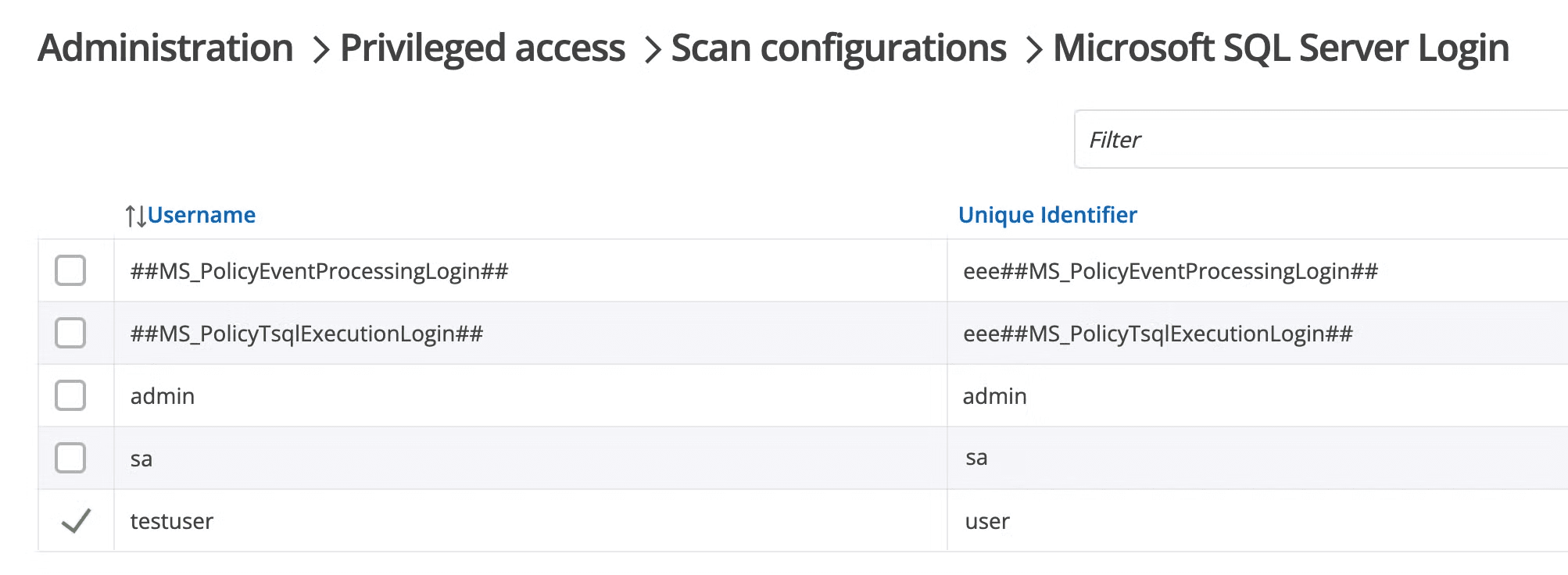
You can get a glimpse of the overall process below.
Teamwork makes the dream work
Account discovery is just the beginning. Once accounts are discovered, the custom PAM provider workflow continues.
- Heartbeat action: Regularly checks if the stored secrets match what’s on the identity provider.
- Password rotation action: Automatically updates passwords when discrepancies are found or based on your defined schedule.
- Password propagation: If configured, connects to remote endpoints and updates stored credentials with the newly changed password
This holistic approach ensures that your privileged accounts are discovered, continuously monitored, and secured.
Your turn to discover
Ready to illuminate your network’s hidden corners? A custom PAM provider Account discovery feature is your first step towards complete visibility and control of your privileged accounts.
If you’re ready to start discovering accounts on your identity providers and taking control with PowerShell customization, request a demo to explore the custom PAM provider, a part of the Devolutions PAM module.

 Marc Beausejour

 Steven Lafortune

 France Lymburner