












 Derick St-Hilaire
Last year, our Business Architect Maurice shared our roadmap for a Privileged Access Management (PAM) solution that is robust, flexible, scalable, and affordable for SMBs.
After a great deal of hard work, testing, and feedback from our amazing community (a.k.a. YOU), I am delighted to announce that all of these objectives have been incorporated as part of a new PAM component, which is integrated into Devolutions Password Server (DPS) 2019.2. Devolutions Password Server (DPS) 2019.2 can now be downloaded right here. Don’t hesitate to contact our support team for assistance in updating your DPS.
Activating the New PAM Component
In order to use the PAM component, it must be activated in DPS. To do this, simply go to the web admin interface, and then follow this path: Administration > Password Server Settings > Privileged Access > Enable PAM. This will immediately unlock a range of PAM features.
Here are the Major PAM Features in DPS 2019.2:
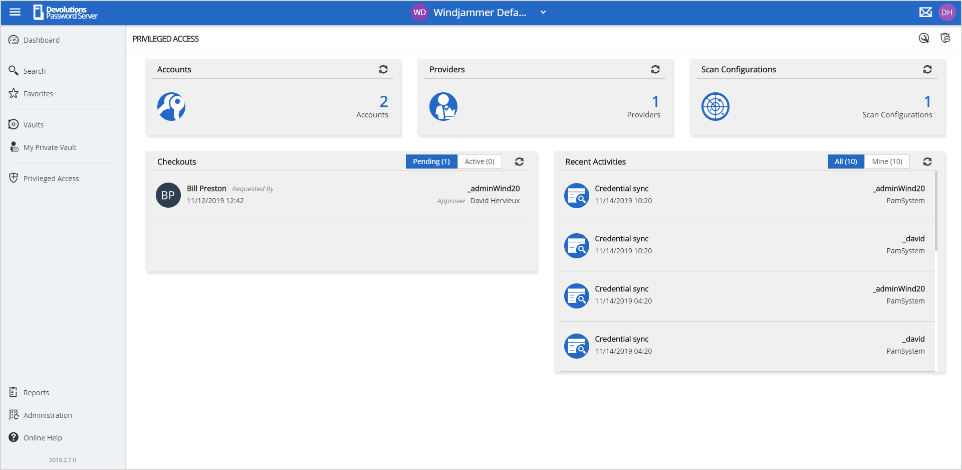
- Account discovery (Active Directory and Ubuntu based systems): You can now review all Active Directory accounts directly from DPS and select which of them are privileged. You can then manage these accounts accordingly.
- Check out approval process on privileged accounts: You can now require users to request access to selected privileged accounts. Administrators can approve or reject requests as appropriate.
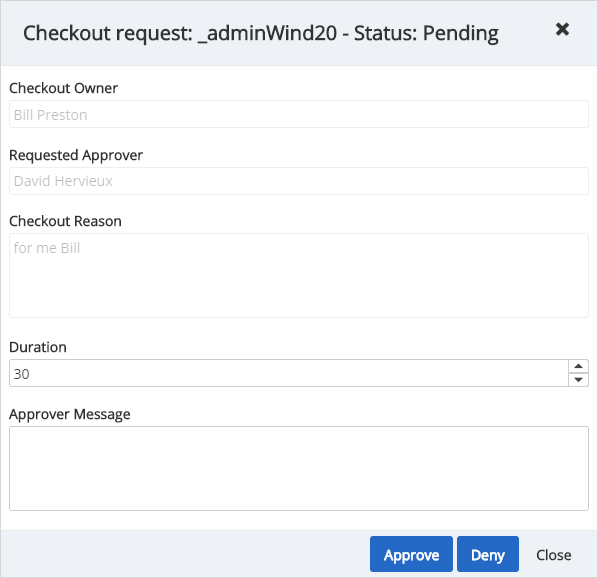
- Automatic password rotation upon check in: After a credential is used, you can now enforce a mandatory password change. You can also enforce mandatory password changes at a scheduled time/date.
Here are the Major Improved Features in DPS 2019.2:
- Ability to set password on DPS console instance: You can now lock your DPS console for enhanced security (this great new feature was the result of a user request – thank you!).
- Add a password policy for custom user accounts: You can now set various password patterns for DPS accounts.
- Email subscription system: You can now subscribe to receive emails when certain events or actions take place regarding entries, users, vaults, roles, and so on. Note: if you previously had notifications set up in DPS, don’t worry, as they have been migrated to the email subscription system.
- Web UI: We have improved the web UI for multiple sections and introduced a new streamlined dashboard for entries.
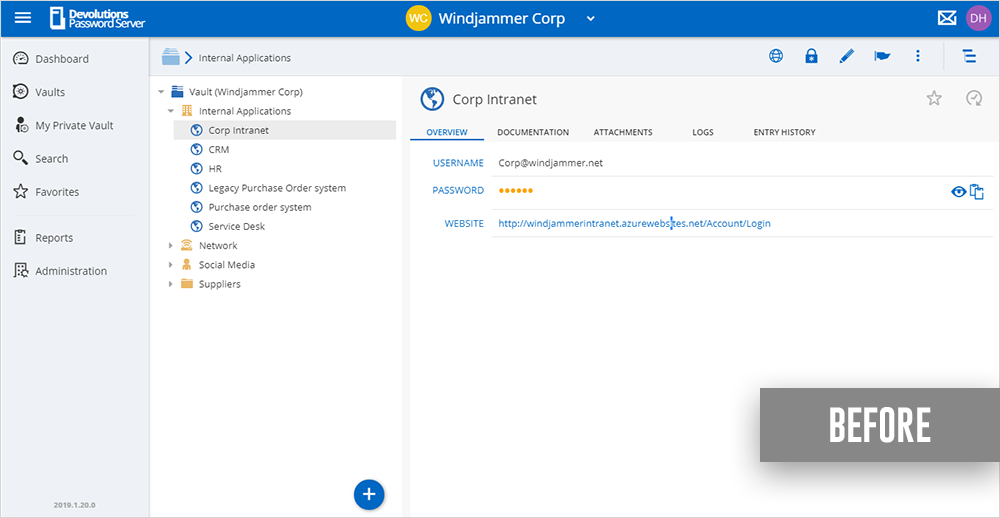
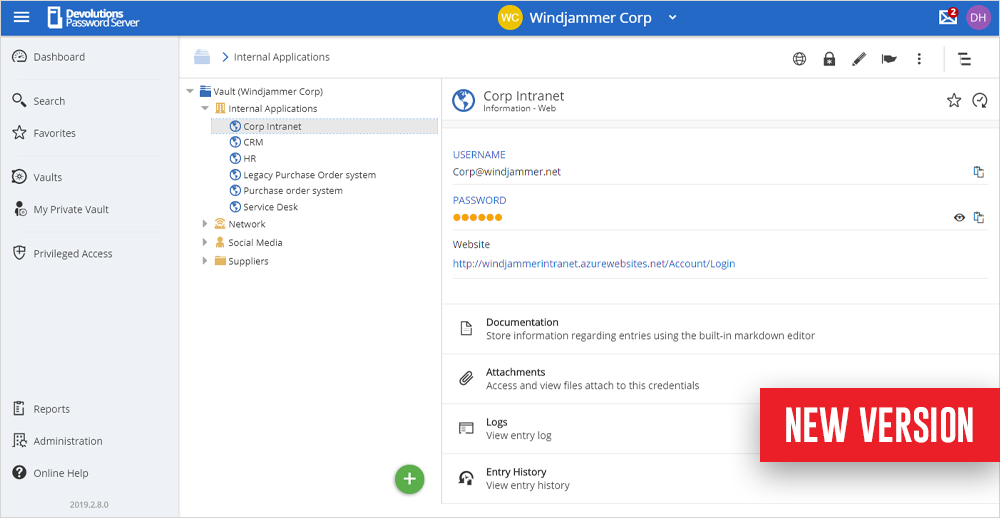
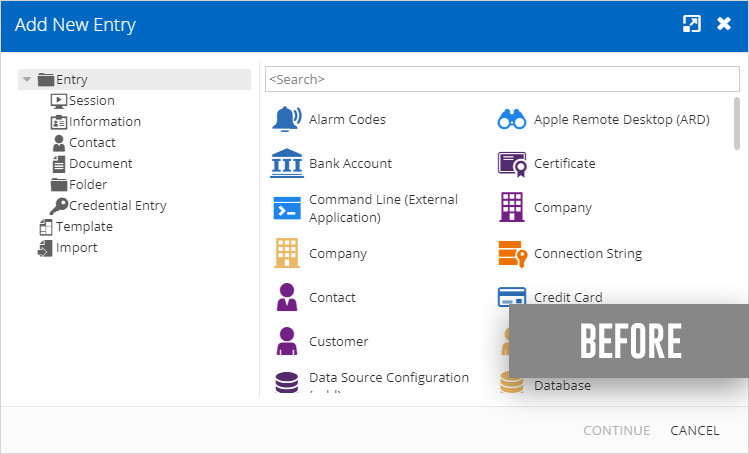
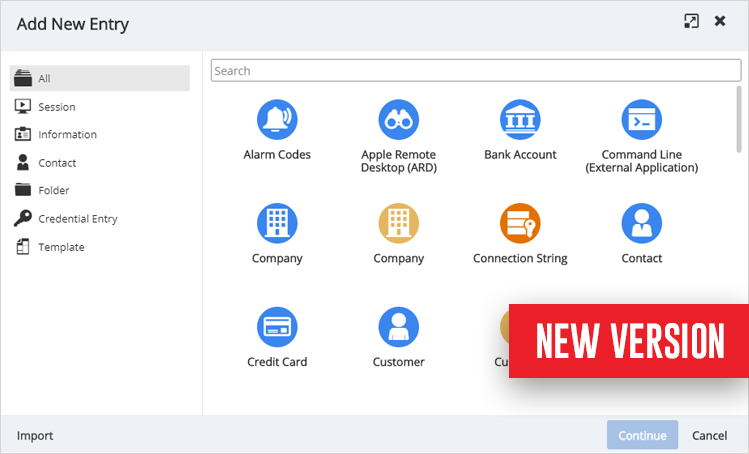
- DPS Console: We have completely re-designed the DPS console, which includes moving many settings from the console to the Web Administration interface to make DPS management easier, faster and more intuitive.
- Stronger Security: We have enhanced encryption at rest for all data by implementing regenerating encryption keys in the DPS Console, which makes data unreadable using direct SQL queries.
Give Us Your Feedback
Please send us your feedback on these new and improved PAM features in DPS 2019.2 by commenting below, posting in the forum, or sending us an email. We are always listening to you!


 Steven Lafortune
 Marc-Andre Moreau