











 Derick St-Hilaire
Devolutions Server offers users a way to manage, store and securely share strong passwords. At the same time, it gives IT departments the power to manage roles, monitor changes, launch remote connections, and even store credentials to import assets. When used in combination with Remote Desktop Manager, Devolutions Server is a key part of a robust Privileged Access Management system.
What’s New in 6.0?
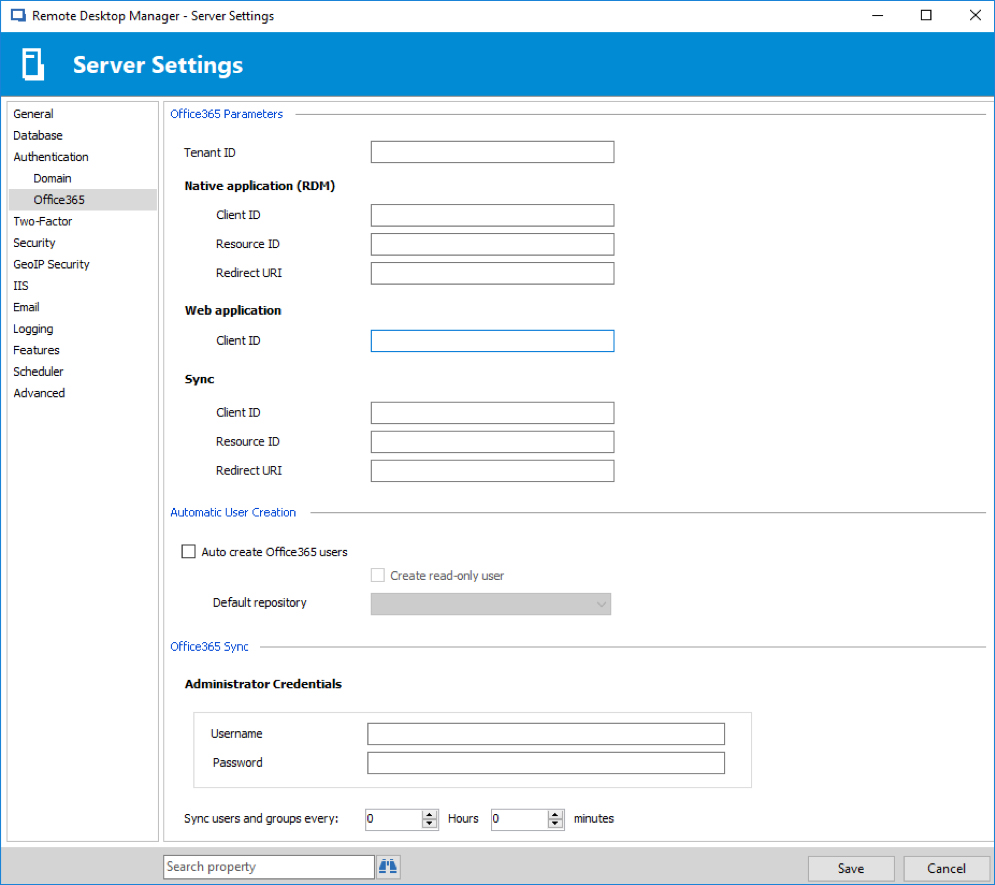
Devolutions Password Server 6.0 features several improvements and additions, including two that I know many IT pros in our community have been waiting for: the ability to connect to an Office365 account and a new Azure configuration login in the DPS console. You asked and we listened!
Of course, these aren’t the only improvements.
Here are some additional features that are new in DVLS 6.0:
- Devolutions Launcher Integration
By now, you’re probably familiar with Devolutions Launcher. DVLS 6.0 is now fully integrated with Devolutions Launcher. As a result, you can launch your connections directly from DPS instead of RDM. There’s also a new setting that lets you choose which launcher to run connections with – Devolutions Launcher or RDM.
- Set Landing Page
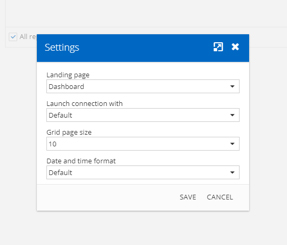
We are thrilled to announce that DVLS 6.0 offers a feature that many IT pros have requested: you can now set the landing page that appears after login. Simply choose your desired destination from the drop-down menu.
- Secure Messaging
It’s now possible to send secure messages to other users. You can also send them credentials, which they can access in their private vault.
- Role Based Access Control: Streamlined & Centralized Permission Management
An important change that DVLS 6.0 brings is the removal of the Security Group section. Some of you shared that you would prefer a leaner way to manage permissions. We’ve listened and have removed the security groups, so that permission can be managed by roles or users in a single location. Permission is now centralized and managed by roles and users. (For those of you that still want to use them, simply check “Use Legacy Security”.)
- Enhanced Reporting
You can now schedule the reports that you’d like to receive. It’s a great option if you need to keep your boss (or bosses) updated, and for auditing and tracking purposes.
- Reset Server Cache
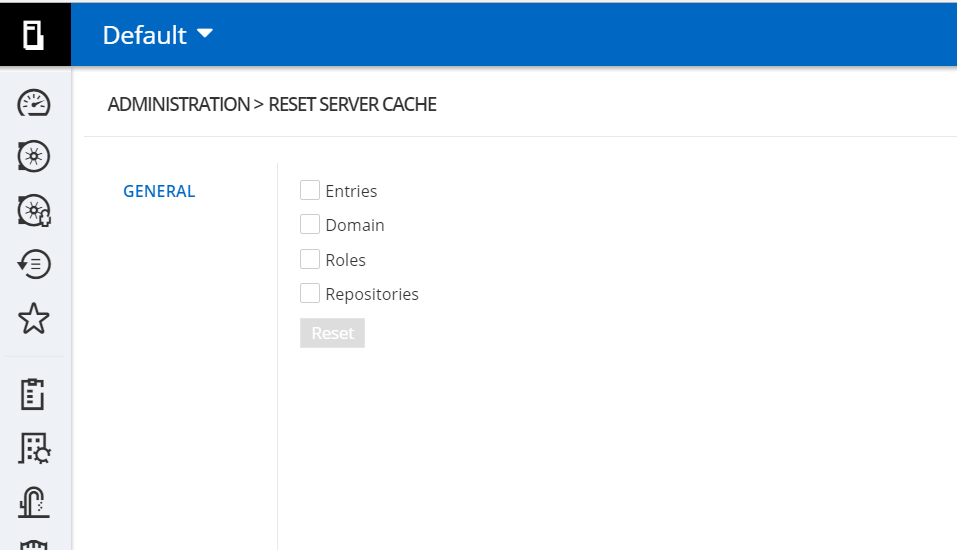
You can now reset your server cache directly from Devolutions Server’s web application. This should make all of the DVLS Administrators happy!
DVLS 6.0 also helps you increase the security in your organization.
New security features include:
- The ability to show a user’s activity logs in the user’s list.
- New logs for when a user opens a report or checks in/checks out from DVLS. Plus, you can get more information through the “Log Details” and “Connection Log”.
- You can now set the time of inactivity that is required to automatically log out an account from DVLS. This helps reduce the risk of insider threats.
DVLS 6.0 also brings many awesome features like:
- Slack integration: You can now automatically post every activity logs in a slack channel
- Active Directory user synchronization: You can now synchronize your AD groups for faster security validations in DVLS
- I’ve been pwned validation: verify if a password that you’re using (or are thinking of using) has been pwned by hackers
- New UI: We worked on the DVLS UI and web interface to make it more fluid and efficient
- And many more new features and improvements like check-in/check-out for sessions and password analyzer in private vault.
How to Get Devolutions Server 6.0
- If you’re interested in learning more about DVLS, you can request a trial or a live demo.
- If you’re ready to add DVLS to your organization, you can buy it here and then download the console.
Share Your Thoughts
We wouldn’t be here without you! That’s why we listen to everything you have to say. Don’t hesitate to contact me or contact our teams on our forum for feature requests, to report bugs, and to share your views and experiences with DVLS 6.0. Your feedback will help us plan DVLS 7.0 (which we’ve already started working on, of course!).

 Steven Lafortune
 Marc-Andre Moreau