











 Max Trottier
Hello everyone, Microsoft Remote Desktop Protocol (RDP) is one of the most commonly uses technology in the world of remote control. Remote Desktop Manager integrates this technology perfectly and also offers you the possibility of using RDP in View Only mode. The View Only mode prevents the session from receiving any input from the keyboard or the mouse, but it only works when you use the embedded display mode. When your RDP session is active, simply select Actions –> View Only to activate this feature. With this option active, you can monitor your machines while preventing manipulation errors. We hope this feature will prevent manipulation errors in your day to day work. The Devolutions Team
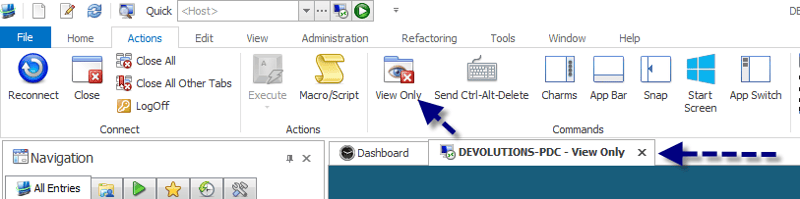
View Only mode in RDP sessions with Remote Desktop Manager
Learn how to use View Only mode in RDP sessions with Remote Desktop Manager. Follow our guide to configure this feature, allowing you to monitor remote machines securely.

 Coralie Lemasson


 Laurence Cadieux