











 Adam Listek
With Devolutions Remote Desktop Manager 2026.1, Devolutions Agent reaches full feature parity with RDM Jump while introducing coexistence support to make migration straightforward. For IT teams using jump hosts, this release marks the right time to standardize on Devolutions Agent as the default; it’s the long-term path forward for remote access infrastructure.
Why Devolutions Agent over RDM Jump
RDM Jump is convenient because it ships alongside RDM; no separate deployment is needed. That convenience comes with a tradeoff: the jump host capability is tightly coupled to the RDM install footprint and upgrade cycle, which limits how independently you can manage it.
Devolutions Agent takes a different approach. It’s an MSI-deployed host component with its own lifecycle, separate from RDM. That means you can deploy it, update it, and manage it through standard software distribution tools, the same way you’d handle any other managed service on a jump host.
Deploying Devolutions Agent
The process is straightforward: install RDM and Devolutions Agent on the target jump host, then point your RDM client at that system. RDM is still required on the jump host; Devolutions Agent facilitates the connection rather than replacing RDM entirely. Think of it as swapping out the RDM Jump executable for Devolutions Agent; the overall setup and user experience remain broadly the same.
The RDP Extension, which is what enables the RDM Jump replacement functionality, is installed by default, so no special option selection is required during installation. You can optionally add Gateway Updater or Devolutions PEDM, depending on your environment.
How it works under the hood
When you open a connection through a jump host, RDM opens a virtual channel over RDP from the client to the remote RDM Jump service or Devolutions Agent. The jump service or agent then hands the connection off to RDM on the jump host, which serializes it and opens the final session.
The Jump feature does not bypass Microsoft licensing limits for more than two concurrent RDP sessions. To support additional connections, you must install the Remote Desktop Session Host role and purchase per-user RDS CALs. For details, see Microsoft: Activate the Remote Desktop Services license server.
Devolutions Agent replaces the RDM Jump executable in that handoff process; the underlying protocol is completely different, but the experience for operators is the same. Existing documentation recommendations for the jump host (such as hiding the treeview and ribbon to create a more seamless experience) still apply.
For consistent rollouts across multiple jump hosts, Devolutions Agent supports several deployment methods. Choose the method that fits your existing workflow.
- MSI for direct deployment or integration with software management platforms
- Chocolatey will soon have an updated package for IT professionals already using that method
- WinGet is available now with the updated package
Choosing your mode in RDM
On the RDM side, a dropdown on each jump host entry lets you choose between Devolutions Agent and Legacy (RDM Jump). A global setting to apply a default across all jump hosts is also available as of 2026.1.
There is an Automatic option that attempts to use Devolutions Agent first and falls back to Legacy if needed; however, its current (base 2026.1) behavior is the same as Legacy, as full support is not yet enabled. Until Automatic is fully implemented, explicitly select the Devolutions Agent on jump hosts where you have deployed it.
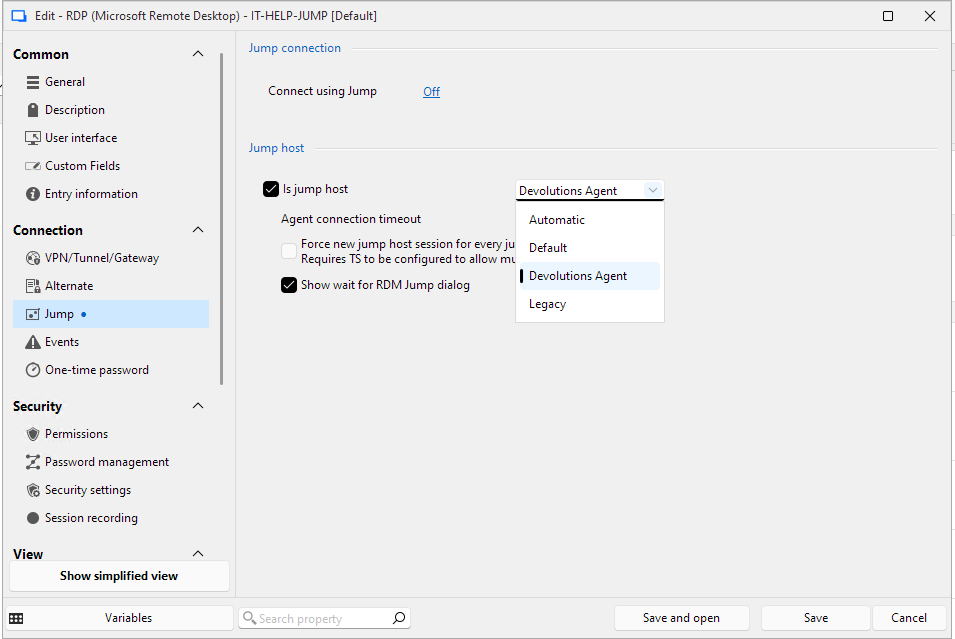
Before deploying Devolutions Agent, make sure the Jump host is running RDM 2026.1+. If it’s still on an older version (such as 2025.3), you may encounter an error.
Using coexistence to migrate
RDM Jump and Devolutions Agent can run side-by-side in 2026.1. That means you don’t need a full cutover on day one. Pilot Devolutions Agent on a subset of jump hosts, validate the workflows your team depends on, then expand from there. Devolutions Agent is the recommended configuration going forward.
Session focus synchronization
One concrete improvement Devolutions Agent brings is session focus synchronization: the selected session in the treeview of your RDM client will automatically follow the focus of sessions on the jump host. For operators running multiple parallel sessions across a jump host, this reduces ambiguity and helps prevent “wrong session” mistakes that are easy to make when managing several open connections at once.
Fire and forget scripting
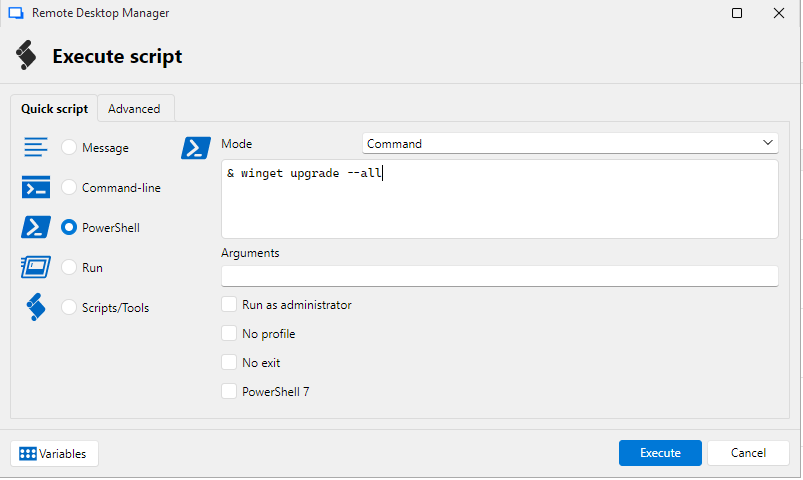
Teams that relied on fire-and-forget script execution patterns with RDM Jump will find the same behavior available in Devolutions Agent by right-clicking on a jump session and choosing Devolutions Agent → Execute Script. Validate it during your pilot and document the setting internally so your RDM users know what to expect.
Tell us what you think
Have questions or feedback about the Devolutions Agent rollout in 2026.1? Leave a comment below, we’d love to hear how your team is planning the transition.
Ready to get started? Download Devolutions Agent and explore how it fits into your Jump host environment.