











 Marc Beausejour
For organizations using Lansweeper(an IT asset management platform that discovers, analyzes, and manages hardware, software, and network assets across environments) keeping track of IT assets and ensuring efficient management is a critical part of maintaining operational efficiency. However, managing these assets across disconnected platforms can create gaps in visibility and hinder productivity. The Lansweeper synchronizer in Remote Desktop Manager (RDM) eliminates these challenges by automating the integration of Lansweeper assets into RDM, offering a seamless way to consolidate, manage, and secure your IT environment.
This article explores the key benefits of the Lansweeper synchronizer and provides a step-by-step guide for easily configuring it.
What is the RDM Lansweeper synchronizer?
The Lansweeper synchronizer is an entry type within RDM designed to sync assets from Lansweeper into RDM. By doing so, it streamlines the process of accessing and managing endpoints and devices that require direct management using native protocols. This integration transforms RDM into a centralized hub for your IT asset management, ensuring you always have the most up-to-date information at your fingertips.
Advantages of using the RDM Lansweeper synchronizer
- Unified asset management: The Lansweeper synchronizer consolidates IT assets into RDM, providing a single pane of glass for remote desktop sessions. With RDM’s built-in scripting and automation tools, managing assets becomes more streamlined and efficient.
- Simplified access control: Using RDM’s fine-grained access control mechanisms, administrators can delegate permissions for Lansweeper-synced entries, ensuring that only authorized users have access to the systems needed to perform their jobs.
- Automated synchronization: Keeping your asset data current is essential for effective management. The Lansweeper synchronizer automates this process by syncing assets at defined intervals, ensuring that the latest updates to Lansweeper are always reflected in RDM.
- Single source of truth: RDM serves as your standard bearer for IT maintenance, consolidating all new and existing Lansweeper assets into a single, unified platform. This centralization enhances visibility, reduces the risk of errors, and facilitates consistent application of security policies across your infrastructure.
How to use the RDM Lansweeper synchronizer
To configure the Lansweeper synchronizer in RDM, simply follow these steps:
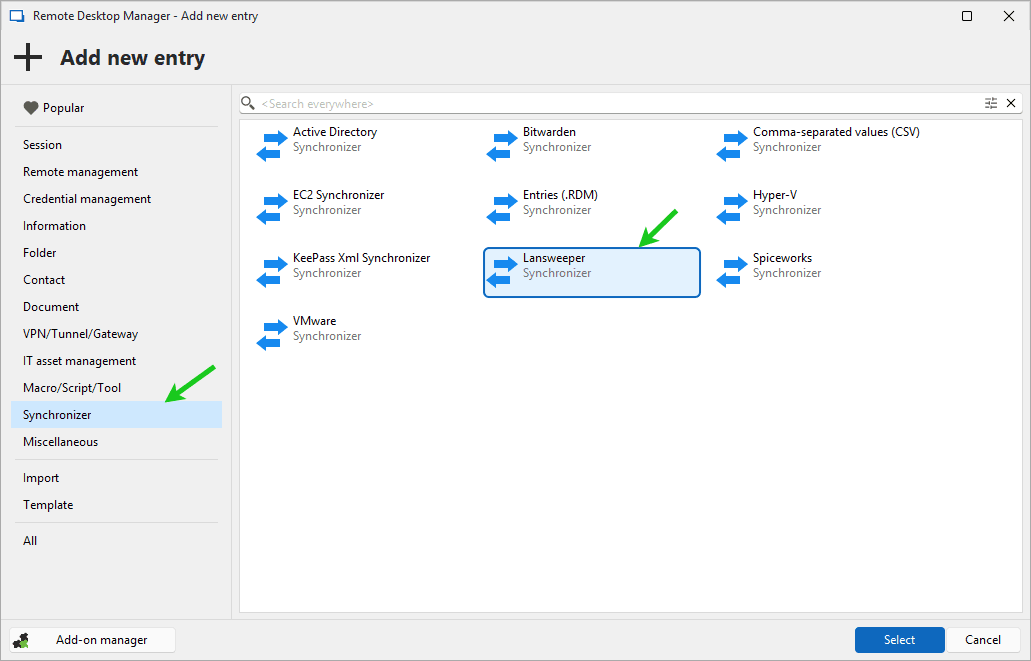
- Create a Lansweeper synchronizer entry: Open RDM and navigate to
Edit > Add new entry > Synchronizerand select the Lansweeper synchronizer.
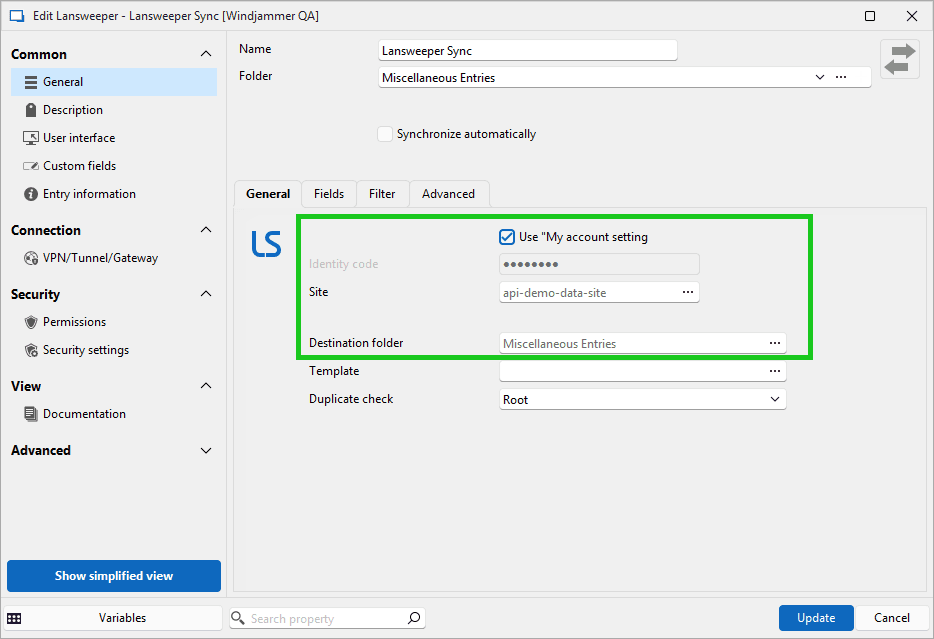
- Enter your Lansweeper application identity code, which you can obtain by authorizing a personal application on your Lansweeper site. Then, select the desired Lansweeper site and specify the destination folder in RDM where synced entries will be stored. You can securely save both your identity code and Lansweeper credentials in
File > My account settings > Lansweeper(see our documentation to learn more about configuring accounts).
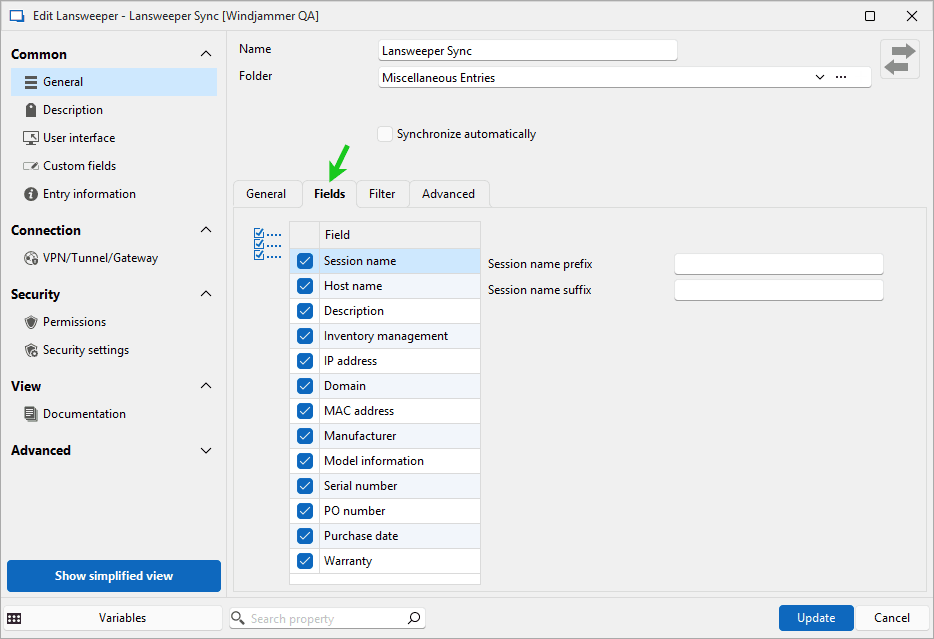
- In the Fields tab, select the attributes you want synced with entries.
- Use the Filters tab to narrow down the entries you want to sync. This feature allows you to exclude unnecessary data and focus on the assets that you want to use and manage in RDM.
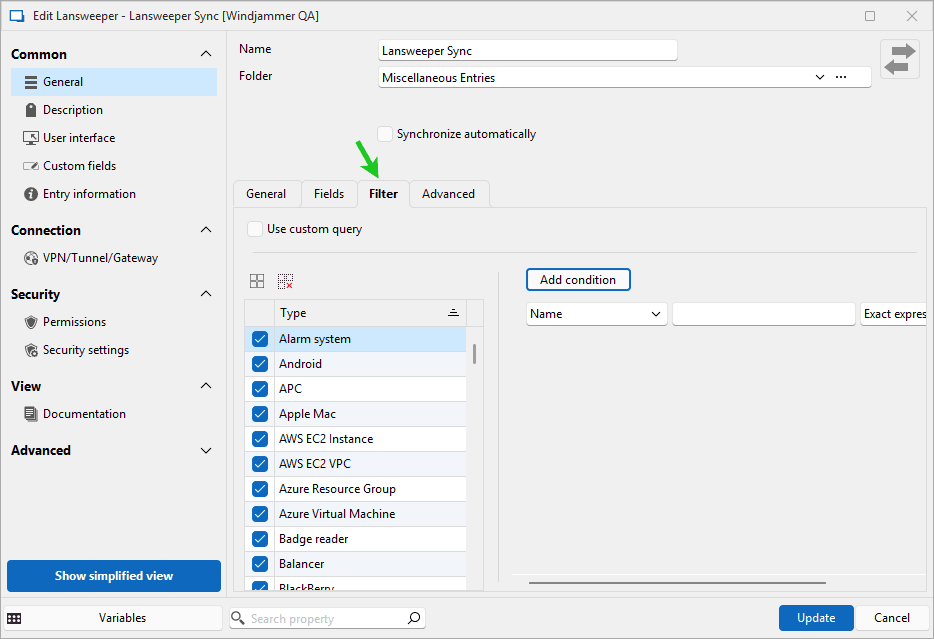
Once configuration is complete, run the sync process. Newly created entries from Lansweeper will now appear in RDM, ready for use.
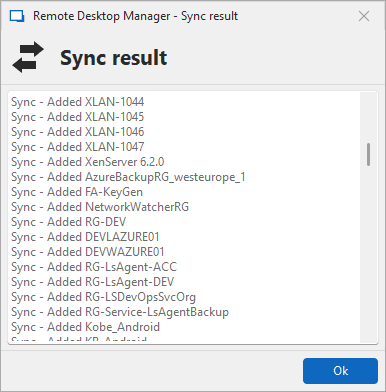
Enhancing IT management with the Lansweeper synchronizer
The Lansweeper synchronizer in Remote Desktop Manager is a robust solution for organizations seeking to unify and simplify IT asset management. By automating synchronization and enabling centralized access control, RDM empowers IT teams to work more efficiently and securely.
Start a trial today and discover how the Lansweeper synchronizer can transform your IT operations.


 Steven Lafortune
 France Lymburner