
 France Lymburner
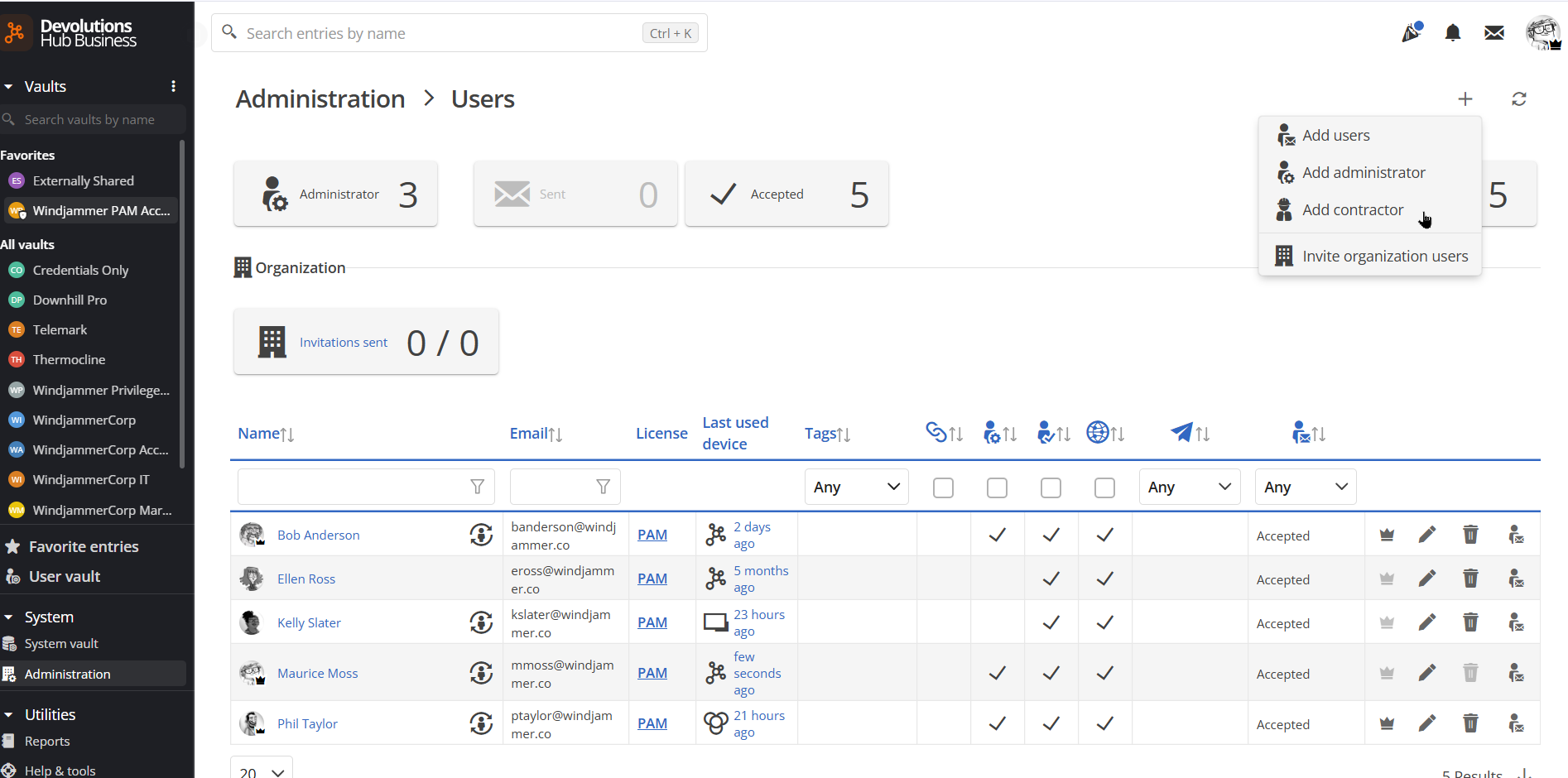
Organizations often need to grant access to external users such as consultants, partners, vendors, and contractors, without fully onboarding them into the organization’s identity provider or SSO environment. That’s exactly what the new Contractor user type is designed to support.
Make it clear and controlled for IT and security teams
Available in both cloud-hosted (Hub Business) and self-hosted (DVLS) vaults, Contractor accounts give IT teams a cleaner way to manage external users.
In the latest version 2026.1, the feature builds on the existing user model rather than introducing a separate account framework. In Devolutions Server, Contractor accounts rely on the current Devolutions Server User mode, and in Devolutions Hub Business, they follow the Devolutions account approach already in place.
Contractor accounts also have mandatory expiration dates, which gives administrators a more practical way to manage temporary access. When access is tied to a contract, an engagement, or a limited scope of work, adding an expiration date helps teams keep account lifecycles aligned with real operational needs.
The practical value is in the administrative experience: external users are easier to identify and manage directly in the interface.
Make it easier for external users to do their work
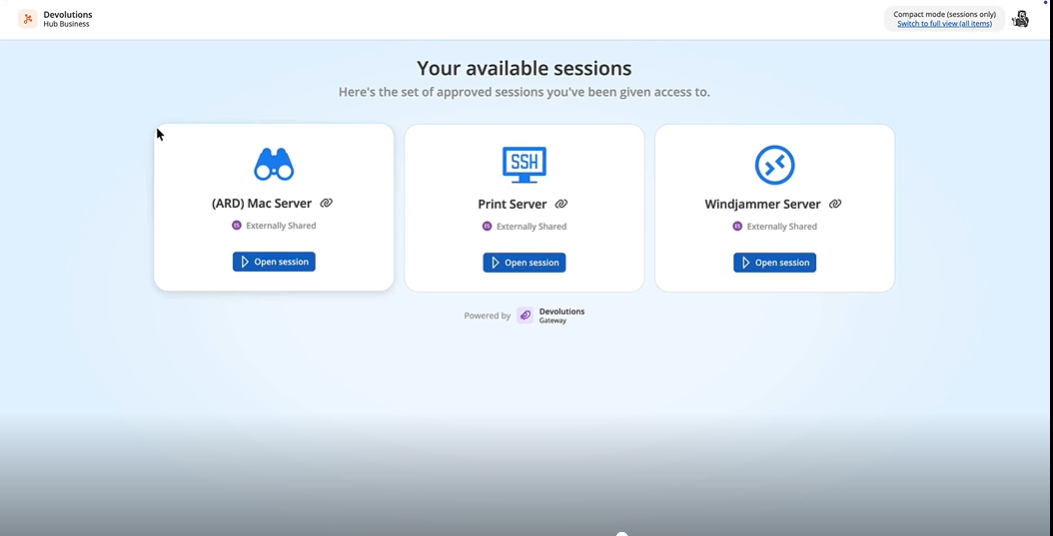
Contractor accounts also simplify access for external users. Because the Contractor user type is part of the vault, users can quickly access the resources and sessions assigned to them through the web interface in Devolutions Hub Business and Devolutions Server. With Devolutions Gateway in place, they can launch sessions directly in the browser, including RDP, VNC, SSH, Telnet, PowerShell Remote, ARD, and Host sessions, giving organizations a practical way to provide external access without adding unnecessary complexity to the user experience.
In Devolutions Hub Business, contractors benefit from a focused, compact dashboard that displays up to three sessions for quick access. That targeted view helps external users get to the sessions they need faster, without unnecessary distraction.
This makes the experience easier to use while keeping access tightly scoped.
Want to see the full flow in action? Watch the walkthrough.
Practical value for PAM scenarios
For organizations using Devolutions PAM, there’s an additional benefit: contractors can launch remote sessions that require a PAM account without extra steps. If a contractor is assigned to a remote access management license, they can use PAM in read-only mode to execute sessions. This gives teams a practical way to extend access to external users while maintaining tighter control over how that access is used.
Simpler access, tighter governance
Contractor accounts provide a clearer and more efficient approach to third-party access management in Devolutions Server and Devolutions Hub Business. They help IT and security teams support external users without adding unnecessary identity overhead, while keeping administration simple and access tightly scoped.
Ready to try it? Head to the Download center to get started with Hub Business (cloud, no installation needed) or Devolutions Server (self-hosted).

 Marc Beausejour

 Steven Lafortune