 Adam Listek
We are excited to announce that Delinea Secret Server’s single sign-on (SSO) is now supported in Remote Desktop Manager (as of v2023.3.24.0).
Configuration Steps
Configuring Remote Desktop Manager to use Delinea Secret Server’s SSO is a fast and easy process. Here are the steps:
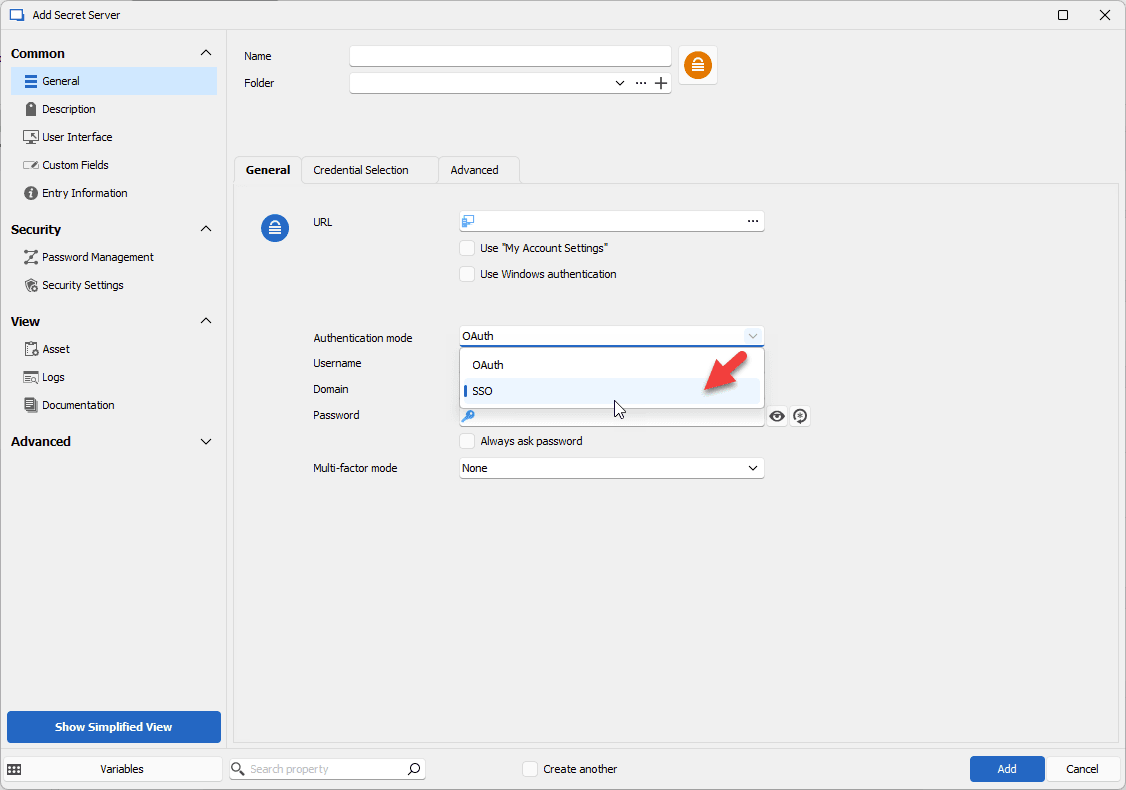
- In the settings for your Secret Server entry, change the Authentication Mode to SSO.
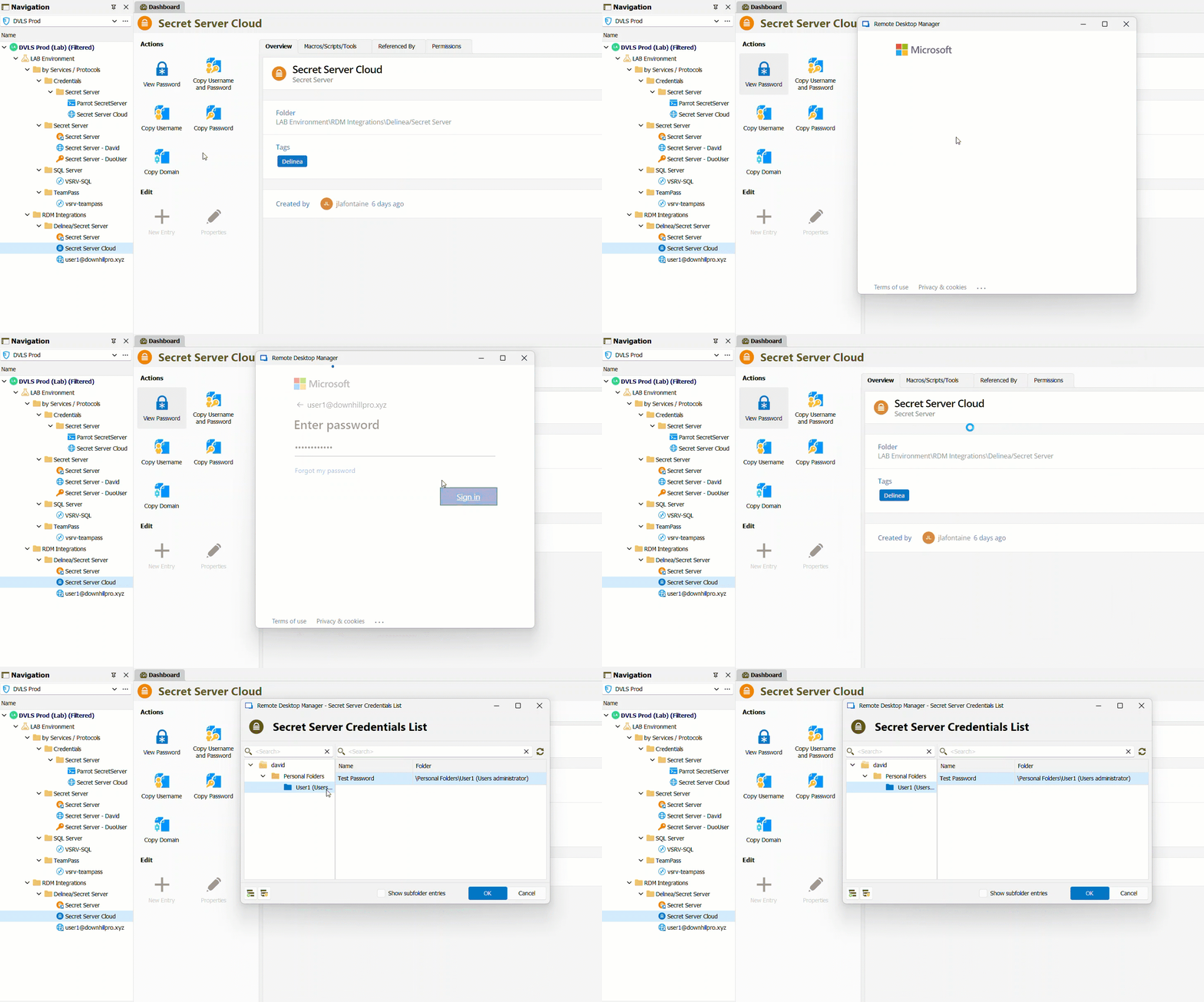
- Open a connection that is linked to your Secret Server entry. This will launch a browser window.
- You will be prompted to select an account to authenticate with. Enter your Secret Server login credentials. In the screenshot example below we use Microsoft Entra ID (formerly Azure AD).
And that’s it! From within Remote Desktop Manager, you will be able to see the Secret Server credentials that you can access.
SSO mode will work with cloud and self-hosted (on-premises) instances. If SSO is selected but not supported, then Remote Desktop Manager will default to OAuth authentication and users will need to enter their username and password manually.
Additional Support
For a detailed look (including screenshots) at how to configure entries in Remote Desktop Manager to use Secret Server credentials, please see our Secret Server entry configuration guide.
If you require additional guidance, please get in touch with our Support Team and we will be happy to help!
Send Us Your Feedback
Please share your thoughts on this improvement to Remote Desktop Manager. We are always listening to you, and rely on your input to make ongoing enhancements.

 Steven Lafortune

 Coralie Lemasson