











 Marc Beausejour
The solo edition of Remote Desktop Manager (RDM) provides strong utility, especially for independent IT professionals. Before investing in an upgrade, ensure you’re fully leveraging RDM Free’s core capabilities and integrations. If you require greater collaboration and control, it may be time to explore the team edition. Let’s review some key features to help you make an informed decision.
Powerful & essential capabilities in RDM Free
Even seasoned RDM users might be surprised at the robust features available in RDM Free:
- Comprehensive session management: Centralize and manage remote sessions including RDP, SSH, VNC, ARD, SFTP, PowerShell, Telnet, web apps, and more from a single interface.
- Basic password management: Securely store credentials and streamline your login processes.
- Powerful integrations: Integrate popular tools like TeamViewer, Dell iDRAC, HP iLO, VMware, Proxmox, among others, directly within RDM Free.
- Elevate your usage: Lesser-known features can deliver significant efficiency and convenience. Features like tags, events, and remote tools are all included in the solo edition of Remote Desktop Manager.
Excited already and want to get started right away? Download RDM Free Now!
Unmatched integration options in RDM Free
RDM Free excels in integrations designed to enhance your productivity and streamline your workflows:
- Azure Bastion & Azure Virtual Desktop: Connect securely to your Azure virtual machines through Azure Bastion, and efficiently connect to Azure Virtual Desktop environments.
- PowerShell integration: Automate tasks, customize workflows, and launch scripts directly from RDM using built-in PowerShell support.
- SQL database management: Run queries and manage databases, tables, roles, services, and SQL jobs—directly within Remote Desktop Manager, without switching between multiple tools.
- File transfer tools: Integrations with FileZilla and WinSCP simplify secure file transfers directly from RDM. You can take advantage of the newly revamped built-in SFTP explorer!
- VPN management: Configure and launch VPN sessions with common VPN providers like Cisco AnyConnect, Forticlient, Open VPN and many others directly in the RDM interface.
This is only the beginning, you can explore all available integrations in our integration center.
Practical ways to elevate your RDM setup
Let’s take a step further and explore overlooked workflows and settings that can help you save time, reduce errors, and boost consistency—whether you’re using the solo or team edition.
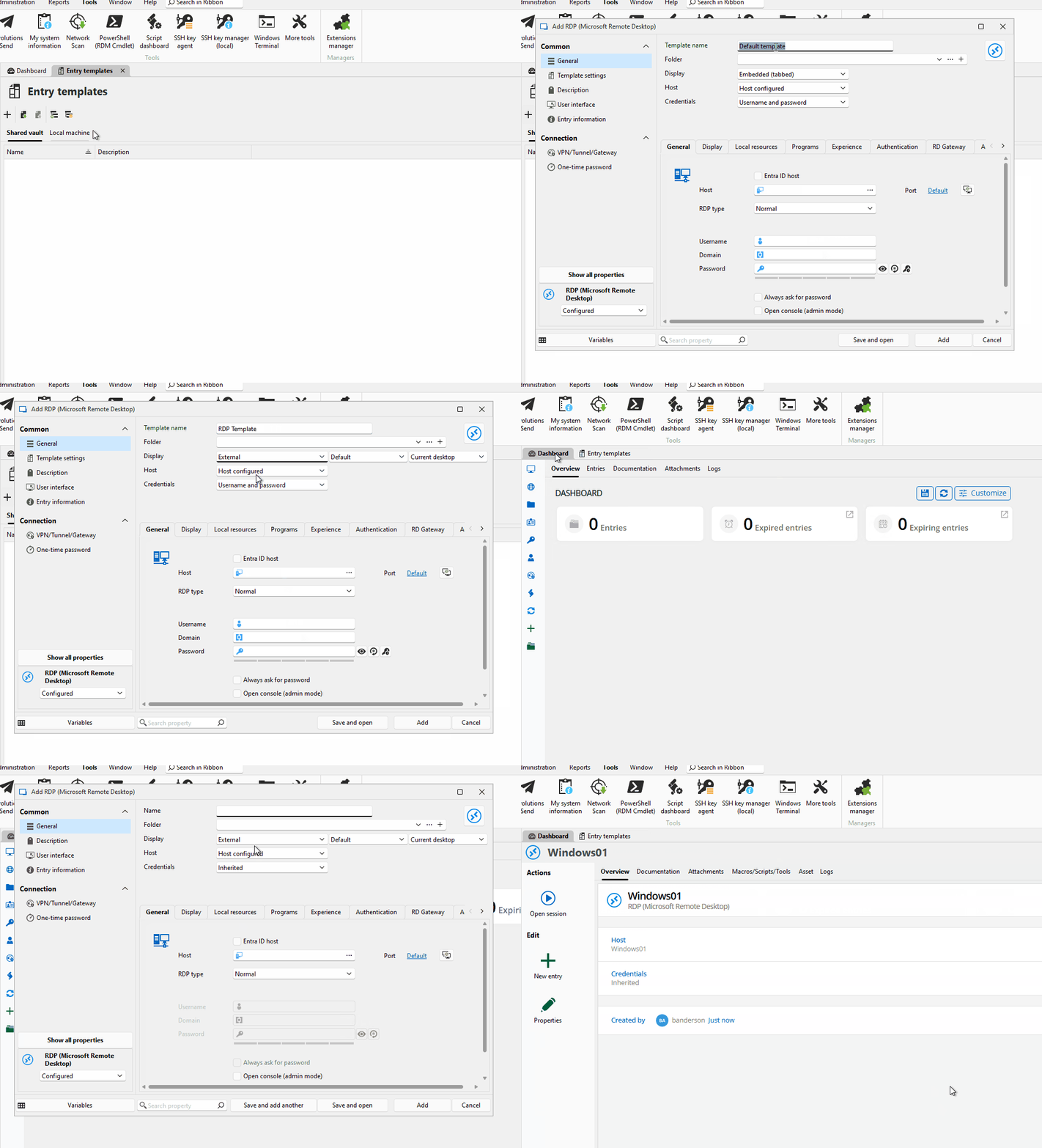
- Session templates & bulk creation: Eliminate repetitive setup by using templates and synchronizers to create entries more efficiently.
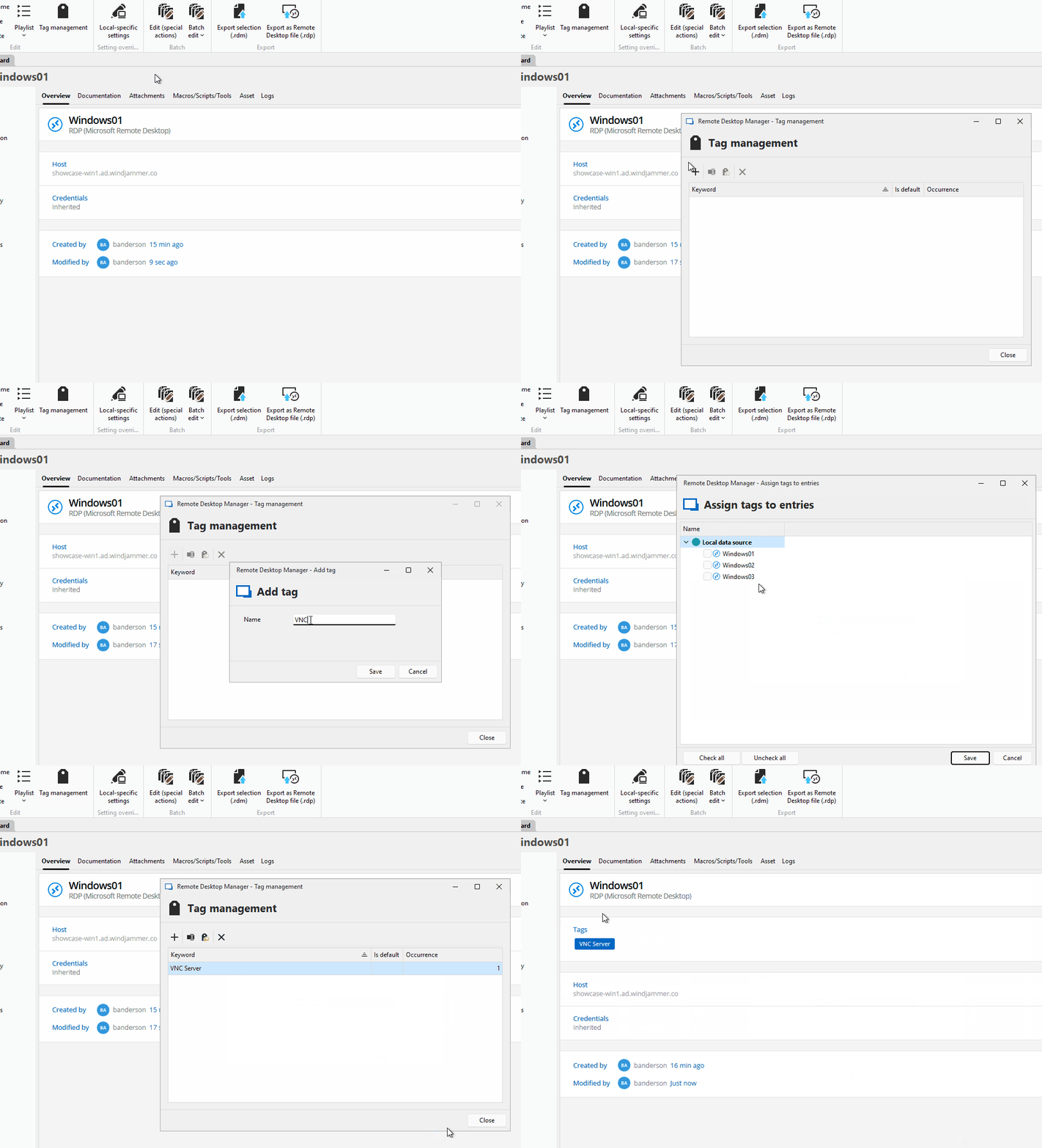
- Better folder organization: Use tag management, filters, and favorites to quickly locate important assets.
Try these features now — Download RDM solo edition for free
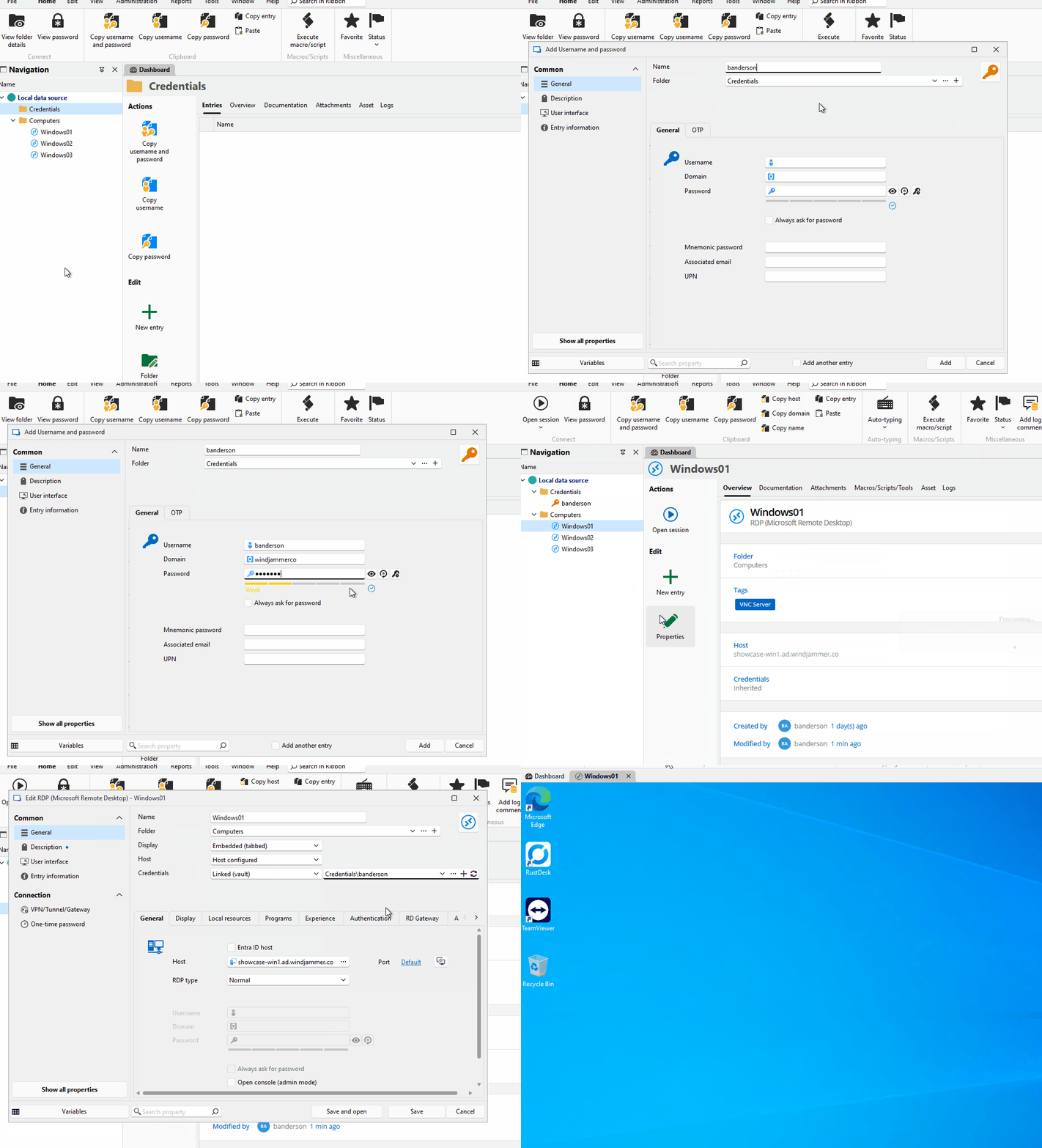
- Credential linking for consistency: Reduce duplication and errors by centralizing credential management.
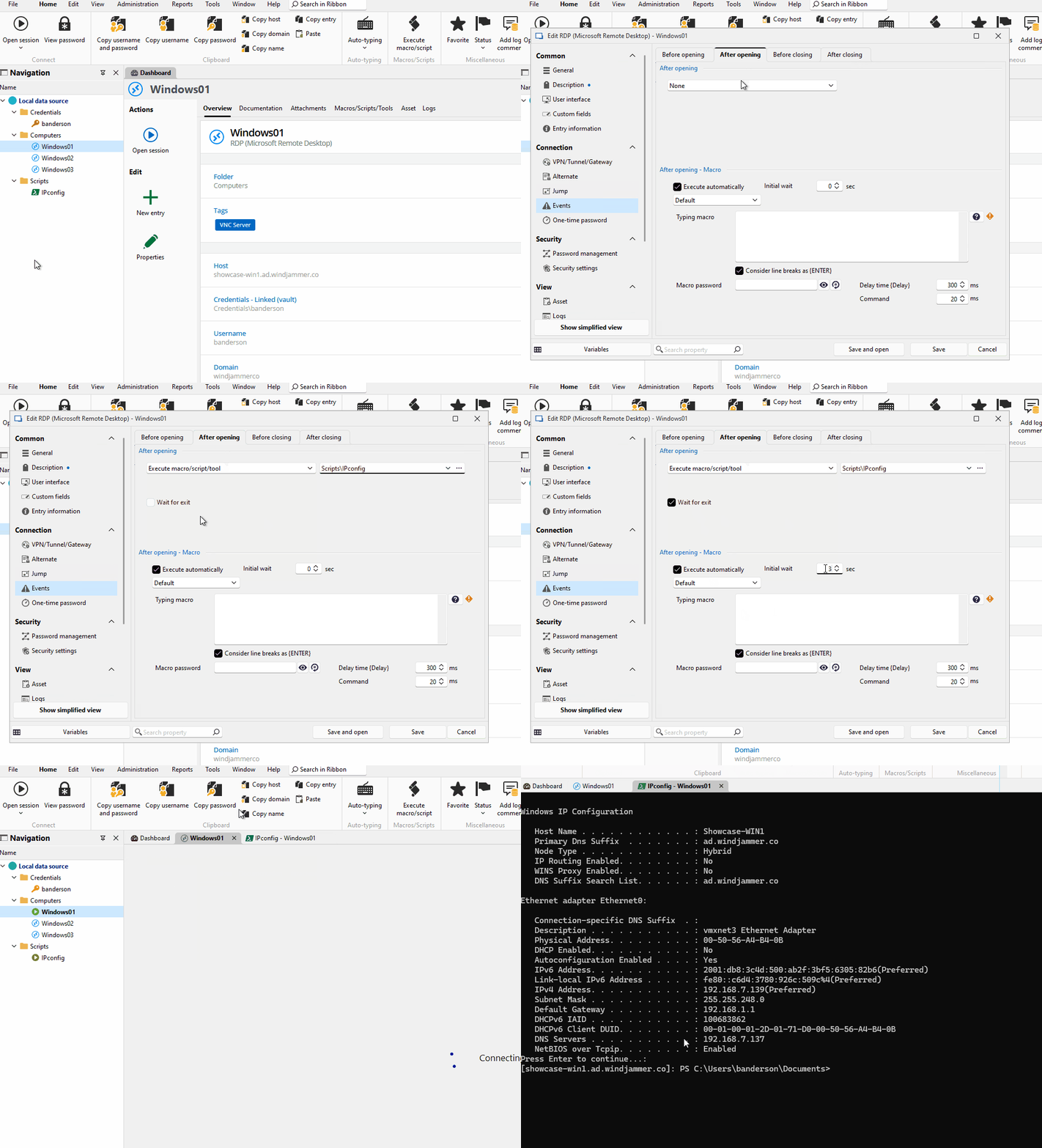
- Add custom events to sessions: Customize your remote connections workflows even further by adding custom events that run before, during or after a connection occurs.
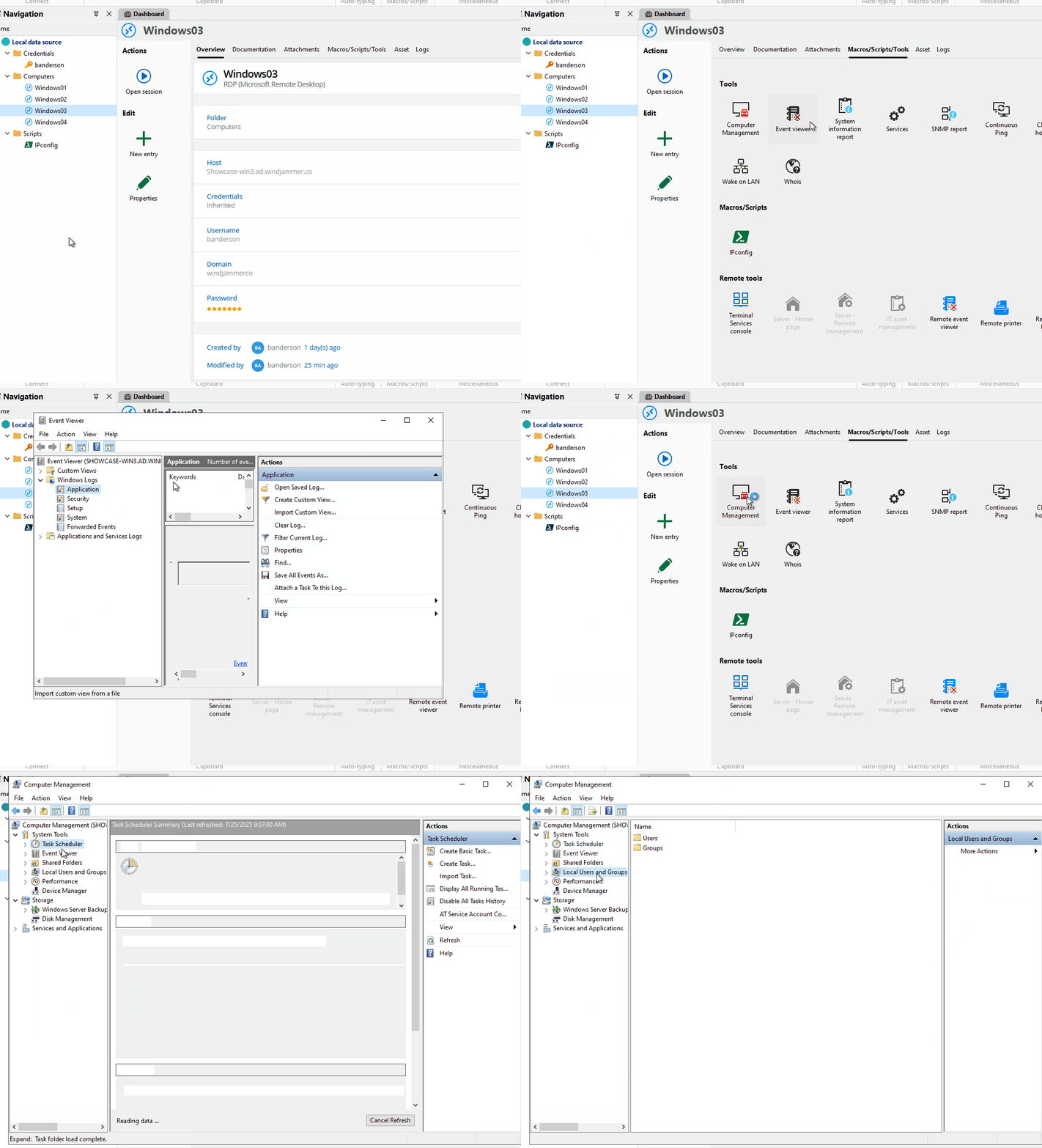
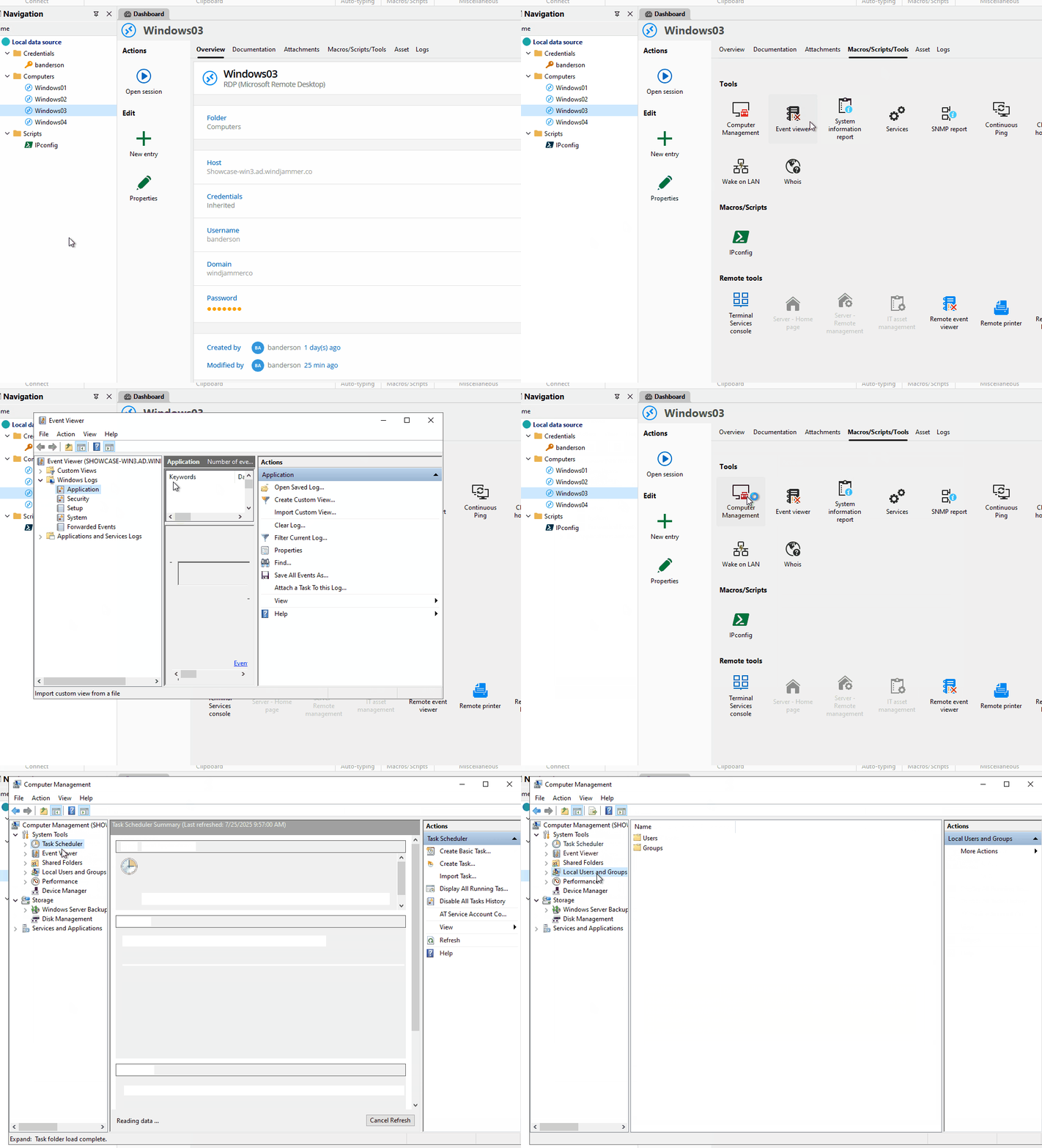
- Remote tools: Open remote tools such as the event viewer, the task manager and others with a simple click.
- Scripts galore & automation: Centralize, manage, and instantly execute scripts—automate repetitive tasks and supercharge productivity with RDM Free’s script dashboard.
Is it time to scale up to the team edition?
If you’re a solo IT pro or part of a small team focused on robust session management and straightforward integrations, RDM Free delivers all the essentials you need.
However, if your organization requires sophisticated collaboration tools, enhanced security features, and comprehensive audit trails, upgrading to the Team Edition can significantly boost productivity and security.
- Collaboration & permissions: Easily manage shared sessions, passwords, and permissions across multiple users.
- Enhanced security features: Gain advanced auditing, activity logs, role-based access controls, session recording and enforceable multi-factor authentication (MFA).
- Centralized data source for your team: Move beyond local data sources to a centralized, team shared database optimized for scalability and performance.
Ready to explore further?
Still wondering if you’re maximizing the potential of RDM Free? Explore our advanced guides, video tutorials, or join the conversation in our active user forum.
 Steven Lafortune
 France Lymburner